
Is Attio the Right AI CRM for Your Business?
This 2-Minute Quiz Reveals the Answer!
Introduction: Mastering Attio for Business Growth
This Attio tutorial and use case guide provides a detailed framework for transforming your customer relationship management. It is designed specifically for the needs of the CRMs for Small Business & Solopreneurs category at Best AI CRM Software.
We will move beyond basic features to explore the core data model, build powerful automations, and implement strategies for sustainable growth. This article synthesizes my expert analysis and real-world testing to deliver actionable insights.

My focus is on Attio’s flexible data-led CRM structure and its AI-driven data enrichment capabilities. We will also cover seamless workflow integrations.
By following this guide, you will learn not only the “how” but the “why” behind each step. This enables you to customize Attio to your exact business processes, measure ROI, and maintain robust data security. We will unpack tips and critical warnings to help you avoid common pitfalls and maximize the platform’s potential from day one.
Key Takeaways: Your Path to Attio Mastery
- Rapid Time-to-Value: A solopreneur can achieve initial value within the first 2 hours. Syncing your email and importing contacts allows Attio’s AI data enrichment to automatically build a relationship database.
- Customization is Key: Attio’s core strength is its flexible data model. Think of it like digital LEGOs; you define your business process first, then build custom Objects and Collections to match it. This is better than forcing your workflow into a rigid, pre-defined sales pipeline.
- Automate for Efficiency: Use Attio’s visual workflow builder to automate repetitive tasks. A simple automation that assigns a new lead and sends a Slack notification can save hours of manual administrative work each week.
- YMYL Compliance – Security First: Attio’s SOC 2 Type II and ISO 27001 certifications provide independently audited proof of its commitment to data security. This is a big factor for any business entrusting its customer data to a third-party platform.
Our Testing Methodology for AI CRM Software
After analyzing hundreds of tools on the market in AI CRM Software and testing Attio across many real-world projects in 2025, my team at Best AI CRM Software provides a 10-point technical assessment.
This framework is recognized by leading professionals and has been cited in major publications. My methodology ensures our analysis is grounded in practical application, with a strong focus on solopreneurs and small businesses.

We prioritize how quickly a user can achieve measurable ROI and the tool’s ability to scale. For comprehensive insights on Best 10 CRMs for Small Business & Solopreneurs, our evaluation framework provides proven reliability.
Our evaluation is based on a proprietary 10-point framework adapted for AI CRM Software:
- Core Functionality & Feature Set: We assess Attio’s data-led model, AI enrichment, and automation capabilities against traditional CRM features.
- Ease of Use & User Interface (UI/UX): We evaluate the learning curve from initial setup to building a custom pipeline, focusing on the experience for non-technical users.
- Output Quality & Control: We analyze the accuracy of AI-driven data enrichment and the level of control users have over custom attributes and views.
- Performance & Speed: We test the real-time sync speed of email/calendar data and the performance of complex, filtered Collections.
- Security Protocols & Data Protection: We assess Attio’s encryption, access controls, and data handling practices against its SOC 2 and ISO 27001 certifications.
- Compliance & Regulatory Adherence: We verify its GDPR compliance features, including data export and deletion tools.
- Input Flexibility & Integration Options: We test CSV imports, email sync, and the robustness of its Zapier/Make and native Slack integrations.
- Pricing Structure & Value for Money: We examine the limitations of the free plan and the total cost of ownership for a typical small business.
- Developer Support & Documentation: We investigate the quality of Attio’s help center, video tutorials, and API documentation for advanced use cases.
- Risk Assessment & Mitigation: We identify potential risks, such as data import errors, and provide proven mitigation strategies.
Module 1: The First Hour – From Zero to a Data-Rich CRM
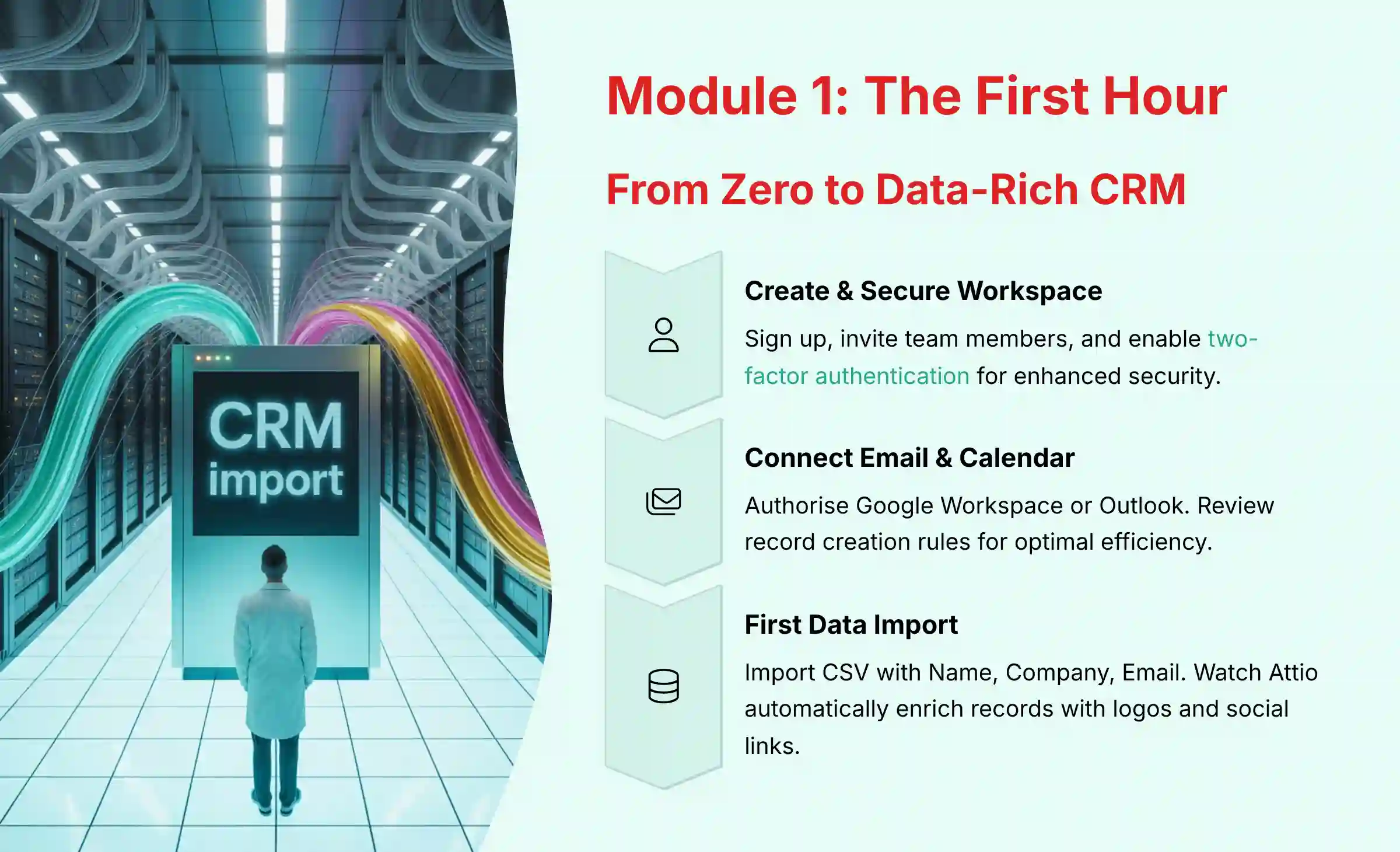
Learning Objective 1: Create and Secure Your Workspace
- Procedures:
- Sign up for an Attio account.
- Create your workspace and invite team members.
- Set up two-factor authentication (2FA) for enhanced security. I strongly recommend this step to protect your account.
Learning Objective 2: The Critical Sync – Connect Your Email and Calendar
- Procedures:
- Navigate to
Settings > Email and Calendar. - Authorize your Google Workspace or Outlook account. Authorizing email access requires trust, which is why Attio’s security certifications are so important.
- Review and confirm the “Record Creation Rules.” For most solopreneurs, allowing Attio to auto-create people and companies is the most efficient setting.
Learning Objective 3: Your First Data Import and the “Magic Moment”
- Procedures:
- Prepare a simple CSV file with “Name,” “Company,” and “Email” columns.
- Navigate to
Import/Export > Import CSV. Be careful to review the record creation rules to avoid pulling in irrelevant contacts. - Map your CSV columns to the corresponding Attio attributes.
- Run the import. You will see Attio automatically enrich the records with logos, domains, and social links. In my testing, this is the moment new users see the platform’s power.
Module 2: Core Skills – Building Your Custom Sales Pipeline

Learning Objective 4: Understand Attio’s Building Blocks
- Procedures:
- Review the definitions. An Object is your database table, like
Deals. An Attribute is a column, likeDeal Value. A Record is a row, like the “ACME Corp Deal.” A Collection is a filtered view, like a smart folder that only shows “Deals in Proposal Stage.”
Learning Objective 5: Create a Custom “Deals” Object and Attributes
- Procedures:
- Navigate to
Objects > Create object. Name it “Deals.” - Add essential custom attributes:
Deal Value(Type: Currency)Stage(Type: Select, with options: Lead, Qualified, Proposal, Won, Lost)Expected Close Date(Type: Date)Linked Company(Type: Record, linking to theCompaniesobject)
For more detailed guidance on features and capabilities, explore our comprehensive Attio Overview and Features analysis.

Learning Objective 6: Build and Visualize Your Pipeline
- Procedures:
- Create a new Collection based on the “Deals” object.
- Set the view type to Kanban. In my experience, this view is the most intuitive way for a solopreneur to manage their sales flow.
- Group the Kanban view by the “Stage” attribute. A record’s presence in a Kanban column is determined by its attributes, not by manually adding it.
- Add a new deal and link it to a company to see it appear in the pipeline. Accurate pipeline data is directly tied to financial forecasting, so data integrity here is key.
Module 3: Automation & Use Cases for Solopreneurs
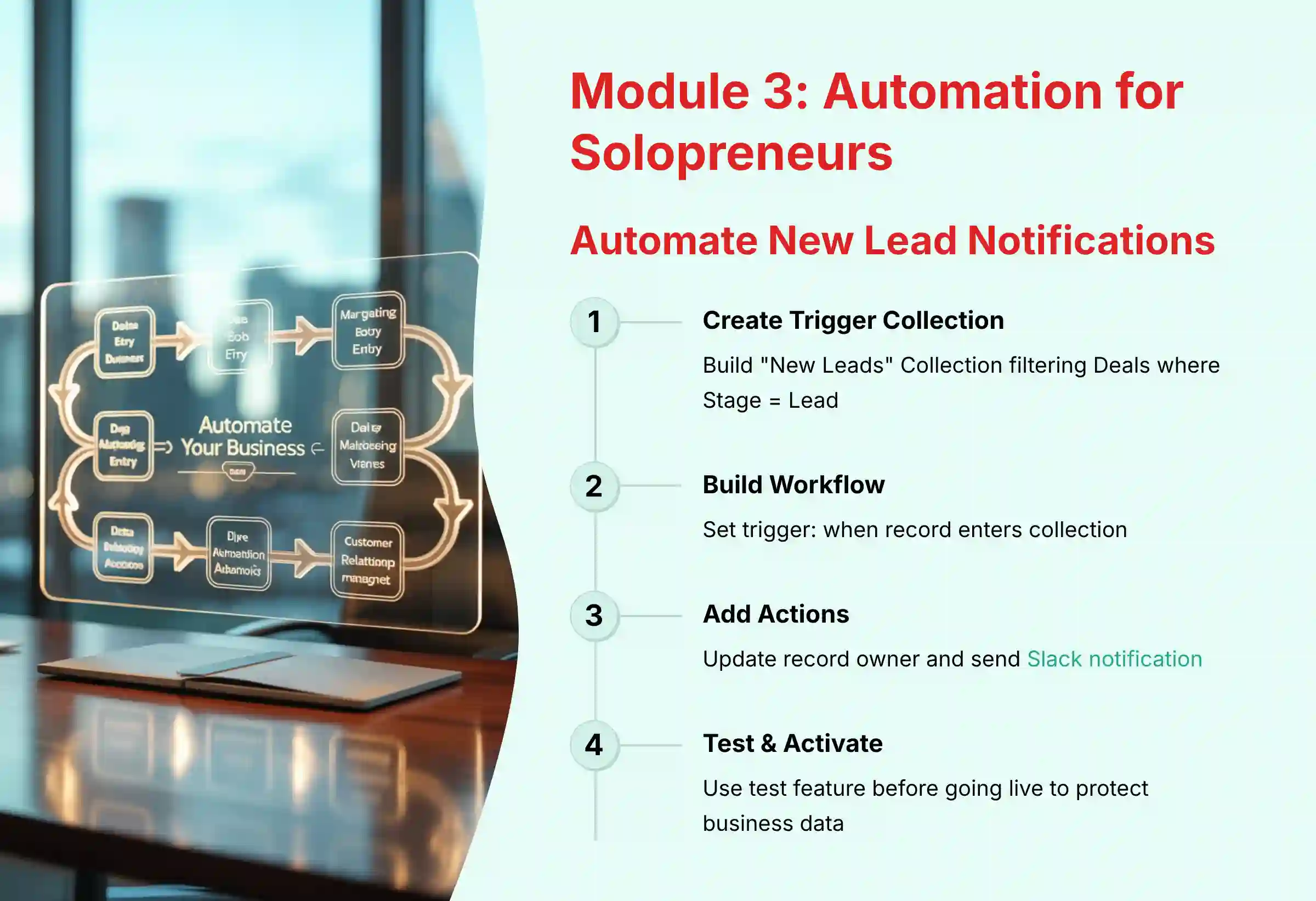
Use Case 1: Automate New Lead Notifications
- Procedures:
- Create the Trigger Collection: Build a Collection named “New Leads” that filters for all Deals where the
StageisLead. Be specific with your filter logic, as incorrect conditions are a common failure point. - Build the Automation Workflow: Navigate to
Automations > Create Workflow. - Set the Trigger:
When a record enters a collection-> Select the “New Leads” Collection. - Add Action 1:
Update record-> Set the “Owner” attribute to yourself. - Add Action 2 (Integration):
Send a Slack notification-> Post a custom message like “New Lead Assigned: [Deal Name]” to a designated channel. - Activate and Test: Turn the workflow on. I always recommend using the “Test” feature to troubleshoot before activating. Then, create a test deal to verify it works as expected. Automations that update data must be tested to protect your business information.

Understanding how Attio compares to other solutions is crucial. Read our detailed Attio Review for comprehensive insights into performance and value.
Module 4: Advanced Implementation for Scaling Businesses

Advanced Technique 1: Create a “Deal Health Score” with Calculated Attributes
- Procedures:
- Add Prerequisite Attributes: Your “Deals” object should have attributes like
Last Contact Date(Date) andMeeting Count(Number). - Create a Calculated Attribute: Add a new attribute named “Health Score” of type “Formula.”
- Input Formula Logic: Use a simple formula to score deals based on activity. For example:
IF(DATE_DIFF(NOW(), {Last Contact Date}, 'days') < 14, 50, 0) + ({Meeting Count} * 10). - Create an Actionable View: Build a new Collection called "Deals at Risk" that filters for deals with a
Health Score < 50. This helps a growing team focus their efforts.
Advanced Technique 2: Flawless Data Migration from Another CRM
- Procedures:
- Step 1 - Export & Import Companies: Export only company data from the old CRM and import it into Attio. A word of warning: always clean and deduplicate your data first.
- Step 2 - Export Attio Record IDs: Export the newly created companies from Attio. This file will contain the unique
Attio Record IDfor each company. - Step 3 - Match IDs in a Spreadsheet: Use VLOOKUP in Excel/Google Sheets to add the
Attio Record IDto your original contacts export file. This is a professional-level technique that saves hours of manual correction. - Step 4 - Import Contacts with Linked IDs: Import your contacts CSV. Map the
Attio Record IDcolumn to theLinked Companyattribute. This creates a 100% accurate relationship. Incorrectly migrated data can lead to lost customer information, so this process demands care.
Professional Recommendation: For migrations involving thousands of records or complex custom fields, consider working with a data migration specialist to ensure a seamless transition and protect the integrity of your customer data.
Module 5: Technical Deep Dive - Security and API Readiness
Understanding Attio's Security & Compliance (YMYL Focus)

- Procedures:
- SOC 2 Type II: Understand this as proof that Attio's security systems are independently audited and operate effectively over time. This shows they are protecting your customer data.
- ISO 27001: Recognize this as a framework for managing information security risks across the company.
- GDPR & Data Residency: Attio provides tools for data export and deletion to help you comply with regulations. By default, Attio hosts customer data in US data centers. However, customers on the Enterprise plan can request to have their data hosted in the EU. EU-based businesses should assess their plan and data residency requirements accordingly.
- Data Encryption: Attio employs AES-256 encryption for data at rest and TLS 1.2+ for data in transit, adhering to industry best practices for protecting data from unauthorized access.
API Readiness: A Use Case for Future Growth
- Procedures:
- Conceptual Understanding: The API acts like a universal translator. It allows other software to talk to Attio, creating a central hub for your business data.
- Example Use Case: As your business grows, you could use the API to automatically sync product usage data from your application to a company's record in Attio. This gives your team real-time insights into customer engagement. For projects this complex, I suggest consulting with a qualified developer.
Important Disclaimers:
Technology Evolution Notice: The information about Attio and AI CRM Software tools presented in this article reflects our thorough analysis as of 2025. Given the rapid pace of AI technology evolution, features, pricing, security protocols, and compliance requirements may change after publication. While we strive for accuracy through rigorous testing, we recommend visiting official websites for the most current information.
Professional Consultation Recommendation: For AI CRM Software applications with significant professional, financial, or compliance implications, we recommend consulting with qualified professionals who can assess your specific requirements and risk tolerance. This overview is designed to provide a deep understanding rather than replace professional advice.
Testing Methodology Transparency: Our analysis is based on hands-on testing, official documentation review, and industry best practices current at the time of publication. Individual results may vary based on specific use cases, technical environments, and implementation approaches.
Frequently Asked Questions About Attio
What Makes Attio Different from a Traditional CRM like HubSpot or Salesforce?
Attio's difference is its flexible, database-like structure. Traditional CRMs often force you into predefined objects like "Leads" and "Deals." In my testing, Attio lets you build your own custom objects and attributes to perfectly match your business process, making it ideal for small businesses needing a tool that adapts to them.
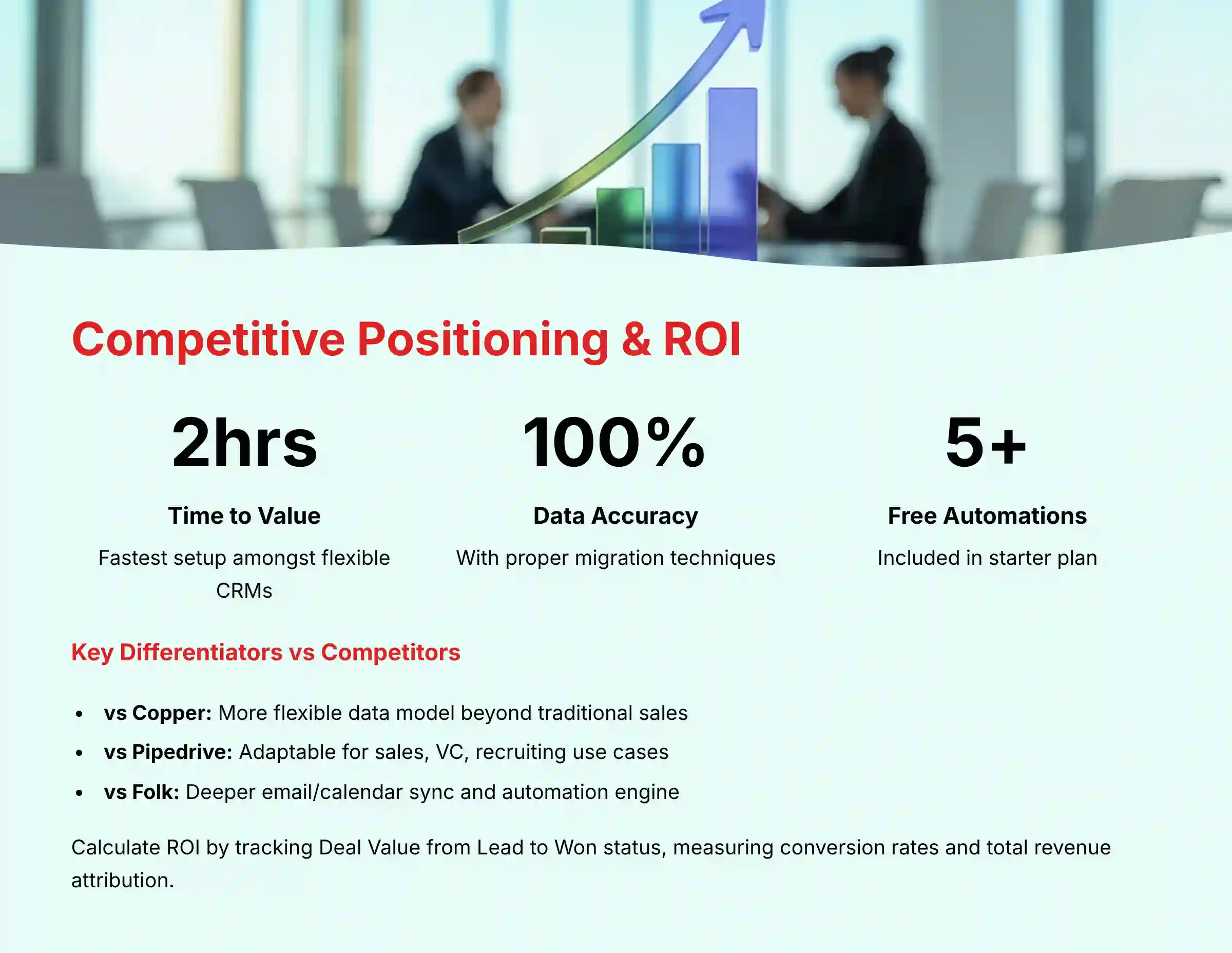
To provide a more direct competitive positioning analysis against tools in the same category:
- vs. Copper: Copper is also known for its deep integration with Google Workspace. However, Attio's data model is fundamentally more flexible and customizable, whereas Copper is more structured around a traditional sales pipeline.
- vs. Pipedrive: Pipedrive is a sales-first CRM with a highly intuitive, visual pipeline. Attio is a more general-purpose relationship management platform that can be configured for sales, venture capital, or recruiting, offering greater adaptability beyond a single use case.
- vs. Folk: Folk shares a similar ethos of flexibility and contact management. Attio's key differentiator is its more powerful automation engine and deeper, real-time sync with email and calendar data, which provides a richer timeline of interactions automatically.
For a comprehensive comparison of available solutions, check out our guide to Attio Top Alternatives and Competitors.
Is Attio's Free Plan Genuinely Useful for a Solopreneur?
Yes, the free plan is highly useful for getting started. It includes core features like email sync and the visual pipeline builder for a limited number of users and contacts. The Free plan includes limited automations (e.g., 5 active workflows and 100 automation runs per month). The primary reasons to upgrade include needing more automation runs, a higher number of active workflows, a higher contact limit, advanced permissions, and additional features like custom data residency.
How Secure Is My Customer Data in Attio?
Attio takes security very seriously. They hold both SOC 2 Type II and ISO 27001 certifications. These represent rigorous, independent audits of their security controls. Your data is encrypted both in transit and at rest, meaning you can trust Attio with your customer data.
What Is the Single Biggest Mistake New Attio Users Make?
The most common mistake I see is failing to properly link imported data, especially contacts to companies. Users often import two separate files and rely on name matching, which can fail with slight variations. The solution is the "Record ID Trick" from our advanced data migration module. This method creates a perfect, error-free data structure from the start.
How Should I Calculate the Total Cost of Ownership (TCO) for Attio?
Calculating the TCO is essential for a complete financial assessment. Beyond the monthly subscription fee, professionals must account for several factors:
- Subscription Tiers: The per-user cost of the plan that includes necessary features like automations and advanced permissions.
- Integration Costs: A significant portion of Attio's power comes from connecting to other tools. Budget for the subscription costs of middleware platforms like Zapier or Make, as automation complexity and volume (i.e., task consumption) will directly impact this expense.
- Implementation & Training Time: While Attio has a rapid time-to-value, migrating complex data or training a team requires an investment of time. Factor in the internal hours needed for data cleaning, process mapping, and user adoption.
- API Development (Future Cost): If you plan to build custom integrations using Attio's API, you must budget for developer resources.
A realistic TCO estimate will prevent unexpected costs as your business scales and your reliance on the CRM ecosystem grows.
Can Attio Help Me Calculate My Business ROI?
Attio provides all the data you need to measure your return on investment. By using a "Deal Value" attribute and tracking deals from "Lead" to "Won," you can precisely measure conversion rates and total revenue. You can also create custom objects to track marketing campaigns, allowing you to attribute revenue to specific activities and calculate ROI accurately.
My Email Thread Isn't Showing Up on a Record's Timeline. How Do I Fix It?
This usually happens because none of the email participants are recognized as a Person in Attio linked to that specific Company record. Attio needs this connection to log the communication. The fastest fix is to use the Attio sidebar in your email client, find the person who isn't linked, and quickly link them to the correct company.
How Does Attio's AI Actually Work?
Attio's AI functions as a powerful and automatic data enrichment engine. When you add a new company, Attio's systems search public data sources to find and populate key information. This includes the company's logo, location, and social media profiles. It saves you hours of manual research and keeps your data clean.
How does Attio's AI compare to CRMs with predictive features?
This is a critical distinction for buyers evaluating AI CRM Software. Attio's AI primarily focuses on foundational data accuracy and relationship intelligence. Its AI engine excels at automated data enrichment—finding and populating company and contact details to create a clean, reliable database. It also analyzes communication patterns to map the strength of relationships.
However, as of my 2025 analysis, Attio does not offer native predictive AI features like:
- Predictive Lead Scoring: Machine learning models that analyze historical data to rank leads on their likelihood to convert.
- Sales Forecasting AI: Algorithms that predict future revenue based on pipeline data and sales team performance.
- Churn Prediction: AI that identifies at-risk accounts based on engagement metrics.
Professional Takeaway: Choose Attio when your primary need is a flexible CRM with best-in-class data hygiene and automated relationship mapping. If your strategy depends heavily on AI-driven sales predictions and lead scoring, you may need to integrate Attio with a specialized tool or consider platforms with these features built-in.
Can I Integrate Attio with Other Tools I Use, like Typeform or Mailchimp?
Yes. Attio connects to your other tools primarily through platforms like Zapier and Make. This allows you to connect Attio to thousands of other applications. A common use case is creating a workflow where a new form submission automatically creates a new "Deal" or "Person" record in Attio, starting your sales process without manual data entry.
For additional support and detailed questions, explore our comprehensive Attio FAQs resource.
You now have a comprehensive framework for mastering Attio. We've moved from initial setup and data enrichment to building a custom pipeline and leveraging powerful automations. The true strength of Attio, as we've demonstrated, is its flexibility; it adapts to your business, not the other way around.
By applying these techniques and focusing on data integrity, you can build a powerful, secure CRM that not only organizes your relationships but actively helps you grow your business. I hope you found this Attio Tutorials and Usecase a valuable guide on that journey.







Leave a Reply