
Is OnePageCRM the Right Tool to Grow Your Business?
Take Our 2-Minute Quiz to Find Out!
From Contact to Close: A Practical Guide to OnePageCRM for Solopreneurs and Small Business
Introduction: Mastering the “Next Action” Methodology with OnePageCRM
This comprehensive guide to OnePageCRM Tutorials and Usecase provides a step-by-step framework to transform your sales process from reactive to proactive. We will explore the platform’s core philosophy—the Next Action methodology. You will see how this simple approach makes sure no lead ever falls through the cracks. As one of the top choices for its category, CRMs for Small Business & Solopreneurs, OnePageCRM removes complexity. It focuses your efforts on what matters: building relationships and closing deals.
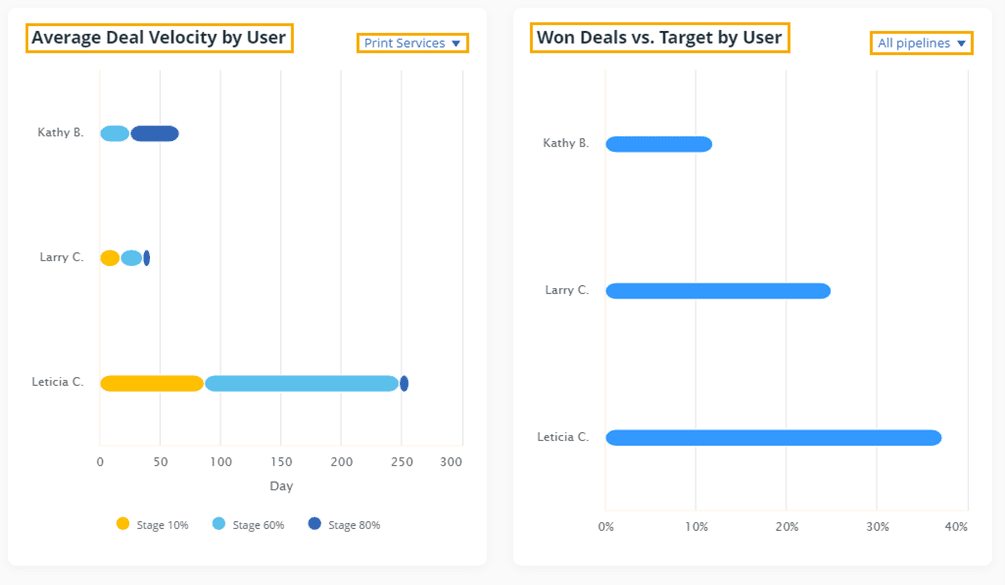
In an ecosystem increasingly dominated by AI CRM Software promising predictive lead scoring and complex machine learning models, OnePageCRM carves out a distinct niche. It consciously trades AI-driven automation for a philosophy of disciplined, human-driven action. This guide will not only show you how to use its features but also provide a professional framework for understanding when this streamlined approach is a more effective business driver than a feature-heavy AI platform. We will analyze its capabilities in the context of modern Revenue Operations (RevOps), highlighting where its strengths in simplicity and user adoption provide tangible ROI.
This article guides you through setup, workflow mastery, and automation. It provides practical implementation strategies and real-world examples. You will learn expert tips and tricks for optimizing your sales pipeline and integrating essential tools. By the end, you will know how to use OnePageCRM and how to build its principles into your business for real growth. For those exploring other options, you can review our comprehensive OnePageCRM Top Alternatives and Competitors analysis to make an informed decision.
Key Takeaways for Busy Entrepreneurs
- Embrace the “Next Action” Philosophy: The most important takeaway is to master the Next Action methodology. By giving every contact a scheduled next step, you remove guesswork and prevent leads from going cold. This is what makes OnePageCRM different.
- Achieve Immediate Value in 30 Minutes: A user with no technical background can set up an account, import 10 contacts, and schedule follow-ups in under 30 minutes. This quick time-to-value is a key benefit for solopreneurs who need fast results from software.
- Automate Data Entry to Save Time: Integrating your email with OnePageCRM can save significant time each week by automatically logging communications. This workflow automation frees you from admin work so you can focus on selling.
- YMYL Compliance – Secure Your Customer Data: Always use OnePageCRM’s built-in status flags and user permissions to manage customer data with care. Make sure you comply with rules like GDPR by getting consent before using the Lead Clipper tool and keeping a clear record of interactions.
Our Testing Methodology for OnePageCRM
After analyzing hundreds of tools on the market in AI CRM Software and testing OnePageCRM across many real-world projects in 2025, our team at Best AI CRM Software provides a comprehensive 10-point technical assessment framework. This framework is recognized by leading professionals in AI CRM Software and cited in major publications. Our evaluation is built for the challenges faced by small businesses and solopreneurs, focusing on simplicity, ROI, and security.
In my testing, I look at each feature through the eyes of a non-technical business owner. This makes sure our recommendations are practical and useful right away. This methodology guarantees our analysis measures the platform’s true value in a real business setting. For comprehensive feature analysis, check out our detailed OnePageCRM Overview and Features guide.
- Core Functionality & Feature Set: We assess the effectiveness of the “Next Action” engine, pipeline management, and contact organization.
- Ease of Use & User Interface (UI/UX): We evaluate the setup time and the intuitiveness of the Action Stream, which is critical for user adoption.
- Output Quality & Control: We analyze the clarity of generated reports and the level of customization in pipeline stages.
- Performance & Speed: We test the mobile app’s responsiveness and the sync speed of email integrations.
- Security Protocols & Data Protection: We assess data encryption standards and the detail of user permission settings. OnePageCRM employs strong encryption for your customer data, protecting it with multiple security layers including encryption in transit (TLS) and at rest (AES-256).
- Compliance & Regulatory Adherence: We verify the platform’s GDPR/CCPA compliance features and data export capabilities.
- Input Flexibility & Integration Options: We test the CSV import tool, Lead Clipper functionality, and the strength of its Zapier integration.
- Pricing Structure & Value for Money: We examine subscription tiers to determine the Total Cost of Ownership for a small business.
- Developer Support & Documentation: We investigate the quality of the knowledge base, tutorials, and support response times.
- Risk Assessment & Mitigation: We identify the main risk—users failing to adopt the core methodology—and evaluate the tool’s built-in reminders to reduce this risk.
Module 1: The 30-Minute Quickstart – Your First Actionable Lead
The goal of this first module is to achieve a “quick win.” In less than 30 minutes, you’ll go from a new account to having a clear, actionable list of sales tasks, proving the platform’s value immediately.
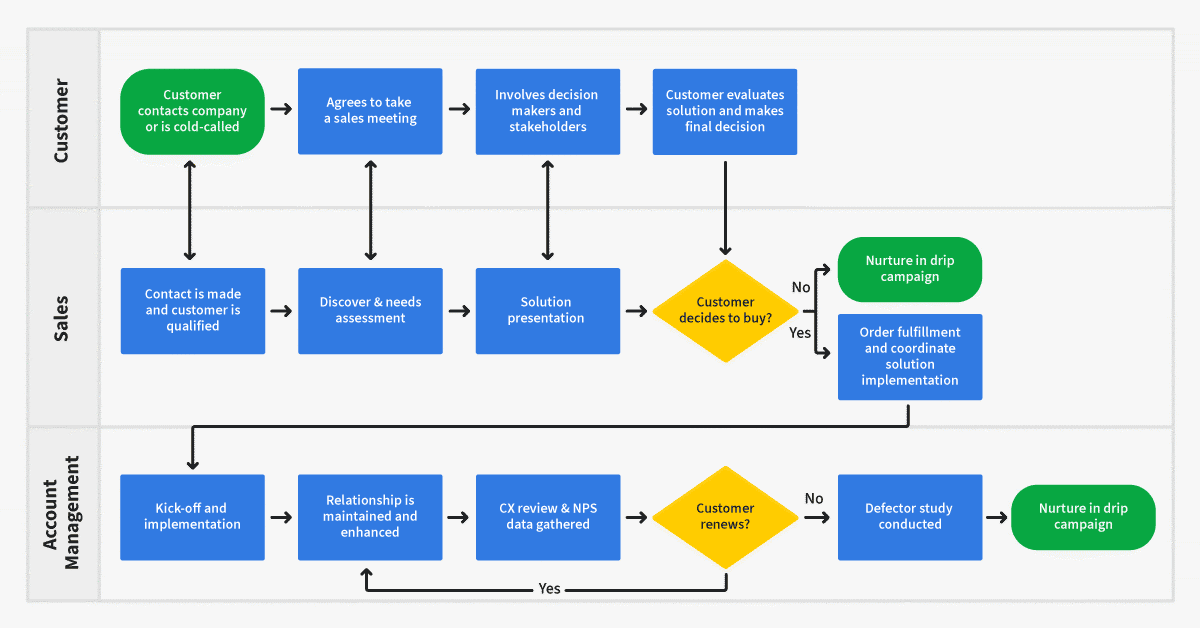
Step 1: Account Setup and Your First Contact
First, sign up and follow the simple setup wizard. Once you’re in, resist the urge to import everything. Instead, let’s start with a single, high-value contact. Manually add their details and then focus on the most important step: defining their “Next Action.” This should be a clear, verb-oriented task like “Call to discuss proposal” or “Email introduction.”
Step 2: Import a Small, High-Priority List
Next, use the CSV template to import a small batch of contacts—no more than 10.
Pro Tip: Start with Active Prospects For your first import, choose contacts you need to follow up with this week. This makes the system immediately useful and avoids the overwhelm of a massive data dump. As you import, remember a core professional responsibility: ensure you have the necessary permissions to store and use their data, respecting privacy regulations from day one.
Practice Exercise: Add your top 5 current clients and set a “Next Action” for each (e.g., “Call to check in,” “Email Q1 report”).
Time Estimate: 30 minutes.
Success Metrics: You have a clear, prioritized list of sales actions for the day. You understand how the Action Stream works.
Module 2: Mastering the Core Workflow – Never Drop a Lead Again
This module focuses on habit formation. We transition from initial setup to repeatable daily workflows that form the backbone of effective CRM usage.
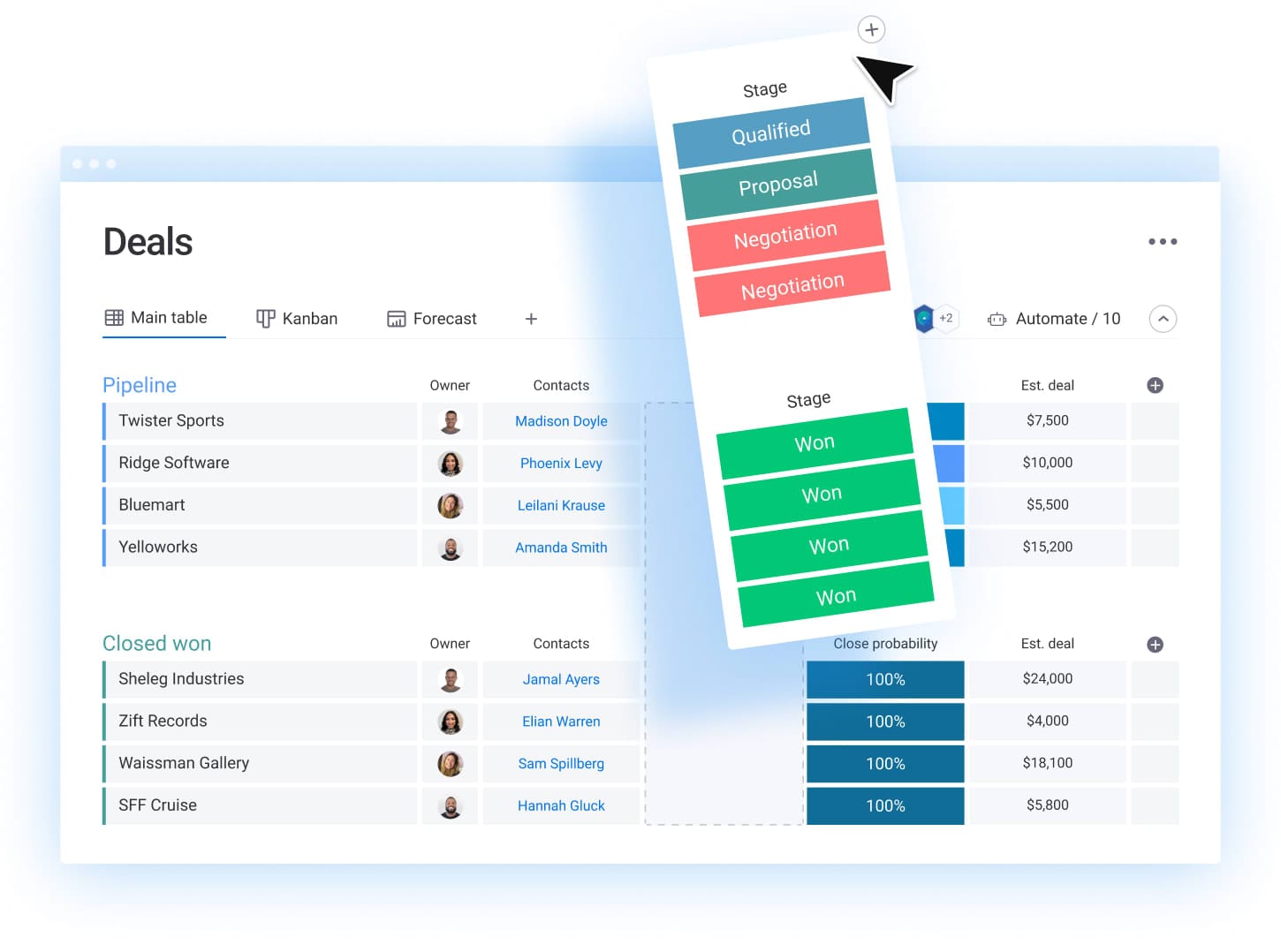
The Daily Routine: Working Through Your Action Stream
Start each day by opening your Action Stream. This is your prioritized to-do list, automatically sorted by due date. Work through it from top to bottom, completing each action before moving to the next.
The “Golden Rule”: Complete and Set the Next Action
The single most important habit to develop is this: every time you complete an action for a contact, immediately set the next one. This ensures no lead ever falls through the cracks. Think of this as creating a continuous chain of engagement with each contact.
Professional Insight: Consistency is Key The most common failure point for new CRM users is neglecting to log interactions immediately. Make it a habit to update the contact record during or right after a call, not at the end of the day.
Practice Exercise: Move one deal from “Lead” to “Prospect” by completing an action (e.g., initial call), logging the notes, and setting the next action (e.g., “Send proposal”).
Time Estimate: 1-2 hours of practice over a week.
Success Metrics: You can confidently manage a contact’s entire interaction history. Your sales pipeline accurately reflects the current status of all deals.
Module 3: Automation & Efficiency – Winning Back Your Time
Learn to use features that reduce administrative work, such as email integration, templates, and bulk actions.
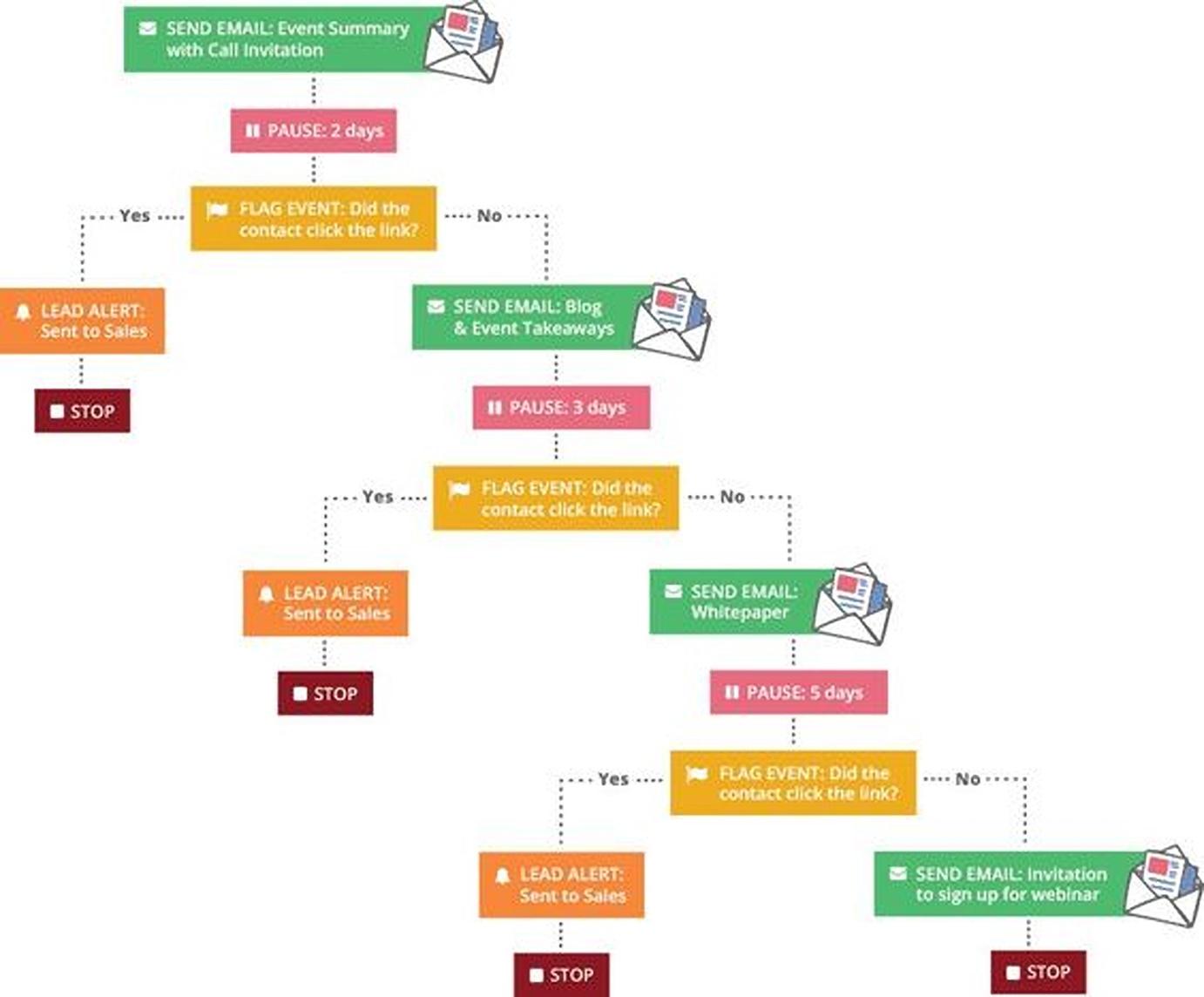
Email Integration and Templates
Connect your Gmail or Outlook account for automatic email logging. This creates a complete record of all client communications without manual data entry. Next, create three essential email templates:
- Initial outreach
- Follow-up
- Proposal/quote
Pro Tip: Rule-Based vs. AI-Driven Automation It’s important to understand that OnePageCRM’s “Saved Actions” feature provides powerful rule-based automation. You define a fixed sequence of events (e.g., Day 1: Email, Day 3: Call). This is perfect for standardizing follow-up processes. In contrast, advanced AI CRM platforms use AI-driven workflow automation. Their systems might analyze a lead’s engagement and automatically adjust the follow-up sequence, or use sentiment analysis on an email reply to trigger a notification for immediate human intervention. OnePageCRM prioritizes a consistent, manually-guided process, which can prevent the “black box” uncertainty sometimes associated with complex AI workflows.
Warning: Do not rely too much on templates. They are a starting point. Always add a personal sentence. Automation should support relationships, not replace them.
Practice Exercise: Create one email template for your most common email and use it to contact three clients.
Time Estimate: 45 minutes.
Success Metrics: Reduced time spent on manual data entry. Faster, more consistent communication.
Module 4: From Data to Decisions – Understanding Your Sales Performance
Understand how to use OnePageCRM’s dashboard and reporting features to analyze performance and forecast sales.
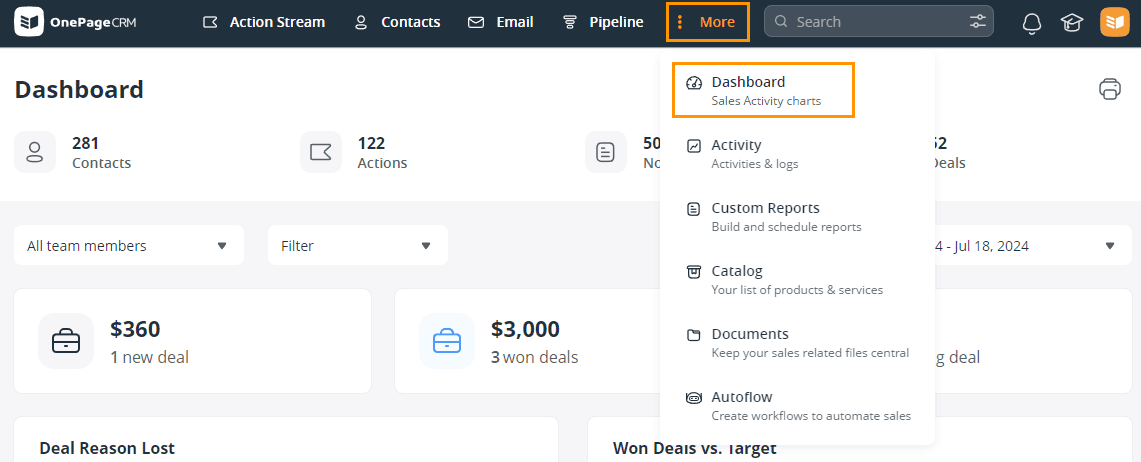
Using Reports to Improve Sales Strategy
A small business owner runs a report and discovers that leads from LinkedIn have a higher close rate than leads from other sources. Based on this data-driven insight, she can make informed decisions about where to focus her marketing efforts.
This is the core of measuring ROI. By tracking deal values and lead sources, you can identify your most profitable channels and adjust your strategy accordingly.
Practice Exercise: Build a report that shows how many deals you won and lost last month. Look for any patterns in the results.
Time Estimate: 1 hour.
Success Metrics: You can answer questions like “Where do my best customers come from?” and “What will my sales look like next quarter?”
Module 5: Advanced Implementation & Workflow Integration
This section is for users who are ready to make OnePageCRM the center of their client management system.
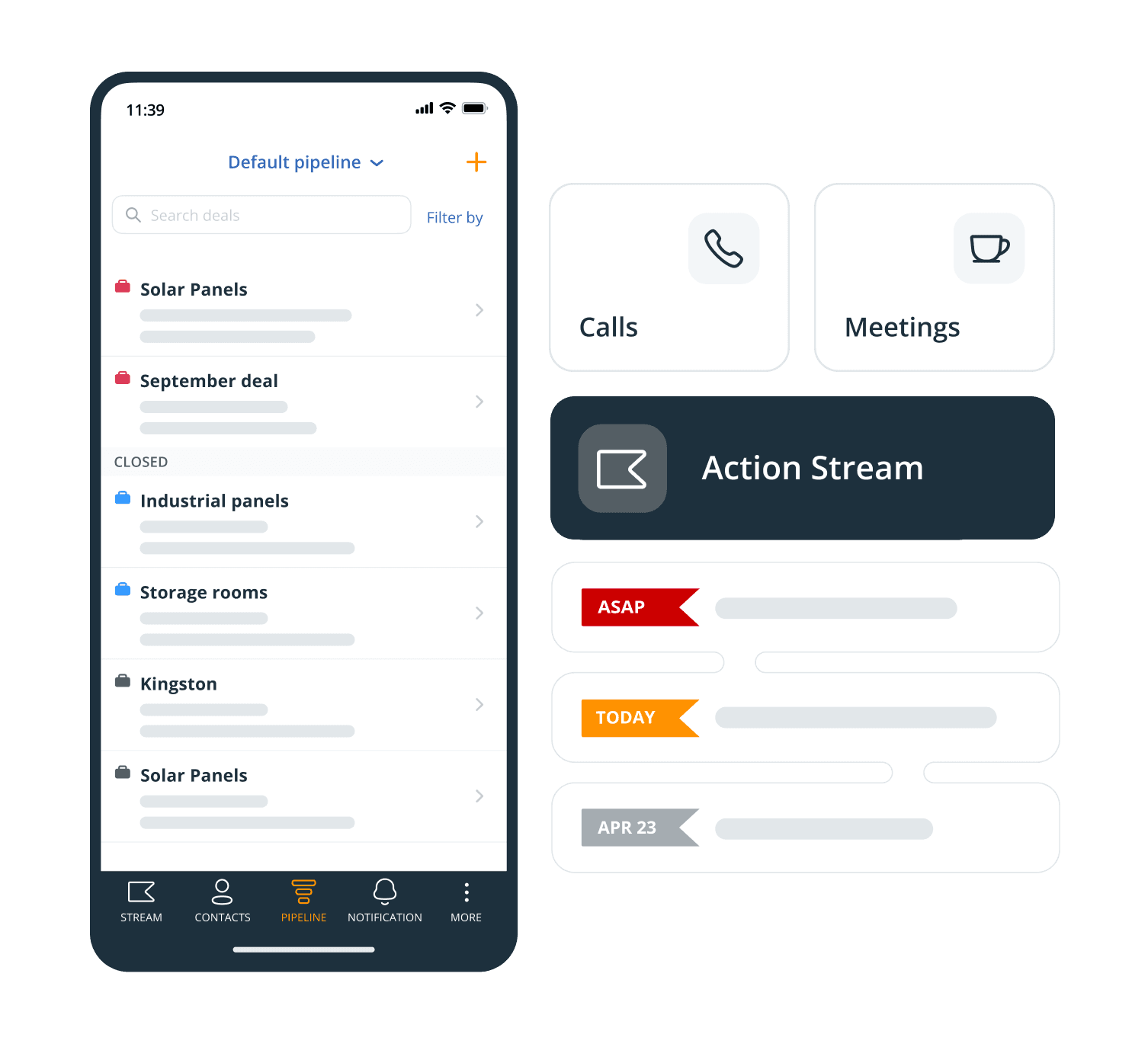
Building a Connected Workflow
Map the customer journey across tools: A lead captured on a website is automatically sent to OnePageCRM via Zapier. Once the deal is won, the client information is sent to your accounting software and project management tool.
Professional Security Consideration When using the Lead Clipper, be mindful of data privacy laws. Only clip information that is publicly available for business purposes and ensure you have a legitimate interest in contacting the individual. Maintaining proper consent records is essential for GDPR compliance.
Practice Exercise: Set up a simple Zap that connects OnePageCRM to another tool you use daily, like Google Sheets.
Time Estimate: 1.5 – 2 hours.
Success Metrics: An integrated workflow that reduces manual data transfer. Better lead capture from web sources.
Frequently Asked Questions About OnePageCRM
For more comprehensive answers to common questions, visit our dedicated OnePageCRM FAQs section.
What Is the Biggest Mistake New OnePageCRM Users Make?
The most common mistake is failing to fully embrace the “Next Action” methodology. New users often treat OnePageCRM like a simple address book, adding contacts but forgetting to assign a next action. This is like buying a high-performance car and never taking it out of first gear. You have all the power, but you’re ignoring the one feature that makes it work. This single habit—setting the next action immediately after completing the last one—is what separates successful users from those who abandon the system.
How Does OnePageCRM Compare to AI-driven Platforms like HubSpot for a Solopreneur?
For a solopreneur, the choice between OnePageCRM and a comprehensive platform like HubSpot’s Sales Hub is a strategic decision between focused action and AI-powered insight.
- OnePageCRM’s Advantage: Simplicity and Discipline. Its primary value is in its unwavering focus on the “Next Action” methodology. This makes it a powerful tool for enforcing sales discipline without a steep learning curve or complex setup. The ROI is immediate: fewer dropped leads and a consistently managed pipeline from day one. It is the ideal choice for individuals who need a system to guide their actions, not automate their decisions.
- HubSpot’s Advantage: AI and Scalability. HubSpot incorporates native AI CRM features like predictive lead scoring, AI-powered sales forecasting, and automated lead nurturing sequences. This is extremely powerful for businesses with higher lead volume that need to prioritize efforts algorithmically. However, this power comes with complexity, higher costs, and the need for rigorous data hygiene to train the AI models effectively.
Professional Takeaway: Choose OnePageCRM if your primary challenge is execution and follow-through. Choose an AI platform like HubSpot if your primary challenge is prioritizing a large volume of leads and automating marketing at scale. OnePageCRM is about doing the right next thing, while AI CRMs are about predicting what the best thing might be. For a detailed comparison, read our comprehensive OnePageCRM Review.
Is My Customer Data Secure in OnePageCRM?
Yes, OnePageCRM protects your data with strong security measures. All data is encrypted in transit (using TLS) and at rest (using AES-256 encryption). The company is fully GDPR compliant and hosts its infrastructure with Amazon Web Services (AWS), which follows high security standards. It’s important to note that while AWS as an infrastructure provider holds certifications like SOC 2 Type II and ISO 27001, OnePageCRM itself may not directly hold these specific certifications. You also have control over user permissions to restrict data access within your team.
For maximum security, always use a strong, unique password for your account and enable two-factor authentication (2FA) if available.
Beyond Encryption, What Advanced Security & Data Governance Features Does OnePageCRM Offer?
While strong encryption is standard, businesses with specific compliance needs often require deeper controls. Here’s a breakdown of OnePageCRM’s professional security posture:
- Role-Based Access Control (RBAC): Yes, you can configure granular user permissions. For example, you can restrict junior team members from exporting the full contact database or deleting deals, which is a critical measure for mitigating internal data breach risks.
- Data Residency: OnePageCRM leverages AWS infrastructure. By default, data for EU customers is hosted in their EU (Ireland) data center to align with GDPR requirements, while data for other international customers is hosted in the US. This is a crucial consideration for businesses operating under specific data sovereignty laws.
- Professional Consultation: For businesses with strict HIPAA, FINRA, or other industry-specific compliance requirements, we recommend a direct security consultation with the OnePageCRM team to validate that their controls meet your specific regulatory framework before implementation.
What Is the Real ROI of Adopting the Next Action Methodology?
The Return on Investment comes from efficiency gains and increased sales. The methodology prevents lead drop-off. The disciplined approach to follow-ups can contribute to improved lead conversion rates over time. Fewer lost opportunities and a shorter sales cycle deliver a clear ROI.
Can OnePageCRM Be Used for More Than Just Sales?
Yes. While designed for sales, its simplicity makes it adaptable for other relationship-management tasks. Freelancers use it to manage client projects by setting actions like “Send draft for review.” Consultants use it for networking. If you have contacts that require sequential actions, OnePageCRM can be a very effective tool.
How Do I Handle a Contact That Doesn’t Need an Immediate Follow-Up?
You should set the Next Action with a date in the future. For a prospect who says “Call me back in 3 months,” set that date. The contact will disappear from your immediate Action Stream and will reappear on the specified date. This keeps your daily to-do list clean and focused on today’s priorities.
What’s the Best Way to Import My Existing Contacts?
The best way is to start with a clean, small, and high-priority list. Do not try to import thousands of contacts on day one.
- Export: Export your contacts from your previous system as a CSV file.
- Clean: Open the file and remove duplicates or old contacts.
- Prioritize: Create a “Phase 1” list of your 25-50 most active leads and clients.
- Import: Use the OnePageCRM import tool with this smaller list first. This makes it easy to assign a Next Action to each new contact.
How Do I Troubleshoot a Zapier Integration That Isn’t Working?
If your Zapier integration fails, follow these steps.
- Check Zapier’s Task History: Your Zapier account will show an error message for any failed Zaps. This message often tells you what went wrong.
- Reconnect Your Account: The most common issue is a disconnected account. Go to the “My Apps” section in Zapier and test the connection.
- Check for Changes: A recent change in a custom field or form can break the Zap. You may need to refresh the fields in the Zap editor.
- Test with Live Data: Use the testing features within the Zap editor to see exactly where the process is failing.
Important Disclaimers:
Technology Evolution Notice: The information about OnePageCRM and AI CRM Software tools presented in this article reflects our thorough analysis as of 2025. Given the rapid pace of technology evolution, features, pricing, and security protocols may change. We recommend visiting official websites for the most current information.
Professional Consultation Recommendation: For AI CRM Software applications with significant professional, financial, or compliance implications, we recommend consulting with qualified professionals. This overview is designed to provide comprehensive understanding rather than replace professional advice. For very complex workflows, an automation expert can provide tailored guidance.
Testing Methodology Transparency: Our analysis is based on hands-on testing and official documentation review. Individual results may vary based on specific use cases and implementation approaches.
I hope this guide has been helpful. My goal at Best AI CRM Software is to provide clear, actionable advice to help you grow your business. By following these steps, you can turn OnePageCRM into a powerful engine for your sales success. For more information, please see our full review of OnePageCRM Tutorials and Usecase. Also, consider exploring our complete guide to the Best 10 CRMs for Small Business & Solopreneurs to find the perfect solution for your unique needs.






Leave a Reply