
Is OnePageCRM the Right AI CRM for You?
Take Our Quick Quiz to Find Out!
Understanding OnePageCRM through frequently asked questions helps businesses make informed decisions about their CRM selection. This comprehensive guide addresses the most critical aspects of OnePageCRM’s functionality, security, and suitability for different business needs.
Key Takeaways
- Next Action Sales Methodology: OnePageCRM’s unique approach ensures every contact always has a follow-up task, preventing leads from falling through the cracks
- Smart Automation Focus: Features practical AI for route planning, lead capture, and business card scanning rather than complex predictive analytics
- Enterprise-Grade Security: Provides TLS encryption, AES-256 database protection, and full GDPR compliance for business data safety
- Transparent Pricing Model: Offers simple per-user pricing without hidden fees, setup costs, or complex tiers for predictable budgeting
- Seamless Data Migration: Comprehensive CSV import system with field mapping wizard supports easy transitions from spreadsheets and other CRMs
What is OnePageCRM and how does its ‘Next Action Sales’ methodology work?
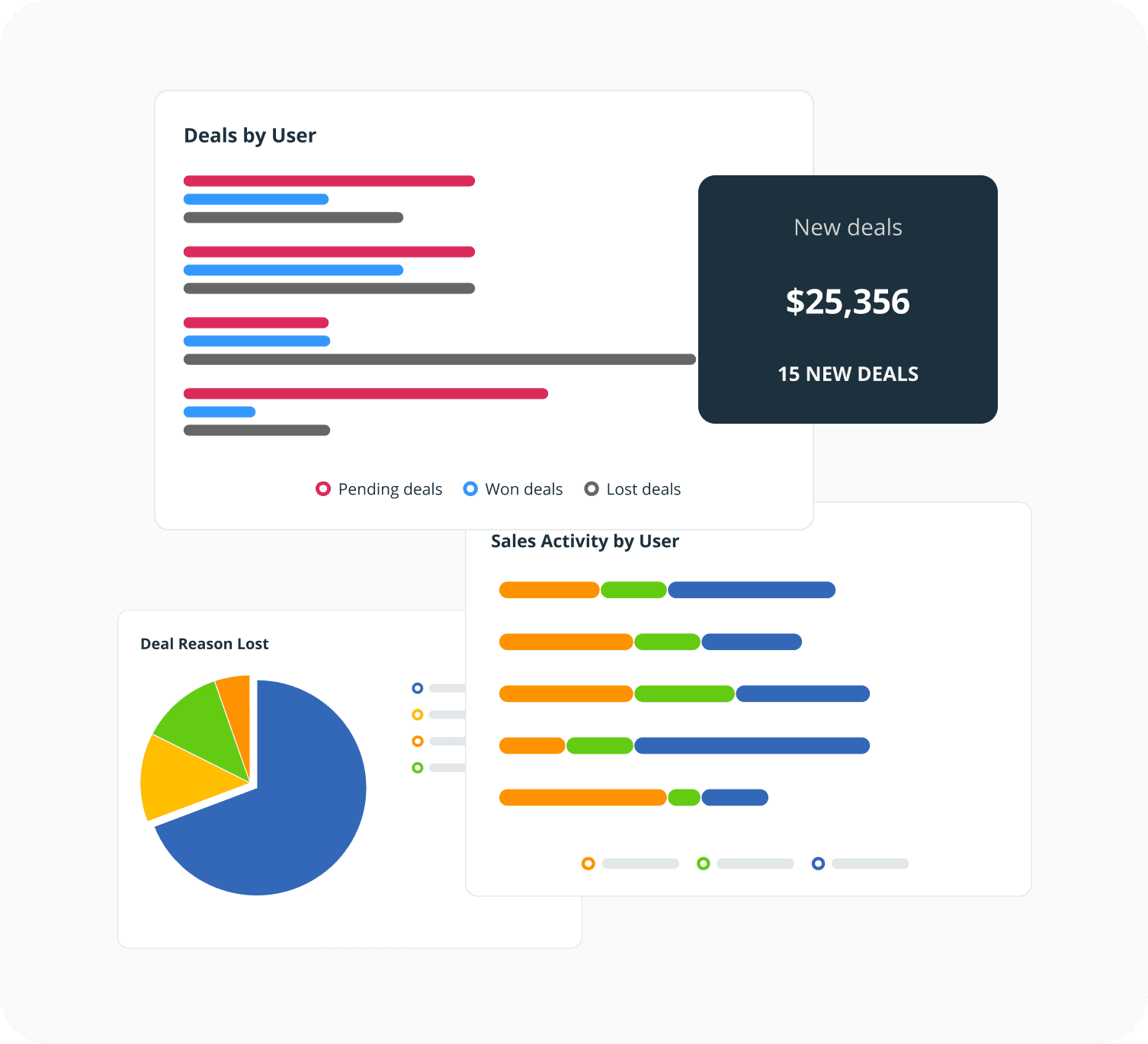
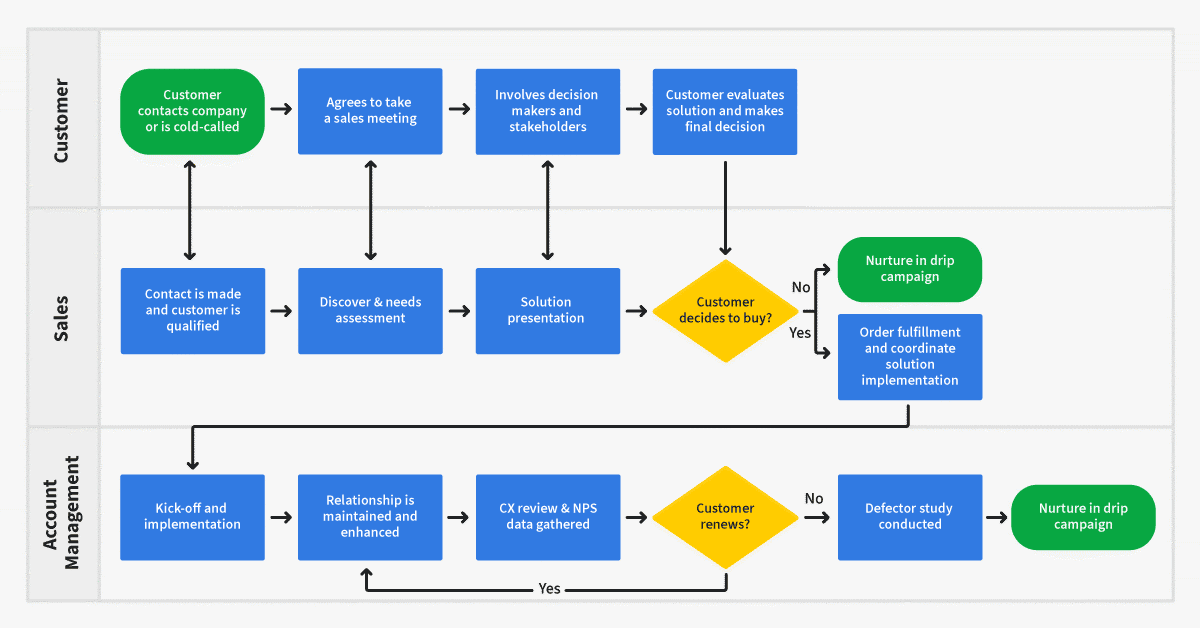
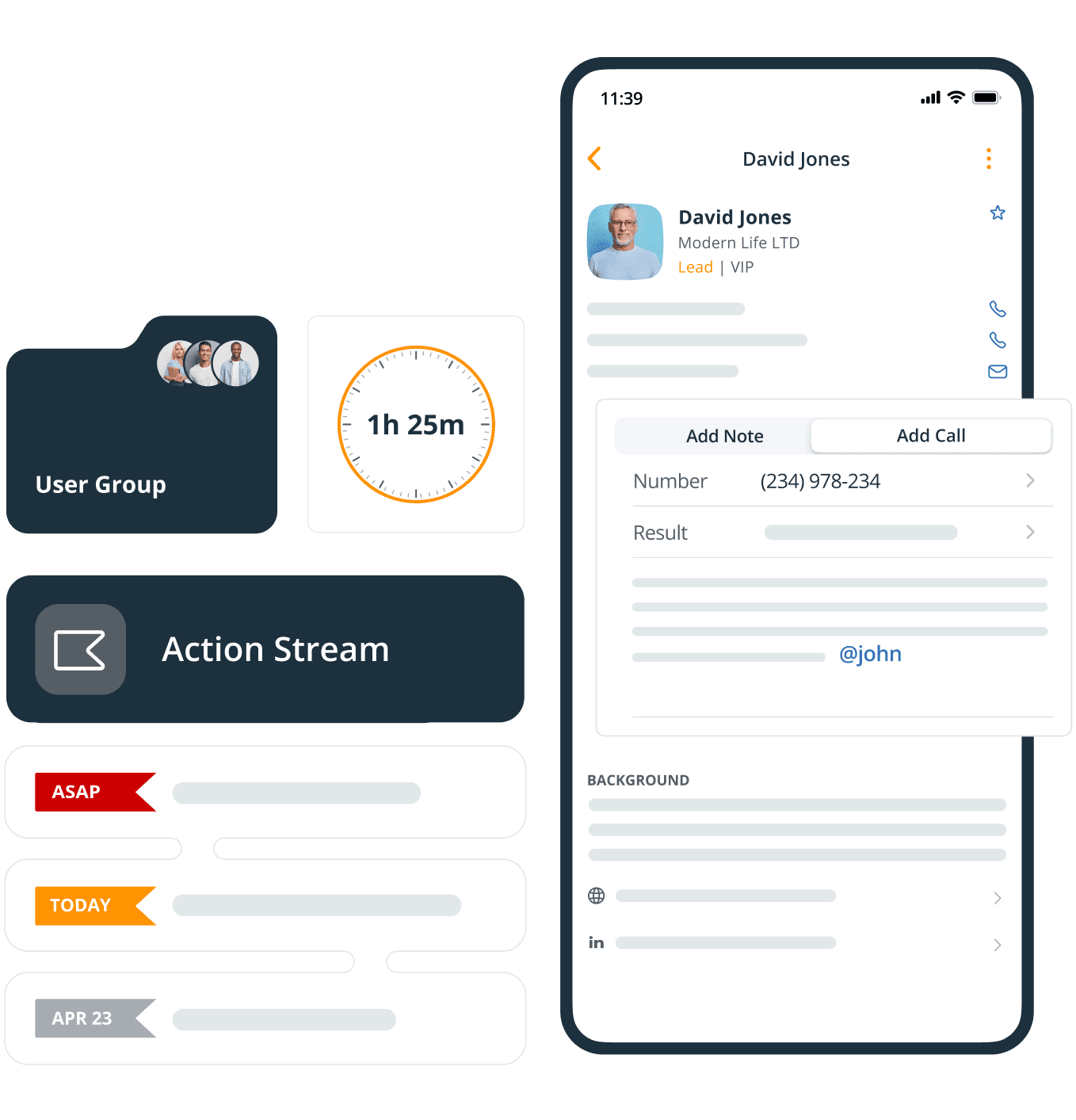
OnePageCRM is a customer relationship management platform specifically designed for small businesses and solopreneurs, built around a unique “Next Action Sales” methodology that transforms how sales teams manage their daily activities. The core principle eliminates complexity by ensuring every contact in your database always has a follow-up task assigned to it, preventing leads from falling through the cracks.
Unlike traditional CRMs that can become passive databases, OnePageCRM actively prompts you to act. The system’s dashboard is organized around your task list for the day, ensuring you always know your priorities. This methodology is particularly effective for businesses where consistent follow-up is the key driver of sales success. It transforms the CRM from a simple record-keeping tool into a proactive sales engine, focusing on relentless forward momentum for every single prospect and customer.
The “Next Action” approach forces users to decide on the very next step required to move a deal forward (e.g., “Call Sarah on Tuesday,” “Follow up with a quote”), creating a discipline that many sales professionals struggle to maintain independently. This simplicity is its greatest strength, making it ideal for users who find larger, more complex CRM systems overwhelming.
For businesses seeking a more comprehensive OnePageCRM overview and features breakdown, exploring the platform’s full capabilities can provide deeper insights into its action-driven approach.
- Core Philosophy: Every contact must have a “Next Action” with a due date
- Result: Prevents analysis paralysis and ensures consistent lead nurturing
- Ideal For: Sales teams that thrive on structure and daily action plans
Is OnePageCRM a true AI CRM, or does it focus more on automation?
OnePageCRM should be categorized as a smart, automation-focused CRM rather than a true, predictive AI CRM. While it incorporates AI-enhanced features, its primary strength lies in intelligent automation that streamlines sales workflows, not in deep learning or predictive analytics found in enterprise-level AI CRM platforms.
The platform uses AI to enhance specific, practical tasks that save time and improve efficiency for small businesses. Key AI-powered features include an AI-powered route planner for field sales reps that automatically calculates the most efficient multi-stop route to visit clients, saving significant time and fuel costs. The Lead Clipper browser extension intelligently captures contact information from web pages, emails, and social media, reducing manual data entry. Additionally, the business card scanner uses optical character recognition (OCR) to automatically digitize contact details from physical business cards.
The “AI” in OnePageCRM is practical and task-oriented, automating data capture and optimizing logistics, which is highly valuable for its target audience of solopreneurs and small teams. However, it does not offer features like predictive lead scoring, sentiment analysis, or complex sales forecasting that are hallmarks of more advanced AI-driven CRMs. Instead, it excels at making the human salesperson more efficient through smart automation rather than replacing human decision-making with machine learning algorithms.
For businesses seeking a balance between modern efficiency and simplicity, OnePageCRM’s approach to AI integration provides meaningful value without overwhelming complexity. Those interested in more detailed analysis can find comprehensive OnePageCRM Review insights that explore the platform’s automation capabilities in depth.
How does OnePageCRM handle data security, encryption, and GDPR compliance?
OnePageCRM implements comprehensive data security measures that meet enterprise-grade standards, which is critical for any business entrusting its customer data to a third-party platform. The system employs multiple layers of protection to ensure data is secure both in transit and at rest, addressing key concerns for businesses operating under strict data protection regulations.
All communication between your browser and OnePageCRM’s servers is encrypted using industry-standard TLS (Transport Layer Security), the same technology used for online banking. The underlying database and stored files are encrypted at rest using AES-256 encryption, adding another crucial layer of protection against unauthorized access. This dual-layer approach ensures that even if data is intercepted during transmission or storage systems are compromised, the information remains unreadable without proper decryption keys.
Regarding regulatory compliance, OnePageCRM is fully GDPR compliant with robust processes in place for data management, user consent, and handling data subject requests. This compliance is essential for any business operating in or serving customers within the European Union. Their infrastructure is hosted on Amazon Web Services (AWS), which provides a highly secure and compliant environment with certifications like SOC 2 and ISO 27001.
However, OnePageCRM is not HIPAA compliant, making it unsuitable for storing protected health information (PHI) in healthcare industries. For the vast majority of small businesses outside healthcare, OnePageCRM’s security posture provides more than sufficient protection for customer relationship data, contact information, and sales activities.
What are the primary limitations of OnePageCRM compared to larger AI CRM platforms?
The primary limitations of OnePageCRM are a direct trade-off for its greatest strength: simplicity. While perfect for small businesses, it lacks the deep customization, advanced analytics, and comprehensive AI capabilities of larger platforms like Salesforce or HubSpot.
Limited Customization: You can add custom fields, but you cannot fundamentally alter the core user interface, create complex custom objects, or build sophisticated, multi-stage approval workflows. The system is intentionally rigid to enforce its “Next Action” methodology, which may frustrate users seeking extensive customization options.
Basic Reporting and Analytics: The reporting features are clear and useful for tracking sales activities and pipeline progress, but they lack the depth of enterprise CRMs. You won’t find advanced forecasting models, granular marketing attribution reports, or business intelligence dashboards that leverage AI for predictive insights.
No Built-in Marketing Suite: Unlike all-in-one platforms, OnePageCRM is a pure sales CRM without integrated email marketing, landing page builders, or social media scheduling tools. You must integrate with third-party applications like Mailchimp or ActiveCampaign for comprehensive marketing automation.
Limited AI Capabilities: While OnePageCRM includes practical AI features, it doesn’t offer advanced AI functionalities like predictive lead scoring, sentiment analysis, or intelligent sales coaching that are becoming standard in modern AI CRM platforms.
Scalability for Large Teams: While excellent for teams of 1-20, its simplicity may become a constraint for large enterprises with complex sales hierarchies, different departmental needs, and requirements for granular user permissions.
These are not flaws but deliberate design choices targeting businesses that want to avoid complexity and focus exclusively on streamlined, action-driven sales processes. For businesses considering alternatives, exploring OnePageCRM Top Alternatives and Competitors can provide valuable comparison insights.
OnePageCRM vs Pipedrive: Which is better for a small, results-focused sales team?
Choosing between OnePageCRM and Pipedrive represents a fundamental decision about your preferred sales workflow methodology. Both platforms excel for small businesses but approach sales management from distinctly different philosophies.
Pipedrive is built around visual pipeline management, featuring a Kanban-style board where you drag and drop deals through various stages (Lead In, Contact Made, Proposal Sent). This approach is highly intuitive and provides excellent high-level overview of your entire sales landscape at a glance. It’s ideal for sales managers who want to visualize pipeline health and for teams managing high volumes of deals with distinct, multi-step processes. Pipedrive offers more robust reporting and forecasting features out of the box, along with stronger customization options.
OnePageCRM centers on action management, focusing less on which stage a deal occupies and more on “What is the very next thing I need to do to move this forward?” Its dashboard revolves around a daily task list, ensuring relentless follow-up discipline. This approach is superior for sales environments where the primary risk isn’t managing complex stages, but letting leads go cold due to inaction.
| Feature | OnePageCRM | Pipedrive |
|---|---|---|
| Primary Focus | Action Management & Follow-up Discipline | Visual Pipeline Management |
| Dashboard Style | Task-Driven Daily Action List | Kanban-Style Deal Boards |
| Best For | Consistent Follow-up & Simple Workflows | Complex Deal Stages & Pipeline Visualization |
| Customization | Limited (Intentionally Simple) | Extensive Options Available |
| Reporting | Basic Activity & Progress Tracking | Advanced Forecasting & Analytics |
| Learning Curve | Minimal – Immediate Productivity | Moderate – Feature-Rich Interface |
Choose Pipedrive if: You’re a visual thinker, manage many deals across clearly defined stages, need stronger forecasting capabilities, and want more customization flexibility.
Choose OnePageCRM if: Your biggest challenge is consistent follow-up, you want a system that enforces daily action discipline, and you prefer a task-list-driven workflow that eliminates decision paralysis.
The decision ultimately depends on whether your team needs pipeline visualization or action enforcement more critically for sales success.
What are the key native integrations available for OnePageCRM?
OnePageCRM’s integration strategy focuses on seamless connections with essential tools that small businesses use daily, avoiding feature bloat within the CRM itself while enabling best-of-breed software stacks. The platform prioritizes quality over quantity in its native integrations.
Email Integration (Google Workspace & Outlook 365): This represents the most powerful integration, allowing you to send and receive emails directly within OnePageCRM, automatically log all correspondence to contact records, and create follow-up actions from your inbox. This creates complete communication history without manual data entry, essential for the Next Action methodology.
Zapier Integration: This serves as the gateway to thousands of applications, enabling automated workflows (“Zaps”) with virtually any modern software. You can automatically create OnePageCRM contacts when someone fills out website forms, add customers to mailing lists when deals are won, or sync data between multiple platforms without manual intervention.
Accounting Integration (QuickBooks & Xero): These connections bridge sales and finance by allowing invoice generation directly from won deals and displaying customer payment status within contact records, providing salespeople valuable context for their interactions.
Marketing Integration (Mailchimp & ActiveCampaign): While OnePageCRM lacks built-in marketing tools, these integrations sync contacts and segments with leading email marketing platforms for targeted campaign execution.
Additional Integrations: The platform also connects with calendar applications, phone systems, and various productivity tools to create a cohesive workflow environment.
These integrations work together to create an efficient sales ecosystem while maintaining OnePageCRM’s core simplicity and action-focused approach. For practical implementation guidance, OnePageCRM Tutorials and Usecase resources can help optimize these integrations for specific business needs.
What is the complete pricing structure for OnePageCRM and are there hidden fees?
OnePageCRM maintains a refreshingly transparent pricing model designed for predictable budgeting, which represents a significant advantage for small businesses that need to control costs carefully. The platform avoids complex tiers and hidden fees that often plague CRM pricing structures.
Entry-level option including core CRM functionalities, Next Action Sales methodology, basic email integration, and standard reporting features
Mid-tier option with enhanced features including advanced integrations, custom fields, and expanded user permissions
Premium tier including all features plus advanced reporting, data enrichment, API access, and priority support
Pricing Transparency Benefits:
- No Hidden Fees: No mandatory onboarding costs, setup fees, or tiered support charges
- Flat Per-User Pricing: Simple monthly or annual per-user fees with no complex calculations
- Free Trial: 21-day full-featured trial without credit card requirements
- No Contract Lock-ins: Month-to-month billing flexibility without long-term commitments
Important Considerations: The legacy free-forever plan for single users has been discontinued for new sign-ups, though existing users may retain access. New users require paid plans after the trial period. The total cost of ownership remains straightforward: simply multiply the per-user monthly fee by your team size.
This pricing approach reflects OnePageCRM’s commitment to serving small businesses with predictable, affordable costs rather than maximizing revenue through complex pricing schemes or surprise charges that can strain small business budgets.
Can I easily migrate my data from spreadsheets or another CRM to OnePageCRM?
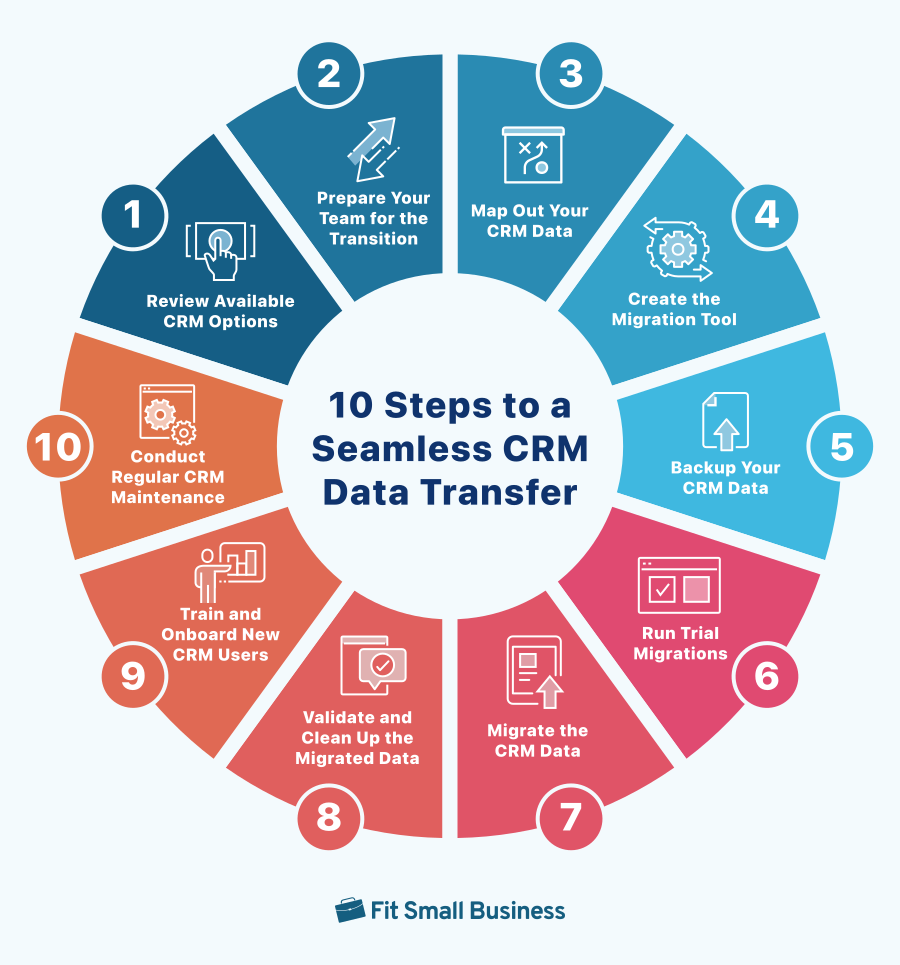
OnePageCRM provides a comprehensive data migration system designed to accommodate users transitioning from spreadsheets (Excel, Google Sheets) or other CRM platforms. The platform includes built-in import tools that accept CSV (Comma-Separated Values) format, which serves as a universal export option for virtually all data management systems.
Migration Process:
- Data Preparation: Export your existing contacts, companies, and deals into separate CSV files, ensuring clean, well-organized data with consistent formatting and correct column headers
- Import Wizard: Upload CSV files directly through OnePageCRM’s intuitive import interface
- Field Mapping: The system displays CSV columns and allows you to map them to corresponding OnePageCRM fields, with intelligent auto-detection for common field types
- Test Import: Import a small sample (10-20 contacts) first to verify accurate mapping before processing your entire database
- Final Review: Spot-check transferred contacts to confirm all data, notes, and custom fields migrated correctly
Success Factors: The migration success depends heavily on source data quality. Clean, consistent data imports smoothly, while messy data requires pre-migration cleanup. OnePageCRM’s field mapping system handles most standard CRM fields automatically, but custom fields may require manual mapping attention.
Strategic Recommendation: Use migration as an opportunity to clean your database. Rather than importing every old contact, focus on active, relevant prospects and customers. This ensures the Next Action methodology works effectively from day one, avoiding the creation of pointless tasks for dead leads that defeat the system’s purpose.
The platform also offers migration support for complex transitions, ensuring businesses can move confidently without losing critical customer data.
OnePageCRM represents a focused approach to customer relationship management, prioritizing action-driven sales processes over complex feature sets. The platform’s commitment to simplicity, combined with enterprise-grade security and transparent pricing, makes it an attractive option for small businesses seeking efficient sales management without overwhelming complexity.
For businesses ready to implement an action-focused CRM strategy, OnePageCRM’s Next Action Sales methodology can transform sales productivity by ensuring consistent follow-up and preventing leads from falling through the cracks. The platform’s comprehensive integration ecosystem and straightforward data migration process further reduce implementation barriers for businesses transitioning from spreadsheets or other CRM systems.






Leave a Reply