
Is Folk CRM the Right Relationship Manager for You?
Take This 2-Minute Quiz to Find Out!
Key Takeaways
- Modern CRM Focus: Folk prioritizes relationship-building over traditional sales-heavy workflows, making it ideal for professionals who value meaningful connections
- AI-Powered Intelligence: Automatic contact enrichment transforms minimal data into comprehensive profiles with job titles, company details, and social media links
- Email Integration Excellence: Native Gmail and Outlook integration enables tracked emails, personalized bulk messaging, and complete communication history
- Valuable Free Tier: The free plan offers genuine long-term utility with 100 contacts, core CRM features, and enrichment credits—not just a restrictive trial
- Natural Evolution: Folk represents the logical upgrade from spreadsheets or Notion when relationship management needs scale beyond manual processes
What is Folk CRM, and who is it best for?
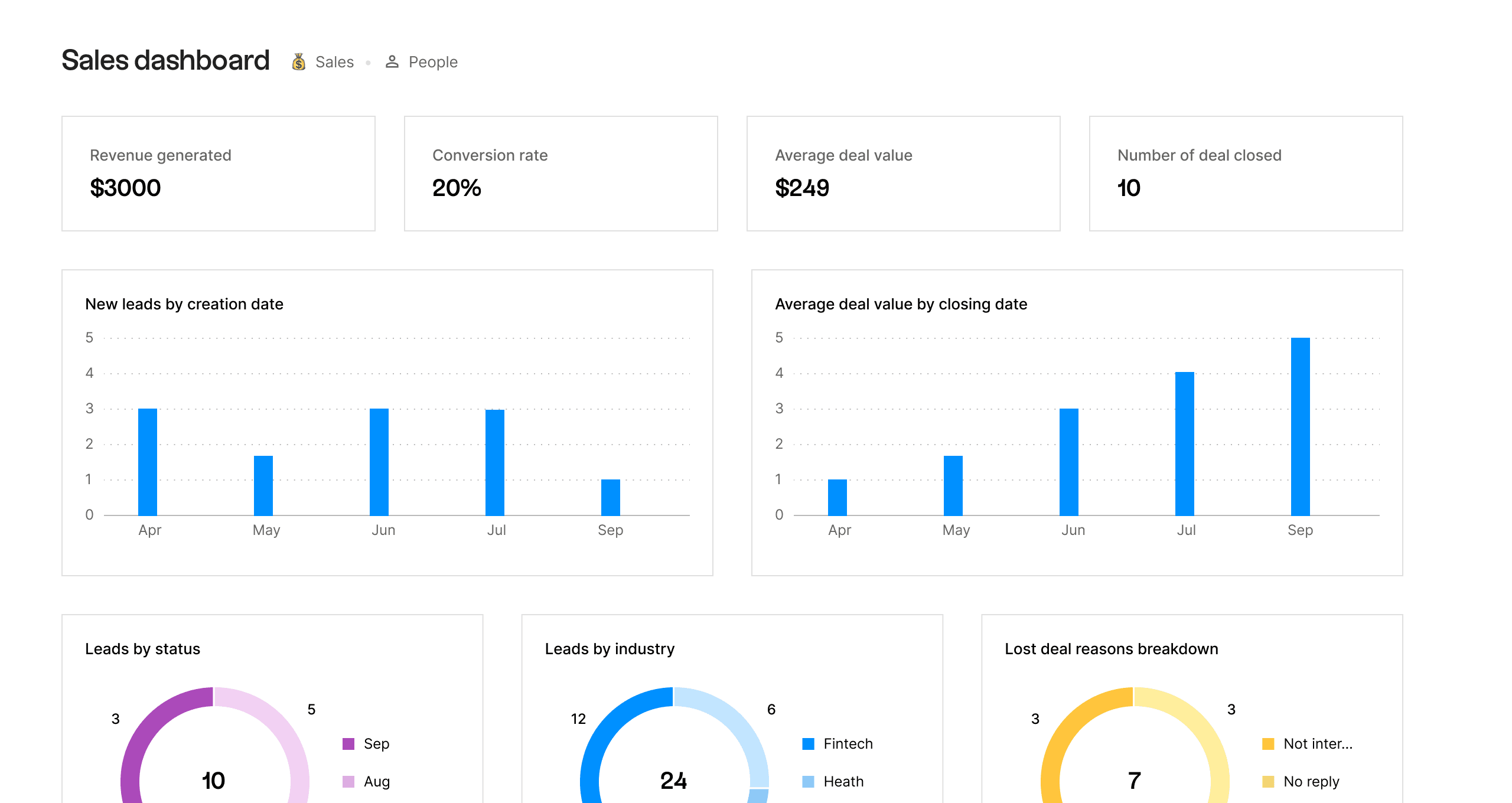
Folk is a modern, relationship-focused CRM platform designed specifically for professionals who prioritize building and managing meaningful connections over traditional sales-heavy workflows. Unlike enterprise CRMs like Salesforce or HubSpot that emphasize complex sales pipelines and forecasting, Folk centers on collaborative contact management, intelligent data enrichment, and streamlined communication.
The platform excels for users who find traditional CRMs unnecessarily complex for their relationship-building needs. For those seeking a comprehensive understanding of Folk Overview and Features, the ideal user profile includes:
Solopreneurs & Freelancers: Professionals who need a centralized hub to manage clients, prospects, and professional contacts without investing weeks in learning complex software. Folk’s intuitive interface allows them to start organizing contacts within hours of setup.
Startups & Small Businesses: Particularly those involved in fundraising, partnership development, or client portfolio management. Folk’s flexible pipeline system adapts to various workflows beyond traditional sales cycles.
Venture Capitalists & Investors: Who track deal flow, manage founder relationships, and organize extensive professional networks. The contact enrichment feature automatically updates information about portfolio companies and prospects.
Recruiters & Talent Managers: Who build and nurture candidate pipelines. Folk’s group management and tagging systems make it easy to segment candidates by skills, experience, and hiring stage.
Anyone transitioning from spreadsheets or Notion: If you’ve hit the limitations of basic contact tracking tools and need dedicated CRM features like automated data enrichment, integrated email communication, and team collaboration without the overhead of enterprise software.
The platform’s strength lies in making relationship management accessible and actionable. Where traditional CRMs require extensive configuration and training, Folk provides immediate value through its AI-powered contact enrichment and seamless email integration, allowing users to focus on building relationships rather than managing software.
Is Folk a real CRM, or more of a contact manager?
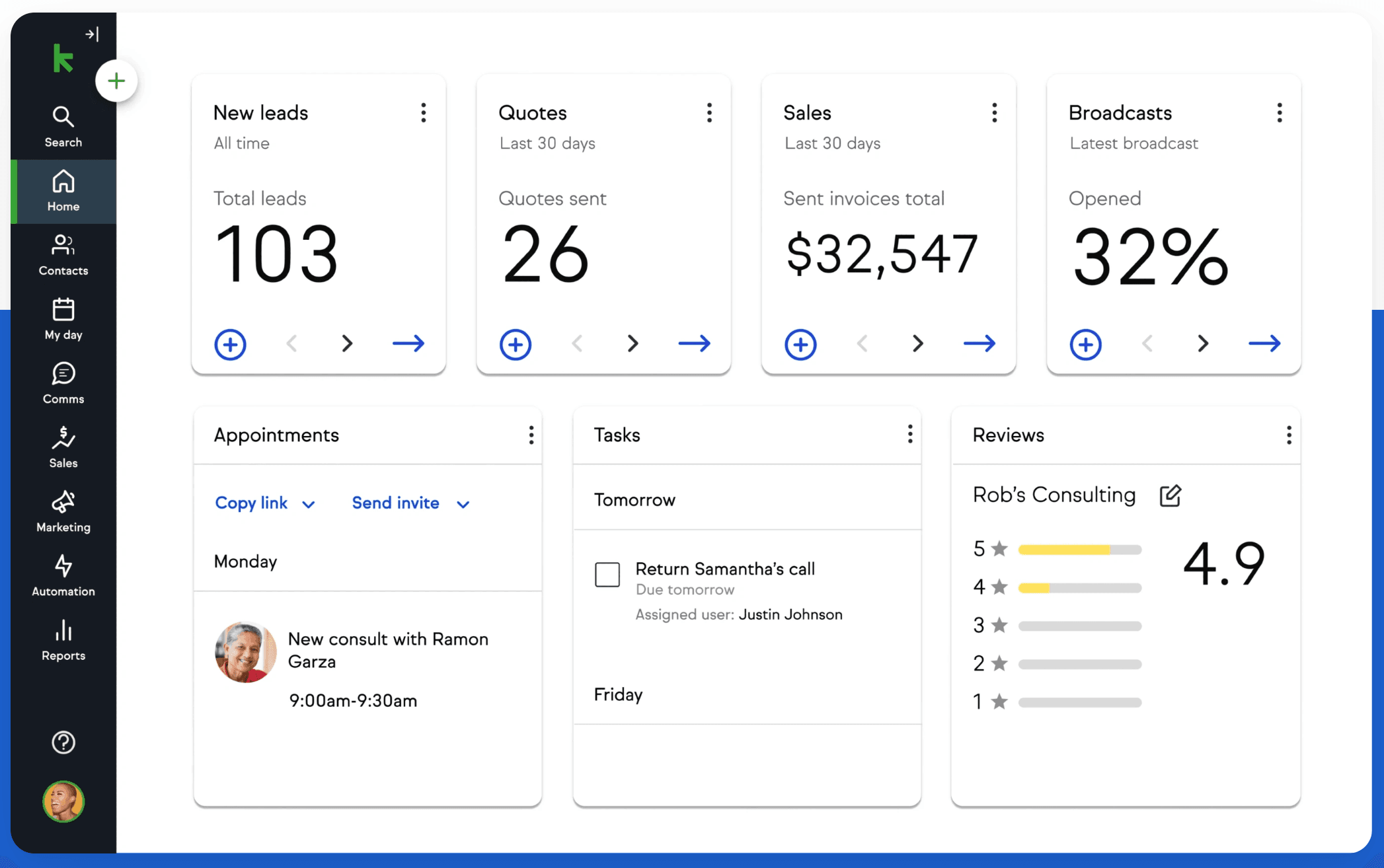
Folk is definitively a modern CRM platform, though it redefines the category by prioritizing relationship intelligence over rigid sales-only workflows. While it excels as a contact manager at its foundation, its capabilities extend significantly beyond a simple digital address book.
Traditional CRMs are characterized by sales pipeline management, deal forecasting, and conversion tracking. For those exploring alternatives, our detailed Folk Top Alternatives and Competitors analysis shows how Folk includes these features through customizable pipelines, but its CRM functionality is intentionally broader and more flexible:
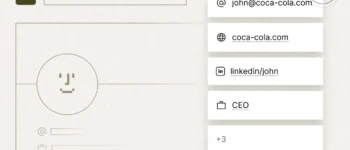
AI-Powered Contact Enrichment: Folk automatically enriches contact profiles with social media links, current employment information, company details, and job titles by scanning public data sources. This intelligence layer transforms basic contact information into actionable relationship data, a hallmark of advanced CRM systems.
Flexible Pipeline Management: You can create and customize pipelines for any relationship-driven process—not just sales. This includes:
- Investor relations tracking
- Candidate recruitment funnels
- Partnership development stages
- Content collaboration workflows
Each pipeline can have custom stages, fields, and automation rules tailored to your specific needs.
Integrated Communication Hub: Folk connects directly with Gmail and Outlook, enabling you to send personalized bulk emails, utilize customizable templates, and track all interactions directly within the CRM interface. Email opens, clicks, and replies are automatically logged to contact records, providing complete communication history.
Team Collaboration Infrastructure: The platform is built for shared workspaces where team members can collaborate on contacts, share notes and pipeline progress, and maintain a unified source of truth for all organizational relationships. Permission controls ensure data security while enabling collaboration.
Workflow Automation: Through native features and Zapier integration, Folk automates repetitive tasks like contact updates, pipeline stage transitions, and follow-up reminders, reducing administrative overhead.
Folk represents a modern interpretation of CRM that prioritizes relationship quality and team collaboration over rigid sales methodologies, making it particularly effective for businesses where relationships drive outcomes across multiple functions beyond traditional sales.
How does Folk’s contact enrichment feature work?
Folk’s contact enrichment is an AI-driven capability designed to eliminate hours of manual research by automatically discovering and populating valuable public information about your contacts. This transforms minimal initial data into comprehensive, actionable profiles that enable more personalized and informed relationship management.
The Enrichment Process:
Initial Data Input: You begin by adding a contact with minimal information—typically just an email address, a name, or a LinkedIn profile URL. The FolkX Chrome extension makes this particularly seamless, allowing one-click imports directly from LinkedIn, Twitter, or Gmail.
AI-Powered Intelligence Gathering: Folk’s enrichment engine cross-references your initial data point against extensive databases of publicly available information. The system scans professional networking platforms (especially LinkedIn), company websites, business directories, and social media profiles to build a complete picture of each contact.
Automated Data Population: The AI identifies and extracts relevant information, automatically filling in contact profile fields including:
- Professional Identity: Full name, current job title, and employment history
- Company Intelligence: Current employer, company size, industry sector, and headquarters location
- Digital Presence: Direct links to LinkedIn, Twitter, and other professional social profiles
- Geographic Information: City, state/region, and country
Data Quality & Updates: The enrichment system prioritizes accuracy by verifying information across multiple sources. As contacts change roles or companies, Folk can re-enrich profiles to maintain current information.
Privacy & Compliance: The enrichment feature only accesses publicly available information, ensuring compliance with data protection regulations. Users maintain full control over what information is stored and can manually edit or remove any enriched data.
This automated intelligence gathering is particularly valuable for sales teams, recruiters, and business development professionals who need to quickly understand who they’re communicating with and personalize their outreach based on current, accurate information. The time savings compound rapidly as your contact database grows, making enrichment one of Folk’s most differentiating features in the small business CRM market.
What are the main differences between Folk and using Notion as a CRM?
The choice between Folk and Notion for contact management represents a decision between a purpose-built CRM with specialized relationship management features versus a flexible, general-purpose workspace tool. While both offer organizational capabilities, Folk provides dedicated CRM functionality that Notion cannot match without significant manual configuration.
Contact Data Enrichment:
Folk automatically discovers and updates contact information including job titles, company details, and social profiles from public web sources. This AI-powered feature requires zero manual effort and keeps your database current as contacts change roles or companies.
Notion requires completely manual data entry for all contact information. There’s no automated enrichment capability, meaning every field must be populated and updated by hand—a time-consuming process that becomes unsustainable as your network grows beyond 100-200 contacts.
Direct Email Integration & Communication:
Folk integrates natively with Gmail and Outlook, enabling you to send tracked emails, execute personalized bulk messaging with mail merge capabilities, and utilize pre-built templates directly from within the CRM interface. All email interactions are automatically logged to contact records, creating a complete communication history.
Notion has no native email functionality. You cannot send emails from Notion, track communications, or automate outreach. Any email-related workflow requires switching to your email client and manually logging interactions back in Notion.
FolkX Chrome Extension for Rapid Contact Building:
Folk’s browser extension allows one-click contact imports from LinkedIn, Twitter, and Gmail. Each import automatically triggers enrichment, instantly populating the contact profile with comprehensive information.
Notion’s web clipper can save pages as reference material but doesn’t parse or organize contact-specific data. Building a contact database requires manual copying and pasting of information from various sources.
CRM-Specific Views & Workflows:
Folk provides purpose-built views including pipeline stages, contact groups, and relationship tracking interfaces. The platform includes features like automated reminders, task management tied to specific contacts, and interaction history—all designed specifically for relationship management.
Notion offers powerful database capabilities but requires you to build all CRM logic, views, and properties from scratch. You’ll need to create custom templates, design your own pipeline visualization, and manually configure properties for tracking interactions and relationship stages.
The Migration Pattern:
Many professionals start with Notion as their first contact management system due to its low barrier to entry and flexible nature. For practical implementation guidance, explore our comprehensive Folk Tutorials and Usecase resources. The typical migration to Folk occurs when:
- The contact database grows beyond 200-300 people, making manual updates unsustainable
- Email outreach becomes a regular activity requiring personalization at scale
- The time spent maintaining the database exceeds the time spent actually engaging with contacts
- Team collaboration needs require more structured access controls and shared workflows
Folk represents the natural evolution for relationship-driven professionals who’ve outgrown spreadsheets and all-purpose tools, providing dedicated CRM infrastructure without the complexity of enterprise platforms.
How powerful are Folk’s bulk emailing and mail merge features?
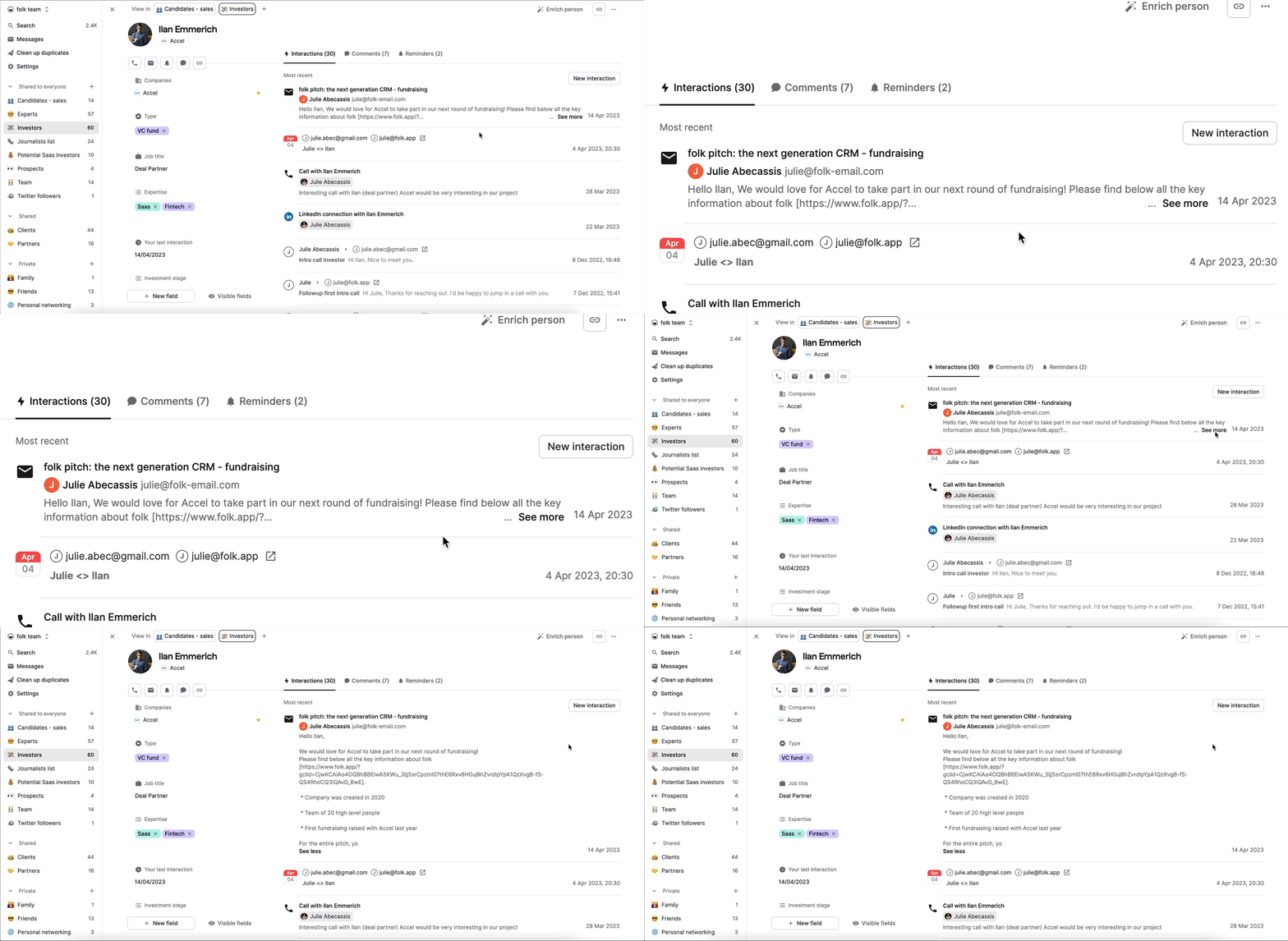
Folk’s bulk emailing and mail merge capabilities are specifically designed for personalized, relationship-focused outreach rather than high-volume marketing campaigns. Understanding both their strengths and limitations is crucial for setting appropriate expectations and designing effective communication strategies.
Core Strengths:
Deep Personalization Through Custom Fields: Folk’s mail merge functionality allows you to use any custom field from your contact database as a variable in email templates. This extends far beyond basic {{First Name}} personalization, enabling you to reference specific details like:
- The contact’s company
- A custom note you’ve written about shared interests
- Recent conversation topics
- Pipeline stage
This level of personalization makes bulk outreach feel genuinely one-on-one.
Direct Mailbox Delivery: Emails are sent directly from your connected Gmail or Outlook account rather than through a third-party sending service. This significantly improves deliverability rates because emails come from your authentic business domain and maintain your sender reputation. Replies land directly in your personal inbox, enabling natural conversation continuity.
Streamlined Workflow Integration: You can segment contacts using groups or pipeline filters, draft messages with dynamic variables and saved templates, preview personalized versions, and send to your entire list within a single, integrated workflow. This eliminates the context-switching between separate tools.
Engagement Tracking: The system provides basic tracking for email opens and link clicks, allowing you to identify engaged contacts for prioritized follow-up and gauge message effectiveness.
Critical Limitations:
Provider-Imposed Daily Sending Limits: Folk does not impose its own sending limits, but your email provider does. These limits vary significantly:
- Standard Gmail accounts (@gmail.com): 500 emails per day
- Google Workspace (business accounts): 2,000 emails per day
- Microsoft 365 (business accounts): 10,000 recipients per day
- Free Outlook.com accounts: Approximately 300 emails per day
Risk Warning: Exceeding these provider-imposed limits can result in temporary or permanent suspension of your email account, which would severely impact business operations. Users must verify their specific email provider’s sending limits, terms of service, and anti-spam policies before implementing bulk email strategies.
Limited Marketing Automation Features: Folk lacks advanced email marketing capabilities found in dedicated platforms like Mailchimp or ConvertKit, including:
- A/B testing
- Complex trigger-based sequences
- Automated drip campaigns
- Advanced segmentation based on email engagement behavior
- Detailed campaign analytics with conversion tracking
Optimal Use Strategy:
Folk’s bulk email functionality is most effective for low-to-mid volume, highly personalized outreach including:
- Investor updates
- Sales prospecting to warm leads
- Partnership proposals
- Event invitations to specific contact segments
- Relationship nurturing campaigns
For larger newsletter-style campaigns or sophisticated marketing automation, the recommended approach is a hybrid workflow: use dedicated email marketing tools for broad campaigns, then leverage Folk’s Zapier integration to automatically import highly engaged contacts into Folk once they demonstrate interest, bringing them into your personalized relationship management workflow. This strategy combines the scale of marketing automation with the personal touch of CRM-driven communication.
Can I set different permission levels for team members in Folk?
Folk provides robust permission management capabilities that enable administrators to control data access and visibility across team members, which is essential for protecting sensitive relationship information and preventing accidental data loss or unauthorized access.
Permission Architecture:
Folk’s permission system is designed to balance simplicity with security, typically structured around three primary access levels:
Admin Role: Administrators have comprehensive access to all workspace functionality. They can:
- Manage billing and subscription settings
- Configure integrations with email providers and third-party tools
- Control workspace-level settings and preferences
- Add or remove team members and assign permissions
- View and edit all shared contacts, groups, and pipelines across the workspace
This role is typically reserved for business owners, team leads, or operations managers who need full visibility and control. Multiple admins can be designated to ensure continuity if the primary administrator is unavailable.
Member Role: This is the standard access level for most team contributors. Members can:
- Create and manage their own contacts, groups, and pipelines
- View and collaborate on any groups or pipelines that have been explicitly shared with them or made workspace-wide
- Send emails and use templates through connected email accounts
- Utilize all core CRM features including enrichment and pipeline management
However, members cannot modify workspace-wide settings, manage billing or subscription details, adjust other users’ permissions, or access private contacts or groups created by other members unless specifically shared.
Group-Based Access Control: Beyond role-based permissions, Folk enables granular access control through selective group sharing. You can create specific groups or pipelines and share them only with designated team members, effectively creating project-based or department-based access boundaries.
Practical Implementation Examples:
A sales organization might grant the sales team access to the “Sales Pipeline” group while the recruiting team only sees the “Candidate Pipeline,” preventing cross-contamination of communication and ensuring each team focuses on relevant relationships.
An agency could create separate client groups for each account manager, with only the admin having visibility across all client relationships to monitor overall account health and prevent gaps in coverage.
A startup could give investor relations access only to the CEO and CFO while sharing the customer pipeline with the broader sales and customer success teams.
Data Security Considerations: Proper permission management is crucial for YMYL (Your Money Your Life) compliance in CRM systems, as customer relationship data often includes sensitive business information, personal contact details, and confidential communication history. Regular permission audits ensure that team members only retain access to information relevant to their current role, particularly important when team members change positions or leave the organization.
Is the free version of Folk genuinely useful, or just a restrictive trial?
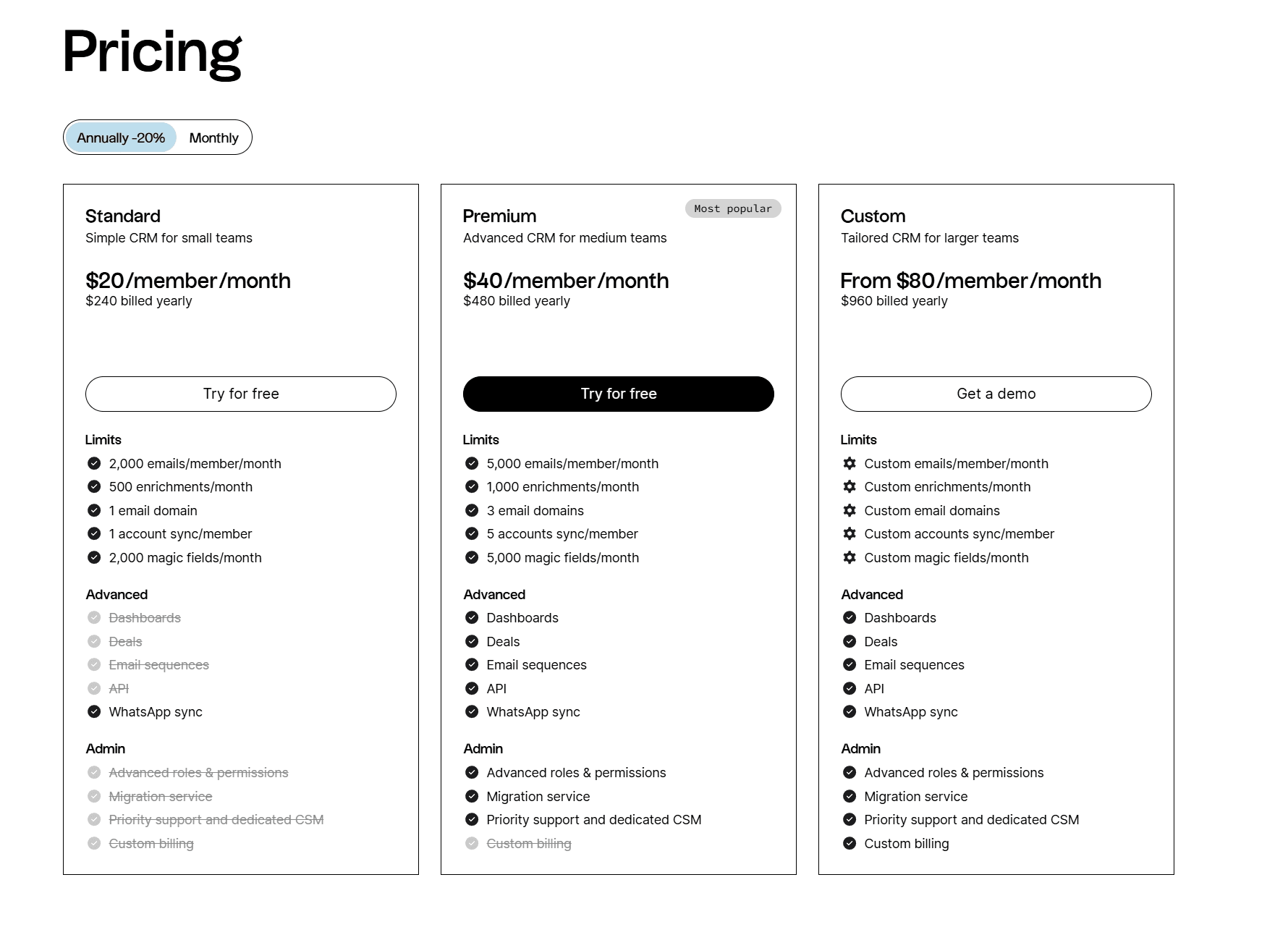
Folk’s free plan represents one of the most genuinely valuable free tiers in the CRM market, designed as a viable long-term solution for individuals and solopreneurs rather than a limited trial that forces quick upgrades. The free plan’s utility comes from providing access to most core CRM functionality with limitations primarily on volume rather than features.
What the Free Plan Includes:
Fixed Contact Limit: The free plan includes a workspace limit of exactly 100 contacts. This is a hard cap—not a soft limit that can be exceeded over time. To add contacts beyond this total, you must either delete existing contacts to create space or upgrade to a paid plan.
Transparency Note: Users should carefully understand that this is a fixed ceiling, not a growing allocation. Planning your contact strategy within this constraint is essential to avoid workflow interruption when the limit is reached.
Contact Enrichment Allocation: The free plan includes a monthly allotment of contact enrichments, allowing you to experience Folk’s AI-powered data intelligence. While the exact number varies, it’s typically sufficient for enriching your most important contacts each month.
Full Pipeline & Group Management: You can create and customize unlimited groups and pipelines to organize your contacts according to your specific workflow needs. This includes custom fields, stages, and views tailored to your relationship management approach.
Email Integration & Templates: You can connect your Gmail or Outlook account and utilize email templates for one-on-one communication. Individual emails can be sent through the platform with basic tracking.
Core CRM Features: Access to fundamental CRM capabilities including contact notes, task management, activity logging, and the FolkX Chrome extension for importing contacts from LinkedIn and other platforms.
Limitations That Trigger Upgrades:
Users typically need to move to a paid plan when they:
- Reach the 100-contact limit and need to manage a larger network
- Require bulk emailing capabilities for personalized outreach at scale
- Need advanced integrations through Zapier or API access for workflow automation
- Want to remove Folk branding from email communications for professional presentation
- Require team collaboration features with multiple workspace users and permission management
Strategic Approach to Maximizing Free Plan Value:
The free plan is most effective when you’re strategic about contact management. Rather than importing your entire address book, start with your 50-100 most valuable contacts—clients, high-priority prospects, key partners, or industry connections who drive the most business value.
Use enrichment credits strategically on your highest-priority prospects where up-to-date information matters most. Focus initially on using Folk for organization, note-taking, and one-to-one email templates to build solid CRM habits before scaling to bulk communication needs.
For solopreneurs managing a core client base, freelancers building their professional network, or professionals testing CRM viability before committing budget, Folk’s free plan provides genuine, long-term utility rather than functioning as a frustrating demo that withholds essential features. For more information about common questions, check our comprehensive Folk FAQs resource.
What integrations does Folk support, and how can I use them effectively?
Folk is designed to function as a central relationship management hub that connects seamlessly with the other tools professionals use daily. Its integration strategy combines direct connections with essential communication platforms and broad automation capabilities through Zapier, enabling Folk to fit naturally into existing workflows rather than requiring wholesale tool replacement.
Direct Native Integrations:
Gmail & Outlook Integration: This is Folk’s most critical integration, transforming the CRM into an active communication platform. The integration allows you to:
- Sync email and calendar data
- Send and receive emails directly from within Folk’s interface
- Utilize customizable email templates with variable personalization
- Automatically log all email interactions to contact records
- Track email opens and clicks
- Manage follow-up tasks tied to specific communications
This integration eliminates the context-switching between your CRM and email client, ensuring every interaction is captured and accessible to your team. It’s particularly valuable for maintaining complete relationship history and enabling informed, personalized follow-up.
LinkedIn (via FolkX Chrome Extension): The FolkX browser extension acts as a direct integration with LinkedIn, enabling one-click contact imports. When you view a LinkedIn profile, the extension allows you to instantly add that person to Folk with all publicly available information automatically enriched. This is the primary method for rapidly building your contact database from your professional network.
Automation & Ecosystem Integration via Zapier:
Folk’s true integration power emerges through its robust Zapier support, which connects it to thousands of applications without requiring custom development. This enables sophisticated, automated workflows tailored to your specific business processes.
Lead Capture & Qualification Workflows: Automatically create new Folk contacts when someone:
- Fills out a form on your website (via Typeform, Webflow, or Tally)
- Subscribes to your email list (via ConvertKit, Mailchimp, or Substack)
- Engages with your content at a high level
You can configure Zaps to automatically assign these new contacts to specific pipelines or groups based on their source or behavior.
Database Synchronization: If you use complementary tools like Airtable for project management or Google Sheets for tracking metrics, create Zaps to keep your Folk contacts synchronized. When information updates in one system, it automatically reflects in Folk, maintaining data consistency across your tool stack.
Task & Project Management Integration: Automatically create tasks in Asana, Trello, or ClickUp when a contact moves to a new pipeline stage in Folk. For example:
- When an investor moves to “Due Diligence” stage, automatically create a task for your team to prepare materials
- Set up Slack notifications when high-priority contacts reach specific stages or take important actions
E-commerce & Customer Success: For online businesses, you can:
- Add new customers to a “Customers” group in Folk automatically after they make a purchase through Shopify or Stripe
- Trigger onboarding email sequences when new customers are added
- Create support tickets in Zendesk when customers reach out through Folk
Implementation Best Practices:
Start with your highest-impact integration—typically the email integration—and ensure your team adopts it fully before adding complexity. Map your existing manual workflows and identify repetitive tasks that could be automated, then build Zaps incrementally to address those pain points.
Regularly audit your integrations to ensure they’re functioning correctly and providing value. Remove any automations that are creating noise rather than signal. By leveraging these integrations strategically, Folk becomes the central source of truth for all relationships while automating administrative overhead, allowing you to focus energy on building valuable connections rather than managing data.
For professionals seeking additional CRM options beyond Folk, explore our comprehensive guide to the Best 10 CRMs for Small Business & Solopreneurs to find the perfect solution for your specific needs.



Leave a Reply