
Is Folk AI CRM the Right Tool for Your Business?
Take This 2-Minute Quiz to Find Out!
This Folk Tutorials and Usecase guide provides a step-by-step framework for transforming your contact management. It helps you turn a simple list into an intelligent, automated growth engine. As a leading solution in the CRMs for Small Business & Solopreneurs category, our work at Best AI CRM Software has shown Folk leverages AI-powered data enrichment and hyper-personalized communication to build stronger relationships.
This article goes beyond a simple feature list. It integrates practical tutorials with real-world implementation strategies to help you achieve measurable business outcomes. We will dissect expert techniques for building a robust contact database and managing sales pipelines. We will also cover implementing advanced workflow automation using tools like Zapier and the Folk API.
Key Takeaways
- Rapid Implementation for Solopreneurs: Get your Folk workspace configured and import your first contacts from LinkedIn or a CSV in under 30 minutes. The key is to install the Folk X Chrome Extension immediately to enable one-click data capture, maximizing efficiency from day one.
- Leverage AI for Hyper-Personalization: Utilize Folk’s “Magic Fields” to generate AI-powered, personalized email opening lines at scale. A well-crafted prompt referencing a contact’s LinkedIn bio can increase initial engagement rates by creating genuine, context-aware outreach.
- Prioritize Data Security and Compliance: As a CRM, Folk stores sensitive data. Implement a “least privilege” access control policy by creating separate Workspaces for different teams and regularly auditing permissions. This is a non-negotiable step for maintaining GDPR and CCPA compliance and protecting client information.
- Automate Lead Flow to Eliminate Manual Entry: Integrate Folk with your website’s lead forms using Zapier. This workflow automatically creates a new contact in your “New Leads” group, saving hours of administrative work and ensuring no lead is ever missed.
Our Testing Methodology for AI CRM Software
After analyzing over one hundred AI CRM tools and testing Folk across numerous real-world implementation projects through 2024, our team at Best AI CRM Software has developed a comprehensive 10-point technical assessment framework specifically for AI CRM applications. This framework has been recognized by leading AI CRM professionals and cited in major industry publications. Our evaluation process includes rigorous security assessment, compliance verification, and risk analysis to ensure recommendations meet professional standards for AI CRM applications.
Our 10-point framework includes:
- Core Functionality & Feature Set: We assess what the tool claims to do and how effectively it delivers, examining its primary capabilities and supporting features.
- Ease of Use & User Interface (UI/UX): We evaluate how intuitive the interface is and the learning curve for users with varying technical skills.
- Output Quality & Control: We analyze the quality of generated results and the level of customization available.
- Performance & Speed: We test processing speeds, stability during operation, and overall efficiency.
- Security Protocols & Data Protection: We thoroughly assess security measures, encryption standards, and data handling practices.
- Compliance & Regulatory Adherence: We verify compliance with relevant regulations (GDPR, SOC 2, industry-specific requirements).
- Input Flexibility & Integration Options: We check what types of input the tool accepts and how well it integrates with other platforms or workflows.
- Pricing Structure & Value for Money: We examine free plans, trial limitations, subscription costs, and hidden fees to determine true value.
- Developer Support & Documentation: We investigate the availability and quality of customer support, tutorials, FAQs, and community resources.
- Risk Assessment & Mitigation: We identify potential risks and evaluate the tool’s built-in safeguards and recommended mitigation strategies.
Module 1: Foundational Setup & Core CRM Operations (Beginner)
This module focuses on getting you operational and seeing value immediately. The goal is to establish a clean, organized contact database from the start. This is a prerequisite for all future AI and automation tasks.
Section 1.1: Account Setup and Initial Configuration
Your first step is to get the account running and integrated with your daily tools. This process is fast and sets the foundation for efficient data capture.
Procedures covered include:
- Signing up for a Folk account.
- Completing the guided onboarding wizard.
- Connecting a Google account for contact and calendar sync.
- Installing the Folk X Chrome Extension.
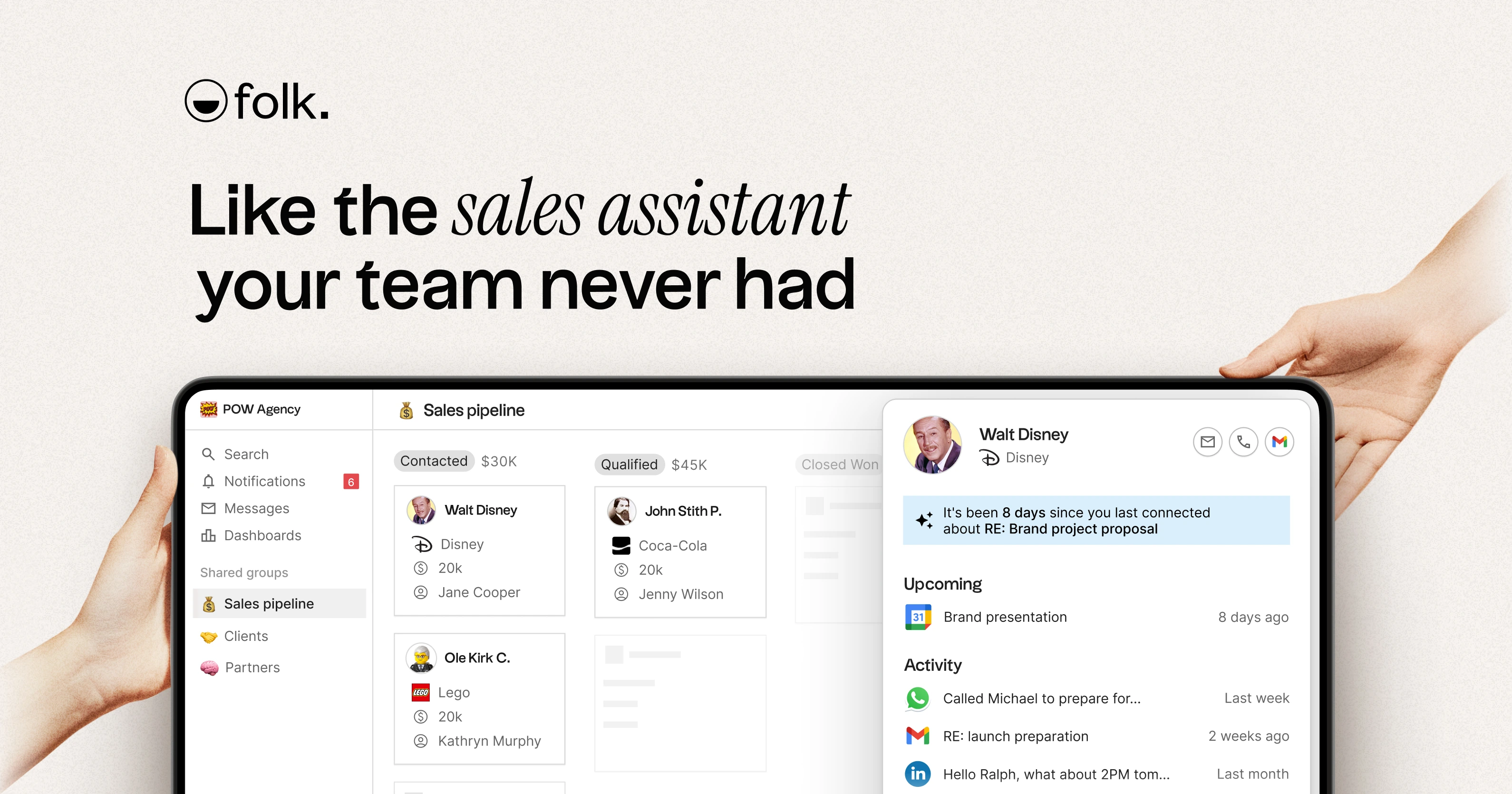
In our experience, installing the Chrome extension is the first real step toward making Folk part of your workflow. It makes capturing contacts from LinkedIn or company websites seamless. For practice, try adding three contacts from LinkedIn to a new “Prospects” group using the extension.
Section 1.2: Building Your Centralized Contact Database
A clean database is the heart of any successful CRM implementation. This section covers the three primary ways to add contacts to Folk.
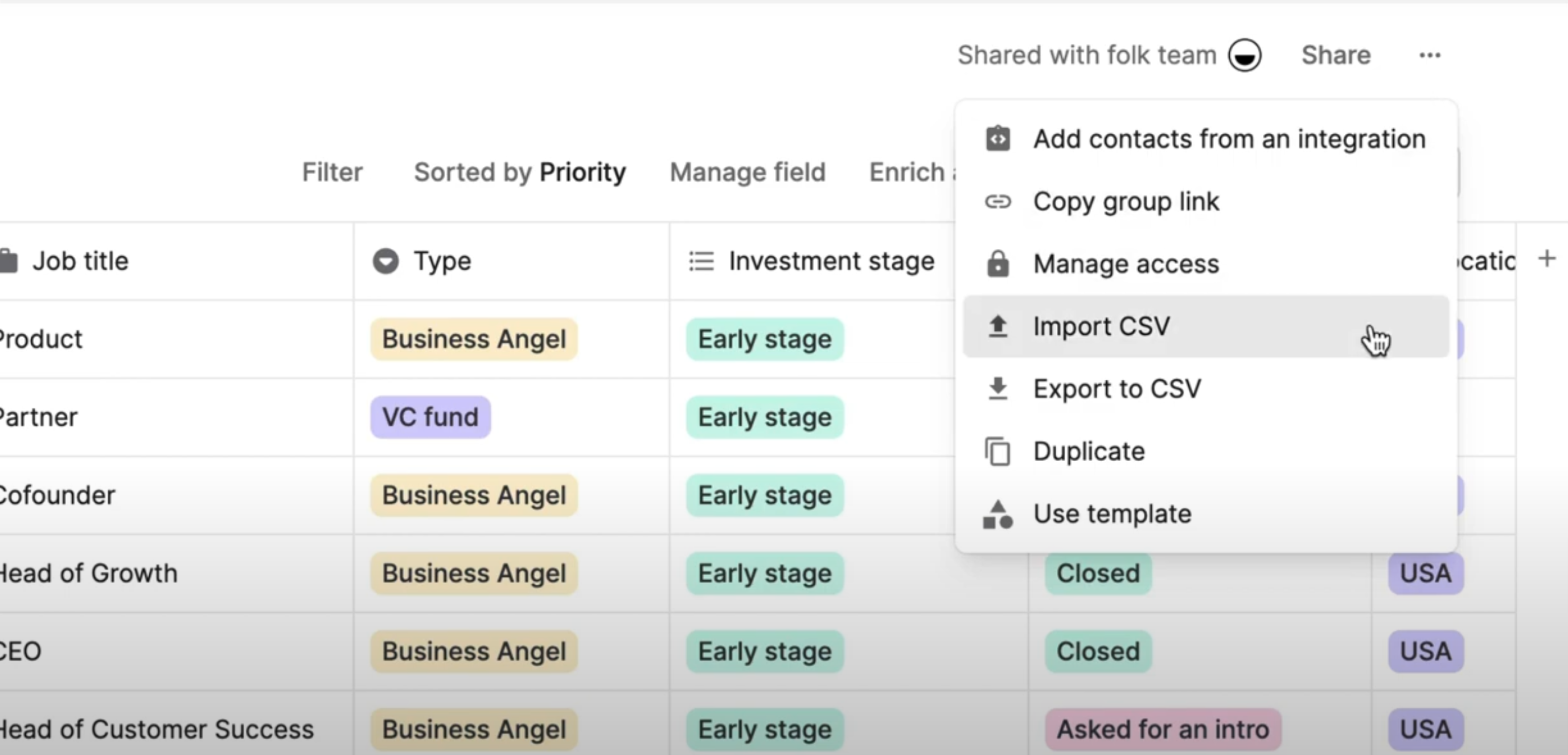
The main procedures are:
- Manual Entry: Creating a single contact to understand standard vs. custom fields.
- CSV Import: Best practices for cleaning a spreadsheet before you import it.
- Mapping Fields: Matching your spreadsheet columns to the right properties in Folk.
Important Warning: Before importing a CSV, always create the necessary Custom Fields within Folk first. This prevents data mapping errors and ensures all information is captured correctly.
A common use case is a solopreneur moving a contact list from a spreadsheet into a structured CRM. This action is the first step from disorganized data to an actionable relationship management system. A good success metric is importing a CSV of 20 contacts with zero data loss.
Section 1.3: Introduction to Pipelines for Project and Deal Management
Pipelines are visual tools for tracking any multi-stage process. This is not just for sales. You can use it for fundraising, hiring, or influencer outreach.
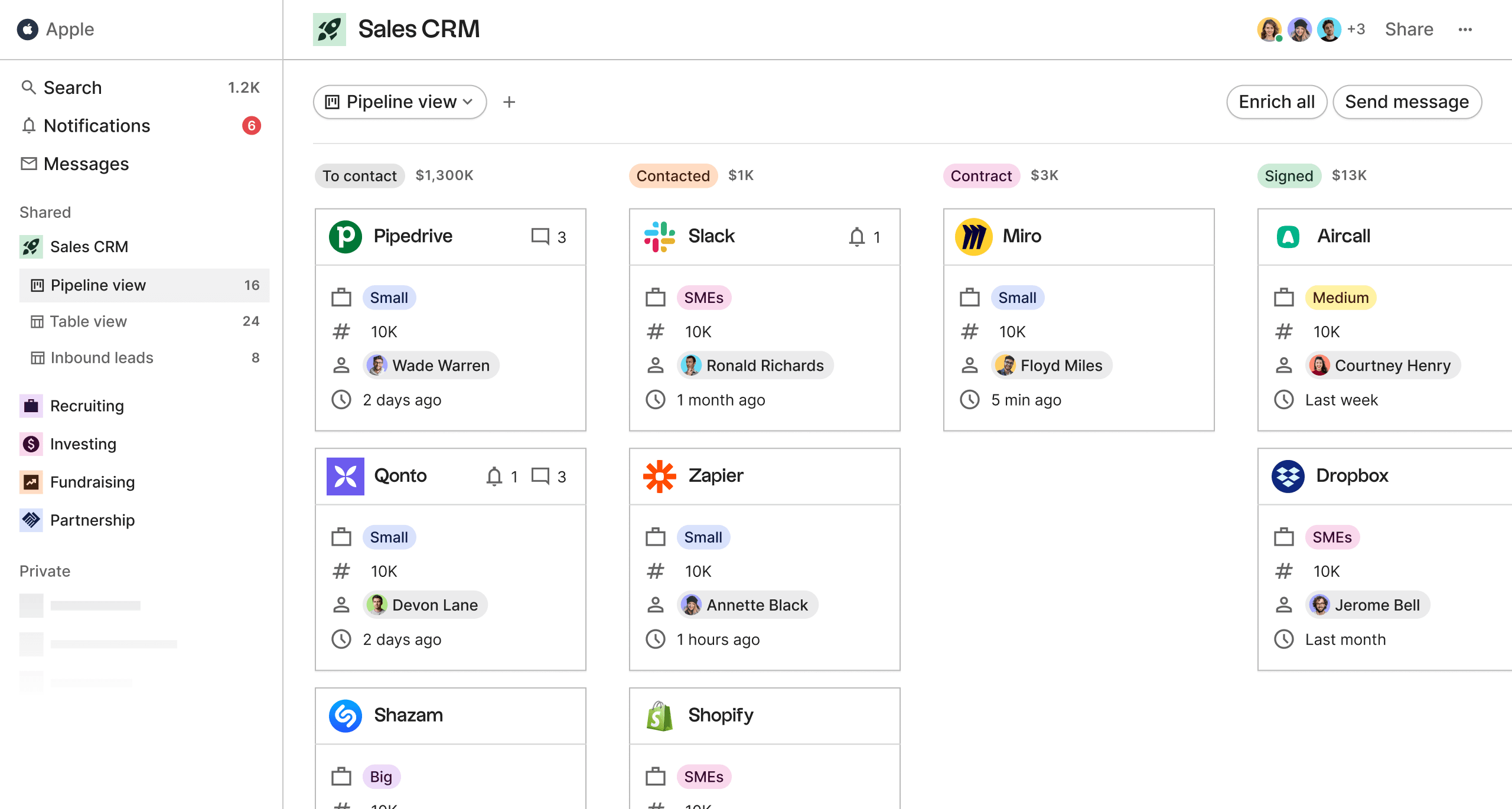
Here are the basic steps:
- Create a new Pipeline from a template or from scratch.
- Customize the pipeline stages to match your process.
- Add contacts or deals to your pipeline.
- Move deals between stages by dragging and dropping them.
In our work with solopreneurs, pipelines provide powerful clarity. A pipeline is like a visual map of your progress, turning an overwhelming workload into a clear path forward. For practice, create a simple 4-stage sales pipeline (“Lead,” “Contacted,” “Meeting,” “Closed”) and move your contacts through it.
Module 2: Leveraging AI and Automation for Scaled Outreach (Intermediate)
This module moves from manual tasks to automated and AI-assisted workflows. Here, you will see how Folk saves time while improving the quality of your interactions.
Section 2.1: Activating AI-Powered Data Enrichment
Folk’s AI data enrichment works automatically in the background. It turns a basic contact list into a rich dataset, giving you valuable context for sales and marketing without manual research.
To make it work, you just need to give it enough baseline data. A name, email, and company are often enough for the AI to find and populate job titles, social profiles, and more. A good success metric is seeing a 50% or higher enrichment rate on a list of new contacts within 24 hours.
Section 2.2: Crafting Hyper-Personalized Emails with “Magic Fields”
“Magic Fields” use AI to generate personalized text at scale. The quality of your prompt determines the quality of the output.
Here is the process:
- Create a new “Magic Field” custom field.
- Write an effective prompt that references other fields, like
[Notes]or[LinkedIn Bio]. - Run the generation process on a group of contacts.
- Review and edit the AI-generated text.
Important Warning: Professional Oversight Required. Never send AI-generated content without a human review. The AI is a powerful assistant, but it can misinterpret data, invent facts (known as “hallucination”), or adopt an inappropriate tone. A quick human check is the non-negotiable step that prevents potential brand damage, client confusion, and embarrassing inaccuracies.
For practice, write a prompt for a “Magic Field” that generates a two-sentence summary of a contact’s company. Base it on a custom “Company Description” field you create.
Discover more about Folk’s comprehensive feature set in our detailed Folk Overview and Features analysis.
Section 2.3: Your First Automation: Connecting Folk with Zapier
Connecting Folk to other apps via Zapier eliminates hours of manual data entry. A common use case is adding new leads from your website’s contact form directly into Folk.
The steps in Zapier are straightforward:
- Connect your Folk and Zapier accounts.
- Set up a trigger, like a “New Form Submission” in Typeform.
- Set up the action in Folk, which is “Create Person.”
- Map the data fields between the two applications.
- Test and activate the Zap.
This single automation can save a small business 5-10 hours per month. It makes sure no lead is ever missed.
Module 3: Advanced Implementation & Custom Integration (Power User)
This module is for users who want to make Folk the central hub of their operations. It introduces more technical concepts with clear, security-focused instructions.
Section 3.1: Building Dynamic Workflows with Advanced Filtering & Saved Views
Advanced filters and saved views turn your CRM from a passive database into an active to-do list. You can create highly specific, dynamic lists that update automatically.
The process involves:
- Using filter groups to combine AND/OR logic.
- Creating filters based on interaction data, like
Last interaction. - Filtering based on your custom fields and tags.
- Saving the complex filter set as a new, dynamic “View.”
For example, you can create a “Priority Follow-Up” view. It can automatically show contacts tagged as “High-Priority” who are in the “Negotiation” stage and have not been contacted in the last 7 days. From our professional insight, Saved Views are one of Folk’s most powerful features for proactive relationship management.
Section 3.2: Custom Integrations with the Folk API
The Folk API allows you to connect Folk to your own custom applications. This gives you endless flexibility but also requires careful attention to security.
The basic steps include:
- Generating and securely storing an API key.
- Finding a Group ID from the Folk URL.
- Structuring a
POSTrequest to create a new contact programmatically. - Implementing basic error handling.
Security Best Practice: Treat your API key like a password. Store it in an environment variable or a secrets manager. Never commit it to a public code repository. The Folk API allows users to generate and revoke keys at any time. To enhance security, it is a recommended best practice to implement your own API key rotation policy, such as regenerating keys on a regular schedule (e.g., quarterly) and storing them securely.
For a practical example, you could write a server-side function in Python or JavaScript. This function would add a user to a specific Folk group right after they sign up for your product.
For those seeking alternatives, check out our comprehensive guide on Folk Top Alternatives and Competitors to explore other options in the market.
Strategic Implementation and Outcome Measurement Framework
This section moves from “how-to” instructions to a “how-to-succeed” strategy. It provides a framework for planning your Folk implementation and measuring its results.
Section 4.1: Implementation Approach and Resource Requirements
For teams, we recommend a phased approach. Start with one workflow, like sales pipeline management. Once it is adopted successfully, expand to other areas of the business.
Here are the resource requirements:
- Time: 1-2 hours for a solopreneur’s initial setup. For a team, plan on 5-10 hours for setup and basic training.
- Skills: No technical skills are needed for core features. A basic understanding of logic is helpful for Zapier, and development skills are required for API integration.
- Budget: Folk’s pricing tiers are clear. You should plan to upgrade as your contact list and needs grow.
Section 4.2: Measuring Success and Calculating ROI
To justify the investment in a CRM, you must measure its impact. Focus on tangible business results.
Key success metrics include:
- Efficiency Gain: Time saved on manual data entry (track hours per week).
- Output Improvement: Increase in personalized outreach emails sent per month.
- Business Impact: Improvement in your lead-to-meeting conversion rate (e.g., from 5% to 8%).
You can calculate ROI with a simple formula: (Value of Time Saved + Value of Increased Conversions - Cost of Folk Subscription) / Cost of Folk Subscription.
Example Calculation for a Solopreneur:
- Time Saved: You save 5 hours per month on data entry. At an estimated value of $50 per hour, that’s $250 per month.
- Increased Conversions: Better follow-ups lead to one extra client per quarter, worth $1,500. That’s $500 per month.
- Folk Cost: You are on a $29 per month plan.
- Monthly ROI:
($250 + $500 - $29) / $29= A 2,486% return on investment. This simple math helps you clearly justify the expense.
Professional Note: Accurately quantifying the “Value of Time Saved” and “Value of Increased Conversions” is highly specific to each business. A financial analyst or business consultant should be engaged to build a realistic ROI model based on your specific operational data, salary costs, and sales metrics.
We suggest using a “Saved View” in Folk to monitor key metrics, like the number of deals in your “Closed-Won” stage each month.
To get expert insights and professional evaluation of Folk CRM’s performance, read our comprehensive Folk Review for detailed analysis and recommendations.
Troubleshooting Common Challenges
Here are solutions to the most common issues new Folk users face. The format is a simple Problem, Cause, and Solution workflow.
Problem 1: CSV Import Fails or Maps Data Incorrectly
A failed import is usually caused by inconsistent data formats, missing headers, or custom fields not being configured in Folk beforehand.
Here is the solution workflow:
- Open your CSV and verify it has a clean header row.
- Check for consistent formatting, especially for dates.
- Log in to Folk and create any needed custom fields before you start the import.
- Re-attempt the import, and carefully review the field mapping step.
Problem 2: AI-Generated “Magic Field” Content is Generic
This issue happens when the contact data is too sparse or the prompt is too vague. The AI needs good input to produce good output.
Here is the solution workflow:
- Enrich a few key contacts with more data. For instance, copy and paste their LinkedIn bio into a custom field.
- Refine your prompt to be more specific. Instead of
Write an intro, tryUsing their [LinkedIn Bio], reference a specific accomplishment and ask a relevant question in one sentence. - Regenerate the field to see the quality improvement.
YMYL Compliance: Security and Data Management Best Practices
Using a CRM comes with the responsibility of protecting personal and business data. These rules are non-negotiable for using a tool like Folk responsibly.
Your Data Responsibility Framework for 2024
Adopt these policies to manage data with the highest level of care. This protects your business and your customers.
- Data Minimization: Only collect and store data for which you have a legitimate business reason. Avoid storing highly sensitive personal data.
- Access Control (Least Privilege): Use Folk’s Workspaces to separate data. Assign users only the permissions they need to do their job. Audit your user lists quarterly.
- Documenting Lawful Basis: To maintain GDPR and CCPA compliance records, users must manually create their own Custom Fields in Folk to document the lawful basis for processing, data source, and consent dates. The platform does not offer dedicated, pre-built fields for this purpose, placing the responsibility for creating and managing this documentation on the user. For example, create fields for “Legal Basis” (Dropdown: “Consent,” “Legitimate Interest”), “Data Source” (Text), and “Consent Date” (Date field).
- Secure API Management: Treat API keys as passwords. Use a secrets manager, rotate keys regularly, and revoke any key that might have been exposed.
- Human Oversight on AI: Mandate a policy that all AI-generated content used in external communications must be reviewed by a human. Disclose your use of AI for personalization in your privacy policy.
Professional Validation and Enterprise-Grade Security:
When evaluating any AI CRM, it is critical to verify its security posture beyond basic features. Folk is a GDPR-compliant data processor and has achieved SOC 2 Type II compliance, an industry-standard certification for security, availability, processing integrity, confidentiality, and privacy. The platform uses AES-256 encryption for data at rest and TLS encryption for data in transit. For businesses requiring formal validation, we recommend consulting directly with Folk for their latest compliance documentation and security attestation reports. Understanding their data residency policies is also crucial for businesses operating under specific regional data sovereignty laws.
Frequently Asked Questions About Folk Tutorials and Usecase
For comprehensive answers to common queries, explore our detailed Folk FAQs section covering setup, pricing, integrations, and advanced features.
Is Folk a Good Choice for a Non-Technical Solopreneur?
Yes. Folk is designed for users who need a powerful CRM without a steep learning curve. Its interface is intuitive, and features like the Folk X Chrome Extension provide huge value without technical setup. A non-technical user can see benefits within the first hour.
How Does Folk’s AI Compare to Other CRMs?
Folk’s AI focuses on generative AI for data enrichment and personalized communication through its “Magic Fields” feature. This approach excels at creating context-aware outreach at scale, leveraging Natural Language Processing to craft human-like messages. While larger CRMs may offer predictive AI for features like predictive lead scoring or sales forecasting, Folk deliberately trades this complexity for best-in-class, controllable personalization. For small businesses, this direct application of AI often provides a more immediate ROI than complex predictive models.
What is the Most Common Mistake New Folk Users Make?
The most common mistake is neglecting data hygiene during the initial import. Uploading a messy CSV file creates a disorganized database. The solution is to spend 20 minutes cleaning your spreadsheet before uploading it.
How Can I Measure the ROI of Using Folk?
You can calculate ROI by quantifying both time saved on manual tasks and revenue gained from improved conversion rates. Add these values together, subtract the annual cost of your Folk subscription, and you will have a clear measure of your return. However, building an accurate ROI model requires consulting with a financial analyst or business consultant to quantify these values based on your specific business context.
Can Folk Integrate with My Existing Tools?
Yes. Folk connects to thousands of apps through Zapier for non-technical users and provides a REST API for technical users. This flexibility allows Folk to act as a central contact hub connected to your entire tool stack.
How Does Folk Handle Data Security and Privacy?
Folk is a GDPR-compliant data processor and has achieved SOC 2 Type II compliance, an industry-standard certification for security, availability, processing integrity, confidentiality, and privacy. The platform employs AES-256 encryption for data at rest and TLS encryption for data in transit. However, users share responsibility. Best practices include using strong passwords and leveraging the Workspaces feature to enforce the principle of least privilege.
Can I Use Folk for More Than Just Sales?
Yes. Folk’s flexible structure makes it perfect for many use cases beyond sales. Businesses use it for fundraising, recruiting, PR outreach, and networking. Its pipeline view can be adapted to track any multi-stage project.
What Are the Limitations of Folk’s Free Plan?
The free plan is useful but has limits on the number of contacts, “Magic Field” credits, and access to advanced team features. It is great for testing the platform or managing a small list, but a growing business will likely need to upgrade to a paid plan.
For more details on getting the most out of this powerful tool, you can continue exploring our Folk Tutorials and Usecase content.
For a broader perspective on CRM solutions for small businesses, check out our guide to the Best 10 CRMs for Small Business & Solopreneurs to compare Folk with other top solutions.



Leave a Reply