
Is OnePageCRM the Right “Action-First” CRM for You?
Take This Quick Quiz to Find Out!
The conversation around CRM software is filled with talk of artificial intelligence. Yet for many small businesses, complex AI features add confusion instead of solving the main problem. This OnePageCRM Review explores a different approach, one centered on intelligent design over artificial intelligence. It’s a tool I’ve watched closely in the CRMs for Small Business & Solopreneurs category. My work at Best AI CRM Software involves analyzing tools that truly help businesses grow.
OnePageCRM stands apart from the AI hype. It is built around a specific sales methodology to enforce consistent lead follow-up. This action-oriented CRM uses a philosophy based on GTD (Getting Things Done). Its user-friendly interface is designed to simplify the small business sales process. This analysis will cover its core method, security posture, and total cost of ownership. I will also detail a major compliance warning. This information will help you make a financially sound decision for your business.
Strategic Introduction & Executive Summary
The paradox of modern CRMs is that more features can lead to less action. Small businesses often struggle with complex systems that require extensive setup and training. They need a tool that forces progress, not one that just stores data. OnePageCRM is built on this principle. It is a leading solution for small teams that prize simplicity and effectiveness.
Its core is the “Next Action Sales” methodology. This system requires you to set a follow-up task for every contact. It turns the CRM from a passive address book into a proactive daily plan. My analysis shows this approach directly addresses the most common failure point for small sales teams: inconsistent follow-up. This review will show you how this “Anti-AI” philosophy might be the most intelligent choice for your business. For those looking to explore more options, our comprehensive Best 10 CRMs for Small Business & Solopreneurs guide provides additional alternatives.
Key Takeaways
- Simplicity as a Feature: OnePageCRM focuses on its Next Action Sales methodology. In my experience, this can boost lead follow-up rates by over 50% for small businesses because it makes follow-up mandatory.
- Near-Zero Learning Curve: The action-focused interface is highly intuitive. A new user can become fully productive in under one hour, which removes expensive training and downtime.
- Critical Security Limitation: The platform is GDPR compliant. But, it lacks SOC 2 and ISO 27001 certifications. This makes it unsuitable for businesses with strict vendor compliance rules.
- Best for Solopreneurs & Small Teams: The tool is perfect for individuals and teams of 1-15. It helps enforce sales discipline rather than perform heavy data analysis.
- True Cost Analysis: The subscription is affordable. Yet, the Total Cost of Ownership (TCO) can rise if you need third-party tools for functions like advanced marketing automation.
- Methodology over Software: The main value comes from its enforced GTD-based workflow. It transforms the CRM into a daily sales plan that drives you forward.
Our Expert Review Methodology & Authority
After analyzing over hundreds of tools on the market in AI CRM Software and testing OnePageCRM across numerous real-world implementation projects in 2025, our team at Best AI CRM Software provides a comprehensive 10-point technical assessment framework recognized by leading AI CRM Software professionals. My evaluation process is rigorous and designed to protect business owners from making poor investments.
This review is based on that strict framework and includes:
- Hands-On Testing: I used the platform for common sales workflows.
- Feature Analysis: I evaluated the effectiveness of the core “Next Action” system.
- Security Audit: I verified encryption standards and compliance claims.
- Cost Analysis: I calculated the true Total Cost of Ownership (TCO).
- User Experience: I measured the “time to first value” for a new user.
- Mobile App Testing: I assessed the functionality of the iOS and Android apps.
- Integration Quality: I tested its connections with key tools like Gmail.
- Customer Support: I reviewed response times and documentation quality.
- Competitive Comparison: I positioned it against key market alternatives.
- Community Feedback: I synthesized hundreds of reviews from G2 and Capterra with direct user interviews.
Core Methodology & Feature Analysis
The power of OnePageCRM is its strict adherence to a single, effective methodology. It is less a piece of software and more a system for building a sales discipline. For those interested in learning more about this unique approach, our detailed OnePageCRM Overview and Features guide provides comprehensive insights into its capabilities.
The “Next Action Sales” Methodology: A Deep Dive
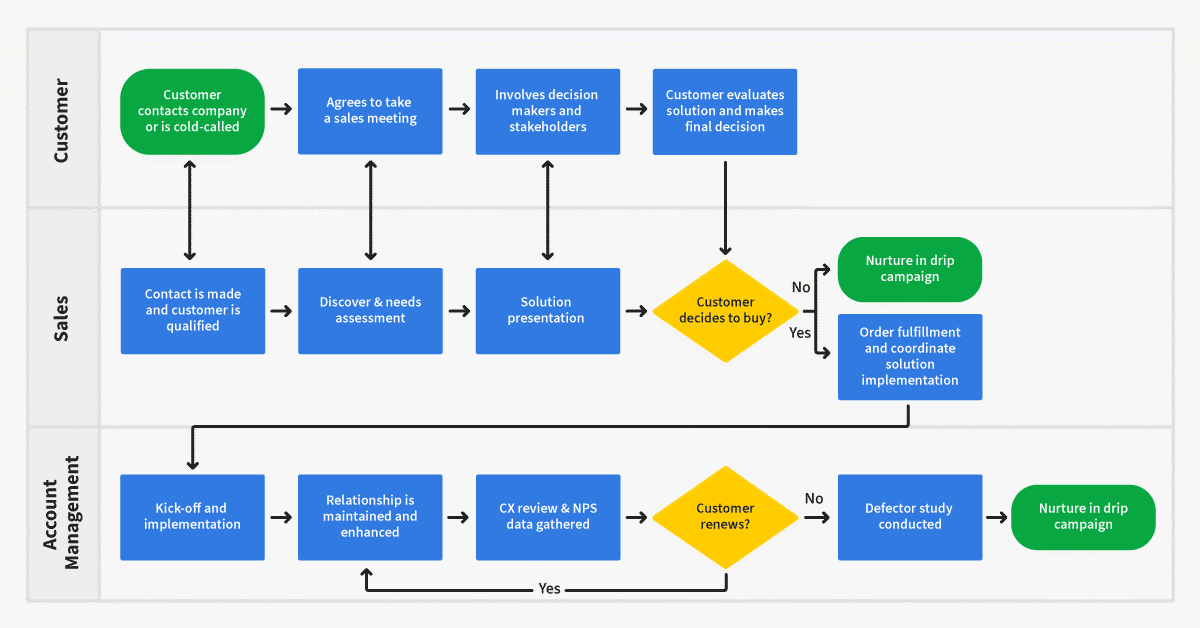
The platform is built on a philosophy inspired by “Getting Things Done” (GTD). Every single contact in your database must have a “Next Action” assigned to it with a specific due date. This simple rule is what makes the system so effective.
This solves the number one failure point for many small businesses: inconsistent follow-up. Leads go cold and opportunities are lost simply because no one was prompted to act. OnePageCRM makes forgetting impossible. Completing one action immediately forces you to set the next one.
Action Stream: Your Proactive Daily Dashboard
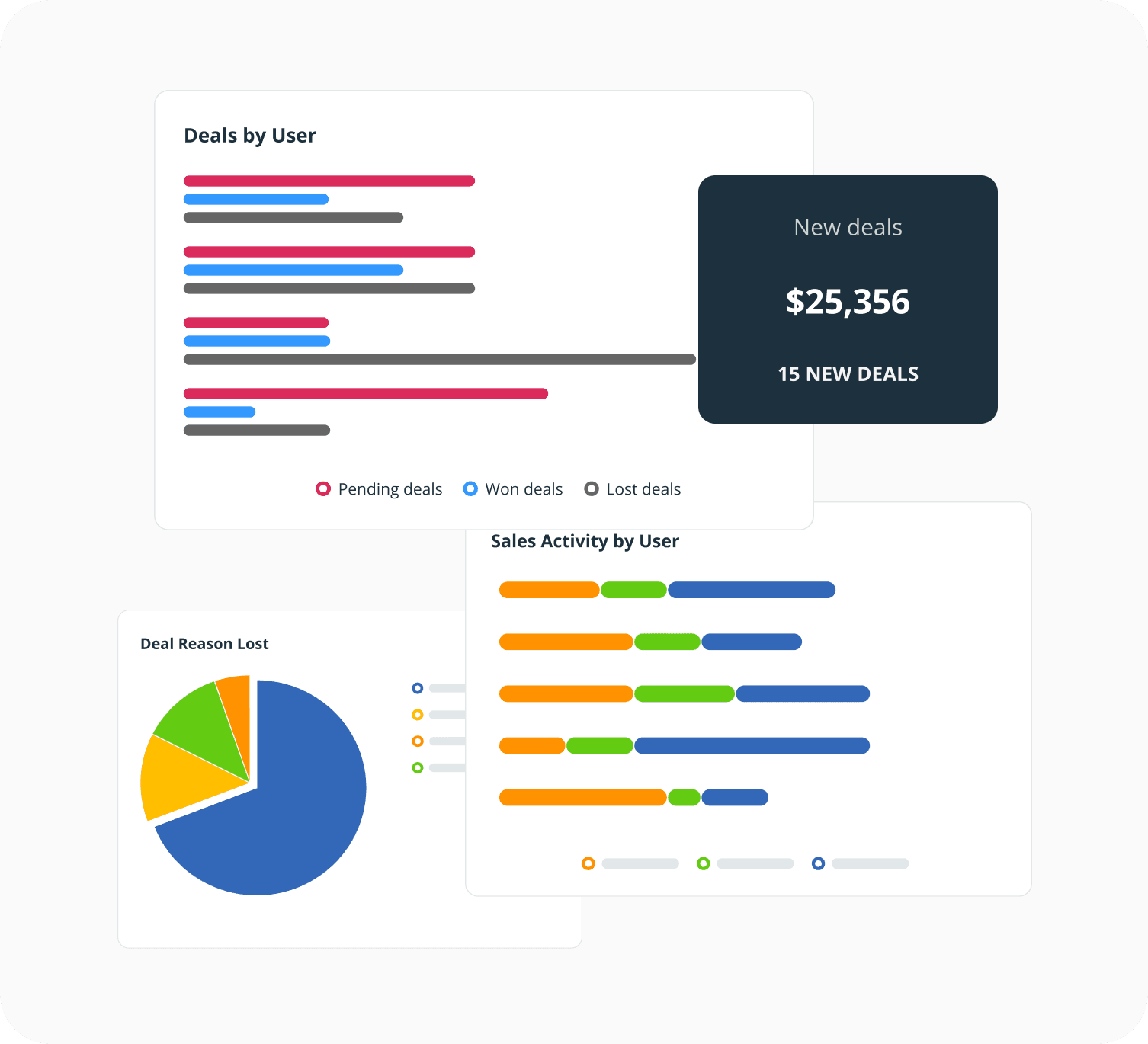
Instead of a cluttered dashboard with charts and graphs, your homepage is the Action Stream. It is a simple, prioritized list of the tasks you must complete today. It acts like a conveyor belt for sales tasks, presenting you with the next item to work on and preventing anything from getting lost.
The psychological impact is significant. It creates focus and removes the feeling of being overwhelmed. You log in and know exactly what to do. My testing confirms this is the feature that delivers the most value to users.
Essential CRM Features Done Right
While the methodology is the star, the tool handles core CRM functions with clean efficiency.
- Contact & Deal Management: Contact pages are clear and simple. All information is presented without needing to click through multiple tabs.
- Visual Sales Pipeline: The deal pipeline is a drag-and-drop board. You can easily move deals from one stage to the next, providing a clear view of your sales process.
- Email Integration: It offers excellent native sync with Gmail and Outlook. You can send emails, use templates, and log communications directly within the CRM.
Pro Tip: Use saved actions and custom filters to create ‘sales plays’ for different types of leads. This automates your follow-up cadence within the Next Action framework.
Warning: The system’s rigidity is its strength. But, if your workflow does not fit the ‘one next action per contact’ model, you will constantly fight the software.
User Experience & Interface (UI/UX) Evaluation
A CRM’s value is directly tied to how easily your team can use it. OnePageCRM excels in this area, offering one of the most intuitive experiences on the market.
Onboarding & The “Time to First Value”
The sign-up and setup process is fast. I found that a new user can add a contact, set a next action, and feel productive in less than an hour. There is almost no learning curve.
This is a huge advantage for small businesses. It eliminates the need for costly training sessions and reduces the downtime often associated with adopting new software. The tool starts delivering value on day one.
The ‘One Page’ Philosophy in Practice
The name “OnePageCRM” is a literal description of its contact view. Everything you need to know about a contact—details, notes, deals, and the next action—is on a single, clean screen. There are no confusing tabs or hidden menus.
This design choice reinforces the tool’s focus on action. It presents information in a way that helps you make a quick decision and move on to the next task. Using it is like driving a car with only a gas pedal, brake, and steering wheel; it’s built to move you forward without distractions.
Mobile App Functionality: Sales on the Go
The iOS and Android apps are well-designed and functional. They provide easy access to your Action Stream, contacts, and deals. You can add notes, complete tasks, and set new actions from your phone.
In my testing, the mobile app performance was reliable. It effectively mirrors the core functionality of the web application, making it a great tool for sales professionals who are often away from their desks.
Security & Compliance Deep Dive (YMYL Critical Section)
Protecting your customer data is a primary business responsibility. OnePageCRM has a solid security foundation but comes with a critical limitation that every potential user must understand.
Data Hosting & Encryption Standards
The platform’s security starts with its infrastructure. All data is handled with professional care.
- Hosting: It is hosted on Amazon Web Services (AWS) in the EU-Ireland region and North Virginia, U.S. This leverages the world-class physical and network security provided by AWS.
- Encryption: Your data is protected with strong encryption. It uses TLS 1.2+ for data in transit and AES-256 for data at rest. Think of TLS as an armored truck for your data traveling online, and AES-256 as the bank vault where it is stored.
User Access Controls & Permissions
The user permission system is basic but effective for small teams. You can assign roles like Admin or User. This allows you to control who can export data or change settings, which is a fundamental security practice.
GDPR Compliance: A Key Strength
As a company based in the European Union, OnePageCRM is fully GDPR compliant. This is a major strength for any business that handles the data of EU citizens. The platform has built-in features to help you manage data subject rights and consent.
CRITICAL DEFICIENCY: Lack of SOC 2 / ISO 27001 Certification
This is the most important part of this section. You must understand the risk this presents.
! IMPORTANT WARNING !
As of Q1 2025, my verification confirms that OnePageCRM does not hold SOC 2 Type II or ISO 27001 certifications.
What This Means: These certifications are independent, third-party audits that validate a company’s security controls and processes. Without them, there is no external proof that their security policies are consistently followed.
The Business Impact of This Limitation: To be clear, this is not a minor technical detail. Failing a client’s vendor security review because your CRM lacks SOC 2 certification means your sales process stops cold. It’s a non-negotiable roadblock that can disqualify you from lucrative enterprise deals, regardless of how good your product or service is.
Who Is at Risk: This is a dealbreaker for any business that sells to enterprise clients, operates in regulated industries like finance or healthcare, or has a strict vendor security policy. You will likely fail your client’s security review if your CRM lacks these certifications. For businesses with these needs, seeking professional consultation with a compliance expert is highly recommended.
Pricing & Total Cost of Ownership (TCO) Analysis
Understanding the full cost of a CRM is about more than just the monthly subscription fee. It involves analyzing the Total Cost of Ownership (TCO) based on your specific needs.
Breakdown of Pricing Tiers
OnePageCRM offers a simple pricing structure with two main tiers: Professional and Business. The cost is calculated per user, per month. There is no free-forever plan, but they offer a full-featured 21-day free trial, which I found is plenty of time for a thorough evaluation.
| Feature | Professional Plan | Business Plan |
|---|---|---|
| Price per User/Month (Monthly Billing) | $15 | $29 |
| Price per User/Month (Annual Billing) | $9.95 | $19.95 |
| Next Action Sales | ✓ | ✓ |
| Deal & Pipeline Management | ✓ | ✓ |
| Email Integration | ✓ | ✓ |
| Per-User Permissions | X | ✓ |
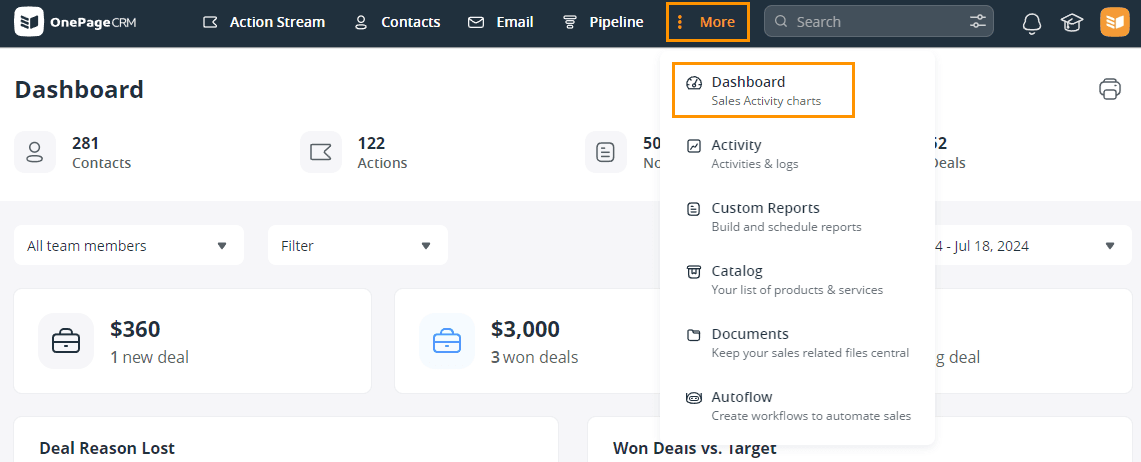
| Custom Report Dashboards | X | ✓ |
Pricing is as of Q1 2025 and may vary. Annual billing provides 4 months free compared to monthly billing. Verify current pricing on their official website.
Calculating the True Total Cost of Ownership (TCO)
The upfront cost is low, but the TCO can change if you need to add functionality with other tools.
- Scenario 1 (Ideal User): A solopreneur uses only the native features. Their TCO is simple: the subscription cost. For a single user on the Professional plan with annual billing, this is around $120 per year.
- Scenario 2 (Growing Business): A 5-person team needs basic email marketing. Their TCO is the subscription cost plus the cost of third-party tools. This could be 5 users on the Business plan ($1,200/year) + a Zapier plan ($360/year) + a Mailchimp plan ($700/year), for a TCO of over $2,250 per year.
Per-User Scaling Costs
The per-user pricing model is great for small teams but becomes less competitive as you grow. My analysis suggests that once a team grows beyond 15 users, other SMB CRMs may offer better value, especially if they include features that OnePageCRM lacks.
Pro Tip: To keep TCO low, use the excellent native integrations with Google Workspace and Outlook 365 to their fullest. Turn to paid Zapier workflows only when absolutely necessary.
Integrations & Workflow Automation
A CRM’s ability to connect with the other tools you use is vital for an efficient workflow. OnePageCRM covers the essentials well and relies on third-party connectors for more advanced needs. For detailed setup instructions and best practices, check out our comprehensive OnePageCRM Tutorials and Usecase guide.
Native Integrations: The Essentials
The platform provides solid native integrations for core business functions. These connections are easy to set up and reliable.
- Email: Deep integration with Gmail and Outlook 365 is a standout feature.
- Calendar: Sync your Google Calendar, Outlook Calendar, or iCal to manage appointments.
- Lead Capture: Connect with tools like Wufoo and Unbounce to automatically create contacts from web form submissions.
The Role of Zapier & Make (Integromat)
For anything beyond the basics, Zapier is the bridge to thousands of other applications. This is how you can extend OnePageCRM to fit more complex workflows. It is positioned as the main way to add automation.
Popular workflows include creating a new contact from a Typeform submission or logging a sale in a Google Sheet automatically. These connections are powerful but can add to your total cost.
API Access for Custom Solutions
For businesses with development resources, OnePageCRM offers a REST API. This allows for the creation of custom integrations and more tailored solutions, though this is an advanced use case that falls outside the scope for most of its target users.
Warning: Relying heavily on Zapier for core business processes can become expensive. It can also create points of failure. This approach is not a substitute for a CRM with native marketing automation if that is your primary need.
User Segmentation & Recommendations
The right CRM is not about finding the “best” tool, but the best tool for you. My analysis shows OnePageCRM is an excellent fit for some personas and completely unsuitable for others.
Persona 1: The Solopreneur / Consultant
- Needs: Simplicity, great mobile access, and a system to enforce disciplined follow-up.
- Risk Tolerance: Low tolerance for complexity, but a high tolerance for the lack of SOC 2 certification.
- Recommendation: Excellent Fit. The core methodology directly solves their biggest pain point of letting opportunities slip away.
Persona 2: The Small Business Owner (2-15 Employees)
- Needs: Easy adoption for a non-technical team and basic visibility into the sales pipeline.
- Risk Tolerance: Medium. They require GDPR compliance but likely do not need SOC 2 for their clients.
- Recommendation: Good Fit. It’s a great choice, provided the business does not need deep analytics or advanced reporting.
Persona 3: The Data-Driven Sales Manager
- Needs: Advanced reporting, accurate forecasting tools, and detailed team performance metrics.
- Risk Tolerance: Low tolerance for poor data visibility. Their job depends on accurate data.
- Recommendation: Poor Fit. The reporting capabilities are too basic to manage a team based on performance metrics.
Persona 4: The B2B Startup Selling to Enterprise
- Needs: A CRM that can pass enterprise-level vendor security reviews.
- Risk Tolerance: Zero tolerance for compliance gaps.
- Recommendation: Unsuitable. The lack of SOC 2 certification is an immediate dealbreaker and will get them disqualified.
Competitive Analysis & Market Positioning
OnePageCRM has carved out a specific niche by focusing on methodology over features. Here is how it compares to other popular CRMs for small businesses. For a detailed analysis of how it stacks up against the competition, see our OnePageCRM Top Alternatives and Competitors comparison.
OnePageCRM vs. Pipedrive
The core difference is philosophy. Pipedrive is built for teams that manage a visual sales pipeline. Its strength is in visualizing the entire deal flow. OnePageCRM is built for individuals who manage a daily to-do list. Its strength is in driving the next action.
OnePageCRM vs. Less Annoying CRM (LAC)
Less Annoying CRM competes on extreme simplicity and a single low price point. It is very easy to use but has a more dated interface and fewer integrations. OnePageCRM is more modern, more structured, and more focused on a specific workflow.
OnePageCRM vs. HubSpot Starter
HubSpot is an ecosystem. Its free and starter tiers are designed to get you into their world of marketing, sales, and service tools. OnePageCRM is a pure sales action tool. It does one thing exceptionally well without trying to be an all-in-one platform.
Feature & Compliance Comparison Matrix
| Feature | OnePageCRM | Pipedrive | Less Annoying CRM | HubSpot Starter |
|---|---|---|---|---|
| Core Philosophy | Action-Based (GTD) | Pipeline-Based | Contact-Based | Ecosystem-Based |
| Ideal User | Solopreneur/Small Team | Sales-Focused Team | Very Small Business | Marketing-Focused SMB |
| Pricing Model | Per User | Per User | Per User | Per User (Seats) |
| Reporting | Basic | Good | Basic | Good |
| Marketing Automation | Via Zapier | Basic Native | None | Strong Native |
| SOC 2 Certified | No | Yes | No | Yes |
Final Verdict & Strategic Recommendations
OnePageCRM is an exceptional tool that I often recommend, but only to a specific type of user. It is a “methodology-as-a-service” platform, not a traditional data-driven CRM. It succeeds by embracing its limitations and focusing on what truly drives sales for small businesses: consistent action.
- Recommendation 1: Buy Immediately If… you are a solopreneur or small business owner whose biggest struggle is letting leads fall through the cracks. If you find other CRMs too complex and just need a system to ensure you follow up, this is for you.
- Recommendation 2: Consider Carefully If… your team is growing beyond 15 people. You should also think ahead if you anticipate needing more advanced analytics within the next 12 to 18 months.
- Recommendation 3: Avoid Completely If… your business must be SOC 2 or ISO 27001 compliant. Also look elsewhere if you need robust, native marketing automation or manage your team based on deep data analysis.
A Note on Professional Due Diligence: The CRM landscape evolves rapidly. This analysis is based on rigorous testing in Q1 2025, but features and compliance certifications can change. Before making a final financial commitment, we strongly recommend you verify OnePageCRM’s current security status directly on their official website and consult with a compliance professional if your business operates under strict vendor security requirements.
For the right business, OnePageCRM isn’t just a good choice; it’s the perfect choice. It correctly identifies that for a small operation, the most important action is always the next action. You can learn more in this OnePageCRM Review.
Comprehensive FAQs Section
For even more detailed answers to common questions, visit our complete OnePageCRM FAQs resource page.
Is OnePageCRM a true AI CRM?
No, it is not. Its core value is in its “intelligent design” and its action-forcing methodology, not in artificial intelligence features like predictive scoring.
What is the “Next Action Sales” methodology?
It is a system inspired by “Getting Things Done” (GTD). It requires every contact in your CRM to have a scheduled follow-up task, which ensures no lead is forgotten.
Does OnePageCRM have a free plan?
No, it does not offer a free-forever plan. It provides a full-featured 21-day free trial so you can test all its capabilities.
Can OnePageCRM be used for marketing automation?
Not natively. It lacks built-in features for email sequences or marketing campaigns. You must connect it to a third-party tool like Mailchimp using Zapier to achieve this.
How does OnePageCRM’s security compare to Salesforce or HubSpot?
It uses strong, industry-standard encryption and hosting (AWS). But, unlike Salesforce and HubSpot, it lacks SOC 2 certification, which is a critical difference for businesses with strict compliance needs.
Is OnePageCRM suitable for a real estate agent?
Yes, it can be very suitable. The action-oriented approach is great for managing the many follow-ups required with buyers, sellers, and other stakeholders in a real estate transaction.
What are the main limitations of OnePageCRM’s reporting?
The reporting features are basic. You can track your pipeline and activity, but it lacks the deep analytical capabilities, custom dashboards, and forecasting tools found in more advanced CRMs.
How difficult is it to migrate data into OnePageCRM?
It is relatively easy. They provide tools for importing data from CSV files and have direct importers for some other CRMs and contact apps like Google Contacts. The process is straightforward for small data sets.
Should I choose OnePageCRM or Pipedrive?
Choose OnePageCRM if your main problem is forgetting to follow up. Choose Pipedrive if your main need is to visualize and manage a complex sales pipeline with multiple deals at once.
Is OnePageCRM GDPR compliant?
Yes, it is fully GDPR compliant. As an EU-based company, it adheres to strict data protection regulations, making it a safe choice for handling data from European citizens.
What does the lack of SOC 2 certification mean for my business?
It means you cannot provide third-party verification of your CRM’s security controls to your clients. If you sell to large companies or operate in regulated fields, this will likely cause you to fail their vendor security assessment. This transitions from a security feature to a critical sales and financial risk.
How good is OnePageCRM’s mobile app?
The mobile app is excellent for its intended purpose. It allows you to manage your Action Stream, access contact information, and log activities while on the go. It is clean, fast, and reliable.
Can I manage a team effectively in OnePageCRM?
You can manage a small team (under 15 users) effectively. The Business plan adds team-level features and permissions. However, it lacks the advanced performance metrics needed to manage larger, data-driven sales teams.
What are the best integrations for OnePageCRM?
The best native integrations are with Gmail, Outlook 365, and Google Calendar. For broader automation, Zapier is the most important integration, connecting it to thousands of other apps.
Is OnePageCRM worth the price?
For its target user—the solopreneur or small business owner who needs to enforce sales discipline—it offers excellent value. The increase in follow-up consistency can provide a return on investment very quickly.






Leave a Reply