
Is Attio the Right AI-Powered CRM for You?
Take This Quick Quiz to Find Out!
Key Takeaways
- AI-Powered CRM Revolution: Attio transforms traditional CRM through intelligent automation, building contact databases from email/calendar systems without manual data entry
- Perfect for Small Businesses: Offers generous free plan and relationship-focused features ideal for startups, solopreneurs, and relationship-driven businesses
- Enterprise-Grade Security: SOC 2 Type II certified and GDPR compliant with advanced encryption and infrastructure security
- Flexible & Customizable: Database-like structure adapts to any business process while maintaining user-friendly, collaborative interface
- No-Code Automation: Visual workflow builder enables sophisticated automations without programming knowledge, perfect for non-technical users
Attio represents the future of customer relationship management for small businesses and solopreneurs seeking intelligent, flexible CRM solutions. This comprehensive FAQ guide addresses everything you need to know about implementing Attio in your business operations.
What is Attio and how is it different from a traditional CRM?
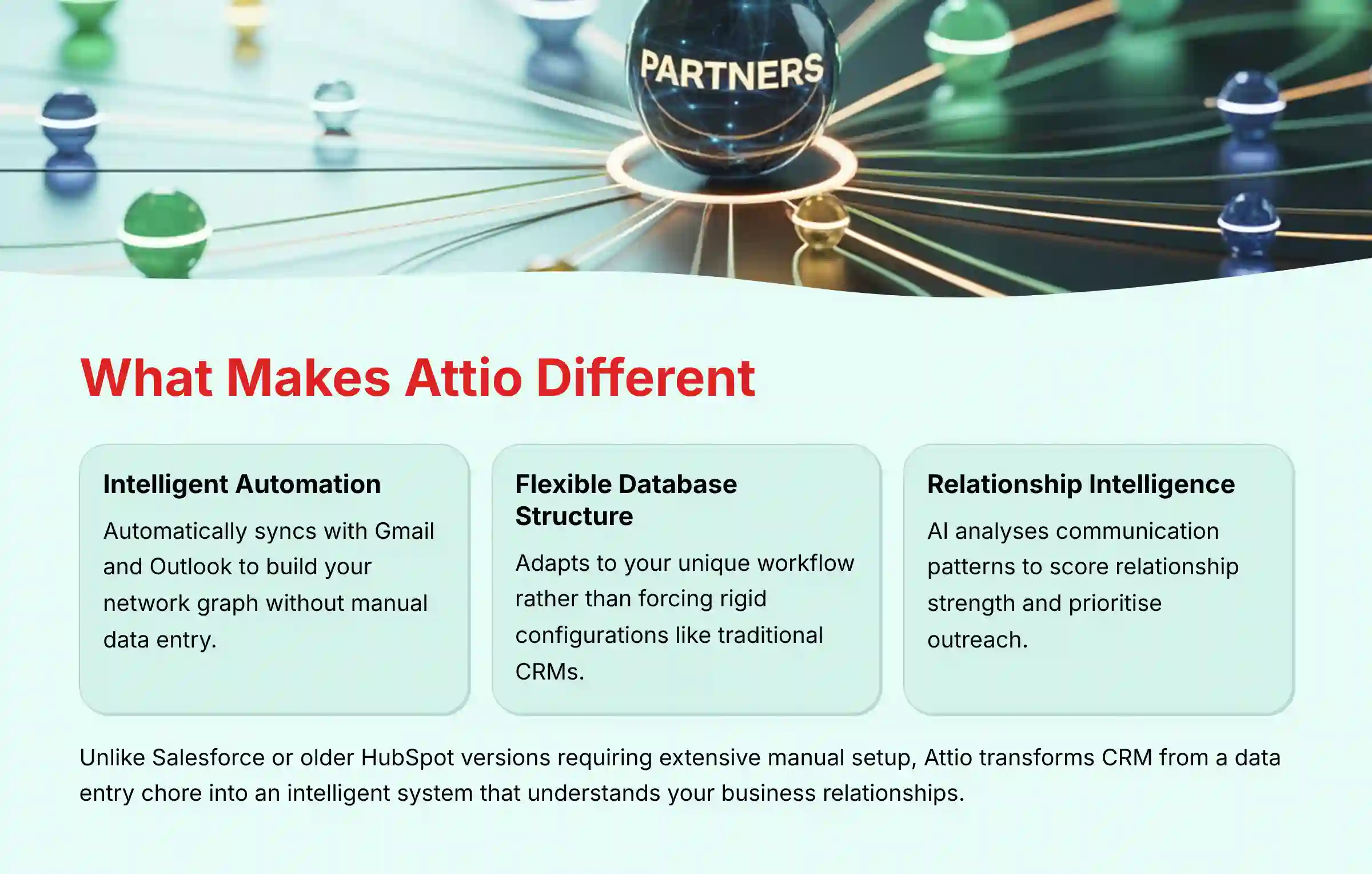
Attio is a modern, AI-powered CRM that fundamentally reimagines customer relationship management through its data-first, flexible approach. Unlike traditional CRMs such as Salesforce or older versions of HubSpot that require extensive manual data entry and rigid configurations, Attio is built around a flexible, database-like structure that adapts to your unique workflow.
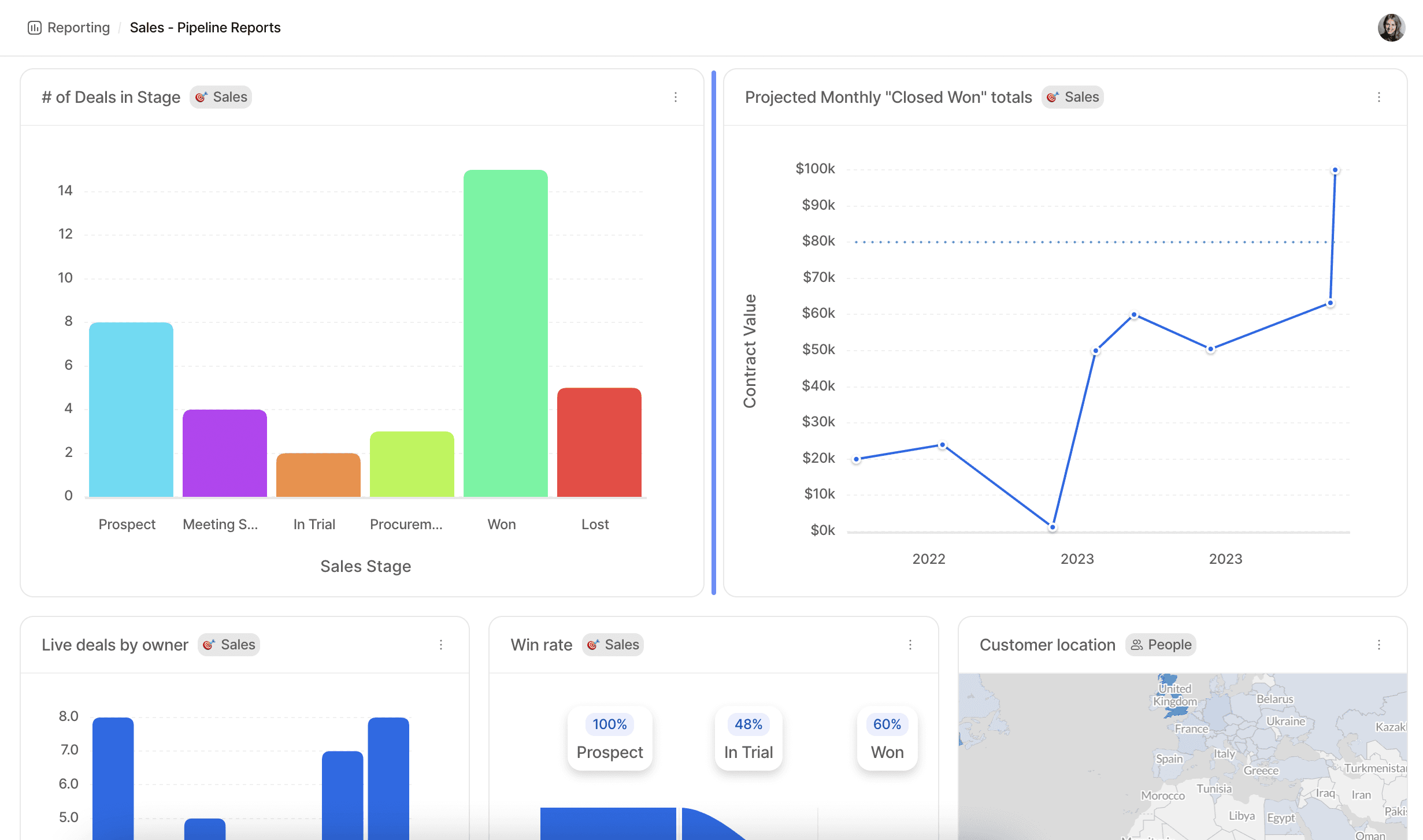
The core difference lies in its intelligent automation and relationship-focused design. Attio automatically syncs with your email and calendar systems (Gmail, Outlook) to build your network graph, identifying contacts, companies, and communication patterns without manual input. Its AI engine then enriches this data automatically, finding details like company size, location, funding information, and analyzing communication streams to derive relationship intelligence.
Key differentiators include:
- Automatic data capture and enrichment that builds and updates your contact database autonomously
- Extreme customizability allowing you to build custom data objects and pipelines that mirror your exact business process
- Relationship intelligence where AI analyzes communication frequency and recency to score relationship strength
- Collaborative interface similar to modern tools like Notion or Airtable
For small businesses and solopreneurs, this means transforming the CRM from a manual data entry chore into an intelligent system that understands and builds your network automatically, saving countless hours while providing deeper insights into your business relationships.
Who is Attio best suited for, especially small businesses and solopreneurs?
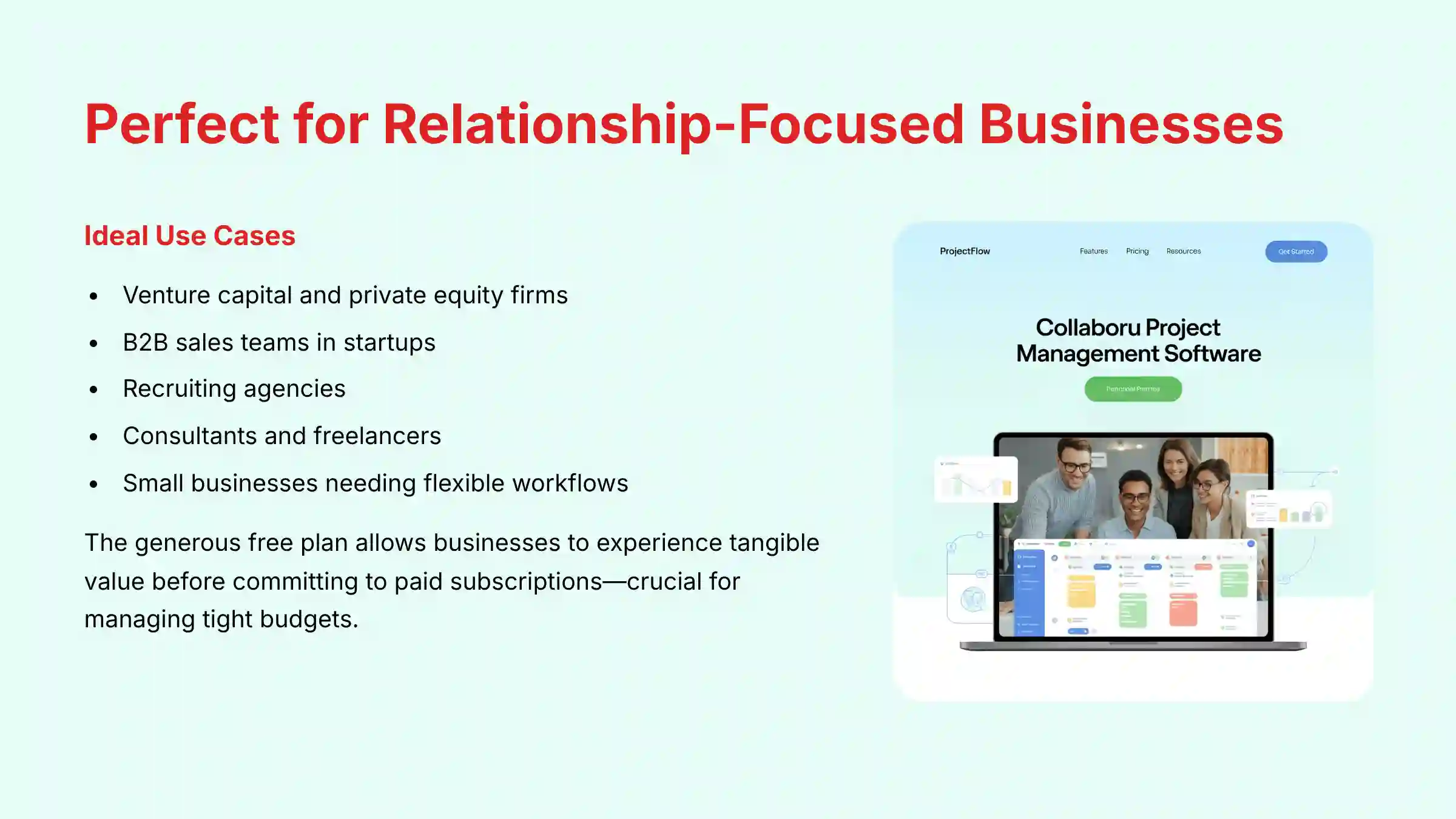
Attio excels for relationship-focused small businesses, startups, solopreneurs, and teams that need a flexible, customizable CRM without enterprise-level complexity and cost. The platform is particularly compelling for users who find traditional CRMs too rigid and manual for their dynamic business needs.
For small businesses and solopreneurs, Attio’s strengths address critical pain points. The platform’s ability to automatically build a contact list from existing email and calendar data represents massive time savings for small teams who cannot afford dedicated data entry resources. The generous free plan allows businesses to experience tangible value before committing to paid subscriptions, which is crucial for managing tight budgets.
Attio particularly excels in specific use cases including:
- Venture capital and private equity where its data-first model perfectly tracks deal flow, manages portfolios, and nurtures investor relations
- B2B sales teams in startups and tech companies benefit from its speed and efficiency in tracking leads and managing pipelines
- Recruiting agencies can build and manage candidate pipelines and client relationships effectively
- Consultants and freelancers use it to manage client projects, track potential leads, and maintain professional networks effortlessly
The platform’s AI-driven relationship intelligence helps prioritize outreach based on communication patterns and relationship strength, ensuring no important lead or client falls through the cracks. If your business relies heavily on network strength and you need a tool that adapts to your process rather than forcing predefined workflows, Attio represents an excellent fit for scaling your relationship management efficiently.
For those seeking comprehensive Attio Overview and Features analysis, our detailed guide provides in-depth platform capabilities assessment.
How does Attio compare to other popular CRMs like HubSpot, Folk, or Pipedrive?
Attio differentiates itself through its unique blend of extreme flexibility, powerful AI automation, and user-friendly collaborative interface, positioning it distinctly against established competitors.
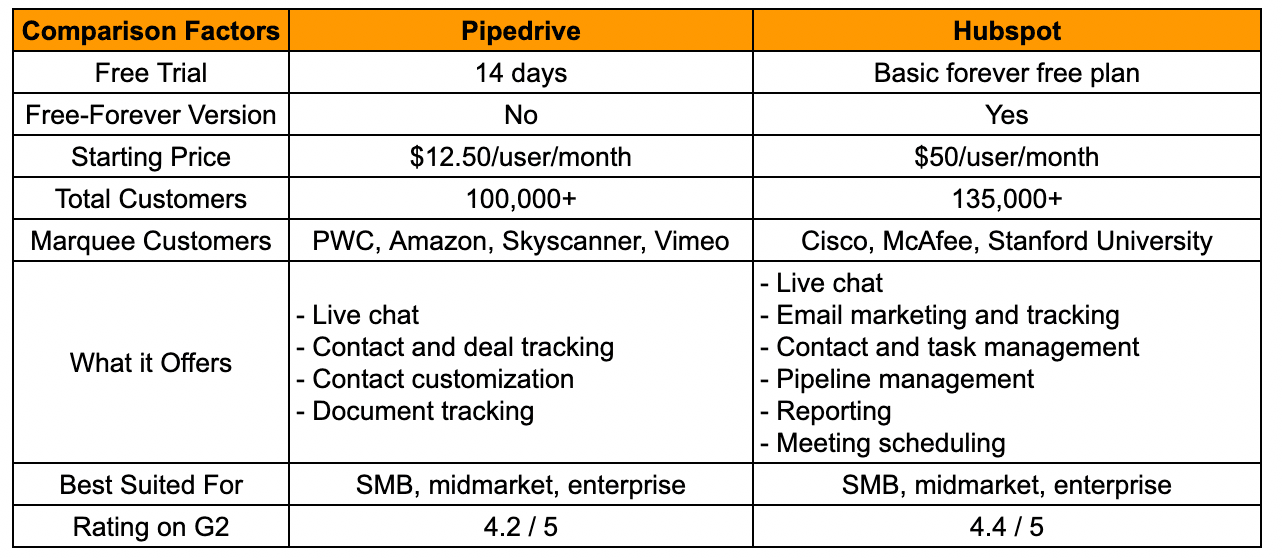
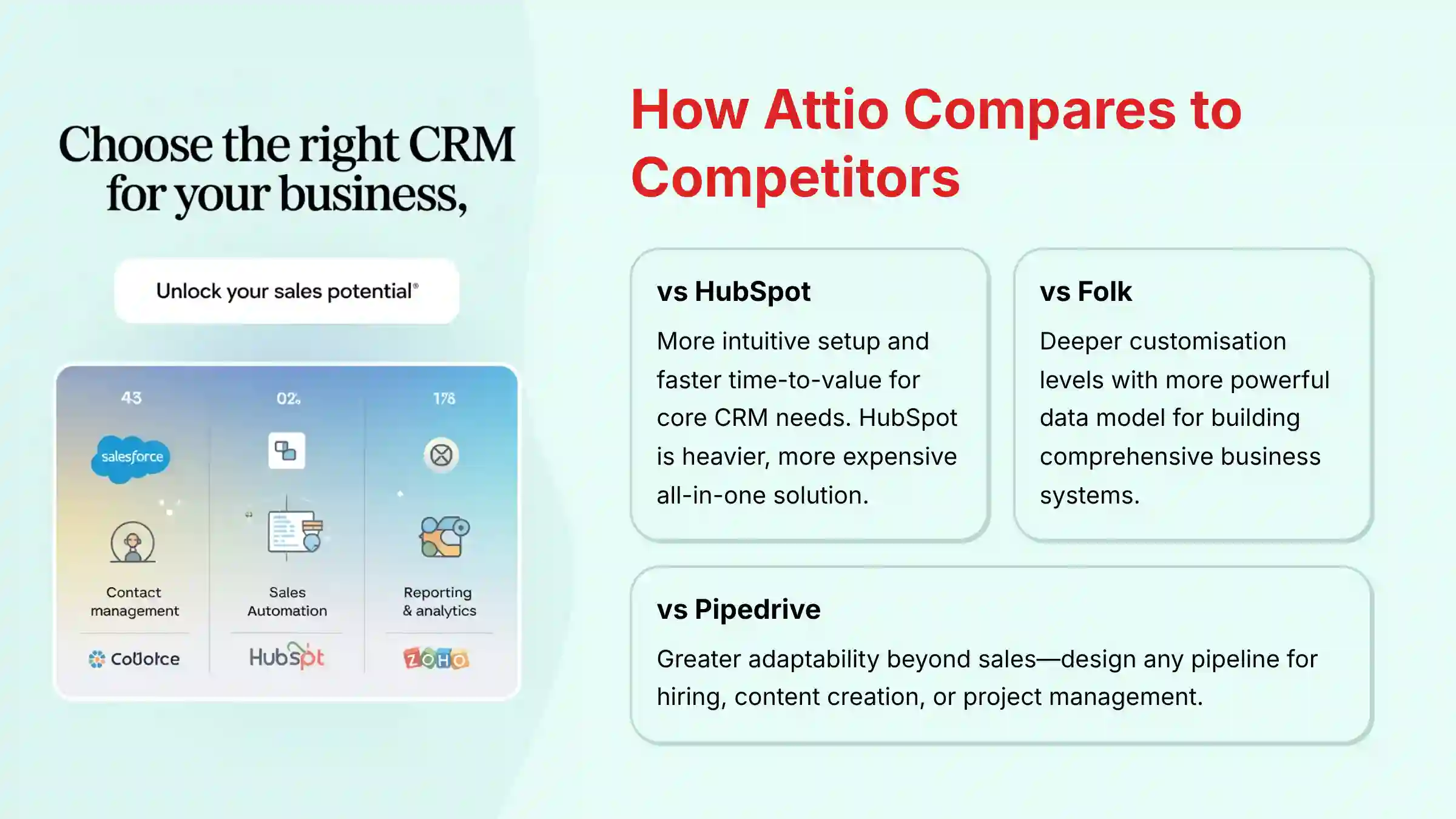
Attio vs. HubSpot: HubSpot operates as an all-in-one platform encompassing marketing, sales, and service hubs. While HubSpot’s strength lies in its integrated ecosystem, it can be rigid and expensive, especially for small businesses that don’t require all features. Attio focuses on being a pure-play, flexible CRM centered on relationship intelligence and workflow customization. Attio typically offers more intuitive setup and faster time-to-value for core CRM needs, whereas HubSpot represents a heavier, more encompassing solution requiring significant investment in learning and implementation.
Attio vs. Folk: Folk is a close competitor also known for ease of use and relationship focus. Both tools represent a new generation of CRMs prioritizing user experience. Attio’s key differentiator lies in its more powerful and granular data model, enabling complex database structures and workflow automation capabilities. Folk excels in simplicity and contact management with strong outreach features, while Attio provides deeper customization levels for building comprehensive business operating systems.
Attio vs. Pipedrive: Pipedrive specializes in sales-focused CRM with renowned visual pipeline management, excelling at helping salespeople manage deals. However, it offers limited flexibility for non-sales use cases. Attio’s adaptability allows designing any pipeline or list type, whether for sales, hiring, content creation, or project management. Attio’s automatic data enrichment and relationship intelligence capabilities extend well beyond Pipedrive’s core feature set.
Choose Pipedrive for dedicated sales pipeline management, HubSpot for comprehensive marketing/sales integration, Folk for elegant relationship management, and Attio for powerful, flexible, AI-driven platforms customizable to virtually any business workflow.
For deeper competitive analysis, explore our comprehensive Attio Top Alternatives and Competitors comparison guide.
How does Attio’s AI actually work to save time for small businesses?
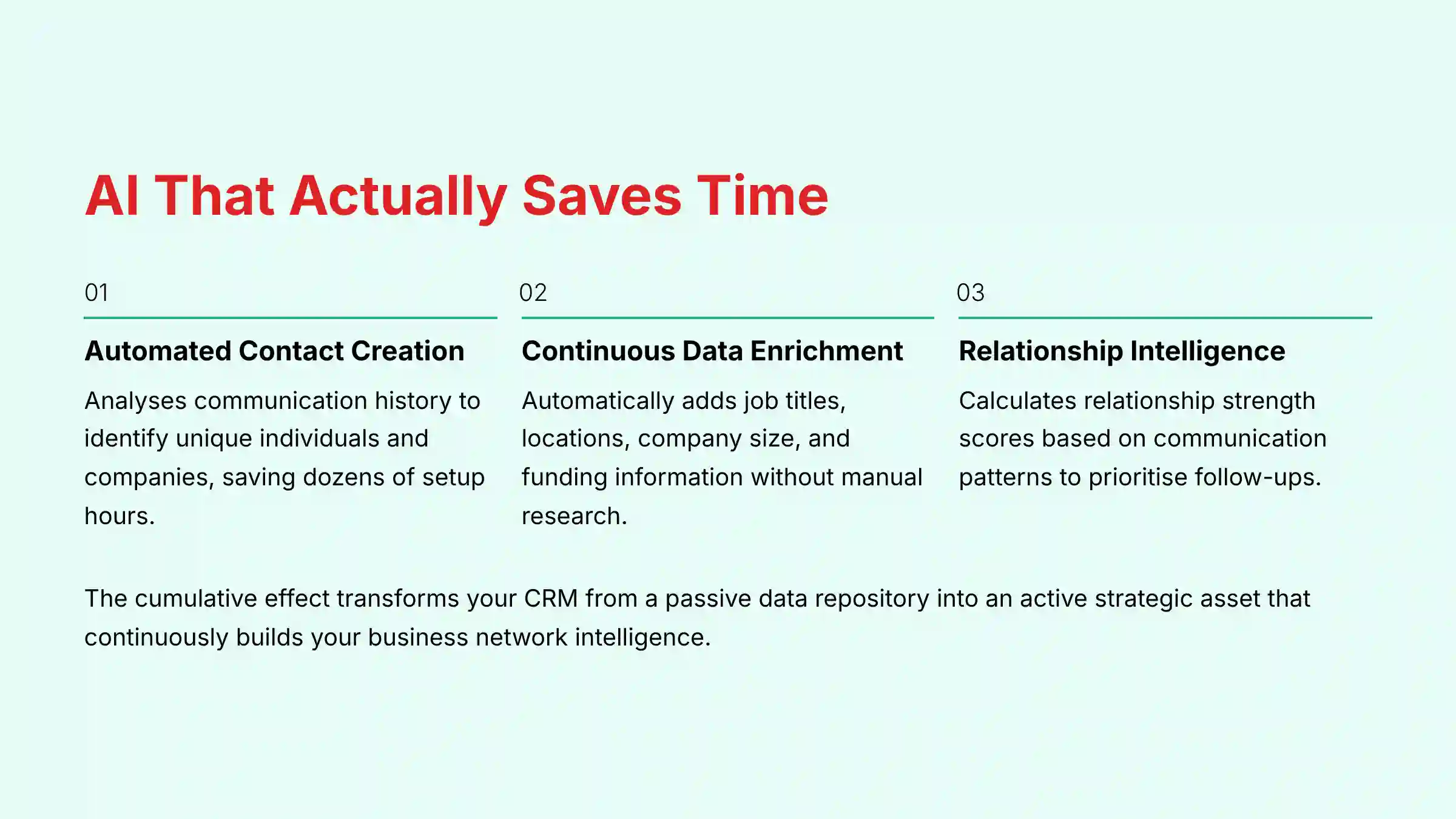
Attio’s AI transforms CRM management from a time-consuming manual process into an intelligent, automated system that works continuously in the background. The AI saves time through three primary mechanisms that address the most labor-intensive aspects of customer relationship management.
Automated Contact and Company Creation represents the first major time-saver. When you connect Gmail or Outlook accounts, Attio’s AI analyzes your communication history to automatically identify unique individuals and their associated companies, creating detailed contact records. The system intelligently filters out spam and irrelevant contacts, focusing on meaningful business interactions. This single feature can save dozens of hours typically required for manual data input during initial CRM setup.
Continuous Data Enrichment provides ongoing value by automatically enhancing contact and company records with publicly available information. The AI finds and adds crucial details including:
- Job titles and professional roles
- Geographic locations and company addresses
- Social media profiles (particularly LinkedIn)
- Company size and industry classifications
- Funding information for startups and investment rounds
This automation ensures you maintain a complete, contextual view of every contact without manual research and data entry.
Relationship Intelligence analyzes email communication patterns including frequency, recency, and response rates to calculate relationship strength scores for each contact. This enables quick identification of strongest business relationships and recognition of critical connections that may be cooling off. For small businesses, this intelligence proves invaluable for prioritizing follow-ups and ensuring no important lead or client relationship deteriorates due to neglect.
The cumulative effect transforms your CRM from a passive data repository requiring constant feeding into an active strategic asset that continuously works to build and maintain your business network intelligence.
How secure is customer data in Attio and is it GDPR compliant?
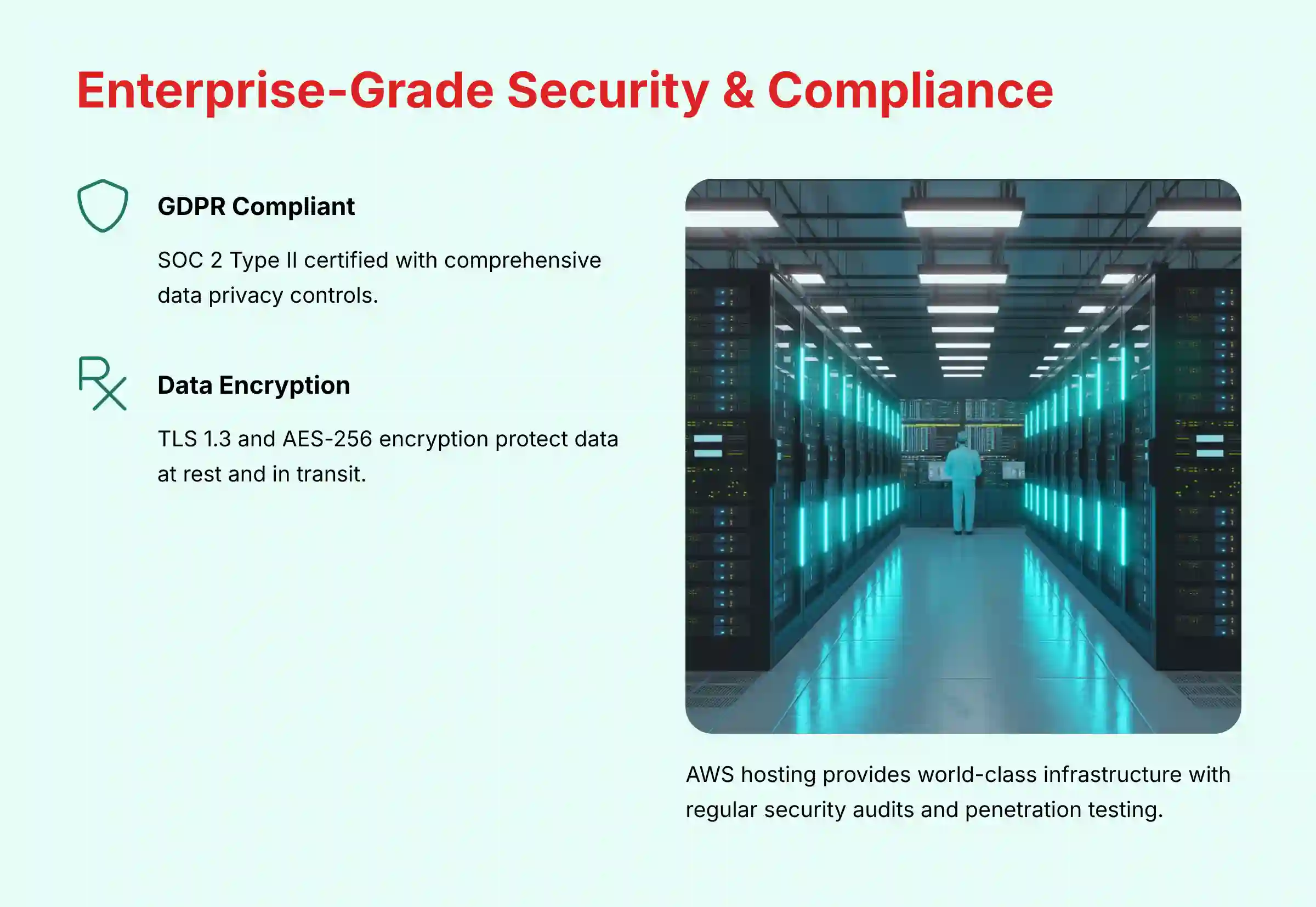
Attio implements enterprise-grade security measures to protect customer data, treating data security as a fundamental business priority. The platform is fully GDPR compliant and holds SOC 2 Type II certification, representing significant third-party auditing that verifies robust systems and processes for security, availability, processing integrity, confidentiality, and privacy over extended time periods.

The security framework encompasses several critical pillars:
Data encryption protects all information both at rest (in databases) and in transit (between browsers and servers) using industry-standard protocols including TLS 1.3 and AES-256 encryption. Infrastructure security leverages Amazon Web Services (AWS) hosting, providing world-class secure and resilient environment foundations.
Access controls offer granular permission management, allowing role definition and sensitive data access restrictions to ensure team members access only job-relevant information. Regular security audits and penetration testing proactively identify and address potential vulnerabilities through continuous third-party security assessments.
Data privacy compliance as a GDPR-compliant processor ensures proper handling of all personal data while providing tools for managing data subject rights including:
- Access requests for personal data transparency
- Rectification capabilities for data accuracy
- Erasure options for data deletion requests
- Portability features for data transfer requirements
The platform also maintains detailed data processing records and implements privacy-by-design principles throughout system architecture.
For small businesses, choosing a platform with these certifications provides confidence in meeting security and compliance obligations by extension. The SOC 2 Type II certification particularly demonstrates that security controls operate effectively over time, not just at a single point of assessment, providing ongoing assurance for business-critical customer data protection.
What are the key integrations Attio offers for small business toolkits?
Attio functions as a central hub designed to connect seamlessly with essential small business tools, enhancing existing workflows rather than disrupting established processes. The integration ecosystem addresses the most critical connection points for typical small business operations.
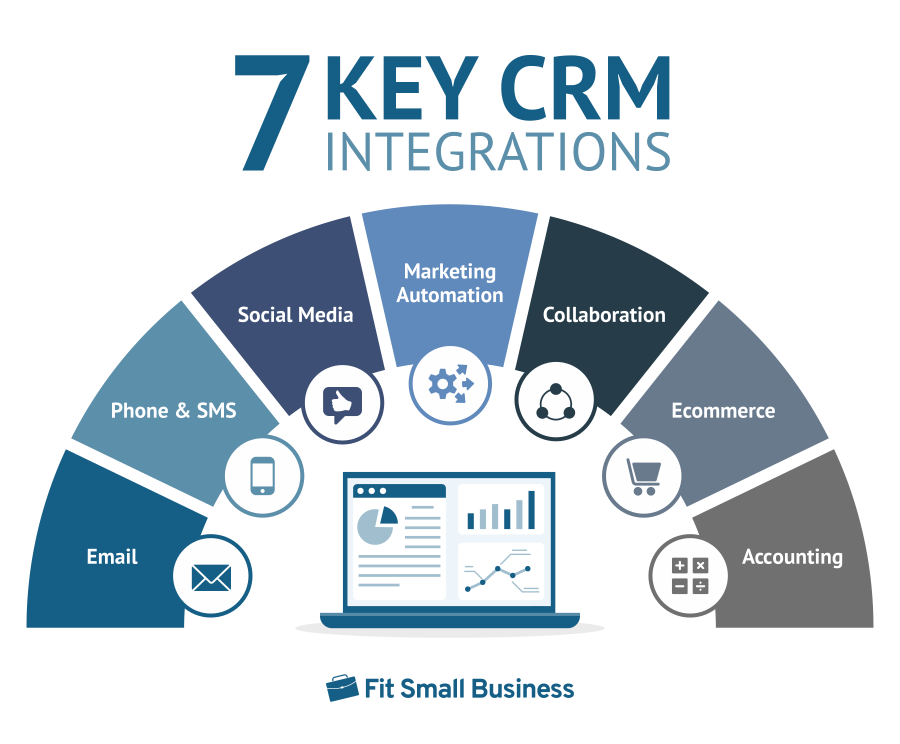
Email and Calendar Integration with Gmail/Google Workspace and Outlook/Microsoft 365 represents Attio’s most fundamental connectivity. This integration enables automatic data capture, contact creation, and relationship intelligence that form the platform’s core value proposition. The bidirectional sync ensures all communication context flows automatically into your CRM without manual intervention.
Slack Integration delivers real-time CRM activity notifications directly into team communication channels. Users receive updates on new deals, task assignments, contact mentions, and pipeline changes, maintaining team synchronization without requiring constant CRM monitoring. This integration proves particularly valuable for small teams where everyone needs visibility into customer relationship developments.
Zapier Connectivity provides access to thousands of additional applications through custom automation workflows (“Zaps”). Examples include:
- Automatically adding new Stripe customers to specific Attio lists
- Creating deals from Typeform submissions or Calendly bookings
- Triggering follow-up sequences based on specific customer actions across your software stack
- Syncing data between Attio and accounting software like QuickBooks
API Access offers comprehensive possibilities for businesses with development resources. Attio’s well-documented API enables deep custom integrations with proprietary software or specialized applications, providing unlimited potential for building custom workflows tailored to unique business requirements.
These integrations collectively ensure Attio serves as your single source of truth for customer data, automatically pulling context from where work happens while pushing updates to other critical business systems, creating a truly connected small business technology ecosystem.
For practical implementation guidance, our detailed Attio Tutorials and Usecase guide provides step-by-step integration setup instructions.
What are the main limitations or disadvantages of using Attio?
While Attio offers powerful CRM capabilities, understanding its limitations ensures appropriate fit assessment for your specific business requirements. No platform serves every use case perfectly, and honest evaluation prevents future disappointments.
Limited Native Marketing and Service Features represents a significant consideration. Unlike HubSpot’s comprehensive approach, Attio focuses purely on CRM functionality without built-in email marketing automation suites (beyond basic sequences) or dedicated customer service ticketing systems. While integrations with specialized tools via Zapier or API connections address these gaps, businesses seeking tightly integrated all-in-one platforms may find this fragmented approach less appealing.
Potential Complexity from Flexibility creates a double-edged sword scenario. Attio’s greatest strength—extreme customizability—can overwhelm teams needing simple, out-of-the-box solutions. The process of designing custom objects, configuring workflows, and optimizing data structures requires more initial investment compared to opinionated tools like Pipedrive. This learning curve may challenge non-technical users or time-constrained small business owners.
Mobile Application Limitations affect field-based teams significantly. While iOS and Android apps exist, users frequently report that mobile experiences lack the feature richness and polish of the desktop web application. For heavily mobile-dependent teams such as field sales representatives, this functionality gap could create workflow friction.
Reporting and Dashboard Constraints may challenge businesses requiring sophisticated analytics immediately. Attio’s reporting capabilities offer flexibility but may not match the immediate power or visual comprehensiveness of established platforms like Salesforce. Building complex, multi-layered reports often requires substantial setup and configuration investment.
These limitations primarily impact larger enterprises or teams with rigid, pre-existing workflow expectations. Most small businesses find Attio’s flexibility and AI automation benefits outweigh these concerns significantly.
For balanced perspective, read our comprehensive Attio Review covering both strengths and weaknesses in detail.
What is the learning curve like for CRM beginners using Attio?
Attio presents a nuanced learning experience for CRM newcomers, offering both exceptional ease of initial setup and significant depth for advanced mastery. The platform deliberately balances accessibility with sophisticated capabilities.
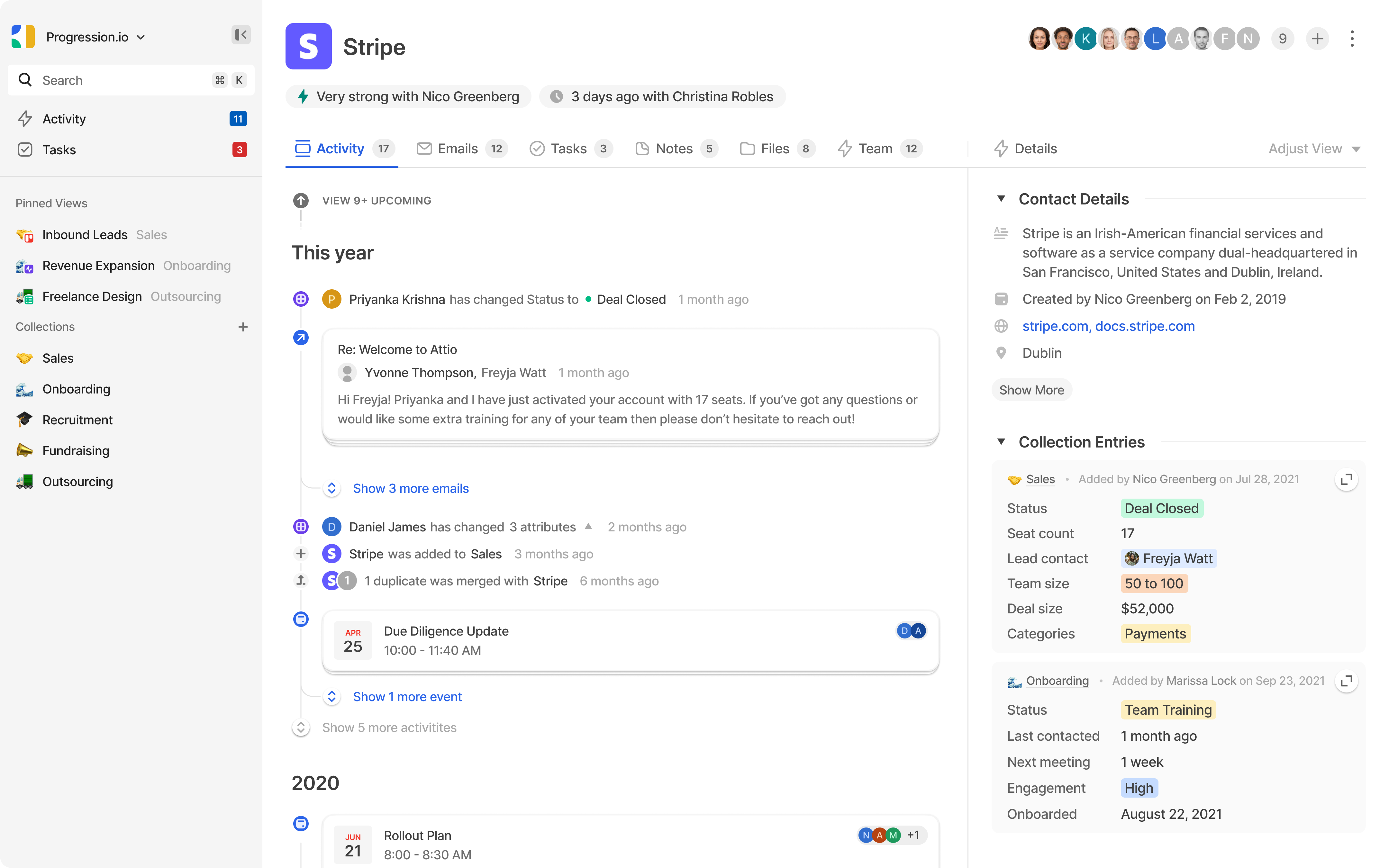
Initial Setup Simplicity significantly reduces traditional CRM barriers. The process of connecting email and calendar accounts and allowing Attio to automatically build contact databases proves far easier than typical CRM experiences involving messy spreadsheet imports and manual data entry. The user interface employs modern, clean design principles familiar to users of contemporary tools like Notion or Airtable. Core concepts including list creation and contact management feel intuitive. Non-technical users can realistically register, complete setup, and experience tangible value within their first afternoon of use.
Learning Curve Steepening occurs when progressing beyond basic contact management toward leveraging Attio’s comprehensive capabilities. Understanding optimal data structure design using custom objects, building multi-step workflow automations, and creating advanced reports requires significant time investment and conceptual understanding. This progression demands more substantial learning commitment compared to simpler, more opinionated alternatives.
Educational Resource Support facilitates skill development through multiple channels:
- Attio Academy provides high-quality video tutorials and comprehensive guides
- Template Library offers pre-built configurations for common use cases including sales pipelines and venture capital deal flow management
- Support Documentation maintains extensive knowledge base coverage for detailed implementation guidance
Recommended Beginner Strategy involves starting simple and expanding gradually. Begin by letting AI build your network automatically, utilize templates for initial pipeline creation, and systematically explore advanced features as comfort levels increase. This approach prevents overwhelming initial experiences while building confidence for eventual advanced feature adoption.
The key insight for beginners: Attio rewards patience and gradual exploration with increasingly powerful capabilities that scale with growing expertise.
What are Attio’s pricing plans and is there a truly useful free plan?
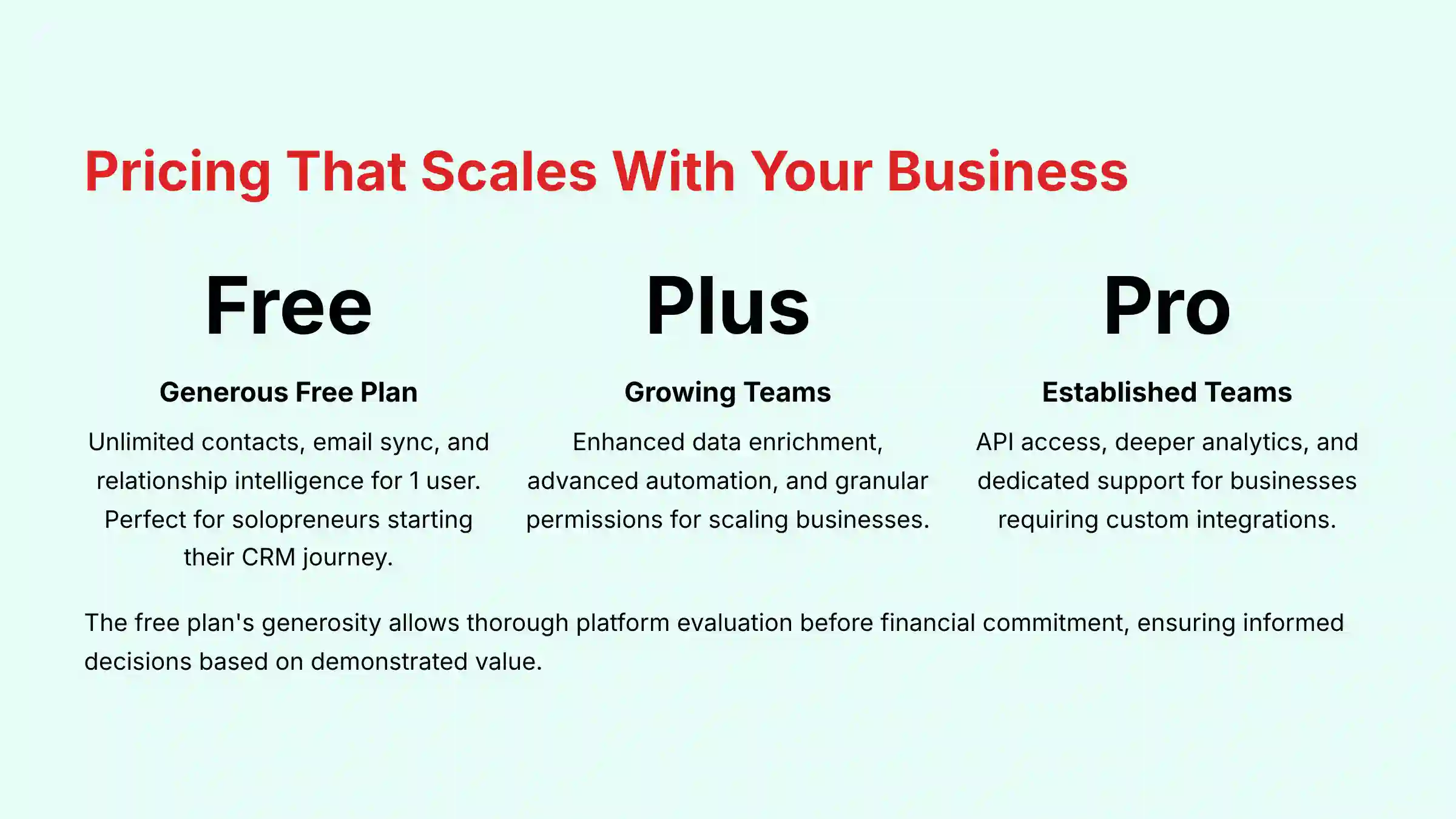
Attio offers a tiered pricing structure designed to scale with business growth, featuring one of the most generous and genuinely functional free plans available in the CRM market, making it particularly attractive for solopreneurs and budget-conscious small businesses.
Free Plan Capabilities provide substantial value without artificial limitations designed to force upgrades. The plan includes core features such as:
- Unlimited contacts for comprehensive database building
- Email and calendar synchronization for automatic data capture
- Relationship intelligence for contact prioritization
- Customizable workflows for business process automation
- Single user access (corrected from previous misinformation stating 3 users)
Primary limitations involve the number of “enriched” records and data storage capacity. For freelancers or solo entrepreneurs beginning their CRM journey, this plan delivers sufficient power for effective contact and pipeline management without financial commitment.
Plus Plan represents the first paid tier with per-user monthly billing. This plan significantly increases data enrichment limits, introduces advanced workflow automation triggers, and provides granular permissions and enhanced reporting capabilities. This tier suits growing small businesses scaling sales or outreach efforts beyond single-user operations.
Pro Plan targets established teams requiring sophisticated capabilities. It includes all Plus features while adding advanced API access, deeper analytics, and dedicated support options. This plan serves businesses needing custom integrations and comprehensive reporting capabilities.
Enterprise Plan offers custom pricing for large organizations requiring specialized features including SAML-based single sign-on, dedicated infrastructure, and premium support service level agreements.
Strategic Upgrade Timing for small businesses typically occurs when enhanced data enrichment becomes necessary or complex multi-step automations provide clear ROI justification. The free plan’s generosity allows thorough platform evaluation before financial commitment, ensuring informed purchasing decisions based on demonstrated value rather than marketing promises.
How do I migrate data from spreadsheets or other CRMs to Attio?
Data migration into Attio utilizes straightforward tools designed to minimize complexity while ensuring data integrity throughout the transition process. The primary migration method employs CSV import functionality with guided mapping and validation features.
Step-by-Step Migration Process begins with data export from your current system (existing CRM like Pipedrive, Google Sheets, or Excel files) into CSV format. Most applications provide built-in export functionality for this purpose.
Data preparation represents the most critical phase requiring careful attention to detail:
- Open the CSV file and ensure consistent formatting across all entries
- Standardize phone number formats (e.g., +1-555-123-4567)
- Unify date formats throughout the dataset
- Establish consistent naming conventions for companies and contacts
- Verify clear column headers including “First Name,” “Last Name,” “Company,” “Email”
- Remove duplicate entries or irrelevant information that could compromise data quality
Attio Import Process involves navigating to the import section within the platform and uploading your prepared CSV file. The field mapping interface prompts you to connect CSV columns to corresponding Attio attributes, such as matching your “Company” column to Attio’s “Company” field. You can create new custom attributes during this process if your data structure requires additional fields not present in standard configurations.
Review and Validation provides preview functionality showing exactly how imported data will appear before finalizing the process. This preview stage allows error identification and correction without compromising your database integrity.
Expert Migration Strategy recommends conducting small test imports with 10-20 contacts initially. This approach allows perfect refinement of data mapping processes and custom field configuration without risking massive, messy imports requiring extensive cleanup. Once confident with small batch results, proceed with full dataset imports. This precautionary approach prevents hours of potential cleanup work and ensures optimal data structure from implementation start.
What kind of customer support does Attio provide for troubleshooting?
Attio maintains a comprehensive multi-channel support system designed to assist users across all skill levels, providing particular reassurance for small businesses lacking dedicated IT resources. Support quality significantly impacts long-term software implementation success, making this evaluation critical for business decision-making.
Primary Support Channels include:
- In-app live chat for immediate assistance with quick questions and how-to guidance, typically offering fast response times during standard business hours
- Email support handles complex issues requiring detailed explanations, screenshots, or investigation, creating tracked tickets ensuring issue resolution follow-through
- Comprehensive help center and knowledge base provides extensive online resources including detailed articles, guides, and step-by-step instructions, serving as the optimal starting point for self-service support
Educational Resources feature the Attio Academy, an exceptional resource for visual learners offering high-quality video tutorial libraries covering everything from basic setup through advanced workflow automation. These professionally produced guides significantly reduce learning curves for new users.
Tiered Support Structure provides enhanced support options for higher-tier plans. Pro and Enterprise users may receive dedicated account managers or prioritized support queues, ensuring fastest possible response times for business-critical issues. Most small businesses using Free or Plus plans find the combination of live chat, email support, and excellent self-service resources more than adequate for their needs.
Support Quality Philosophy emphasizes user success through comprehensive resource availability rather than gatekeeping information behind premium support tiers. This approach particularly benefits small businesses and solopreneurs who need reliable assistance without expensive support contract commitments. The extensive self-service options enable users to find solutions quickly while maintaining access to human support when complex issues arise.
Can I build custom automations in Attio without being a developer?
Attio’s visual, no-code workflow builder empowers non-technical users to create sophisticated automations without any programming knowledge, representing one of the platform’s most powerful democratizing features for small businesses lacking technical resources.
Workflow Automation Engine operates on intuitive “trigger-and-action” logic accessible to users regardless of technical background. Trigger Selection begins the process by defining initiating events such as:
- New record additions to lists or databases
- Attribute updates (like deal stage changes to “Won”)
- New email receipts from specific contacts or domains
- Time-based triggers for scheduled follow-ups
- Form submissions or website interactions
This trigger-based approach mirrors natural business process thinking.
Action Configuration follows trigger setup, allowing sequence creation of automated responses. Available actions include:
- Email sending using templated follow-up messages with personalization variables
- Task creation with automatic team member assignments for follow-ups
- Record updates changing contact statuses or moving deals to subsequent stages
- Slack notifications alerting channels about new leads or important developments
- Data enrichment using AI blocks to find and add additional record information
Visual Interface Design employs drag-and-drop functionality eliminating coding requirements entirely. Users can chain multiple actions together and incorporate conditional logic (such as “if deal value exceeds $1,000, notify sales manager”) through intuitive interface elements rather than complex programming syntax.
Practical Implementation Examples for small businesses include:
- Automatically sending welcome emails to new contacts with personalized content
- Creating follow-up tasks when deals stagnate in specific pipeline stages for predefined periods
- Enriching contact records with company information when new leads enter the system
- Notifying team members via Slack when high-value opportunities progress through pipelines
- Triggering email sequences based on contact engagement levels or behavior patterns
This accessibility enables any small business owner to automate repetitive tasks, ensure consistent follow-up processes, and save significant time while maintaining professional customer relationship management without technical expertise requirements.
Ready to explore more CRM solutions? Discover our comprehensive analysis of the Best 10 CRMs for Small Business & Solopreneurs to find the perfect platform for your unique business requirements.
Need specific implementation guidance? Access detailed step-by-step instructions in our Attio FAQs section for advanced setup and optimization strategies.







Leave a Reply