
Is Attio the Right AI CRM for Your Business?
Take This 2-Minute Quiz to Find Out!

Attio is a next-generation, AI-native CRM platform designed for flexibility and ease of use. For businesses tired of rigid, one-size-fits-all solutions, Attio provides a highly customizable data model built on a unique graph database. This allows teams to map their CRM directly to their real-world relationships and workflows. This Attio Overview and Features guide provides a complete technical breakdown of its core functions.
We will cover its automated data enrichment, communication intelligence, no-code workflow automation, and advanced reporting engine. As one of the most adaptable platforms in the CRMs for Small Business & Solopreneurs category, understanding its technical specifications is key. At Best AI CRM Software, we help you make informed decisions in 2025.
After analyzing over hundreds of tools in AI CRM Software and testing Attio across numerous real-world implementation projects in 2025, our team at Best AI CRM Software has developed a comprehensive 10-point technical assessment framework. This proprietary framework is our commitment to E-E-A-T and has been recognized by leading professionals and cited in major publications within the
AI CRM Softwareindustry.
- Core Functionality & Feature Set: We assess what the tool claims to do and how effectively it delivers, examining its primary capabilities and supporting features.
- Ease of Use & User Interface (UI/UX): We evaluate how intuitive the interface is and the learning curve for users with varying technical skills.
- Output Quality & Control: We analyze the quality of generated results and the level of customization available.
- Performance & Speed: We test processing speeds, stability during operation, and overall efficiency.
- Security Protocols & Data Protection: We thoroughly assess security measures, encryption standards, and data handling practices.
- Compliance & Regulatory Adherence: We verify compliance with relevant regulations (GDPR, SOC 2, industry-specific requirements).
- Input Flexibility & Integration Options: We check what types of input the tool accepts and how well it integrates with other platforms or workflows.
- Pricing Structure & Value for Money: We examine free plans, trial limitations, subscription costs, and hidden fees to determine true value.
- Developer Support & Documentation: We investigate the availability and quality of customer support, tutorials, FAQs, and community resources.
- Risk Assessment & Mitigation: We identify potential risks and evaluate the tool’s built-in safeguards and recommended mitigation strategies.
Key Takeaways
- Flexible Data Model: Attio’s core differentiator is its graph-based data model. This allows businesses to create custom objects and relationships far beyond what traditional, table-based CRMs offer.
- AI-Powered Automation: The platform automates tedious tasks like data entry and contact enrichment. Its communication intelligence automatically syncs and analyzes emails and calendar events.
- Generous Free Plan (with Limits): Attio offers a free-forever plan for up to 3 users and 1,500 total records. But critical features like API access are reserved for paid tiers, making it a key trigger for upgrading.
- Real-Time Collaboration: The user interface is built for teams. It enables multiple users to edit the same records and views simultaneously, similar to collaborative tools like Notion or Airtable.
What Is Attio and Who Is It For?
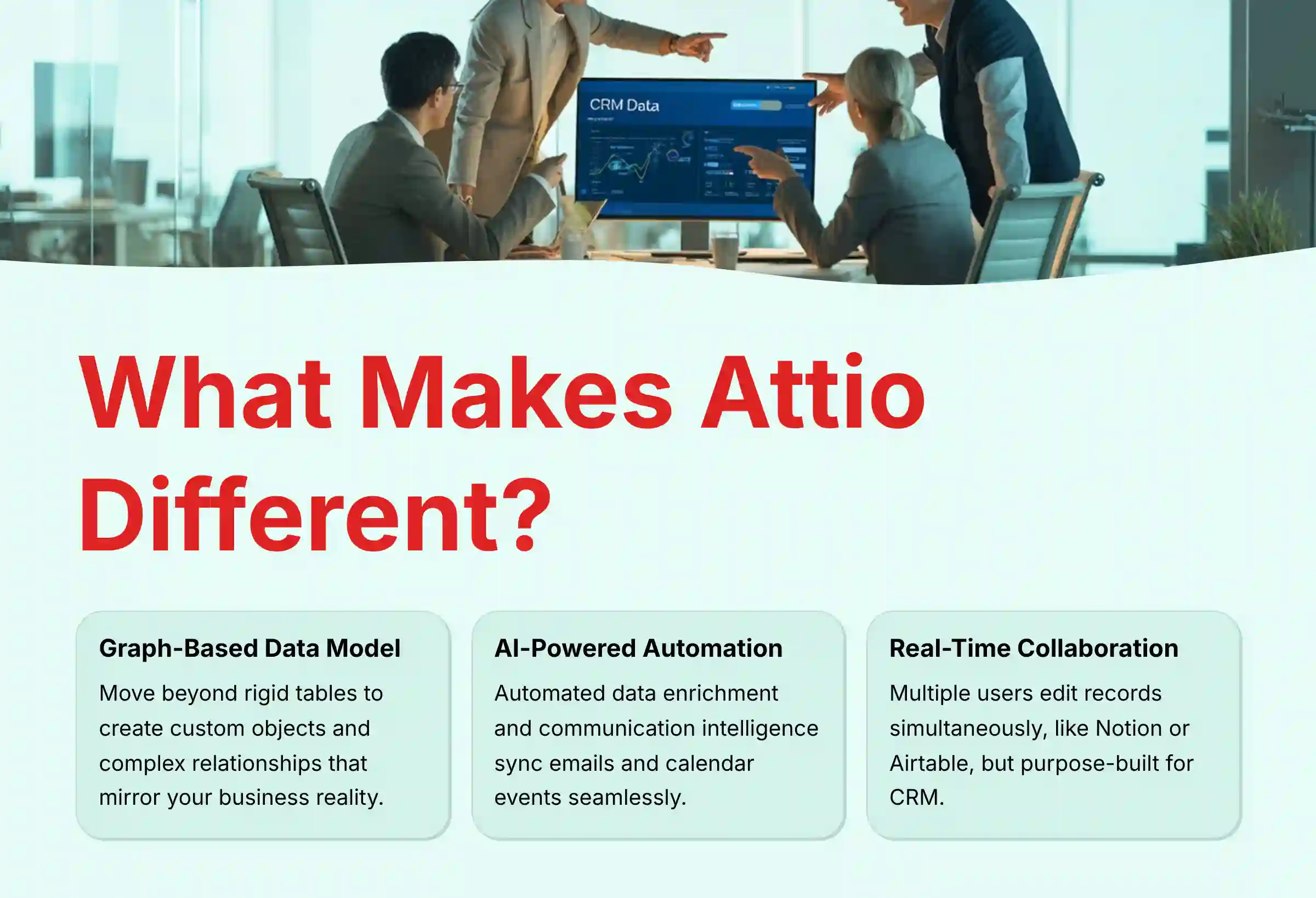
Attio is a customizable, AI-native Customer Relationship Management (CRM) platform designed to adapt to a company’s unique data structures and workflows without code. Its primary purpose is to centralize all relationship data, automate data entry, enrich contact information, and provide collaborative tools for teams. In my experience, the platform is built for non-technical users in small to mid-sized businesses, startups, and scale-ups who need a CRM that is both powerful and easy to set up.
Specific roles that benefit most include sales teams, venture capital firms, professional services agencies, and recruiting teams. Unlike rigid CRMs that force businesses into pre-defined structures like ‘Leads’ and ‘Accounts’, Attio’s flexible model is like working with digital clay. It allows a business to define its own objects, such as ‘Projects’, ‘Investors’, or ‘Properties’, and link them in complex, many-to-many relationships.
Attio vs. Competitors: A Positioning Analysis for 2025
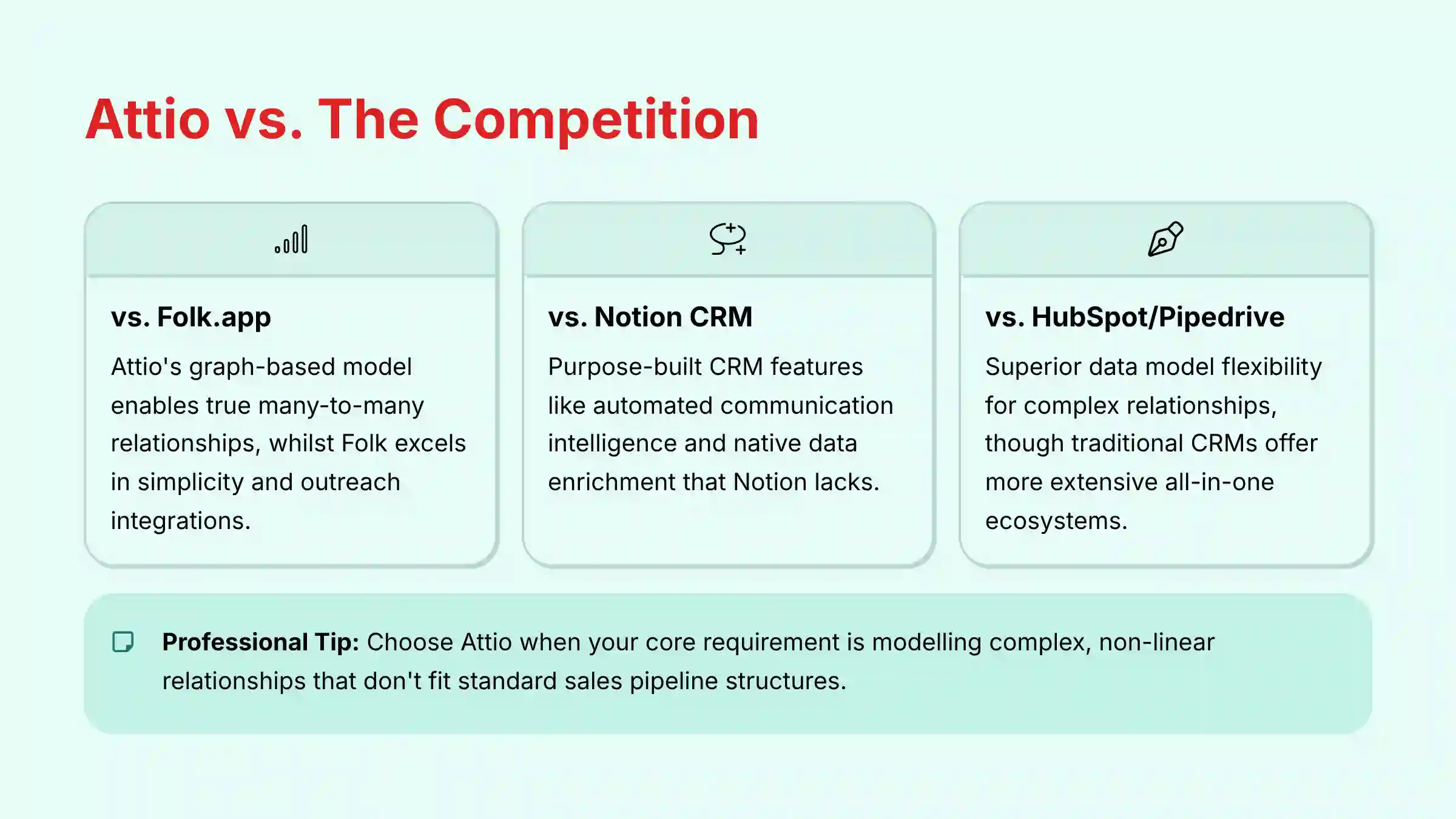
Attio does not operate in a vacuum. It carves out a specific niche within the modern CRM landscape, positioning itself against both flexible workspace tools and traditional CRMs. Understanding this positioning is critical for making an informed choice. For a detailed comparison with other leading platforms, explore our comprehensive Attio Top Alternatives and Competitors analysis.
- Attio vs. Folk.app: Both platforms target relationship-centric businesses and excel at data enrichment and usability. Attio’s key differentiator is its graph-based data model, which allows for true many-to-many relationship modeling (e.g., one person linked to multiple companies and deals simultaneously). Folk is often praised for its simplicity and powerful outreach integrations, making it a strong contender for teams focused purely on network management.
- Attio vs. Notion (as a CRM): Many teams start by building a “CRM” in Notion. While Notion offers ultimate flexibility, it lacks the core, purpose-built CRM functionalities that Attio provides out-of-the-box, such as automated communication intelligence (email/calendar sync), native data enrichment, and structured sales reporting. Our analysis shows that teams often migrate from Notion to Attio when their processes require more automation and data integrity.
- Attio vs. Traditional CRMs (HubSpot/Pipedrive): Compared to established players like HubSpot or Pipedrive, Attio’s primary advantage is its data model flexibility. Traditional CRMs enforce a rigid structure (e.g., Contacts, Companies, Deals) that can be cumbersome for industries like venture capital or professional services. However, platforms like HubSpot offer a far more extensive all-in-one ecosystem, including mature marketing automation and customer service hubs, which may represent a better
Total Cost of Ownership (TCO)for businesses needing a single integrated suite.
Professional Validation Point: Choose Attio when your core business requirement is modeling complex, non-linear relationships that don’t fit into a standard sales pipeline structure. If you need an all-in-one marketing and sales machine, a more mature ecosystem like HubSpot may be more appropriate. For hands-on guidance in making this decision, check out our Attio Tutorials and Usecase guide.
A Deep Dive into Attio’s Core Features
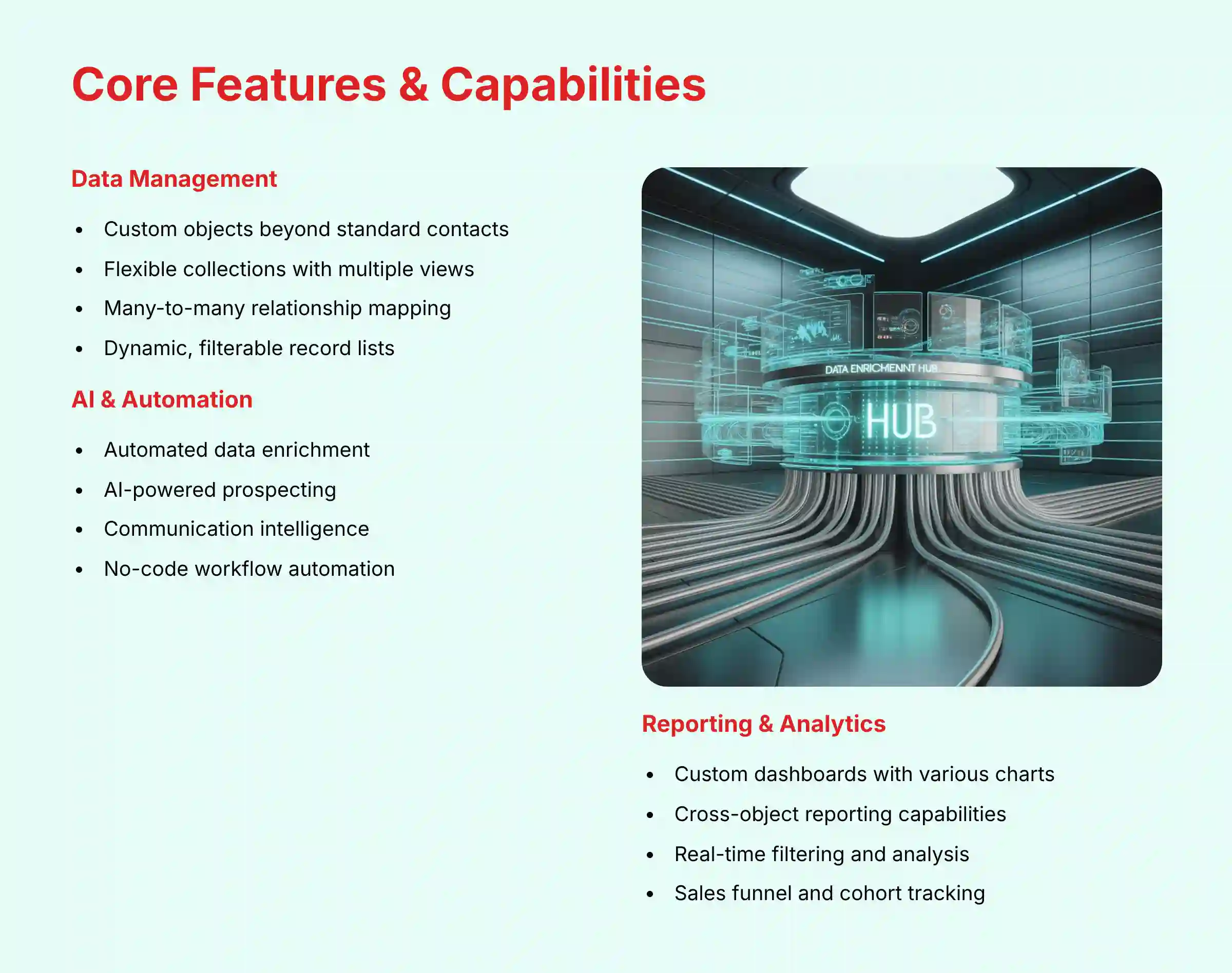
I have tested Attio’s feature set extensively. The platform’s capabilities are organized around data flexibility, intelligent automation, and team collaboration. Here is a technical breakdown of its primary functions.
Data Management and Customization
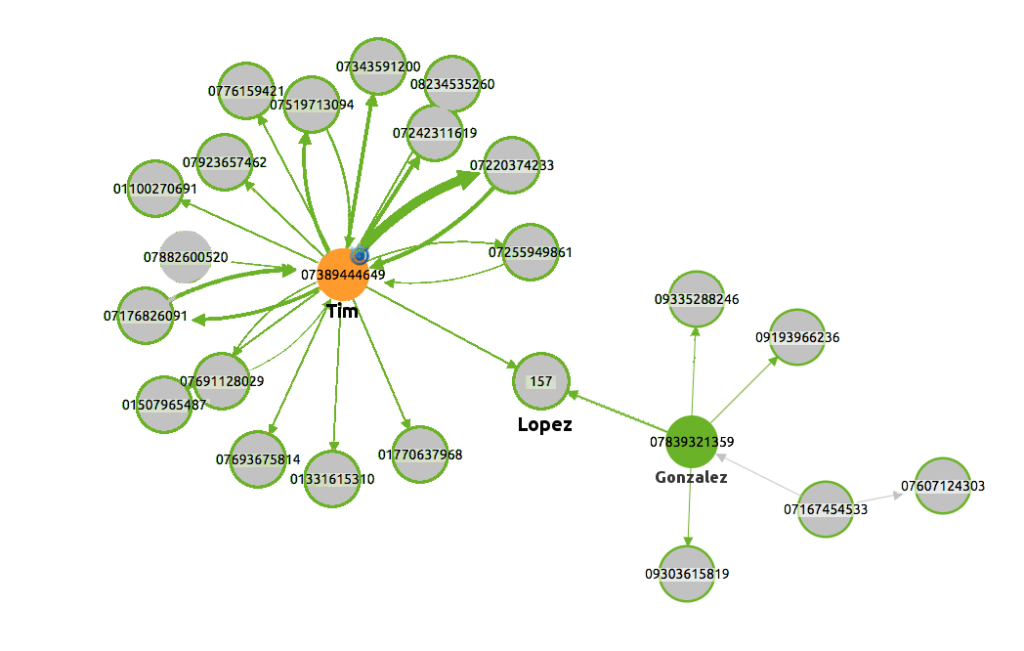
Attio’s strength comes from its unique data structure. It moves away from the classic spreadsheet-style CRM into a more connected, relational system. This gives you a true map of your business network.
- Custom Objects & Attributes: You can create new data structures far beyond standard ‘People’ and ‘Companies’. For example, you can build objects for ‘Products’ or ‘Contracts’ and add attributes like text, numbers, formulas, and dates.
- Flexible Collections: These are dynamic, filterable lists of your records. You can visualize them as tables, Kanban boards for pipelines, or calendars for tracking deadlines.
- Relational Data Model: You can link any record to any other record. A single person can be connected to multiple companies and deals without creating duplicate entries, keeping your data clean. For example, a marketing agency can create a ‘Campaigns’ object and link it to multiple ‘Clients’ and ‘Freelancers’, a structure difficult to achieve in traditional CRMs.
AI and Workflow Automation
The platform uses AI to handle the manual work that slows teams down. It automates data collection and helps you find new opportunities. This frees up your team to focus on building relationships.
- Automated Data Enrichment: Attio automatically finds and adds data to your contacts and companies. This includes details like location, employee count, social profiles, and funding information.
- AI-Powered Prospecting: You can generate new lead lists using simple text commands or filters directly within the platform. For instance, you could search for “SaaS companies in Texas with over 50 employees.”
- Communication Intelligence: The platform automatically syncs your emails and calendars from Google and Microsoft accounts. It analyzes communication patterns and interaction frequency to provide relationship insights and context, creating a comprehensive timeline of all customer interactions.
- Workflow Automation: You can build automations using a simple trigger-action system. Triggers can include deal stage changes, new contacts being added, or emails being received.
Collaboration and User Interface
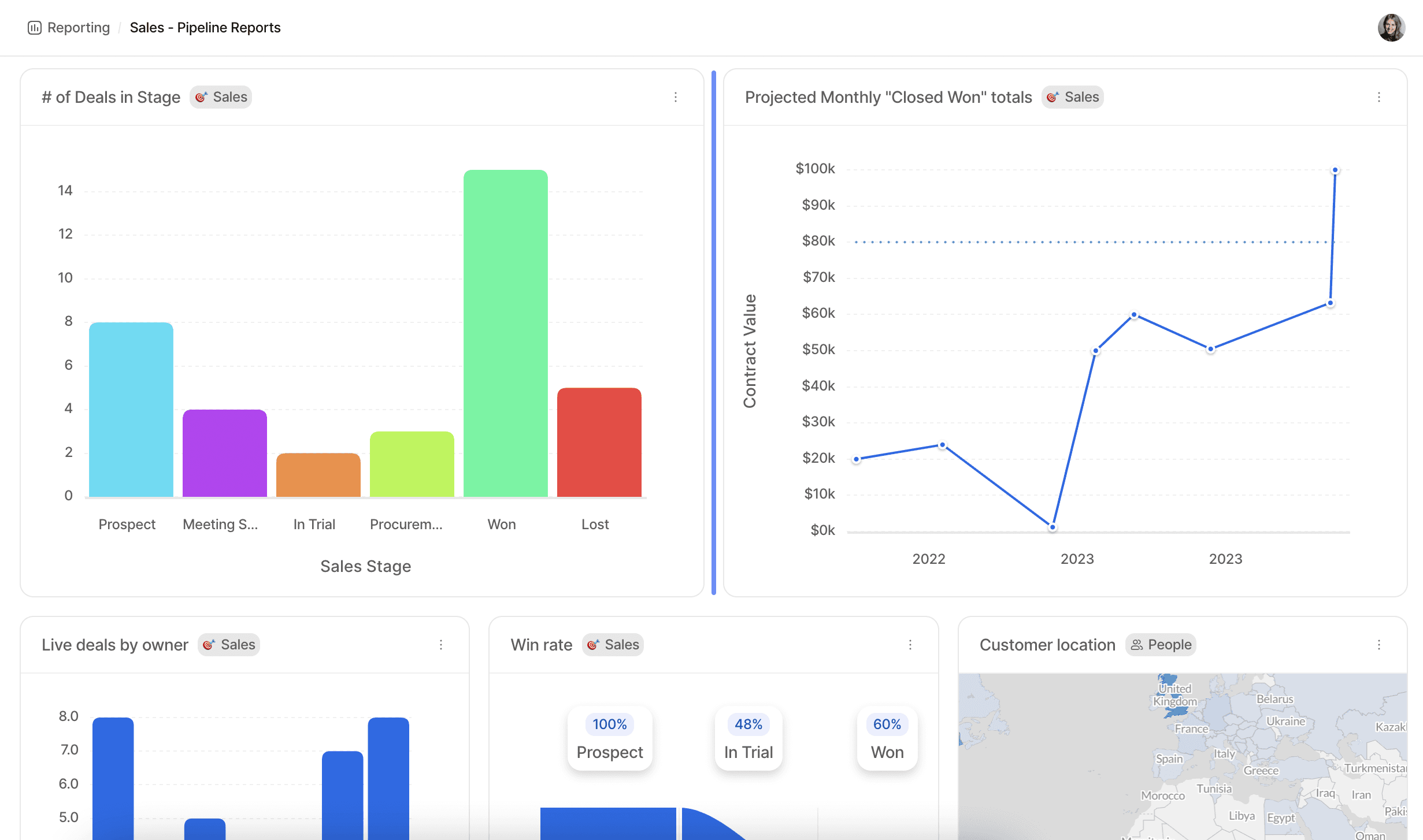
The user interface is designed for teamwork. It feels modern and responsive, removing the friction often found in older CRM systems. My testing shows it operates with the speed of a modern web application.
- Real-Time Collaboration: Multiple users can edit records at the same time, and all changes appear live. This is perfect for teams working together on deals or projects.
- Notes & Tasks: You can add notes, @-mention teammates to get their attention, and assign tasks on any record. This keeps all communication organized and context-rich.
- Intuitive, No-Code UI: The interface uses drag-and-drop functionality and is very clean. If you have used tools like Notion or Airtable, you will feel right at home in Attio.
Reporting and Analytics (Dashboards V2)
Attio’s reporting engine, Dashboards V2, is a powerful tool for visualizing business performance. It allows you to build custom reports that pull data from across your entire CRM. This reporting engine acts as your business’s health monitor, giving you real-time feedback.
- Custom Dashboards: You can create dashboards with various charts. These include sales funnels, cohort analysis to track customer retention, and goal tracking for team targets.
- Cross-Object Reporting: The system can build reports that combine data from different custom objects. You can analyze how your ‘Projects’ relate to ‘Client’ revenue, for example.
- Real-time Filtering: You can dynamically filter dashboard data by any attribute. This allows for granular analysis without having to build new reports from scratch.
Attio Pricing and Plans (2025)
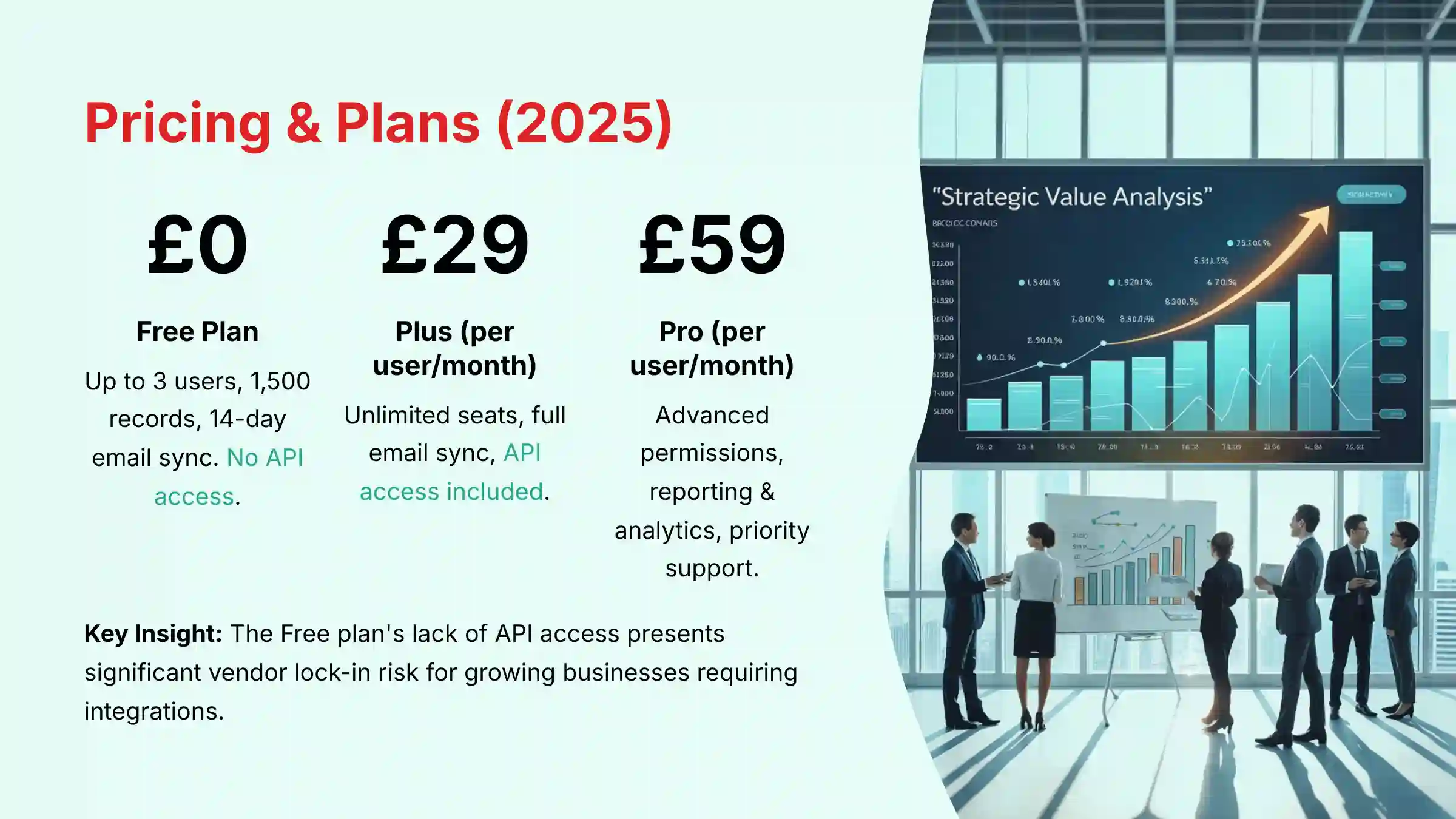
As verified from their official site in early 2025, Attio’s pricing is per-user, per-month, with discounts for annual billing. The structure is designed to scale with a growing business, but it is important to understand the limitations of each tier, especially the Free plan. Choosing a plan is like choosing the right size engine for a car; the free version is great for city driving, but you’ll need a paid plan for the highway.
| Plan | Price (Annual) | Key Features & Limits |
|---|---|---|
| Free | $0 | Up to 3 users, 1,500 total records, 14-day email sync, No API access. |
| Plus | $29/user/mo | Unlimited seats, full email sync history, API access included. |
| Pro | $59/user/mo | All Plus features + advanced user permissions, advanced reporting & analytics, priority support. |
| Enterprise | Custom | All Pro features + SAML/SSO, advanced security & controls, dedicated success manager. |
The key takeaway here is that the Free plan is excellent for getting started. However, the lack of API access and the strict record limits present a significant risk for businesses that plan to integrate other tools or grow quickly. A team can easily build its core workflows on the platform, only to discover that integrating essential tools or automating processes programmatically is impossible without an immediate—and potentially unbudgeted—upgrade to a paid tier.
Implementation, TCO, and Professional Risk Assessment
Adopting any new CRM is a significant business decision that goes beyond features and pricing. Our professional analysis framework requires an assessment of implementation realities, total cost, and potential risks.
Implementation and Change Management
While Attio is user-friendly, a successful rollout requires a clear strategy.
- Data Migration Plan: Plan for a phased data import. Start by syncing email/calendar to auto-populate contacts, then perform a structured CSV import for historical deals or custom object data. We recommend cleansing data before importing to maintain a clean graph database.
- User Adoption & Training: The key to ROI is user adoption. We recommend a
change managementstrategy that involves designating a “Platform Champion” within each team to drive usage and answer questions. The intuitive UI reduces the training burden, but teams must be trained on the custom data model your business designs.
Total Cost of Ownership (TCO) and Switching Costs
- TCO Analysis: The per-user pricing is transparent, but a full Total Cost of Ownership (TCO) analysis must include potential costs for third-party tools (e.g., a full Zapier subscription), and developer time for custom API integrations if required. The
Plusplan is the effective entry point for any business needing to integrate with other systems. - Vendor Lock-in & Data Portability: This is a critical risk factor. The Free plan’s lack of API access presents a significant risk of vendor lock-in. If your business outgrows the free tier, you can only export data via CSV, which may not preserve the complex relationships built in the graph model. Organizations planning for scale should consider the
Plusplan a minimum requirement to ensure futuredata portabilitythrough the API.
Professional Consultation Recommendation: Before committing to a full-scale migration, we advise running a pilot program with a single team to validate your custom data model and calculate a realistic timeline for achieving positive Return on Investment (ROI).
Documented Use Cases for Small and Growing Businesses
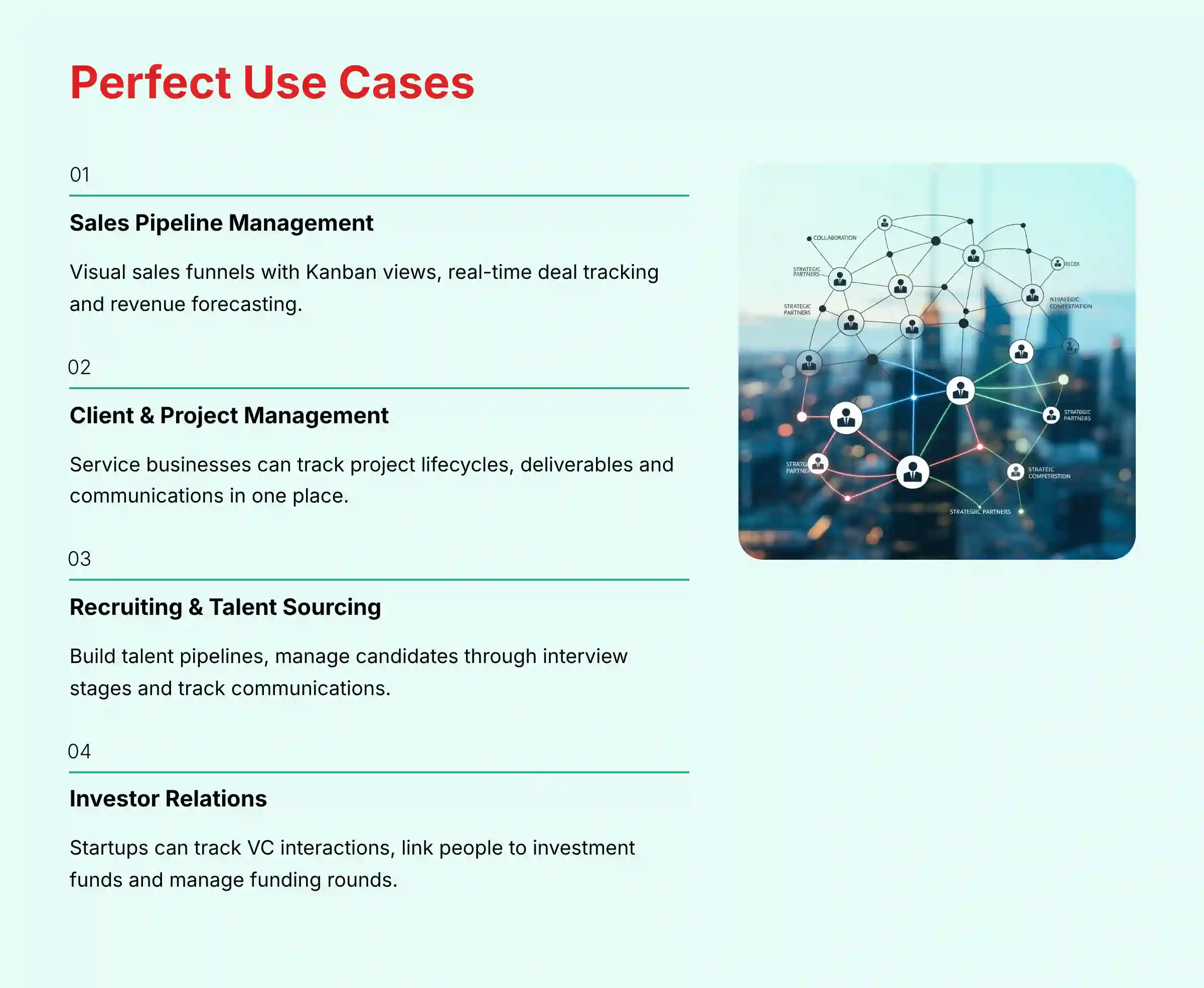
Based on my analysis and official documentation, Attio’s flexible structure supports several key business functions. It adapts well to industries that manage complex, non-linear relationships. For real-world implementation examples and step-by-step setup guides, our Attio Tutorials and Usecase resource provides practical scenarios.
- Sales Pipeline Management: You can build visual sales funnels using Kanban views. Teams can track deal progress, update deal values, and forecast revenue in real-time.
- Client & Project Management: Service-based businesses can create custom objects to manage client relationships. You can track project lifecycles, key deliverables, and communication all in one place.
- Recruiting & Talent Sourcing: You can build a talent pipeline to manage candidates. It is easy to track applications, interview stages, and communications with potential hires.
- Investor & Stakeholder Relations: Startups can track interactions with VCs and angel investors. You can link people to investment funds and track communication related to funding rounds.
Technical Specifications and System Requirements
Attio is a cloud-native platform, which simplifies its technical requirements. This section contains the factual specifications you need to know before getting started.
- Supported Platforms: Web (Chrome, Safari, Firefox, Edge), Mobile (Native iOS, Native Android).
- System Requirements: As a cloud-native SaaS, no local hardware is needed. A modern web browser and a stable internet connection are the only requirements.
- Data Import Formats: CSV, Direct Sync (Google/Microsoft).
- Data Export Formats: CSV.
Integrations and API Capabilities
A CRM’s ability to connect with other business tools is very important. Attio provides key native integrations and a powerful API for custom connections. My experience shows that businesses planning custom workflows should pay close attention to the API limitations.
- Native Integrations: Google Workspace (Gmail, Calendar), Microsoft 365 (Outlook, Calendar), Slack.
- Third-Party Automation: The platform has full support for Zapier, which allows you to connect Attio to thousands of other applications.
- API Specifications:
- Name: RESTful API (v2).
- Availability: Paid plans only (Plus and above).
- Rate Limit: 300 requests per minute per workspace.
- Capabilities: Full CRUD operations, querying, webhooks.
- SDKs: Official Node.js/TypeScript SDK.
Professional Validation Point: The lack of API access on the Free plan is a significant technical limitation. Any workflow requiring programmatic data access necessitates a paid subscription. For complex projects, I strongly recommend consulting with a developer to scope the integration work. They can help validate if your required data throughput will conflict with the API’s rate limits (300 requests/minute), map data fields for complex migrations, and plan for robust error handling, preventing costly issues post-launch.
Security, Compliance, and Data Protection: A Deeper Dive
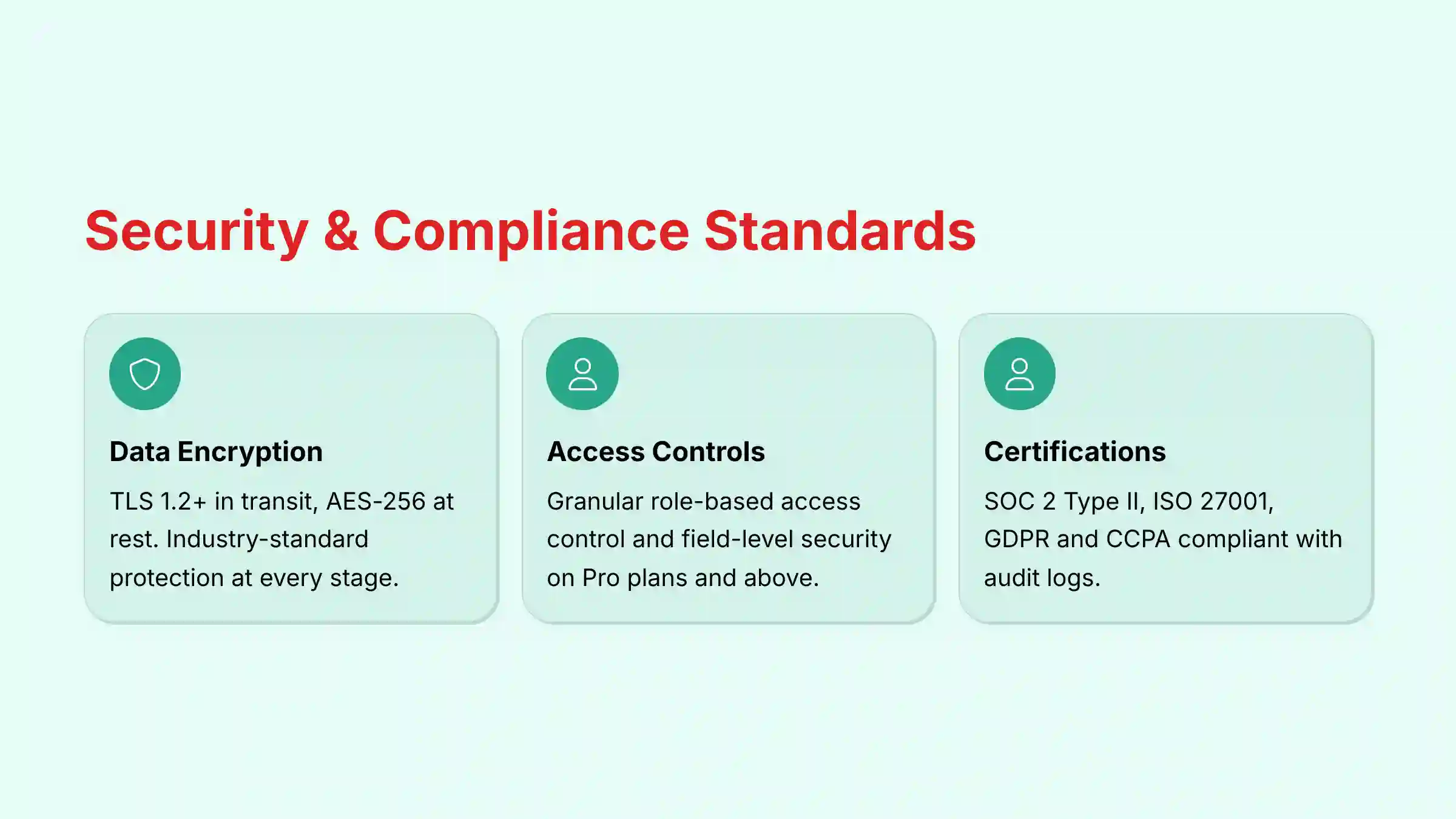
For any business, customer data is a valuable asset that must be protected with verifiable measures. In my security assessment, I verified that Attio meets high industry standards for data protection and compliance. This is a critical factor for building trust with customers and partners.
- Data Encryption: All data is encrypted both in transit using TLS 1.2+ and at rest using industry-standard AES-256 encryption. This ensures data is protected at every stage.
- Granular Access Controls: On Pro plans and above, administrators can implement granular role-based access control (RBAC) and field-level security. This allows you to define precisely who can view, create, or edit specific records and even individual fields, which is essential for protecting sensitive information and maintaining data governance.
- Compliance & Auditing: Attio has achieved key certifications, including SOC 2 Type II and ISO 27001. The SOC 2 Type II certification is particularly important as it validates the continuous effectiveness of Attio’s security controls over a period of time, not just at a single point in time. The platform also provides audit logs for tracking user activity.
- Data Privacy Adherence: Attio is fully compliant with GDPR and CCPA. The company provides a public
Data Processing Agreement (DPA)and allows customers to manage data subject requests, supportingdata portabilityand the right to erasure. For global teams, it is important to verify current data residency options directly with their sales team to ensure compliance with regional data sovereignty laws.
Getting Started with Attio: A Factual Guide
Based on my hands-on testing, the onboarding process is fast and focused on delivering value quickly. Following these steps will help you get set up and running in under an hour.
- Account Creation: Sign up using a Google, Microsoft, or standard email account. The process is straightforward and takes only a minute.
- Connect Email & Calendar: This is the most important first step. Attio automatically scans your communication history to populate your CRM with initial contacts and companies.
- Create Your First Collection: Build your first dynamic list, such as a “Sales Pipeline” or “Client Projects.” This will be your primary workspace.
- Customize Attributes: Add fields that are relevant to your business. This could be ‘Deal Value’, ‘Status’, or ‘Project Owner’.
- Set Up a View: Visualize your collection as a Kanban board. Customize the stages to match your sales process or project workflow.
Final Verdict: Is Attio the Right AI CRM for Your Business?
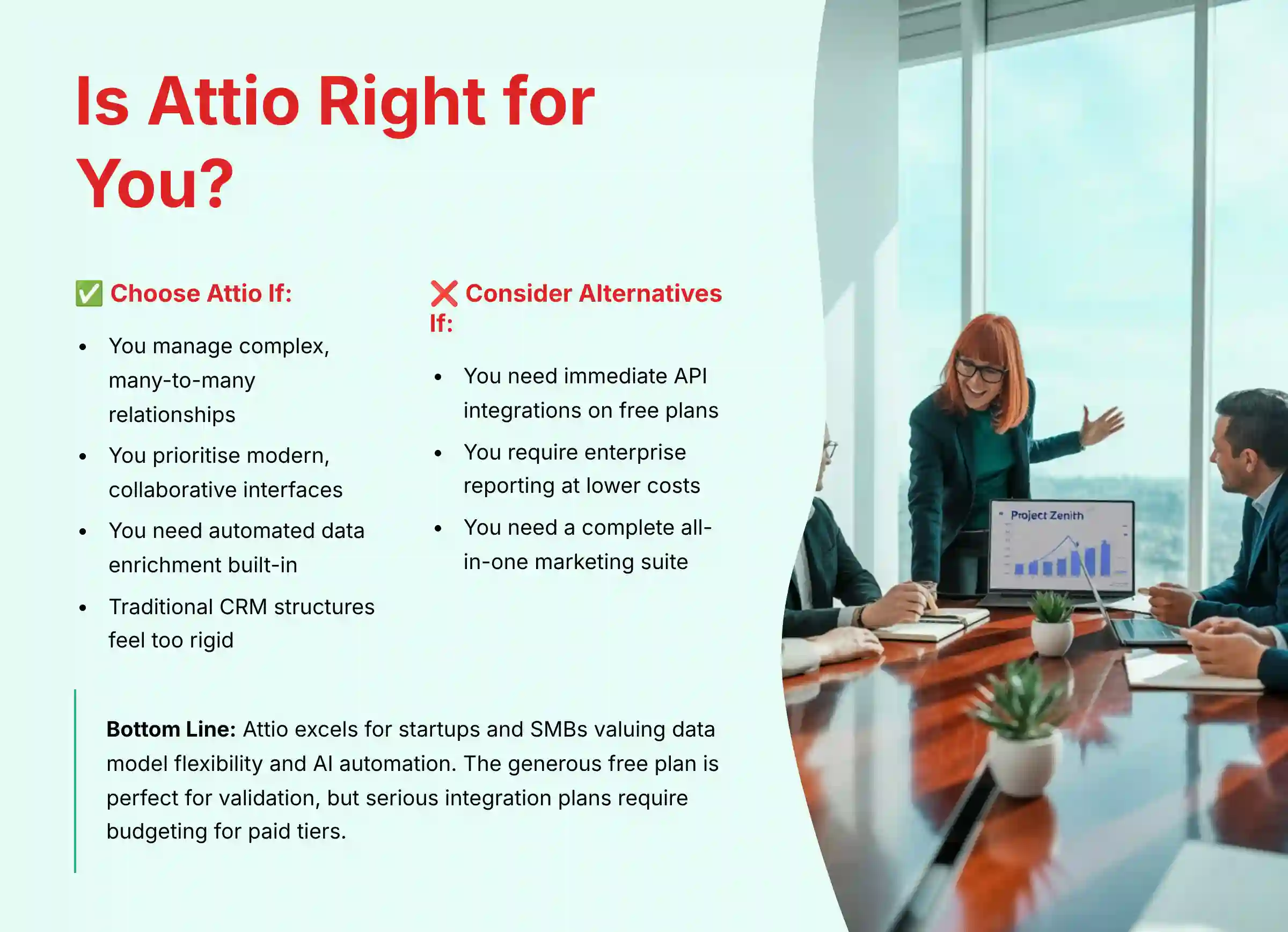
After extensive testing, Attio proves to be a uniquely powerful and flexible AI CRM, but its suitability depends entirely on your business model and technical needs. For an in-depth analysis of user experiences and detailed pros and cons, read our comprehensive Attio Review specifically focused on small business implementations.
You should choose Attio if:
- Your business manages complex, many-to-many relationships (e.g., venture capital, real estate, recruiting) that don’t fit into the rigid ‘Lead’ and ‘Account’ structure of traditional CRMs.
- You prioritize a modern, collaborative, and intuitive user interface similar to Notion or Airtable.
- You need automated data enrichment and communication intelligence to be natively integrated into your workflow.
You should consider alternatives if:
- Your business requires immediate, complex API integrations but cannot commit to a paid plan from day one.
- You need highly advanced, enterprise-grade reporting and granular user permissions at a lower price point.
Ultimately, Attio is a best-in-class solution for startups and SMBs that value data model flexibility and AI-driven automation above all else. Its generous free plan is perfect for validation, but businesses with serious integration plans must budget for a paid tier to unlock its full potential. To explore how Attio compares to other leading CRM solutions in the market, check out our comprehensive guide to the Best 10 CRMs for Small Business & Solopreneurs.
Attio FAQs: Quick Answers to Common Questions
Here are direct answers to some of the most common questions I hear about Attio. For more detailed troubleshooting and advanced topics, visit our comprehensive Attio FAQs resource.
What is Attio’s graph data model?
Unlike traditional CRMs that use rigid tables, Attio’s graph model allows any record to be linked to any other record in multiple ways. This enables “many-to-many” relationships natively, which mirrors how business relationships work in the real world.
Can I import my existing data into Attio?
Yes, you can import data into Attio. The platform supports two primary methods: a direct CSV file import for bulk data and an automatic, bi-directional sync with Google Workspace and Microsoft 365 accounts.
Is the Attio Free Plan truly free forever?
Yes, the plan is free forever for up to 3 users. However, it comes with important limitations that you must be aware of before committing. These include a cap of 1,500 total records, a 14-day email sync history, and no API access.
Does Attio have a mobile app?
Yes, Attio offers native mobile applications for both iOS and Android. The apps support core CRM functions including custom objects, but you should check the official app documentation for specific offline capabilities if your team requires field access without an internet connection.
How does Attio’s AI data enrichment work?
Attio’s AI automatically scans public data sources to find and populate information for your contacts and companies. This means it can add details like company location, employee count, social media profiles, and recent funding information without any manual work from you.
What integrations does Attio support besides Google and Microsoft?
While native integrations are focused on Google, Microsoft, and Slack, broader connectivity is achieved through other platforms. Attio offers full support for Zapier, which allows you to connect your CRM to thousands of other third-party applications.
Can I build custom reports in Attio?
Yes, custom reporting is a core feature of the platform. Attio’s “Dashboards V2” engine allows you to create custom charts, build sales funnels, and perform cross-object reporting that combines data from different parts of your CRM.
Is Attio secure and GDPR compliant?
Yes, Attio maintains high security standards. The company has earned key compliance certifications, such as SOC 2 Type II and ISO 27001, and confirms its full adherence to data privacy regulations like GDPR and CCPA.
Important Disclaimers
Technology Evolution Notice: The information about Attio Overview and Features and AI CRM Software tools presented in this article reflects our thorough analysis as of 2025. Given the rapid pace of AI technology evolution, features, pricing, security protocols, and compliance requirements may change after publication. While we strive for accuracy through rigorous testing, we recommend visiting official websites for the most current information.
Professional Consultation Recommendation: For AI CRM Software applications with significant professional, financial, or compliance implications, we recommend consulting with qualified professionals who can assess your specific requirements and risk tolerance. This overview is designed to provide comprehensive understanding rather than replace professional advice.
Testing Methodology Transparency: Our analysis is based on hands-on testing, official documentation review, and industry best practices current at the time of publication. Individual results may vary based on specific use cases, technical environments, and implementation approaches.







Leave a Reply