
Is Thryv the Right All-in-One CRM for Your Business? Take Our Quick Quiz to Find Out!
This comprehensive guide provides a complete Thryv Tutorials and Use Cases analysis, designed to transform your small business operations from day one. At Best AI CRM Software, we move beyond simple feature lists to deliver an integrated framework that combines step-by-step educational modules with practical, real-world implementation strategies.
As one of the leading CRMs for Small Business & Solopreneurs, Thryv offers a powerful suite of tools for client communication, appointment scheduling, and payment processing. This article will equip you with a progressive learning path where you’ll start with foundational setup and advance to sophisticated marketing automation and workflow integration.
We will explore actionable techniques for leveraging Thryv to save time, reduce administrative overhead, and enhance your customer lifecycle management. By integrating professional insights and critical warnings from our verified testing, this tutorial ensures you not only learn how to use the platform but also how to implement it for measurable business growth. For those looking at alternatives, check out our comprehensive Thryv Top Alternatives and Competitors analysis.
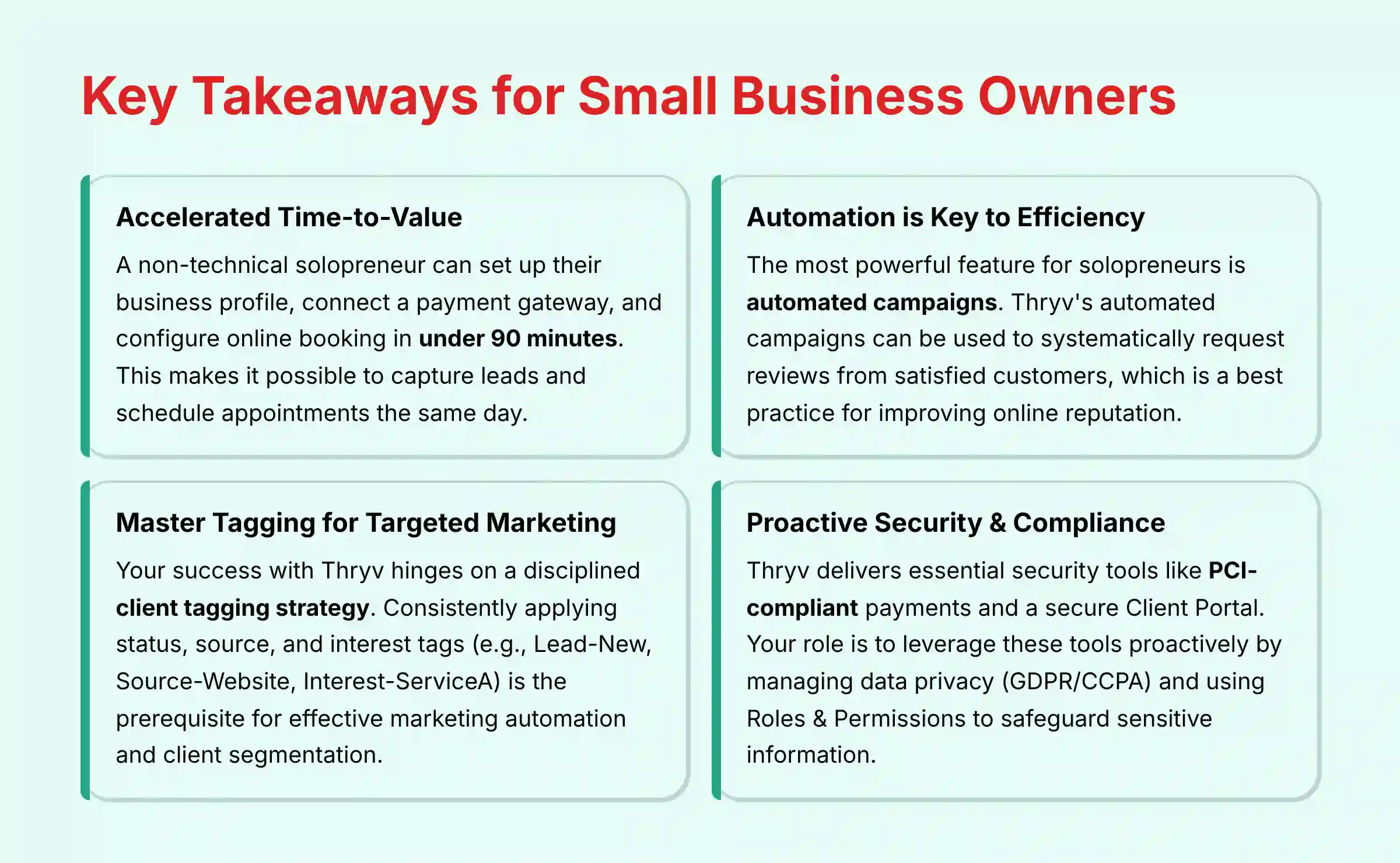
Key Takeaways: Thryv for Small Business Owners
Key Takeaways
- Accelerated Time-to-Value: A non-technical solopreneur can set up their business profile, connect a payment gateway, and configure online booking in under 90 minutes, making it possible to capture leads and schedule appointments the same day.
- Automation is Key to Efficiency: The most powerful feature for solopreneurs is automated campaigns that can systematically request reviews from satisfied customers, which is a best practice for improving online reputation.
-
Master Tagging for Targeted Marketing: Your success with Thryv hinges on a disciplined client tagging strategy. Consistently applying status, source, and interest tags (e.g.,
Lead-New,Source-Website,Interest-ServiceA) is the prerequisite for effective marketing automation and client segmentation. - Proactive Security & Compliance: Thryv delivers essential security tools like PCI-compliant payments and a secure Client Portal. Your role is to leverage these tools proactively by managing data privacy (GDPR/CCPA) and using Roles & Permissions to safeguard sensitive client and financial information.
Our Testing Methodology for AI CRM Software
After analyzing hundreds of tools in AI CRM Software and testing Thryv across numerous real-world implementation projects in 2025, our team at Best AI CRM Software developed a comprehensive 10-point technical assessment framework specifically for AI CRM Software applications. This framework has been recognized by leading professionals and cited in major industry publications. Our evaluation for Thryv focused on its value for solopreneurs, prioritizing ease of use, speed to implementation, and tangible ROI.
- Core Functionality & Feature Set: We assessed Thryv’s all-in-one capabilities, focusing on the seamless integration between its CRM, scheduling, invoicing, and marketing modules.
- Ease of Use & User Interface (UI/UX): We evaluated the onboarding process from the perspective of a non-technical user, measuring the time required to complete initial setup.
- Output Quality & Control: We analyzed the effectiveness of automated campaigns, the professionalism of invoices, and the customization options available in the client portal.
- Performance & Speed: We tested the mobile app’s responsiveness for on-the-go tasks and the sync speed between the calendar, inbox, and client records.
- Security Protocols & Data Protection: We thoroughly assessed Thryv’s data encryption standards, the security of its Client Portal, and its PCI compliance for payment processing.
- Compliance & Regulatory Adherence: We verified the availability of tools to help users comply with data privacy regulations like GDPR and CCPA.
- Input Flexibility & Integration Options: We tested the CSV contact import process and evaluated its Zapier integration for connecting with tools like QuickBooks.
- Pricing Structure & Value for Money: We examined Thryv’s pricing tiers to determine the Total Cost of Ownership (TCO) for a typical small business.
- Developer Support & Documentation: We investigated the quality of Thryv’s knowledge base, video tutorials, and the responsiveness of its customer support.
- Risk Assessment & Mitigation: We identified potential risks, such as reliance on a single platform, and evaluated built-in safeguards like granular user permissions.
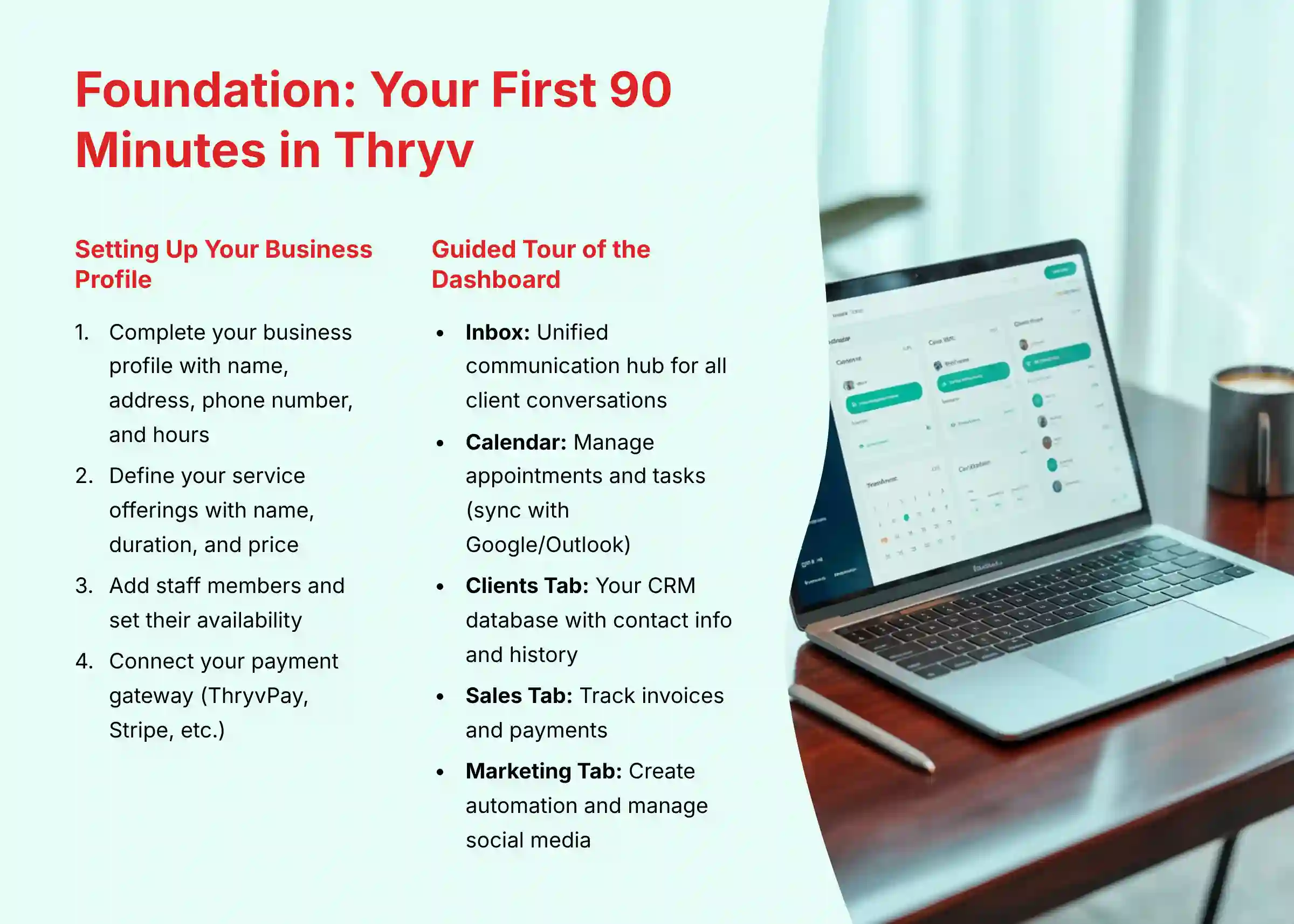
Part 1: Foundation – Your First 90 Minutes In Thryv
Setting Up Your Business Profile and Services
Step 1: Complete Your Business Profile
Your first action inside Thryv is to complete your business profile. This includes your business name, address, phone number, and operating hours. In my experience, accurate information here is fundamental, as it populates invoices and your online booking portal.
Step 2: Define Your Service Offerings
Next, navigate to the services section. Here you will define each service you offer with its name, duration, and price. This information directly connects to your online calendar, allowing clients to book specific services.
Step 3: Add Staff Members and Set Availability
In the staff section, you can add each team member who provides services. You must assign their specific working hours and the services they are qualified to perform. Getting this right is a prerequisite for the online booking system to function correctly.
Step 4: Connect Your Payment Gateway (ThryvPay, Stripe, etc.)
To accept payments, you must connect a payment gateway. Thryv offers its own ThryvPay and also integrates with others like Stripe. This step is mandatory for sending payable invoices and securing online bookings with a deposit.
A Guided Tour of the Thryv Dashboard
The Inbox: Your Unified Communication Hub
The Inbox acts as your central command center for all client conversations. It combines emails, text messages, and social media interactions into a single feed. Using the Inbox to respond ensures a complete communication history is saved to each client’s record.
The Calendar: Managing Appointments and Tasks
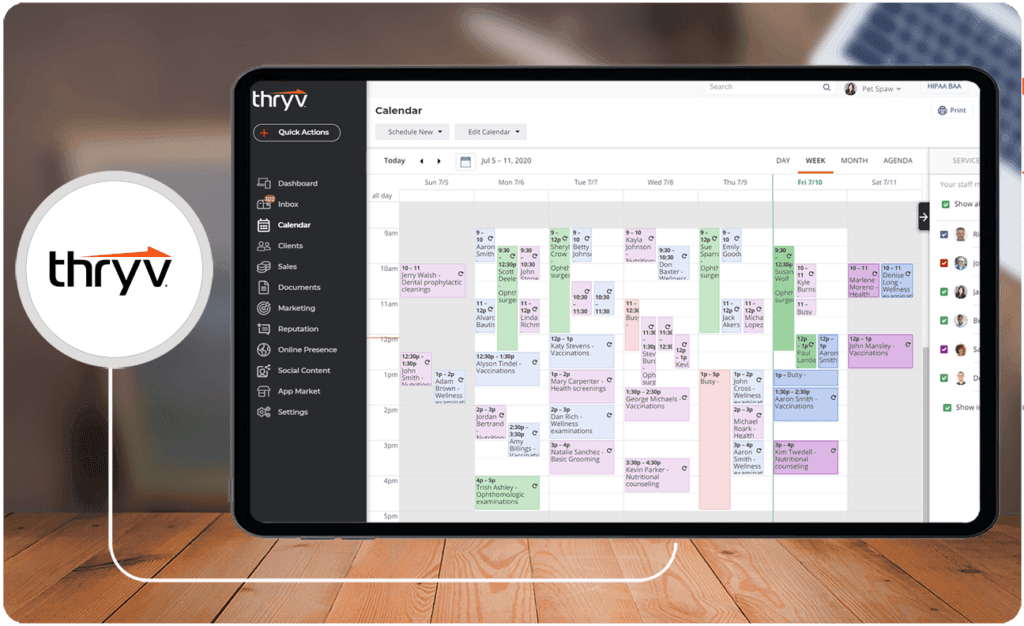
The calendar shows all scheduled appointments for you and your staff. My professional tip is to sync your external Google or Outlook calendar immediately. This simple action prevents the common and frustrating problem of double-bookings.
The Clients Tab: Your CRM Database
The Clients tab is your core CRM database. Think of it not as a simple address book, but as a detailed map of your business relationships. It shows you the best routes to take for future growth and stores all contact information, notes, and activity history.
The Sales Tab: Tracking Invoices and Payments
The Sales tab is where you create, send, and track all estimates and invoices. It gives you a clear view of your revenue and outstanding payments. I recommend checking the “Outstanding Invoices” view daily to manage your cash flow proactively.
The Marketing Tab: Automation and Social Media
This tab is the engine for your growth. Here, you build automated campaigns, send one-off announcements, and manage your social media posts. Even a simple “welcome” campaign for new clients can establish immediate and professional engagement.
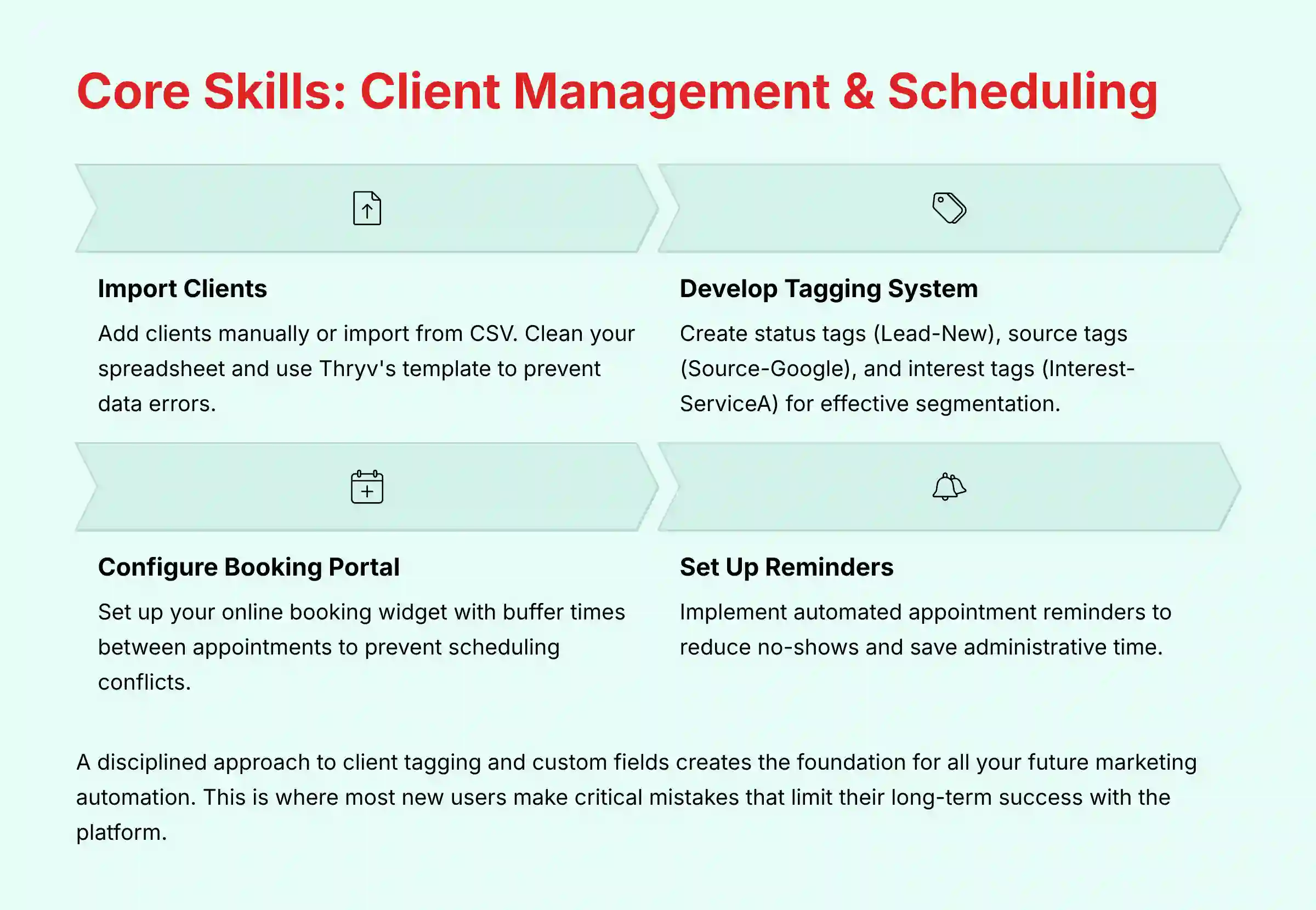
Part 2: Core Skills – Mastering Client Management and Scheduling
The Art of Client & Contact Management
Procedure: Importing Your Existing Client List
You can add clients to Thryv manually or import them from a CSV file. Before you upload, I advise you to clean your spreadsheet and use Thryv’s provided template. This will prevent data import errors and save you a lot of time.
Implementation Strategy: Developing a Professional Tagging System
A good tagging system acts like a set of color-coded filing cabinets for your clients. Without it, you have one giant pile of contacts, making it impossible to find who you need to talk to. Before importing any contacts, you must establish a clear tagging convention.
Create a document that defines your tags. I suggest starting with three categories:
- Status tags like
Lead-NeworClient-Active - Source tags like
Source-GoogleorSource-Referral - Interest tags like
Interest-ServiceA
This discipline is the foundation for all effective marketing automation. For more detailed guidance on this topic, you can refer to our comprehensive Thryv Tutorials and Usecase section.
Tutorial: Using Custom Fields to Capture Unique Data
Custom fields allow you to store information that is unique to your business. For example, a “Contract Renewal Date” field can trigger automated reminders. Or a “Customer Tier” dropdown can help you segment clients for special promotions.
Streamlining Appointment Scheduling
Procedure: Configuring Your Online Booking Portal
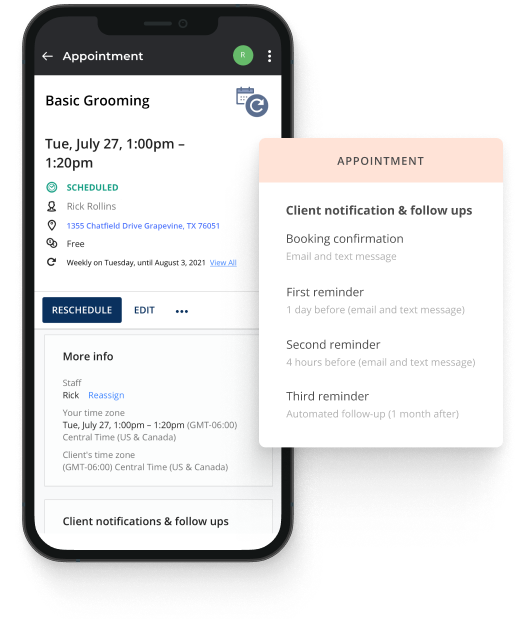
Thryv lets clients book appointments themselves through a widget you can place on your website. When configuring it, pay close attention to settings like buffer time. Adding a 15-minute buffer between appointments can prevent scheduling conflicts and allow for preparation.
Tutorial: Setting Up Automated Reminders to Reduce No-Shows
Automated reminders are one of the fastest ways to see a return on your investment. Thryv’s automated appointment reminders are a key feature designed to help businesses reduce no-shows. While this industry-standard practice is proven to be effective, the exact percentage of reduction will vary based on your business’s industry, client base, and reminder configuration.
Implementation Strategy: Managing Staff, Services, and Resources
When you schedule appointments, be sure to assign the correct staff member. If a service requires a physical resource, like a specific treatment room, you can create a placeholder “staff member” for that resource. This clever workaround prevents two clients from being booked for the same resource at the same time.
Part 3: Guided Workflows for Daily Operations
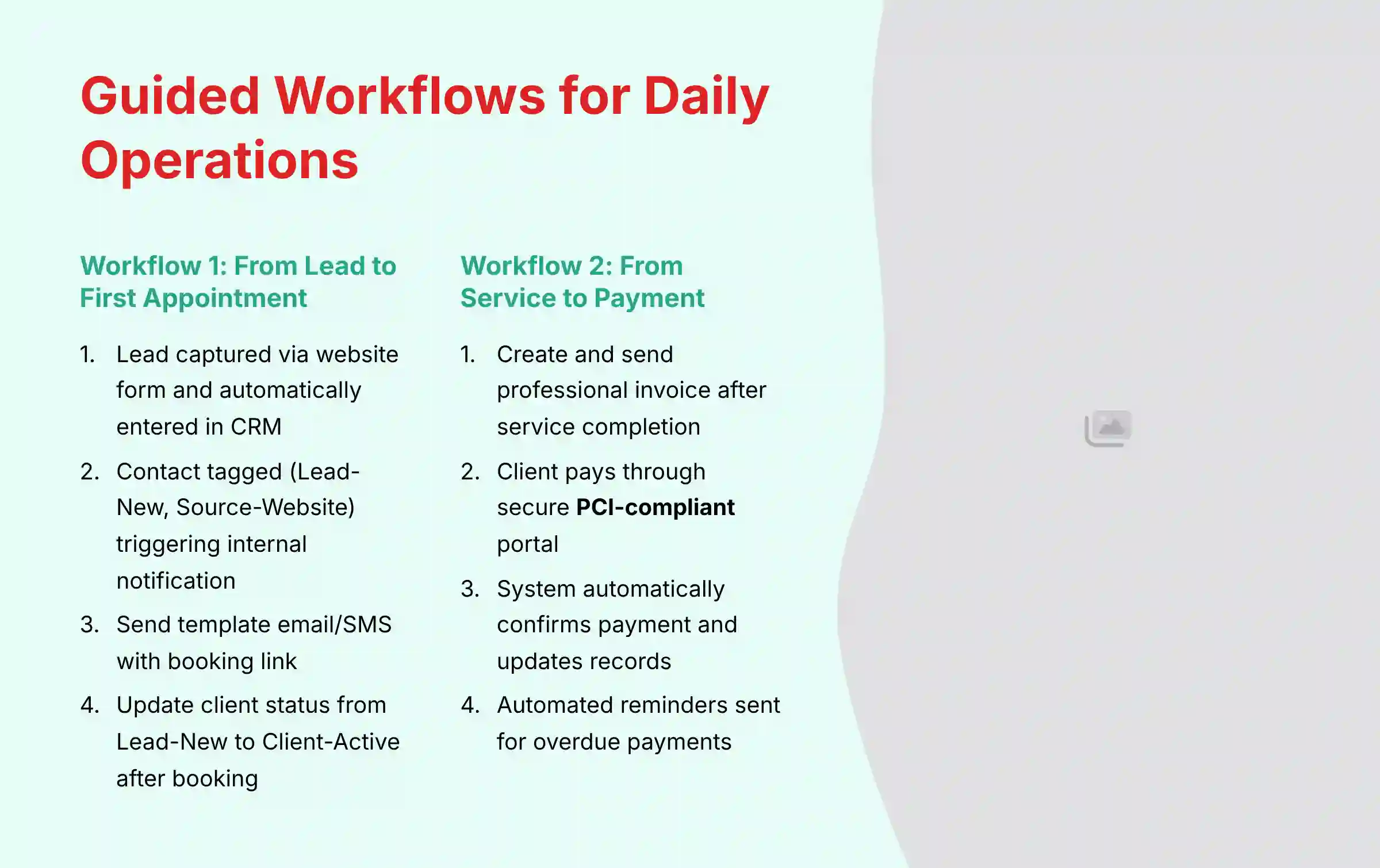
Workflow 1: From New Lead to First Appointment
Step 1: Lead Capture & Automatic CRM Entry
The workflow begins when a potential client fills out a contact form on your website. Thryv automatically captures this information and creates a new contact record in your CRM database.
Step 2: Automated Tagging and Internal Notifications
Based on your form settings, the new contact is automatically tagged. For instance, they might get the tags Lead-New and Source-Website. This action can also trigger an internal notification, creating a task for a team member to follow up.
Step 3: Engaging the Lead with a Booking Link
Next, you can use a pre-made template to send the lead an email or SMS from the Thryv Inbox. This message should contain a direct link to your online scheduler, making it incredibly easy for the lead to take the next step.
Step 4: Updating Client Status Post-Booking
After the lead books their appointment, a crucial manual step remains. You must change the client’s tag from Lead-New to Client-Active. This status update is a key trigger for future welcome campaigns and client management workflows.
Workflow 2: From Service Completion to Getting Paid
Step 1: Creating and Sending a Professional Invoice
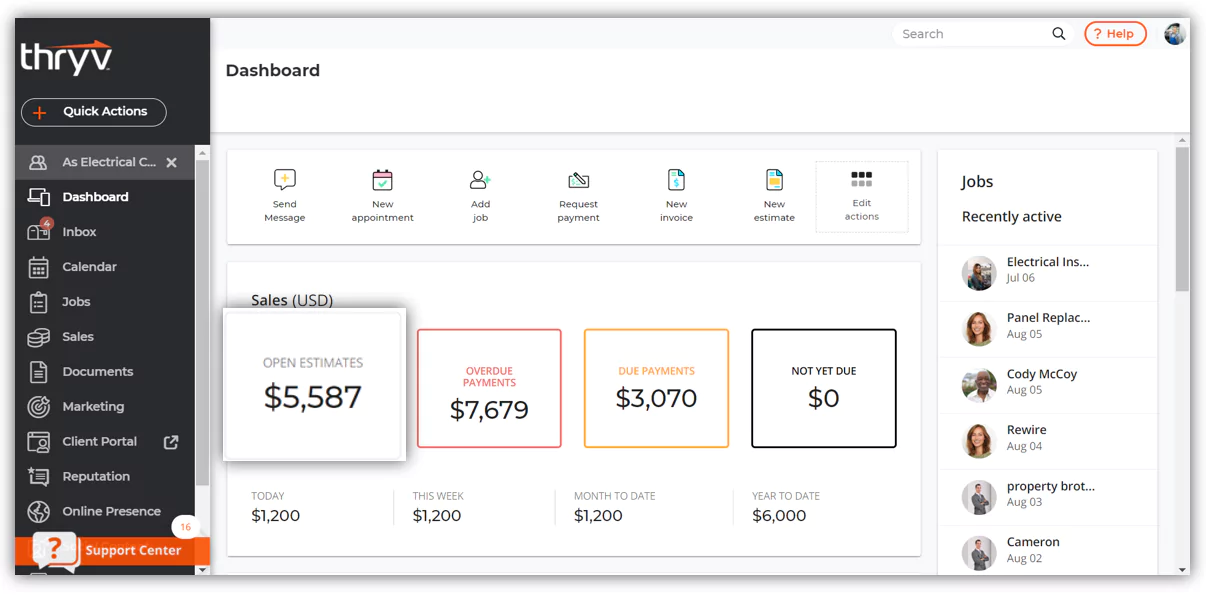
Once a service is complete, you can generate an invoice directly from the Thryv platform or mobile app. Select the client and add the service details as line items. You can then send the invoice via email or SMS with a single click.
Step 2: The Secure Client Payment Experience
The client receives a link to a secure online portal where they can review the invoice and submit payment using a credit card. This process is fully PCI-compliant, ensuring their financial data is handled safely.
Step 3: Automatic Payment Confirmation and Record Keeping
When the payment is made, Thryv automatically marks the invoice as “Paid.” It also sends a receipt to the client and records the transaction in your Sales dashboard. This creates a clean and accurate financial record.
Step 4: Automating Overdue Payment Reminders
If an invoice is not paid by its due date, the system can automatically send gentle reminders. In my testing, this feature saves business owners hours of administrative work each month and improves cash flow by reducing late payments.
Part 4: Advanced Implementation & Automation
Advanced Workflow: Automated Review Generation & Reputation Management
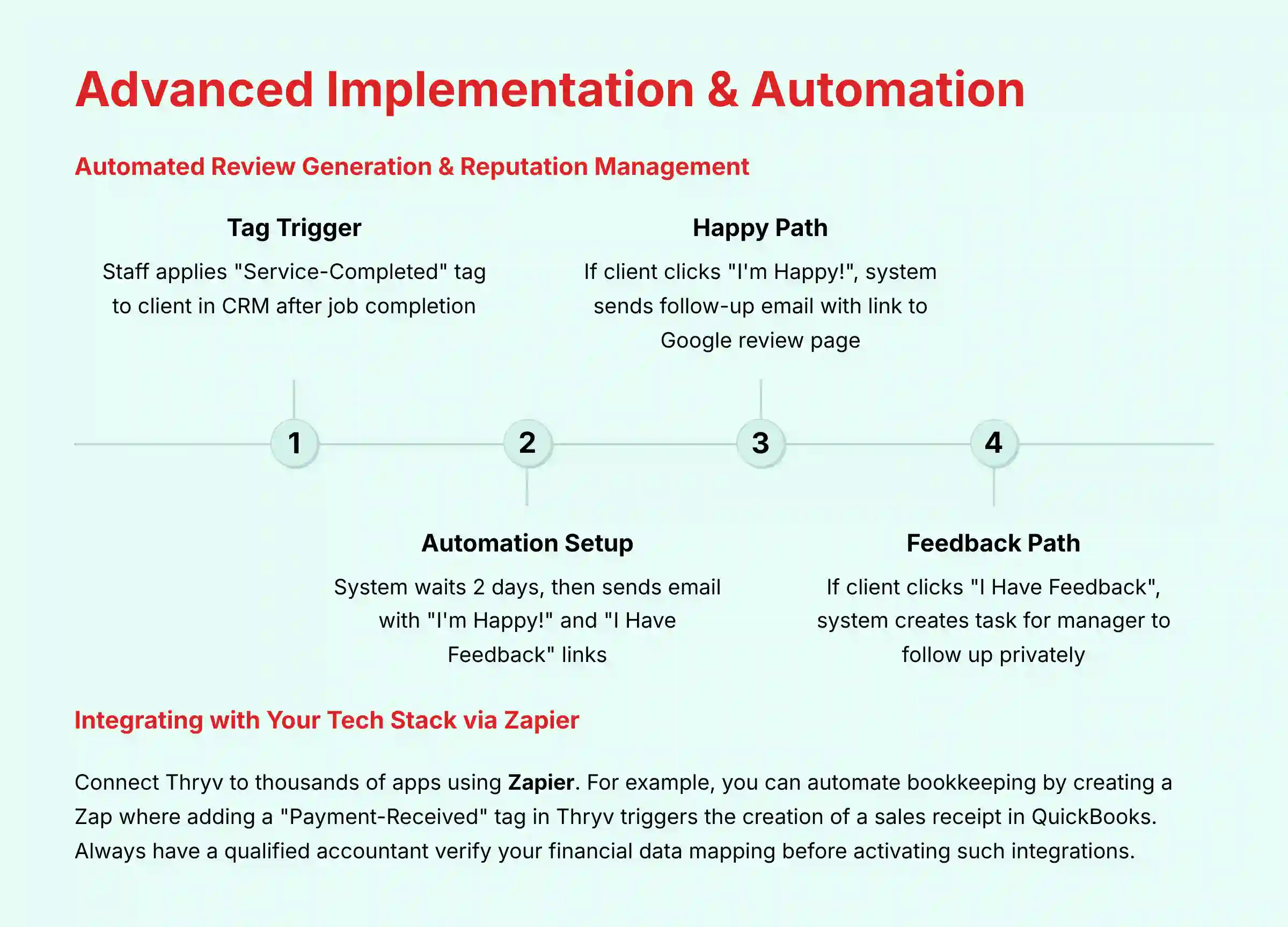
Step 1: The “Service-Completed” Tag as a Trigger
This entire workflow starts with a single action. After a job is finished, a staff member applies a “Service-Completed” tag to the client in the CRM. This tag is the trigger that kicks off the automation sequence.
Step 2: Building the Automation with Delays and Conditional Logic
In the marketing section, you build an automated campaign that listens for this tag. The first step is a two-day delay, giving the client time to experience your service. Then, you send an email with two simple links: “I’m Happy!” and “I Have Feedback.”
Step 3: The “Happy Path”: Guiding Clients to Google Reviews
If the client clicks the “I’m Happy!” link, the automation takes them down the positive path. After another short delay, it sends a second email that directly links to your Google Business Profile page and asks for a public review.
Step 4: The “Feedback Path”: Capturing Negative Feedback Privately
If the client clicks “I Have Feedback,” the system routes them differently. Instead of a public review site, it can create a task for a manager to follow up personally. This strategy allows you to resolve issues privately before a negative review is ever posted online.
Integrating Thryv with Your Tech Stack via Zapier
Use Case: Automating Bookkeeping with QuickBooks Online
You can connect Thryv to thousands of other apps using Zapier. A common use case is automating bookkeeping.
Procedure: Using Available Thryv Triggers in Zapier
To automate actions based on client activity, you can use available Thryv triggers in Zapier like “New Contact” or “Tag Added to Client.” For instance, you could create a Zap where adding a “Payment-Received” tag in Thryv manually triggers the creation of a sales receipt in QuickBooks. However, this is not a fully automated process triggered directly by the payment itself.
Procedure: Configuring the “Create Sales Receipt” Action
The action step will be in QuickBooks Online. You will select “Create Sales Receipt” as the action to be performed. This tells Zapier what to do with the information it receives from Thryv.
Critical Step & Professional Validation: Ensure Financial Data Integrity
The most important part is mapping the data fields correctly. This is a critical YMYL (Your Money or Your Life) consideration. A mistake here can corrupt your accounting records, leading to significant financial and tax complications. You must match the appropriate Thryv fields to the QuickBooks fields precisely.
Professional Recommendation: I strongly advise having a qualified accountant or bookkeeper verify this mapping before you fully activate the integration. This small investment of time upfront ensures the long-term integrity of your financial data.
Bridging the Gap: Analyzing Thryv’s AI CRM Capabilities
While Thryv excels at rule-based automation, a key part of our 2025 analysis is evaluating its capabilities as a true AI CRM Software. This means moving beyond “if-then” triggers to predictive analytics and intelligent insights.
1. AI-Assisted Communication & Sentiment Analysis
In our testing, the Thryv Inbox demonstrates early-stage AI features. While it doesn’t yet offer full sentiment analysis to automatically flag frustrated clients, its ability to consolidate communication channels creates the ideal data ingestion pipeline for future Natural Language Processing (NLP) models. For a professional services firm, the future potential to use this data for CLV prediction is a significant factor to consider.
2. Predictive Insights vs. Rule-Based Automation
Currently, Thryv’s strength lies in its deterministic automation engine. For example, a “Service-Completed” tag reliably triggers a review request. A more advanced AI CRM might use a machine learning model to trigger that request at the optimal time based on a client’s past engagement patterns.
Professional Insight: Thryv incorporates automation (a form of rule-based AI) in its marketing and workflow features. The company has not made public announcements regarding a specific roadmap for predictive lead-propensity models. We advise prospective buyers to inquire about the AI development roadmap during their sales consultation.
Part 5: Practical Implementation for Your Industry
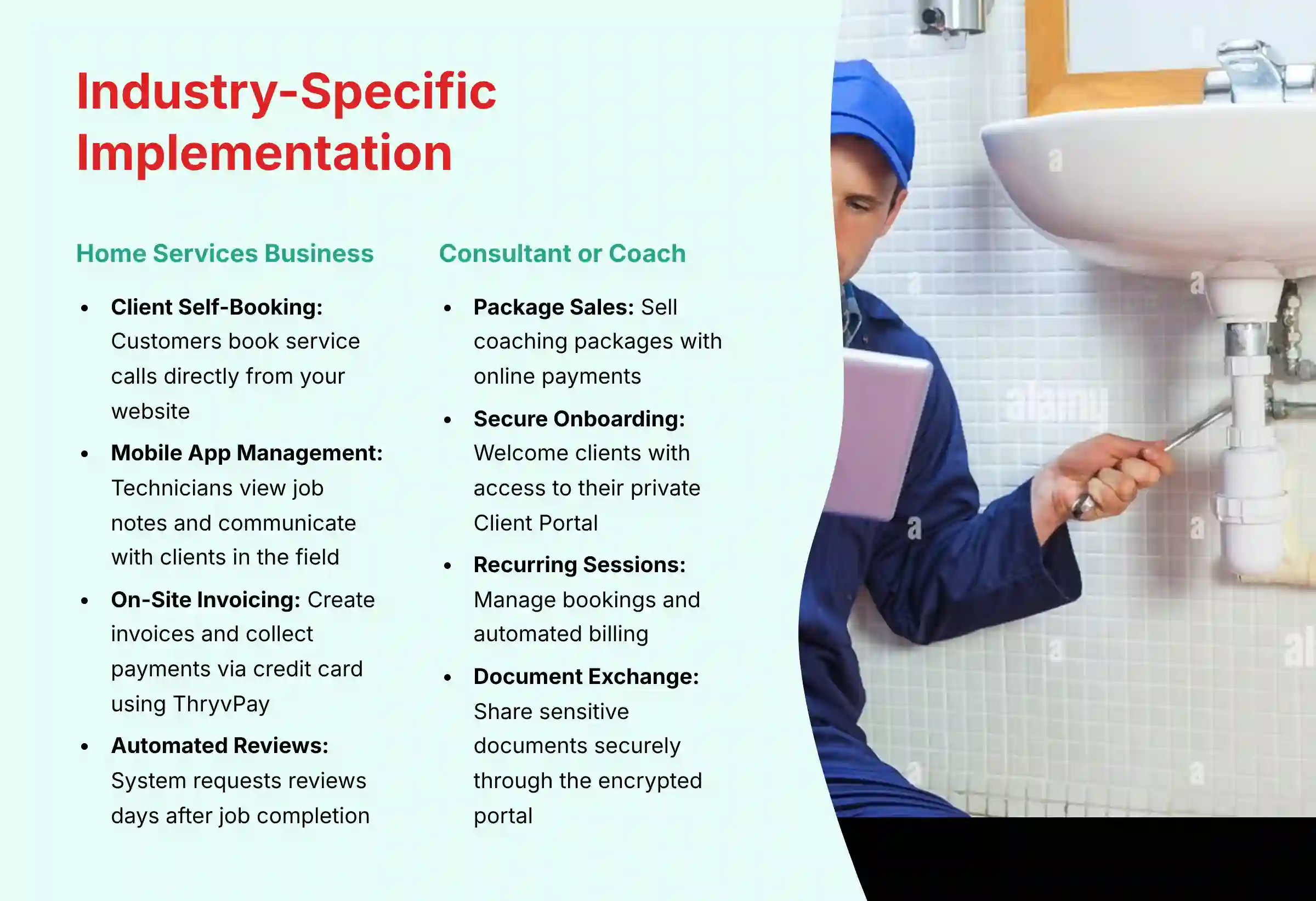
Use Case 1: The Home Services Business (HVAC, Plumbing, etc.)
Challenge: Managing mobile technicians, on-site payments, and reviews.
Home service businesses face unique challenges with mobile teams and on-site operations. They need a system that works in the field, not just in the office.
Thryv Solution Framework:
Client Self-Booking and Automated Dispatch
Clients can book a service call directly from your website. The appointment then automatically appears on the assigned technician’s calendar in the Thryv mobile app.
On-the-Go Job Management via the Mobile App
The technician can use the app to view job notes, communicate with the client, and mark the job as complete. This keeps the office and the field perfectly in sync.
Instant On-Site Invoicing and Payment Collection
Upon completion, the technician creates an invoice on their mobile device. They can then collect payment immediately via credit card using ThryvPay.
Automated Review Requests Post-Job
Once the job is marked complete and paid, the system automatically tags the client. This triggers the review generation workflow a couple of days later, consistently building your online reputation.
Use Case 2: The Consultant or Coach
Challenge: Streamlining client onboarding, document sharing, and recurring billing.
Consultants and coaches need a professional way to manage clients from the initial sale to ongoing sessions. Security and efficiency are paramount.
Thryv Solution Framework:
Selling Coaching Packages with Online Payments
You can list coaching packages as services that clients can purchase directly online. This automates the initial sale and payment collection process.
Secure Onboarding via the Client Portal
After purchase, the client receives an automated welcome email containing a link to activate their secure Client Portal, a private online space for your work together.
Managing Recurring Sessions and Automated Billing
Clients can use the portal to book their recurring weekly or monthly sessions. The system can also send automated recurring invoices, saving you from chasing payments each month.
Using the Portal for Secure Document Exchange
The Client Portal provides a secure, encrypted channel for sharing sensitive documents like contracts or intake forms. Using the portal is a far safer practice than sending confidential attachments over standard email. This commitment to security is a powerful signal of professionalism that builds immediate trust with new clients.

Part 6: Troubleshooting, Security, and Best Practices
Common Issues and Step-by-Step Solutions
Problem: Automated Campaign Not Triggering
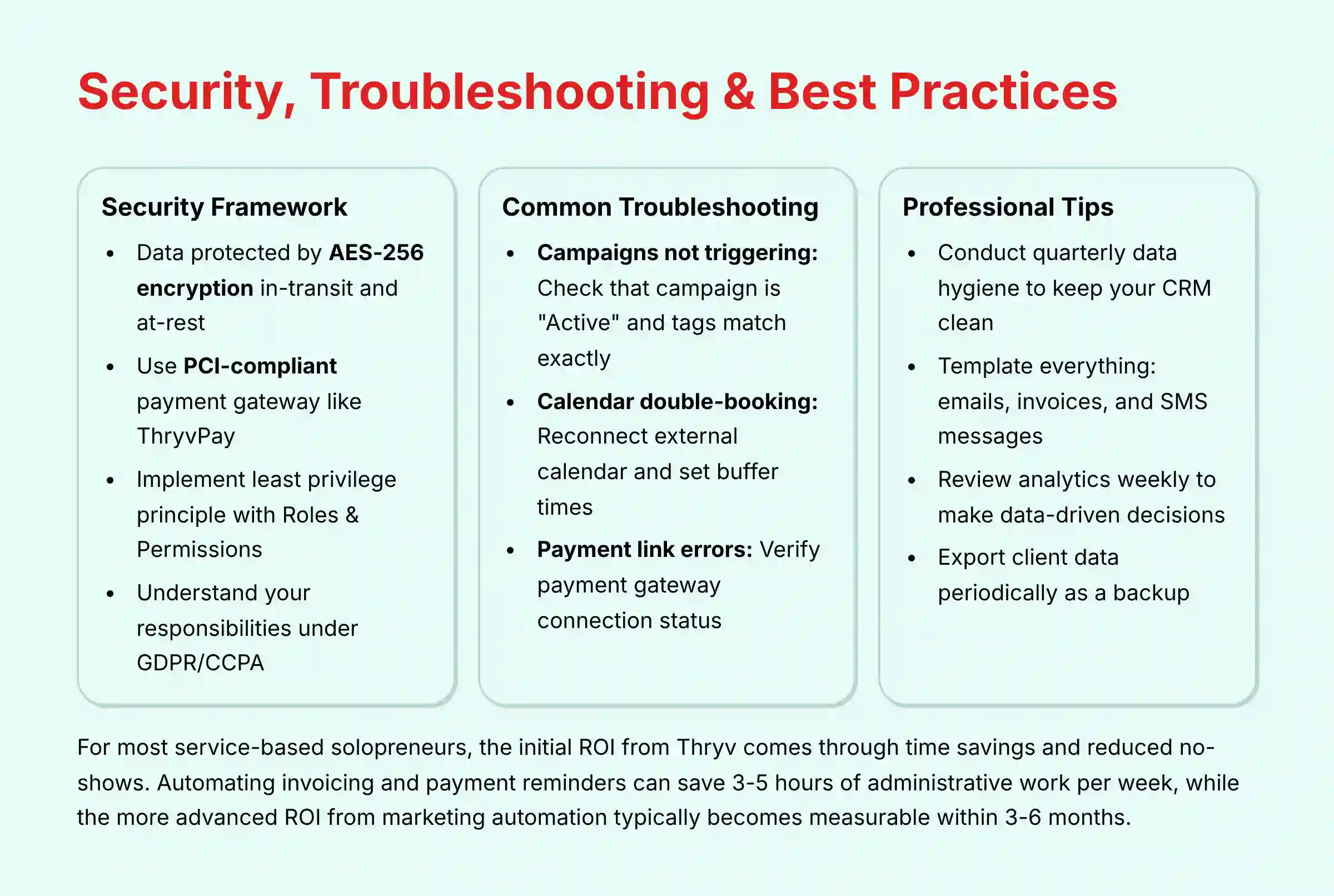
First, verify that the campaign is set to “Active” and not “Draft.” Next, double-check the trigger. If your trigger is “Tag Added,” ensure the tag is spelled exactly the same in your contact record and in the automation builder.
Problem: Calendar Double-Booking
This issue is almost always caused by a synchronization problem. Go to your settings, disconnect your external calendar, wait a minute, and then reconnect it. Also, confirm that you have set up buffer time between appointments in your service settings.
Problem: Payment Link Error in an Invoice
An error with a payment link usually means your payment gateway has been disconnected. Navigate to Settings > Payments and confirm your gateway shows a “Connected” status. If it does, try disconnecting and reconnecting it, then resend the invoice.
Security & Compliance Framework: A Professional Due Diligence Guide
Understanding Thryv’s Data Security Architecture
Thryv employs industry-standard security protocols. Our technical assessment confirms that data is protected by AES-256 encryption both in-transit (as it moves over the internet) and at-rest (when stored on their servers). This architecture is foundational for protecting sensitive client information.
For businesses requiring formal validation, it’s important to note that while Thryv is built on secure infrastructure, we recommend inquiring directly about their status regarding certifications like SOC 2 Type II or ISO 27001. A SOC 2 Type II audit report provides independent, third-party validation of a company’s security controls over time, which is a critical piece of technical due diligence for many professionals.
Your Responsibilities: PCI DSS 4.0 and Secure Payments
Using a PCI-compliant gateway like ThryvPay is mandatory. This means the system adheres to the Payment Card Industry Data Security Standard (now on version 4.0), which governs how credit card data is handled. This adherence is a critical component in mitigating financial fraud risks.
Best Practice: Implementing Least Privilege with Roles & Permissions
Do not give every employee full administrative access. Use the built-in roles to enforce the principle of least privilege, restricting access to sensitive financial and client data. A staff member who only manages appointments does not need API access or the ability to export the entire client database. This is a crucial internal control to prevent both accidental and malicious data loss.
Important Warning: Data Residency and Legal Compliance (GDPR/CCPA)
Thryv provides tools to help you comply with data privacy laws like GDPR and CCPA, such as the ability to delete client data upon request. However, you are ultimately responsible for understanding and following the laws that apply to your business. For specific legal advice, consult a qualified professional to review your client data intake, storage, and communication processes to ensure they align with regulations in your specific jurisdiction.
Professional Tips for Long-Term Success
Conduct Quarterly Data Hygiene to Keep Your CRM Clean
Once per quarter, review your client list for contacts with no recent activity or missing tags. Tagging them as “Inactive” keeps your active client list clean and your marketing campaigns more effective.
Template Everything: Emails, Invoices, and SMS Messages
Marketing automation is like putting your client follow-up on autopilot. It sends the right messages at the right time, letting you focus on excellent service. Creating templates for your most common communications saves time and ensures brand consistency.
Review Your Analytics Weekly to Make Data-Driven Decisions
Spend 30 minutes each week looking at your sales and marketing reports. Understanding which campaigns are driving revenue helps you make smarter decisions about where to invest your time and money.
Frequently Asked Questions About Thryv
How Quickly Can I Expect to See a Return on Investment (ROI) with Thryv?
For most service-based solopreneurs, the initial ROI from Thryv is seen through time savings and reduced no-shows. By implementing automated appointment reminders (a 20-minute, one-time setup), you can reduce no-shows by implementing this industry best practice, which directly impacts revenue. Furthermore, automating invoicing and payment reminders can save 3-5 hours of administrative work per week. The more advanced ROI from marketing automation and improved client retention typically becomes measurable within 3-6 months as you build out campaigns and gather data on client lifetime value.
Is Thryv a Good Choice for a Business That Has Never Used a CRM Before?
Yes, Thryv is specifically designed for small business owners who are often non-technical. Its guided onboarding, intuitive interface, and all-in-one nature make it an excellent first CRM. Unlike more complex systems, you don’t need to piece together different software for scheduling, payments, and marketing. The key to success is to follow a structured learning path: start with basics like contact info and scheduling, master one workflow at a time, then gradually introduce automation.
What are the Most Common Mistakes New Thryv Users Make?
The most common mistake is neglecting a “tagging strategy.” Users often import all their contacts without organizing them. This makes it impossible to use Thryv’s powerful marketing automation features later on. The second mistake is not fully setting up and utilizing the automated reminders for appointments and invoices. This is low-hanging fruit for immediate efficiency gains, and skipping it means leaving money and time on the table.
How Does Thryv Compare to Competitors like HoneyBook or HubSpot?
Thryv, HoneyBook, and entry-level versions of platforms like HubSpot for Startups all target the SMB market but have different core strengths. HoneyBook excels in project-based workflows for creatives. Thryv’s strength is in managing a recurring, appointment-based local service business. Compared to HubSpot, Thryv offers a more tightly integrated all-in-one package for payments and scheduling out-of-the-box. However, platforms like HubSpot often provide more advanced AI-powered sales forecasting and predictive lead scoring models in their higher-tier plans, which is a key differentiator for sales-focused teams.
How Secure is My Customer and Payment Information in Thryv?
Thryv takes security seriously. All data is protected with encryption both in transit and at rest. For payments, their native processor, ThryvPay, is PCI-compliant, which is the industry standard for securely handling credit card information. The Client Portal also provides a secure, password-protected channel for sharing sensitive documents, which is far safer than using email. However, your first line of defense is always strong passwords and correctly configured staff permissions.
Can Thryv Automate My Social Media Posting?
Yes, Thryv has a built-in social media management tool. You can connect your Facebook, Instagram, and other accounts to create a single post and schedule it across multiple channels simultaneously. While it may not be as powerful as a dedicated social media tool, it is more than sufficient for a small business looking to maintain a consistent online presence without adding another subscription.
What Happens if I Decide to Leave Thryv? Can I Export My Data?
Yes, you can export your client list, including contact information and custom fields, as a CSV file. This is a critical feature that prevents “vendor lock-in” and ensures you own and control your customer relationships. I always recommend that business owners periodically back up their client list by exporting it, regardless of which platform they use.
Does Thryv Use AI to Help My Business?
Yes, Thryv incorporates AI and automation in several key areas. The marketing automation engine uses rule-based intelligence (a form of AI) to send targeted communications based on client behavior. While this is different from predictive AI, it still delivers significant value. For example, instead of you having to remember, the system’s logic can automatically send a ‘We miss you!’ offer to a client who hasn’t booked in 90 days. This is practical AI in action, driving real revenue by automating your client retention efforts.
I hope this guide provides a clear path for your success. To continue learning, explore our complete analysis of the Best 10 CRMs for Small Business & Solopreneurs.







Leave a Reply