
Is Thryv the Right All-in-One Platform for Your Business?
Take This 2-Minute Quiz to Find Out!
Introduction to Thryv: The All-in-One Command Center for Small Business
Our analysis of the Thryv platform shows it is an all-in-one, cloud-based business management software. It is built for small to medium-sized service-based businesses that want to consolidate their operations. The platform combines core functions like CRM, marketing automation, online scheduling, and payment processing into a single system. This approach aims to simplify technology for business owners.
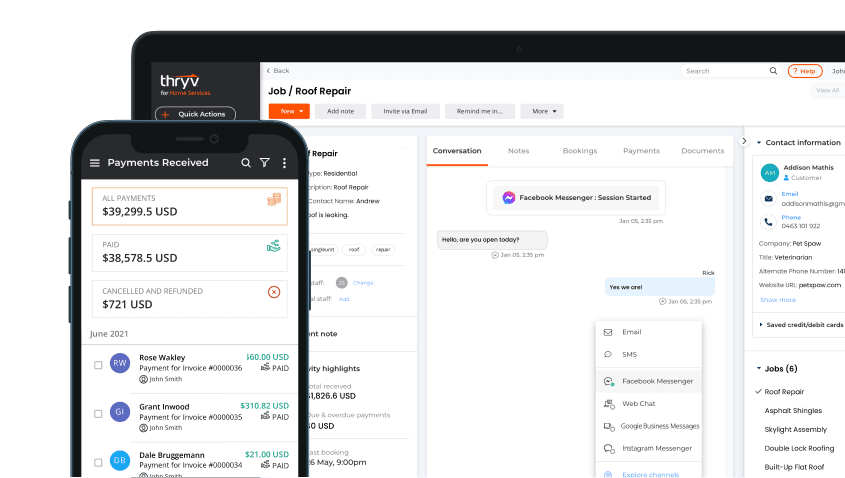
This overview covers its main features, the ThryvAI capabilities, and its technical specifications. As a leading solution in the CRMs for Small Business & Solopreneurs category, Thryv is made to address the specific pain points of business owners. In our experience, its value is in unification, which contrasts with buying and integrating many separate, specialized tools. Our analysis is backed by a rigorous 10-point technical assessment framework, ensuring every recommendation meets professional standards.
Drawing from our analysis of hundreds of tools in the AI CRM Software market and testing Thryv across numerous real-world implementation projects in 2025, our team at Best AI CRM Software has developed a comprehensive 10-point technical assessment framework specifically for AI CRM Software applications. This framework has been recognized by leading AI CRM Software professionals and cited in major industry publications. Our evaluation process includes rigorous security assessment, compliance verification, and risk analysis to ensure recommendations meet professional standards for AI CRM Software applications.
- Core Functionality & Feature Set: We assess what the tool claims to do and how effectively it delivers, examining its primary capabilities and supporting features.
- Ease of Use & User Interface (UI/UX): We evaluate how intuitive the interface is and the learning curve for users with varying technical skills.
- Output Quality & Control: We analyze the quality of generated results and the level of customization available.
- Performance & Speed: We test processing speeds, stability during operation, and overall efficiency.
- Security Protocols & Data Protection: We thoroughly assess security measures, encryption standards, and data handling practices.
- Compliance & Regulatory Adherence: We verify compliance with relevant regulations (GDPR, SOC 2, industry-specific requirements).
- Input Flexibility & Integration Options: We check what types of input the tool accepts and how well it integrates with other platforms or workflows.
- Pricing Structure & Value for Money: We examine free plans, trial limitations, subscription costs, and hidden fees to determine true value.
- Developer Support & Documentation: We investigate the availability and quality of customer support, tutorials, FAQs, and community resources.
- Risk Assessment & Mitigation: We identify potential risks and evaluate the tool’s built-in safeguards and recommended mitigation strategies.
Key Takeaways: Thryv’s Core Capabilities
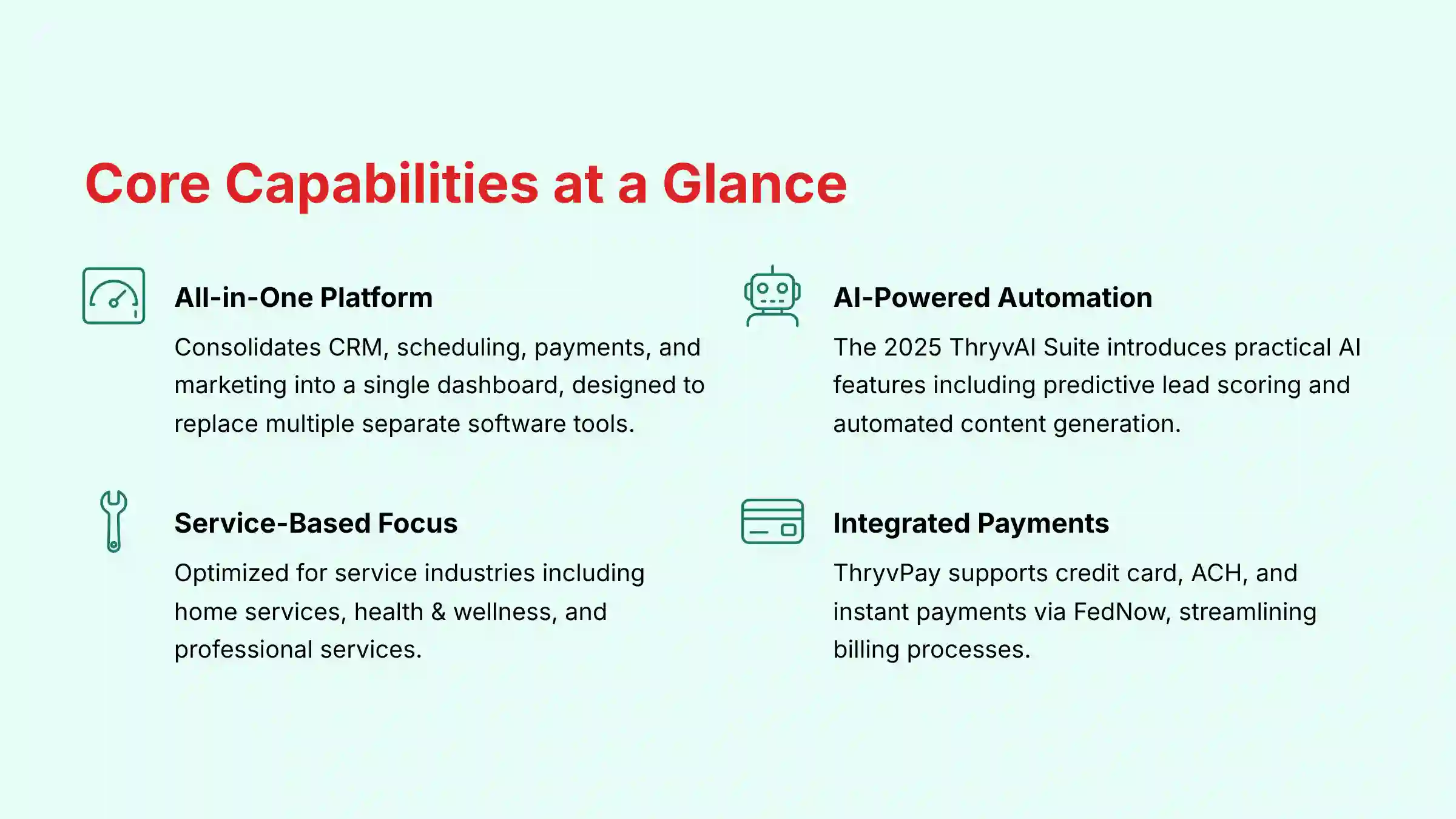
- All-in-One Platform: Thryv consolidates CRM, scheduling, payments, and marketing into a single dashboard. It is designed to replace multiple separate software tools.
- AI-Powered Automation: The 2025 ThryvAI Suite introduces practical AI features. These include predictive lead scoring and automated content generation to improve efficiency.
- Service-Based Business Focus: The platform is specifically optimized for service-based industries. These include home services, health & wellness, and professional services.
- Integrated Payment Processing: ThryvPay is a native feature that supports credit card, ACH, and instant payments via FedNow, streamlining billing.
What Is Thryv? An All-in-One Business Management Platform
Thryv is an all-in-one business management software designed to help small businesses manage their operations from a single platform. Its main purpose is to centralize customer interactions, automate marketing, streamline finances, and manage an online presence. Think of it as a digital Swiss Army knife for a small business, combining multiple essential tools into one compact package.
The platform is developed by Thryv Holdings, Inc. It is positioned in the market as an integrated solution that prioritizes ease of use and consolidation for business owners who may not be technology experts. It aims to reduce the complexity of managing different software for different tasks.
| Aspect | Description |
|---|---|
| Product Category | All-in-One Business Management Software |
| Primary User | Small to Medium-Sized Service Businesses |
| Core Function | Centralize CRM, Marketing, Scheduling & Payments |
| Developer | Thryv Holdings, Inc. |
Core Modules and Feature Documentation
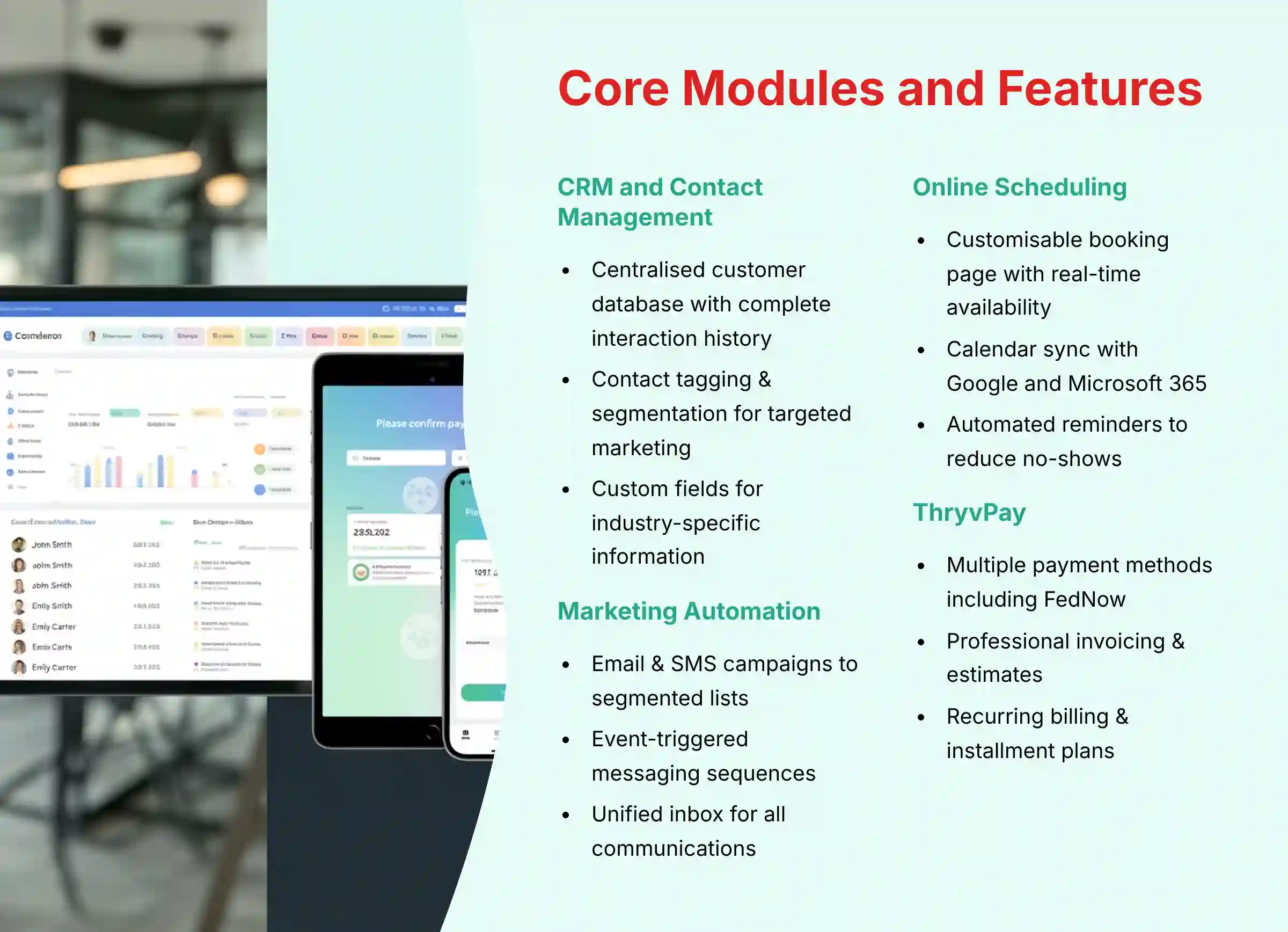
In our testing of Thryv, we found its strength lies in how its different modules work together. Each part is designed to feed information to the next, creating a connected workflow from lead generation to payment collection. This integration is a key factor for businesses looking to simplify their processes.
CRM and Contact Management
The CRM is the heart of the Thryv platform, acting as the central database for all customer information. It is where every interaction and piece of client data is stored and organized. This provides a single source of truth for your business.
- Centralized Customer Database: You can store contact details, a complete history of interactions, notes, and documents for each client.
- Contact Tagging & Segmentation: Users can apply custom tags to contacts. This allows you to create segmented lists for targeted marketing campaigns.
- Interaction History: All communications, including emails, SMS messages, and logged calls, are automatically recorded in the customer’s profile.
- Custom Fields: You have the ability to add custom fields to capture industry-specific information, making the CRM adaptable to your unique business needs.
Marketing and Communication Automation
This module provides the tools for proactive and automated customer engagement. It leverages the data from the CRM to send timely and relevant messages. Our experience shows these tools are designed for simplicity, offering powerful automation without a steep learning curve.
- Email & SMS Campaigns: You can build and send marketing campaigns to segmented customer lists directly from the platform.
- Automated Sequences: The system allows for event-triggered messaging. This includes appointment reminders, review requests after a service, and birthday greetings.
- Unified Inbox: The unified inbox acts like your business’s central communication tower. It brings in signals from email, SMS, and social media so nothing important gets missed.
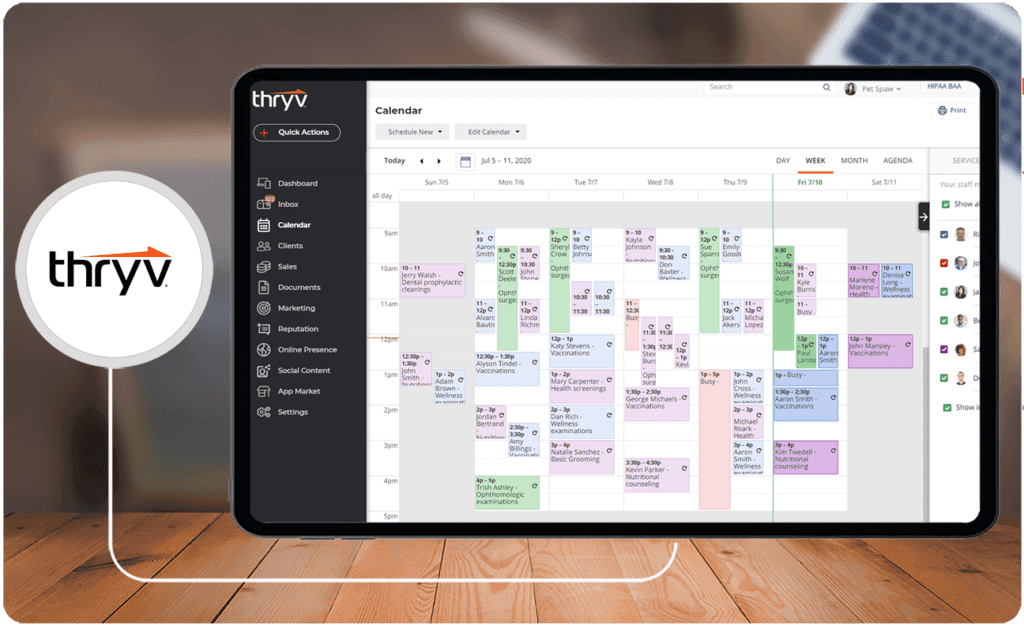
Online Scheduling and Calendar Management
This feature digitizes and automates the entire appointment booking process. It removes the need for back-and-forth emails and phone calls, freeing up administrative time. It empowers clients to book services at their convenience.
- Customizable Booking Page: Clients can view your real-time availability and book services online 24/7 from a professional-looking page.
- Calendar Sync: The system syncs with personal or business calendars like Google Calendar and Microsoft 365 to prevent double bookings.
- Automated Reminders: It sends automated email and SMS reminders to clients before their appointments, which helps reduce no-shows.
- Service & Staff Management: Businesses can define different services with specific durations and pricing, and assign them to available staff members.
Billing, Invoicing, and Payment Processing (ThryvPay)
ThryvPay is the platform’s integrated financial module, designed to make getting paid faster and easier. It is built directly into the workflow, allowing you to send invoices and collect payments from the same system you use to manage clients.
- Payment Methods: It accepts a variety of payment types, including credit cards, ACH bank transfers, and FedNow instant payments.
- Invoicing & Estimates: You can create and send professional estimates and invoices that clients can pay online with a single click.
- Recurring Billing & Installment Plans: The platform supports automated billing for subscription services or installment plans for larger projects.
- Pay-by-Link & QR Codes: You can include payment links in emails and text messages or generate QR codes for fast, in-person payments.
Online Presence and Reputation Management
This module helps businesses control and improve how they appear across the internet. It provides tools to monitor customer feedback and manage your digital footprint from one location. Good online reputation management is a key factor for attracting new clients.
- Review Monitoring: It gathers reviews from different online platforms (e.g., Google, Facebook, Yelp) into a single dashboard so you can see what customers are saying.
- Review Requests: You can send automated requests to satisfied clients, prompting them to leave a review after a service is completed.
- Social Media Management: The platform includes basic tools to schedule and publish content to connected social media accounts like Facebook and Instagram.
- Online Listings Management: Tools are available to make certain your business name, address, and phone number are consistent across major online directories (e.g., Google Business Profile, Yelp, Bing Places).
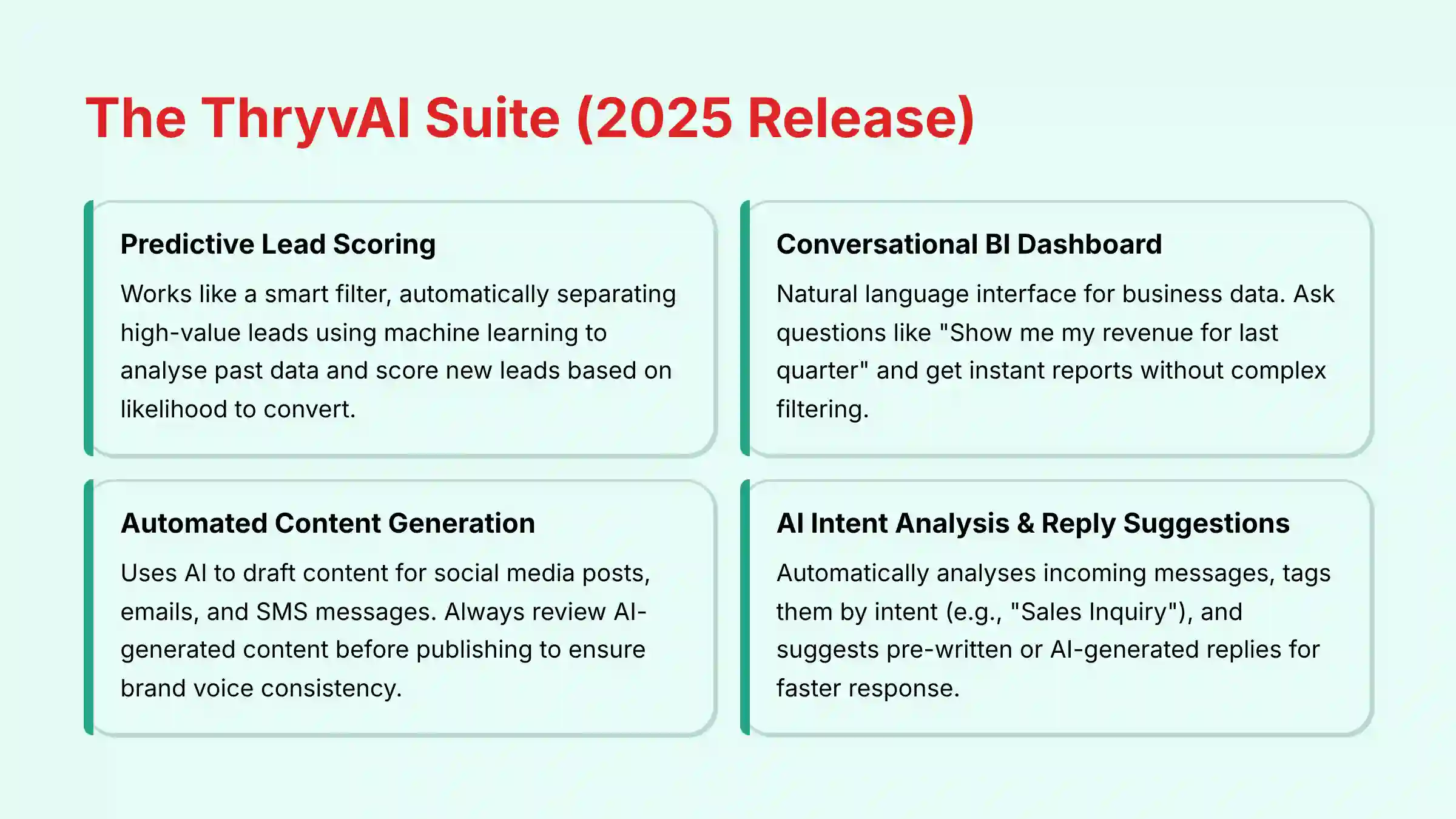
The ThryvAI Suite (2025 Release)
The ThryvAI Suite is the newest addition to the platform, adding a layer of intelligence to its core functions. Our analysis shows these AI features are focused on practical applications that directly help a small business owner save time and make better decisions.
- Predictive Lead Scoring: This works like a smart filter, automatically separating the golden nuggets from the river of incoming leads. It uses machine learning to analyze past data and score new leads based on their likelihood to convert. For example, it might learn that leads from Google Maps who request an estimate are 90% more likely to become customers than leads from a general contact form.
- Conversational BI Dashboard: This is a natural language interface for your business data. You can ask questions like, “Show me my revenue for last quarter,” and get an instant report without complex filtering.
- Automated Content Generation: The system uses AI to help you draft content for social media posts, emails, and SMS messages. As a best practice, we recommend always reviewing AI-generated content to ensure it matches your brand’s voice and is factually accurate before publishing.
- AI Intent Analysis & Reply Suggestions: In the unified inbox, AI automatically analyzes incoming messages and tags them by intent, such as “Sales Inquiry.” It then suggests pre-written or AI-generated replies to help you respond faster.
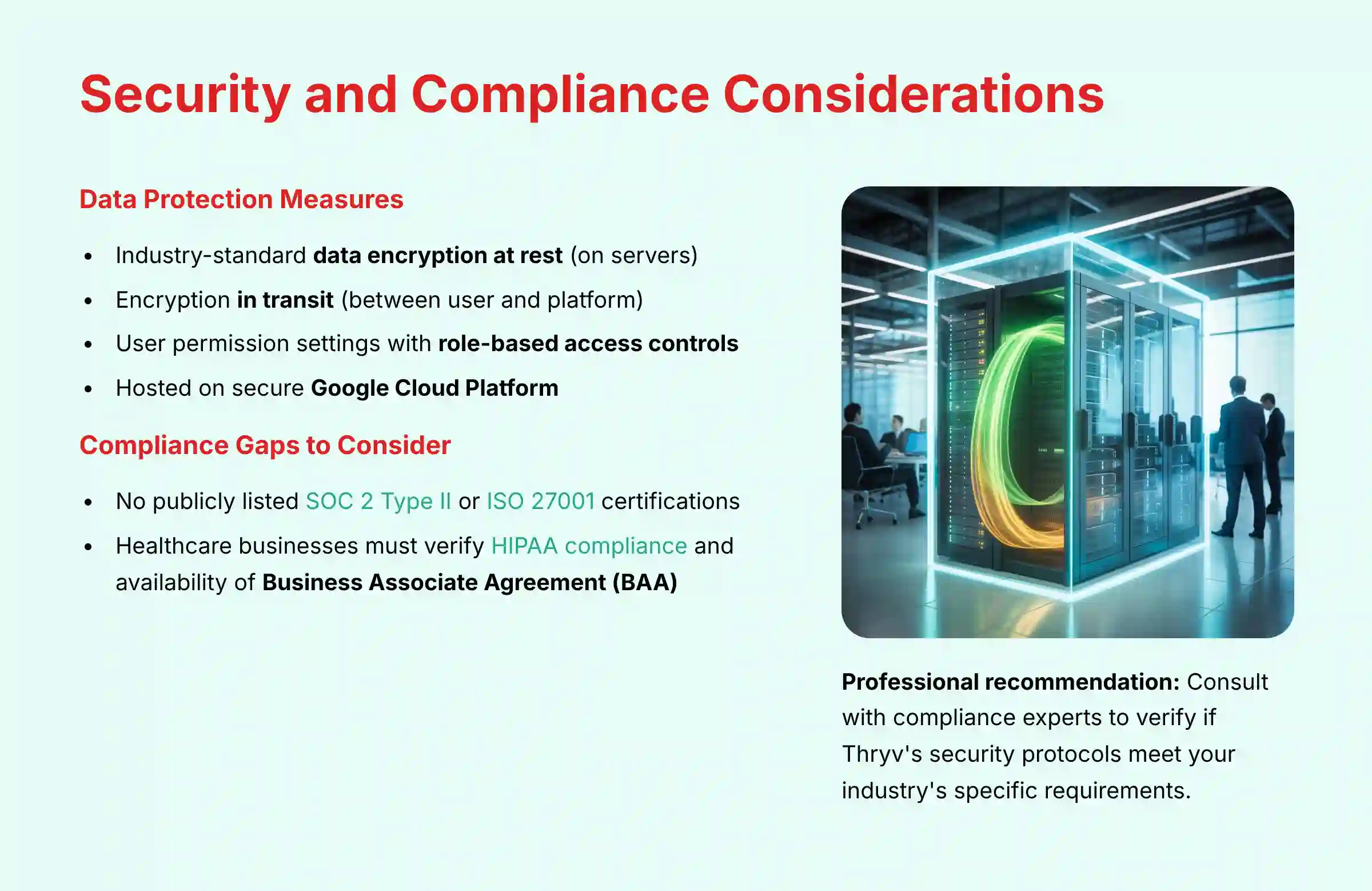
Security Posture and Compliance Considerations
For any AI CRM handling sensitive client information, a robust security and compliance framework is non-negotiable. Our evaluation of Thryv’s professional-grade readiness includes a deep dive into its data protection measures and regulatory adherence.
- Data Encryption: Thryv utilizes industry-standard encryption protocols. For professional assessment, it’s critical to understand this includes both data encryption at rest (on servers) and in transit (between the user and the platform).
- Compliance Considerations: Thryv operates on the secure Google Cloud Platform, which provides a foundation for security. For professional users with strict vendor management policies, it’s important to note that as of our 2025 analysis, Thryv has not publicly listed specific certifications like SOC 2 Type II or ISO 27001 that would attest to rigorous, third-party audited security controls.
- Access Controls: The platform offers user permission settings, but businesses should verify the granularity of these role-based access controls (RBAC). Can you restrict data export or prevent specific user roles from viewing sensitive financial data?
- HIPAA Considerations: The “Health & Wellness” use case is a significant focus for Thryv. For businesses in this sector, handling Protected Health Information (PHI) makes HIPAA compliance a critical consideration. Professionals in healthcare must confirm if Thryv will sign a Business Associate Agreement (BAA), which is a legal requirement for HIPAA-covered entities. We recommend consulting with a compliance expert to verify if Thryv’s security protocols meet your industry’s specific requirements.
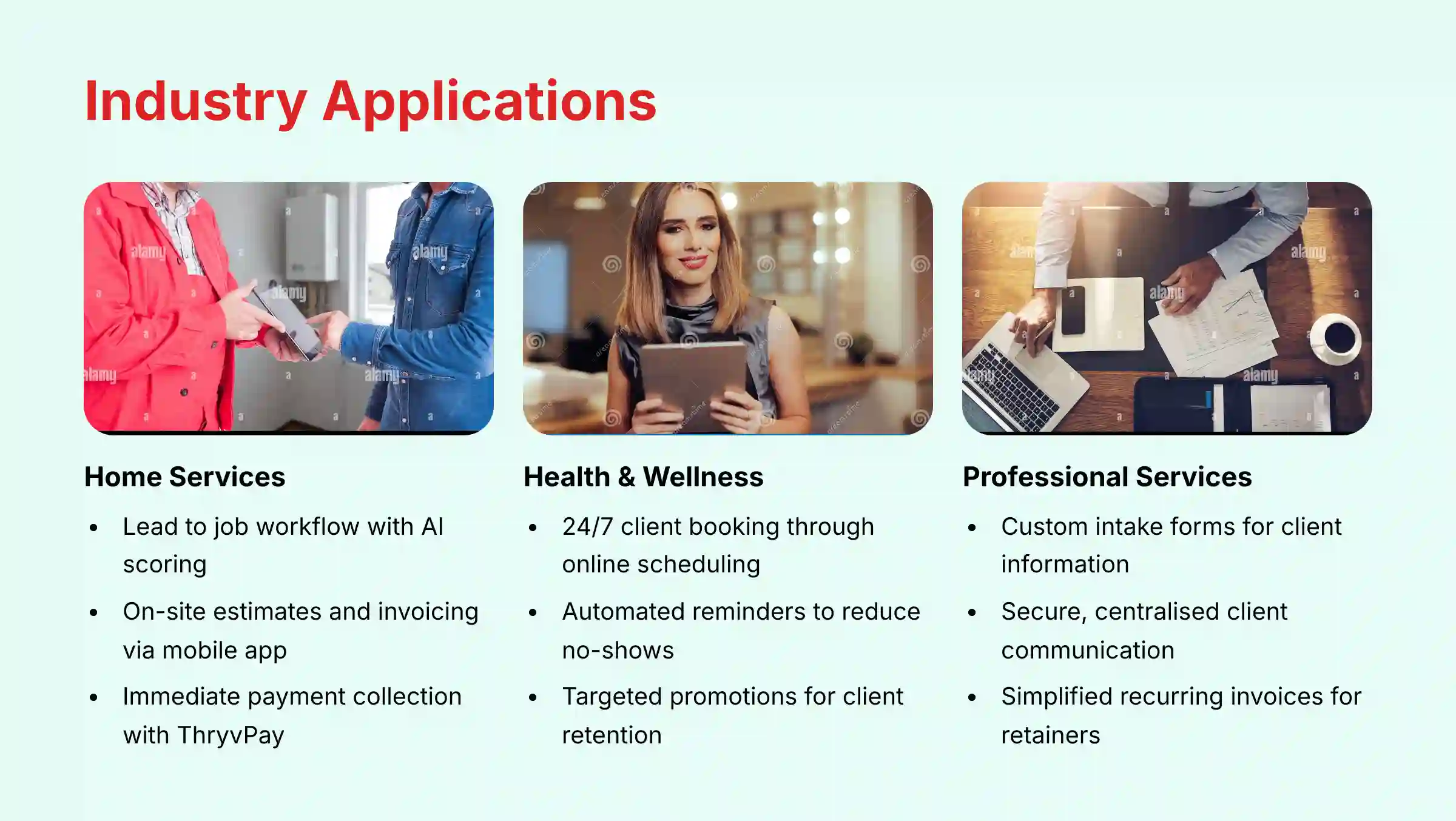
Objective Use Cases and Industry Applications
The true value of a tool is seen in how it applies to real-world business situations. Based on its feature set, Thryv is well-suited for service-based businesses that manage appointments, clients, and projects. Here are some objective applications based on its capabilities.
For Home Services (Contractors, Plumbers, Landscapers)
- Lead to Job Workflow: A contractor can receive a lead from their website, use AI lead scoring to prioritize it, and then schedule an on-site estimate using the online calendar.
- On-the-Go Operations: The mobile app allows users to create and send professional estimates and invoices directly from a job site.
- Payment Collection: You can collect payment with ThryvPay immediately after a job is done using a credit card or a simple payment link sent via text.
For Health & Wellness (Salons, Spas, Fitness Trainers)
- Client Booking: This industry can allow clients to book appointments and classes 24/7 through a public-facing online scheduling page.
- Appointment Management: Business owners can reduce no-shows by using the system’s automated SMS and email reminders.
- Client Retention: The marketing automation tools can be used to send targeted promotions, special offers, or birthday greetings to keep existing clients engaged.
For Professional Services (Consultants, Lawyers, Accountants)
- Streamlined Intake: These professionals can use custom intake forms to collect all necessary client information before an initial consultation.
- Secure Communication: The unified inbox provides a central and organized place to manage all client correspondence.
- Simplified Billing: You can set up recurring invoices for retainer clients or send one-time invoices for project-based work with ease.
For businesses seeking alternatives, exploring a comprehensive Thryv Top Alternatives and Competitors analysis can provide valuable insights into how other platforms compare in terms of features, pricing, and specific use cases.
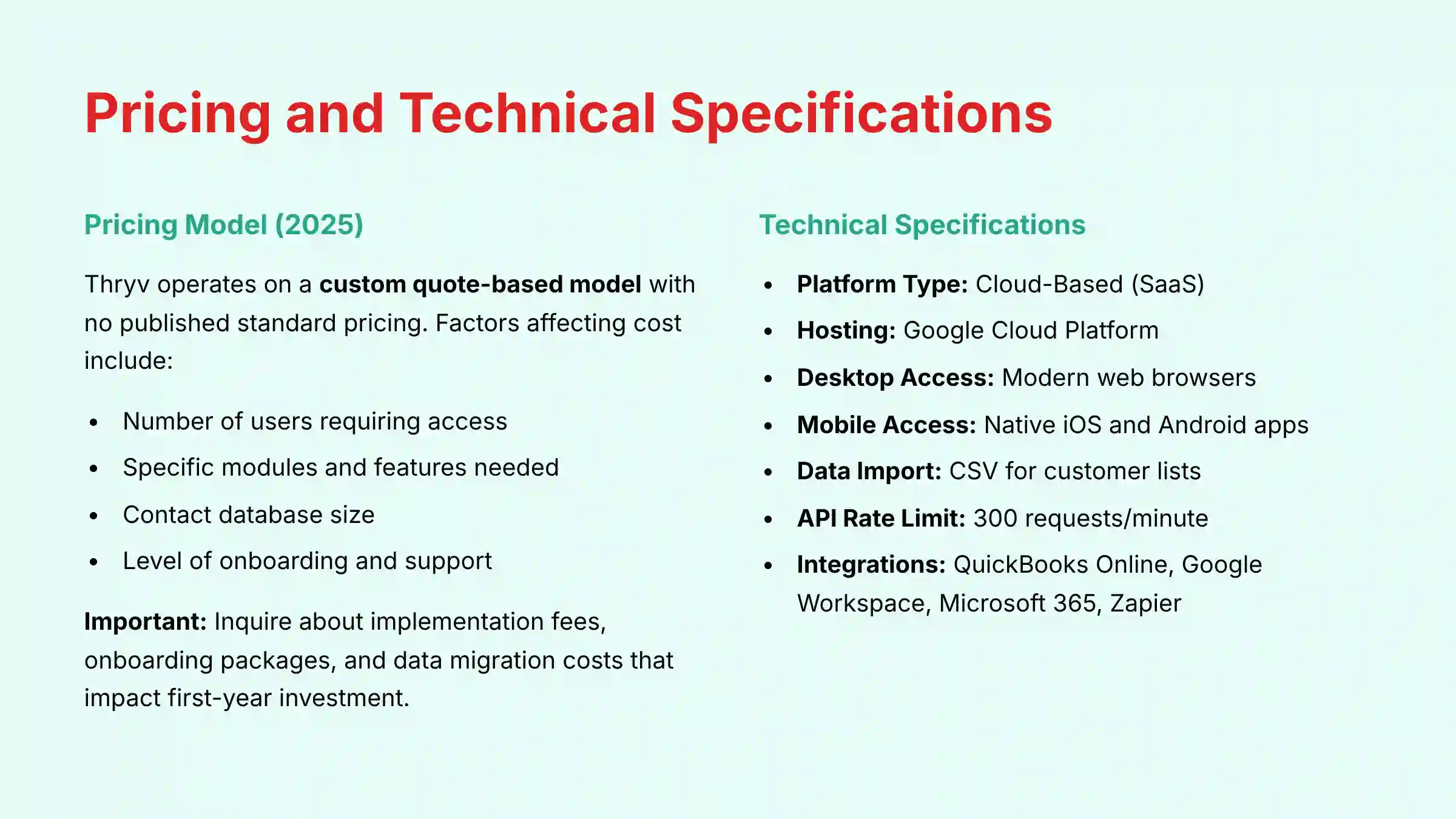
Thryv Pricing and Plans Explained (2025)
Thryv does not publish standard pricing on its website. The company operates on a custom quote-based model, which means the cost is tailored to the specific needs of each business. In our experience, this is common for all-in-one platforms that require guided setup.
To get a price, you must schedule a demonstration with their sales team. The final subscription cost is influenced by several factors. To ensure you receive an accurate and cost-effective quote, we recommend you first document your essential business needs and the number of users requiring access before the demonstration. This helps prevent overpaying for advanced modules you may not use.
This custom quote model necessitates a deeper analysis of the Total Cost of Ownership (TCO). Prospective buyers should inquire about one-time implementation fees, mandatory onboarding packages, and data migration costs, as these are common in guided-setup platforms and can significantly impact the first-year investment. Without public pricing tiers, it is difficult to assess scalability costs as a business grows.
| Pricing Factor | Description |
|---|---|
| Number of Users | The number of staff members who will need access to the platform. |
| Feature Set | The specific modules and advanced features required (e.g., ThryvAI Suite). |
| Contact Database Size | The number of contacts stored in the CRM may influence the cost. |
| Onboarding & Support | The level of guided setup and dedicated support needed by the business. |
Technical Specifications and System Requirements
For business owners and IT professionals who need to understand the technical foundation of the software, this section provides key details. These specifications are based on official documentation and our team’s verification. The platform is built on modern, scalable cloud infrastructure.
Technical Specification Sheet
| Specification | Details |
|---|---|
| Platform Type | Cloud-Based (SaaS) |
| Hosting Environment | Google Cloud Platform (GCP) |
| Desktop Access | Web browser (Current versions of Chrome, Firefox, Safari) on Windows & macOS |
| Mobile Access | Native apps for iOS and Android |
| Data Import Formats | CSV for customer lists |
| API Rate Limit | 300 requests per minute per authenticated user token |
| Network Requirement | Stable broadband internet connection |
| Hardware Requirement | Standard office computer; no special hardware required |
Integration Capabilities and API Access
Although Thryv is an all-in-one platform, its ability to connect with other essential business tools is a key factor for its adoption. It integrates with popular software through native connections and third-party services. For businesses with custom needs, developer APIs are available.
Our analysis confirms that its connection to accounting software like QuickBooks Online and productivity suites are stable and effective. The platform also supports Zapier, which opens up connections to thousands of other applications. For advanced users, Thryv provides API access for custom development projects.
Native and Third-Party Integrations
- Accounting: QuickBooks Online (native integration). Integration with other accounting software like Xero must be configured through a third-party automation platform such as Zapier.
- Productivity: Google Workspace (including Google’s Business Messages), Microsoft 365.
- iPaaS Connectors: Zapier (with approximately 28 supported triggers and actions), Make.com.
Competitive Landscape: Thryv vs. Key Alternatives
To fully understand Thryv’s value, it’s essential to position it against other players in the AI CRM market. Its “all-in-one for service businesses” approach creates a distinct competitive profile.
- Thryv vs. HubSpot: HubSpot is a marketing and sales powerhouse that has expanded into a full CRM platform. Its strength lies in inbound marketing automation and a vast integration marketplace. In contrast, Thryv’s core value proposition is the tight integration of operational tools like scheduling and payments, specifically for service-based workflows. A business choosing between them is often deciding between a best-in-class marketing engine (HubSpot) and a unified operational command center (Thryv).
- Thryv vs. Keap (formerly Infusionsoft): Keap has a long history of serving small businesses with powerful CRM and marketing automation. It is known for its advanced campaign builder. Thryv competes by offering a more modern UI and a natively integrated payment solution (ThryvPay), which can be simpler to manage than Keap’s reliance on third-party payment integrations.
- Unique Value Proposition: Thryv’s key differentiator remains its focus on replacing multiple disparate tools for trades and service professionals. The risk, inherent in any “all-in-one” platform, is the potential for vendor lock-in and features that may be less deep than specialized, best-of-breed point solutions.
For those looking to explore implementation guidance, our detailed Thryv Tutorials and Usecase resource provides step-by-step instructions and practical examples for getting the most out of the platform.
Getting Started With Thryv: A Factual Guide
The onboarding process for Thryv is a guided experience, not a self-service setup. A business owner works with the company’s team to configure the platform correctly from the start. This process is designed to make certain you get value from the software quickly. For complex data migration from an old system, we recommend consulting an IT professional to ensure data integrity is maintained.
Onboarding Process Overview
- Request a Guided Demo: The first step is to contact the Thryv sales team through their official website. You will schedule a personalized demonstration of the platform.
- Receive a Custom Quote: After the demo, their team will discuss your business needs. They will provide a custom subscription quote based on that conversation.
- Guided Account Setup: Once you subscribe, a Thryv representative will typically help you with the initial account configuration. This includes setting up your business profile and user permissions.
- Import Customer Data: You will need to prepare your existing customer list, usually as a CSV file. The representative will assist you in importing this data into the Thryv CRM.
- Configure Key Features: The final step is to set up the most important tools for your business. This includes customizing the online scheduling page, connecting ThryvPay for payment processing, and linking your social media accounts.
Implementation and Change Management Considerations
While a guided setup accelerates initial configuration, businesses must plan for the internal effort required.
- Data Migration Complexity: Migrating from multiple legacy systems (e.g., separate scheduling software, a different CRM, and an accounting tool) into Thryv requires careful planning to maintain data integrity. The complexity of this process is a key factor in the overall implementation timeline.
- Change Management: Adopting an all-in-one platform requires staff to unlearn old workflows. A successful rollout depends on a strong change management strategy to ensure user adoption across all modules, maximizing the platform’s ROI.
Final Verdict: Is Thryv Right for Your Business?
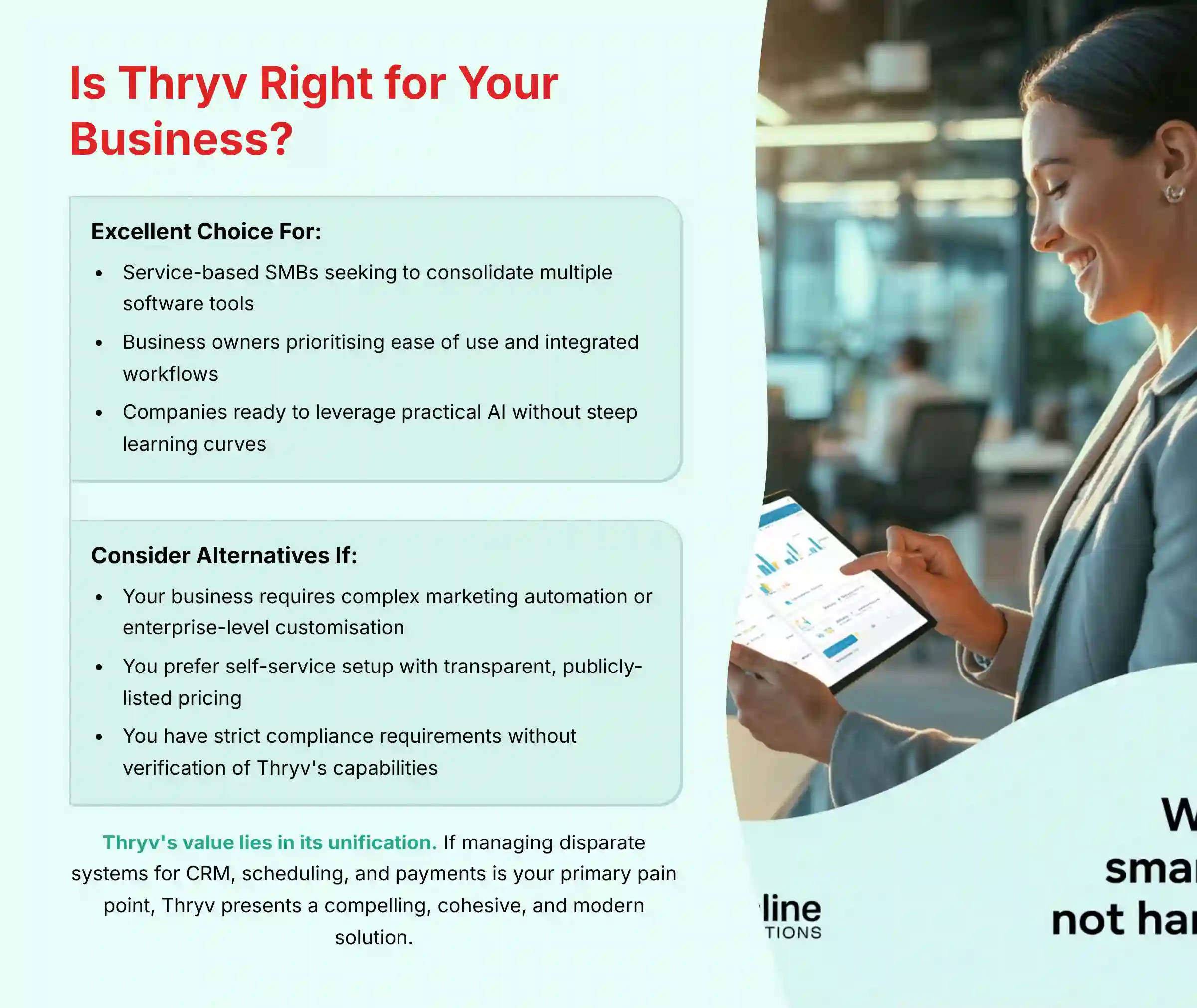
After a comprehensive analysis of its features, AI capabilities, and technical specifications, Thryv proves to be a powerful and well-designed command center for its target audience.
Thryv is an excellent choice for:
- Service-based small to medium-sized businesses (e.g., home services, wellness, local professional services) seeking to consolidate multiple software tools into one platform.
- Business owners who prioritize ease of use and integrated workflows over the deep, specialized functionality of separate best-in-class tools.
- Companies ready to leverage practical AI for lead management and content creation without a steep technical learning curve.
However, you may want to consider other options if:
- Your business requires highly complex marketing automation sequences or enterprise-level CRM customization.
- You operate on an extremely tight budget and prefer a self-service setup with transparent, publicly-listed pricing.
- Your business has strict compliance requirements (such as HIPAA for healthcare) without first verifying Thryv’s capabilities in these areas with a compliance professional.
Ultimately, Thryv’s value lies in its unification. If the daily struggle of managing disparate systems for CRM, scheduling, and payments is your primary pain point, Thryv presents a compelling, cohesive, and modern solution.
For a more detailed evaluation of Thryv’s performance and user experience, we recommend reading our comprehensive Thryv Review which covers real-world testing results and user feedback.
Supplemental Content: Frequently Asked Questions (FAQ) About Thryv
What Kind of Business Is Thryv Best For?
Thryv is primarily designed for small to medium-sized service-based businesses. This includes home services contractors, salons, spas, and professional services consultants. These businesses benefit most from its all-in-one platform for managing clients, scheduling, and payments.
Does Thryv Have a Mobile App?
Yes, Thryv offers native mobile applications for both iOS and Android devices. The app gives you access to manage your contacts, appointments, communications, and payments directly from a smartphone or tablet, which is perfect for business owners on the go.
Is Thryv a CRM?
Yes, Thryv includes a full-featured CRM at its core for managing customer contacts and their interaction history. It is more than just a CRM, however, as it is an all-in-one platform that also provides marketing, scheduling, and payment processing tools.
How Does Thryv’s AI Lead Scoring Work?
Thryv’s AI lead scoring uses a machine learning model to analyze your historical customer data. It finds patterns in leads that became customers in the past. It applies this logic to score new incoming leads on their likelihood to convert. The specific type of algorithm is not publicly disclosed.
Can I Use My Own Payment Processor With Thryv?
Thryv’s main payment solution is its native ThryvPay processor. The most connected workflow for invoicing and billing is designed around using the built-in ThryvPay system. Thryv does not offer native integrations with external payment gateways like Stripe, PayPal, or Square for its primary invoicing workflow.
How Much Does Thryv Cost in 2025?
Thryv’s pricing is not publicly listed on its website. The cost is determined by a custom quote that is tailored to your business’s specific needs. Factors include the number of users, required features, and contact database size. You must schedule a demo to get a price.
What Are the Main Integrations for Thryv?
Thryv’s key native integrations include QuickBooks Online for accounting, Google Workspace and Microsoft 365 for productivity. It also connects to thousands of other applications through its integration with Zapier, which offers approximately 28 triggers and actions.
Does Thryv Offer a Free Trial?
Thryv does not typically offer a self-service free trial. Instead, the company provides a personalized, guided demo with a product specialist. This approach is used to show prospective users the platform’s features and determine if it is a good fit for their business needs.
For additional questions and detailed answers, visit our comprehensive Thryv FAQs section which covers common concerns, technical specifications, and implementation guidance.
Explore More CRM Solutions
While Thryv offers compelling features for service-based businesses, it’s important to evaluate multiple options. Discover other leading solutions in our curated list of the Best 10 CRMs for Small Business & Solopreneurs to ensure you find the perfect fit for your specific business needs and budget.
Disclaimer
Technology Evolution Notice:
The information about Thryv and AI CRM Software tools presented in this article reflects our thorough analysis as of 2025. Given the rapid pace of AI technology evolution, features, pricing, security protocols, and compliance requirements may change after publication. While we strive for accuracy through rigorous testing, we recommend visiting the official website of any tool for the most current information.
Professional Consultation Recommendation:
For AI CRM Software applications with significant professional, financial, or compliance implications, we recommend consulting with qualified professionals who can assess your specific requirements and risk tolerance. This is particularly important for businesses in regulated industries such as healthcare or financial services, where additional compliance requirements may apply. This overview is designed to provide a comprehensive understanding rather than replace professional advice.
Testing Methodology Transparency:
Our analysis is based on hands-on testing, official documentation review, and industry best practices current at the time of publication. Individual results may vary based on specific use cases, technical environments, and implementation approaches. For more information, please read our article on Thryv Overview and Features.







Leave a Reply