
Is Apptivo the All-in-One CRM Your Business Needs?
This 2-Minute Quiz Reveals the Answer!
Key Takeaways
- All-in-One Business Platform: Apptivo delivers comprehensive CRM functionality combined with project management, invoicing, and support tools in one unified system, eliminating tool sprawl and data silos.
- Exceptional Value Proposition: Provides enterprise-level functionality at small business pricing, offering 40-60% cost savings compared to equivalent multi-vendor solutions.
- Native Integration Excellence: Seamless data flow between modules eliminates manual re-entry, allowing instant conversion from leads to projects to invoices within seconds.
- Enterprise-Grade Customization: Extensive field, layout, and workflow customization capabilities typically found only in expensive enterprise systems, available at small business pricing.
- Functional Free Plan: Unlike restrictive freemium models, Apptivo offers genuinely useful free tier with core CRM functionality for single users and basic business operations.
Choosing the right CRM system can make or break your business operations, especially when you’re managing multiple aspects of customer relationships, projects, and financial processes.
This comprehensive analysis examines whether Apptivo deserves consideration as your primary business management platform, exploring everything from its core CRM functionality to advanced customization capabilities and real-world implementation challenges.
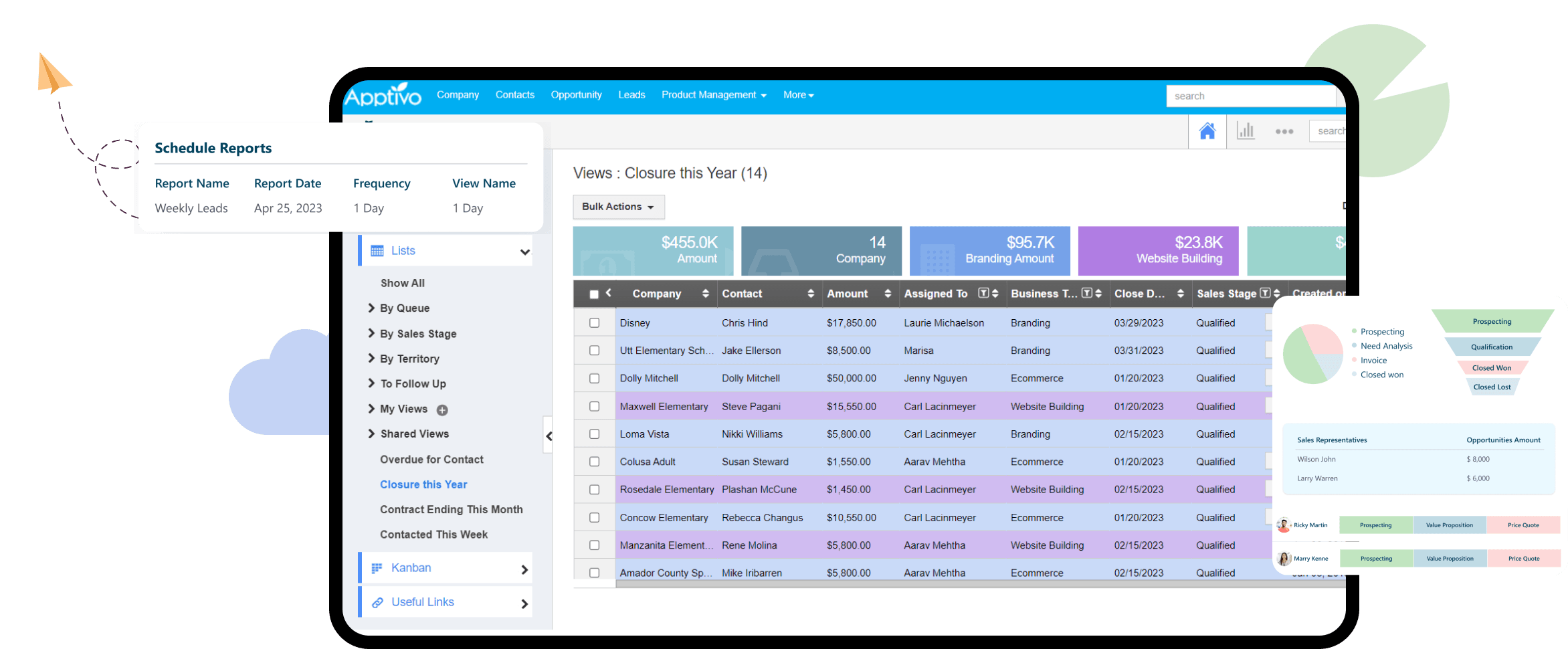
What exactly is Apptivo and who is it best suited for?

Apptivo is a comprehensive, cloud-based business management platform that functions as an all-in-one solution for small to medium-sized businesses. While primarily positioned as a CRM (Customer Relationship Management) system, Apptivo extends far beyond traditional contact management to include project management, invoicing, help desk functionality, and inventory management within a single, interconnected ecosystem.
The platform is specifically designed for businesses that have outgrown basic spreadsheet management but aren’t ready for the complexity and cost of enterprise-level solutions like Salesforce or Microsoft Dynamics. For those looking to explore comprehensive Apptivo Overview and Features, the platform’s core strength lies in its native integration between modules, allowing data to flow seamlessly from lead capture to project delivery to final invoicing without manual data re-entry.
Apptivo is ideal for:
- Service-based businesses such as consulting firms, marketing agencies, and professional services that need to manage client relationships, track project progress, and handle time-based billing from one platform
- Small businesses with sales teams that require robust pipeline management, lead tracking, and customer follow-up capabilities while also needing integrated invoicing and order management
- Solopreneurs and freelancers who want an affordable alternative to juggling multiple software subscriptions while maintaining professional client management and billing processes
The platform’s value proposition centers on eliminating tool sprawl and providing a unified view of all customer interactions, from initial contact through ongoing support, making it particularly valuable for businesses prioritizing operational efficiency over specialized functionality in any single area.
Is Apptivo a real CRM or just a collection of separate business apps?
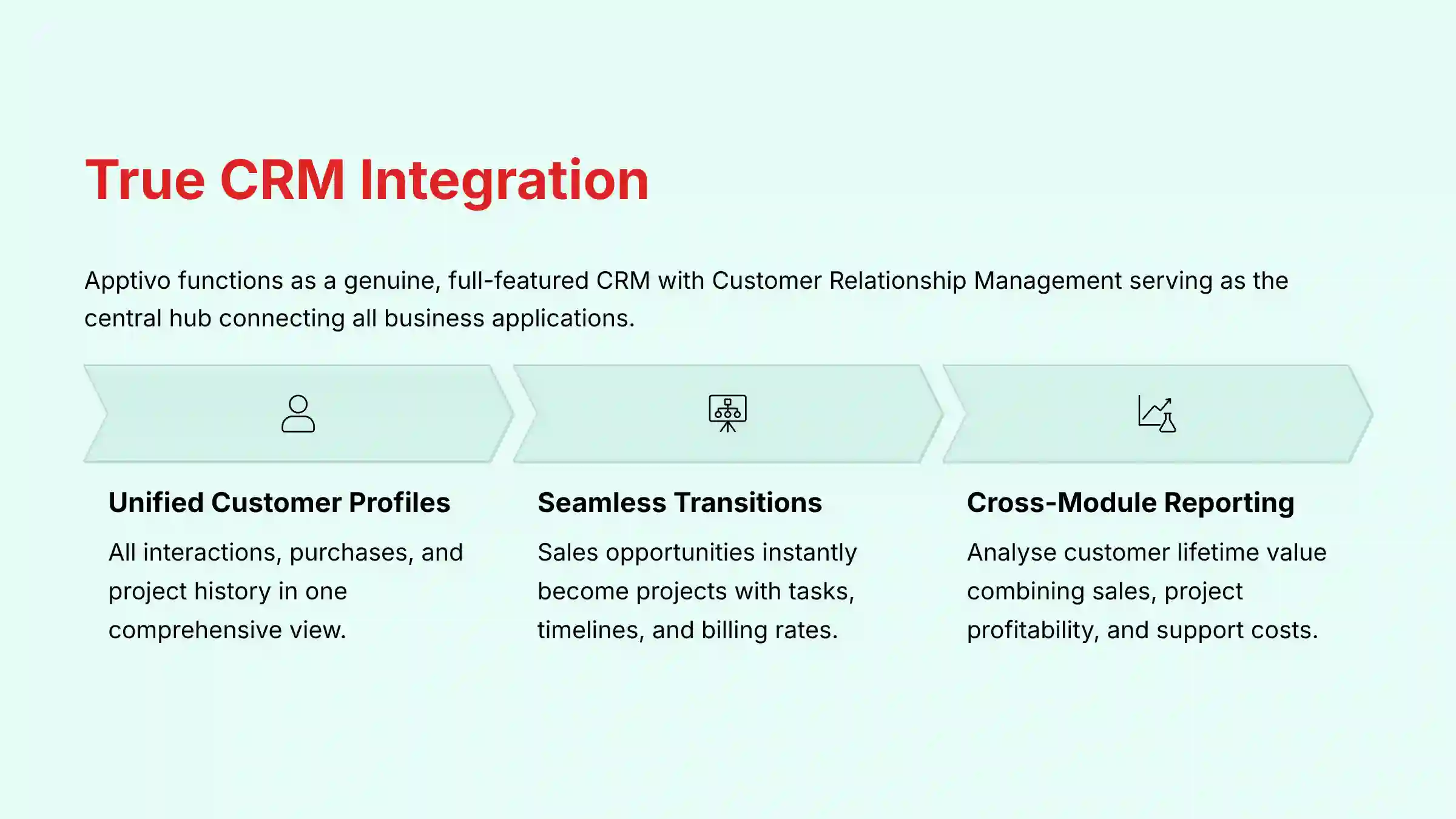
Apptivo is definitively a true, full-featured CRM with Customer Relationship Management serving as the central hub that connects all other business applications within the platform. This distinction is crucial because while Apptivo offers multiple business tools, they’re architected from the ground up to work as an integrated system rather than standalone applications that happen to share the same login.
The CRM functionality anchors the entire platform through centralized customer data management. Every contact, lead, and customer record serves as the foundation for all other activities within the system. When you convert a lead in the CRM module, that same customer data automatically becomes available in the project management, invoicing, and support modules without any additional setup or data synchronization.
Here’s how the integration works in practice:
- Unified customer profiles that aggregate all interactions, purchases, support tickets, and project history in one view
- Seamless workflow transitions where a sales opportunity can instantly become a project with associated tasks, timelines, and billing rates
- Cross-module reporting that allows you to analyze customer lifetime value by combining sales data, project profitability, and support costs in unified reports
- Automated data flow between modules, such as automatically creating invoices based on project completion or logged billable hours
Unlike platforms that require third-party integration tools like Zapier to connect different modules, Apptivo’s native architecture ensures that customer data remains consistent and accessible across all business functions. This deep integration eliminates the data silos that often plague businesses using multiple point solutions, providing the comprehensive customer view that defines effective CRM systems.
Does Apptivo offer a free plan and what are the specific limitations?
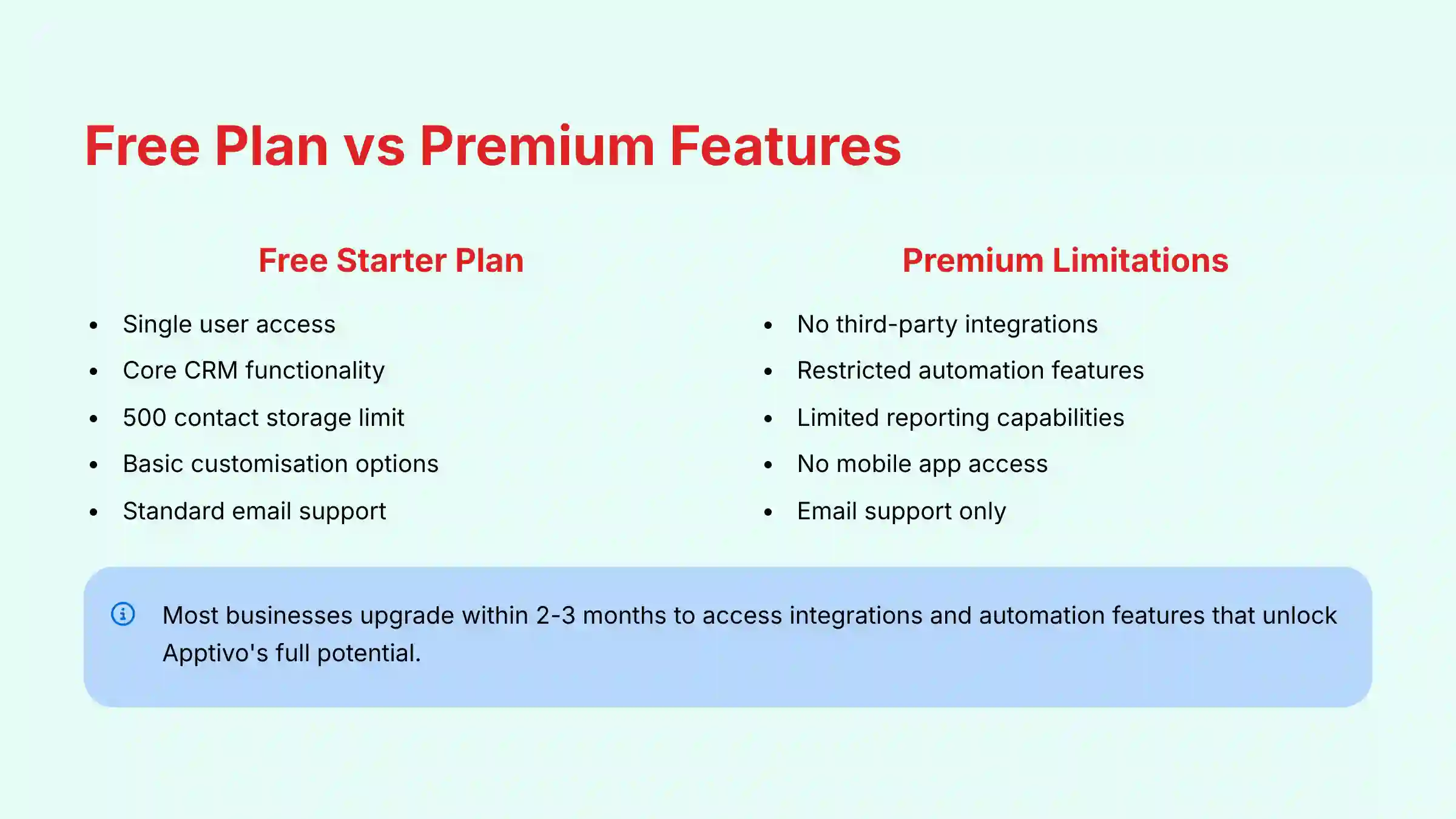
Apptivo provides a genuinely functional free “Starter” plan that offers real value for very small businesses and solopreneurs, though understanding its limitations is essential for realistic expectations. Unlike many competitors who offer restrictive “freemium” versions designed primarily as extended trials, Apptivo’s free tier provides access to core CRM functionality that can support basic business operations.
The free Starter plan typically includes:
- Single user access with full CRM functionality
- Core applications including Leads, Contacts, Customers, and Opportunities management
- Contact storage limits (usually around 500 contacts, though this number can vary)
- Basic customization options for fields and layouts
- Standard email support for technical assistance
Critical limitations of the free plan:
- No third-party integrations – You cannot connect to Google Workspace, Microsoft 365, QuickBooks, or any external applications, which significantly limits workflow automation and data synchronization
- Restricted automation features – Advanced workflow triggers, automated email sequences, and custom business rules are not available
- Limited reporting and analytics – You’ll have access to basic reports but miss advanced dashboard customization and detailed analytics
- Standard support only – No access to live chat or phone support, limiting assistance to email-based help desk tickets
- No mobile app access – The free plan may restrict or limit mobile application functionality
The free plan serves as an excellent testing ground for businesses evaluating CRM adoption for the first time. However, most businesses discover they need to upgrade to Premium or Ultimate plans within 2-3 months to access the integrations and automation features that unlock Apptivo’s full potential for streamlining business operations.
How does Apptivo compare to Zoho CRM for small business use?
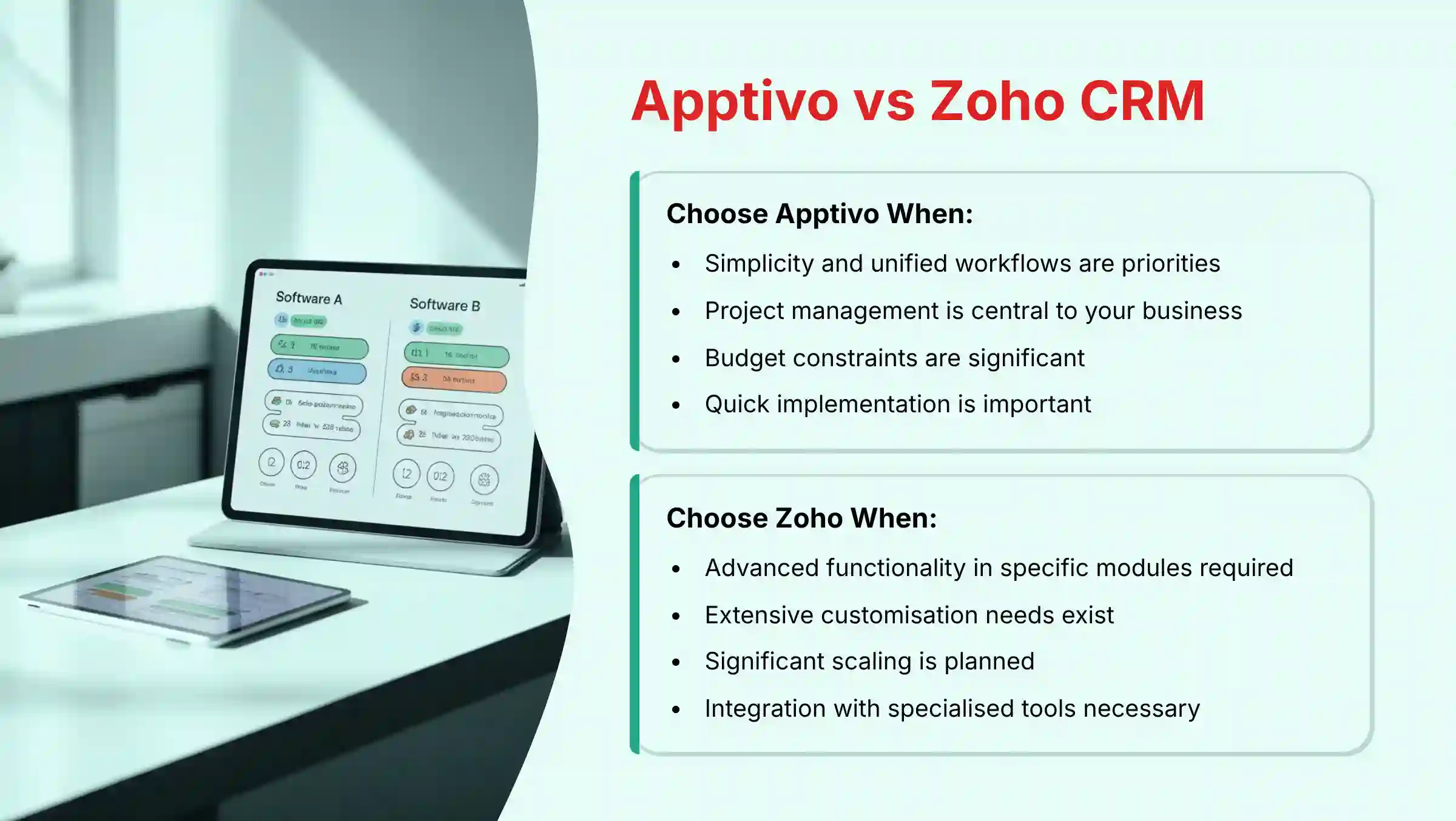
Both Apptivo and Zoho CRM target small to medium businesses with all-in-one platforms, but they take distinctly different approaches that make each better suited for different business priorities and technical comfort levels. For those considering alternatives, our comprehensive guide to Apptivo Top Alternatives and Competitors provides detailed comparisons.
Core Strengths
- Unified Workflows: Modules feel naturally integrated with shorter learning curves
- Project Management Integration: Superior for service-based businesses with time-based billing
- Straightforward Pricing: More affordable and transparent cost structure
- Quick Implementation: Faster deployment with streamlined interface design
✅ Choose Apptivo When
- Simplicity and unified workflows are priorities
- Project management is central to your business
- Budget constraints are significant
- Quick implementation is important
⚠️ Limitations
- Less granular customization than Zoho
- Smaller integration ecosystem
- Limited enterprise scaling capabilities
Core Strengths
- Advanced Functionality: Deeper features in individual applications with enterprise-level BI
- Extensive Customization: Granular control over workflows and complex business processes
- Scaling Capability: Supports larger organizations and complex operational requirements
- Integration Ecosystem: Broader range of specialized business application connections
✅ Choose Zoho When
- Advanced functionality in specific modules is required
- Extensive customization needs exist
- Significant scaling is planned
- Integration with specialized tools is necessary
⚠️ Considerations
- Steeper learning curve and complexity
- Higher total cost of ownership
- Requires more technical expertise
Key differentiators:
- Interface design – Apptivo focuses on simplicity and ease of use, while Zoho provides more comprehensive feature sets that may require more technical expertise
- Mobile experience – Both offer mobile apps, but user feedback suggests Apptivo’s mobile interface is more intuitive for field sales teams
- Support quality – Apptivo consistently receives higher ratings for customer support responsiveness and helpfulness
The decision often comes down to whether you prioritize ease of use and quick implementation (Apptivo) or maximum functionality and customization options (Zoho CRM).
What are Apptivo’s key integrations with Google Workspace, QuickBooks, and other business tools?
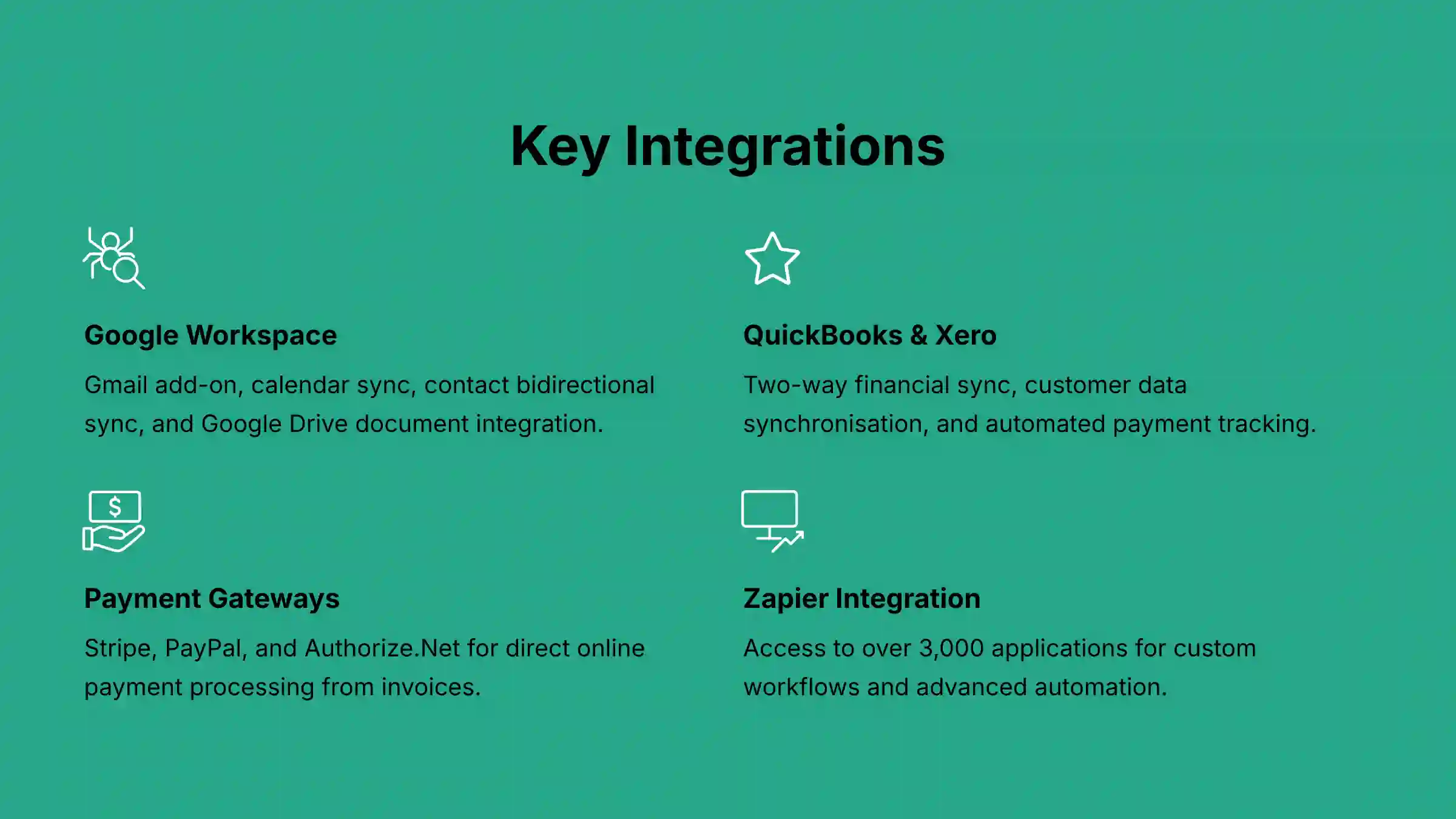
Apptivo’s integration capabilities are strategically focused on the core business tools that small and medium businesses rely on daily, providing deep, native connections rather than superficial data syncing. These integrations are designed to eliminate manual data entry and create seamless workflows between essential business systems.
Google Workspace Integration:
- Gmail add-on allows users to create leads, contacts, and log activities directly from email threads, with automatic email history synchronization to customer records
- Calendar synchronization ensures that meetings and appointments created in Google Calendar automatically appear in Apptivo with associated customer data
- Contact bidirectional sync maintains consistency between Google Contacts and Apptivo’s customer database
- Document integration enables attachment of Google Drive files directly to customer records and projects
QuickBooks Online & Xero Integration:
- Two-way financial sync automatically transfers invoices created in Apptivo to accounting software and updates payment status back to customer records
- Customer data synchronization ensures that customer information remains consistent between CRM and accounting systems
- Expense tracking links project-related expenses to appropriate customer accounts for accurate profitability analysis
- Tax and compliance support maintains proper financial record-keeping required for tax reporting and financial auditing
Payment Gateway Integrations:
- Stripe, PayPal, and Authorize.Net enable direct online payment processing from invoices sent through Apptivo
- Automated payment tracking updates customer records and project status when payments are received
- Recurring billing support for subscription-based or retainer business models
Microsoft 365 Integration:
- Outlook add-in provides functionality equivalent to the Gmail integration for Microsoft users
- Calendar and contact sync similar to Google Workspace but optimized for Microsoft’s ecosystem
Zapier Integration:
For connections beyond native integrations, Apptivo’s Zapier integration provides access to over 3,000 applications, enabling custom workflows like automatic lead creation from website forms, social media monitoring, or marketing automation platform connections.
Important note: Access to most integrations requires paid plan subscriptions, with more advanced integration features available on higher-tier plans.
Is Apptivo secure and compliant with data protection regulations like GDPR?
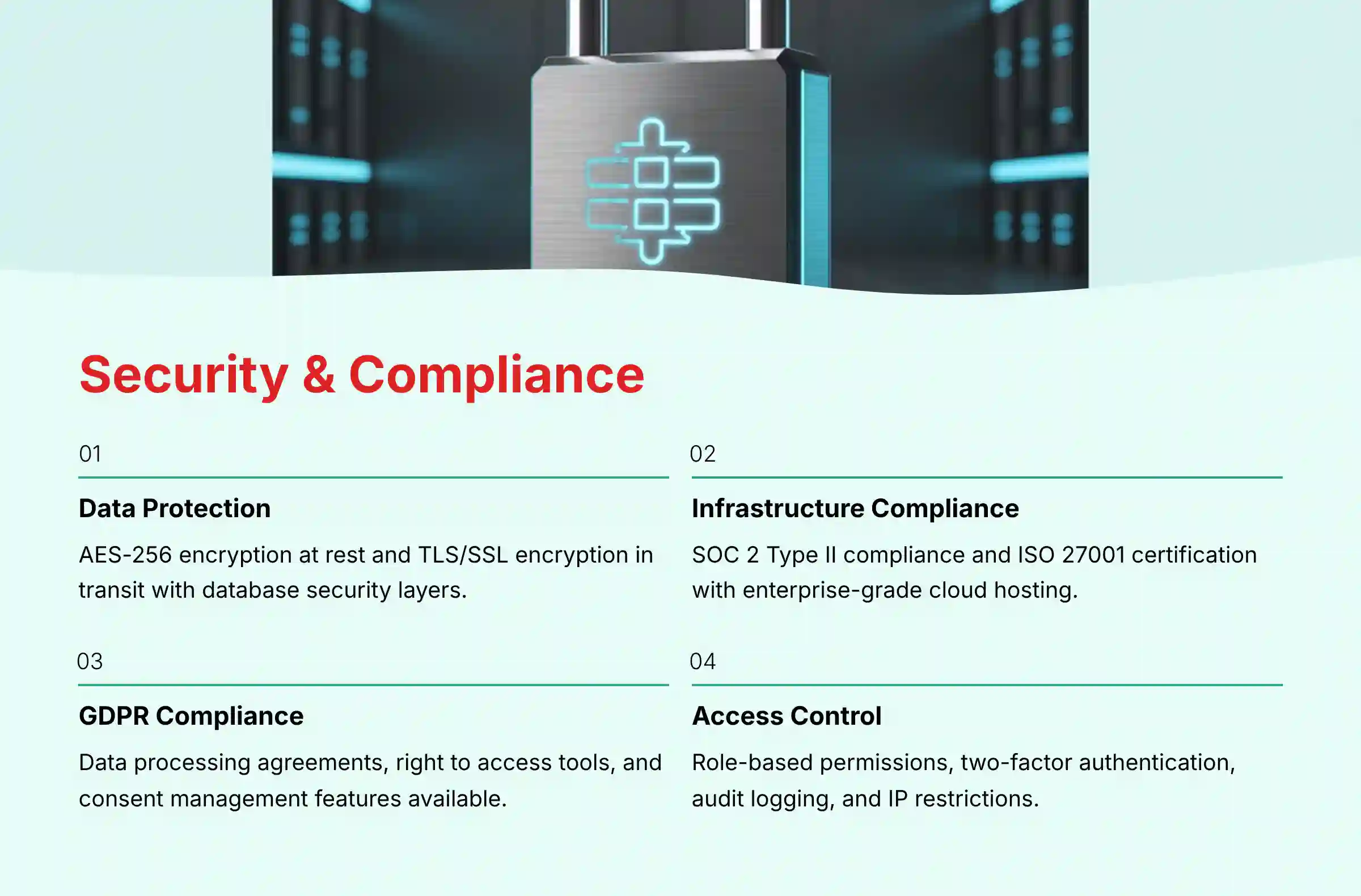
Apptivo implements comprehensive security measures and compliance frameworks designed to protect sensitive business and customer data, which is crucial for small businesses that may lack dedicated IT security expertise. The platform addresses both technical security requirements and regulatory compliance obligations that modern businesses face.
Data Protection and Encryption:
- AES-256 encryption protects all data at rest, ensuring that stored information remains secure even in the unlikely event of physical server compromise
- TLS/SSL encryption secures all data in transit, protecting information as it travels between users’ devices and Apptivo’s servers
- Database security includes multiple layers of protection with access controls, audit logging, and regular security monitoring
Infrastructure and Compliance:
- SOC 2 Type II compliance demonstrates that Apptivo’s systems meet strict standards for security, availability, and confidentiality through independent third-party auditing
- ISO 27001 certification validates the company’s information security management system meets international standards
- Cloud infrastructure hosting with enterprise-grade providers that maintain additional security certifications and geographic redundancy
GDPR and Privacy Compliance:
- Data processing agreements (DPAs) available to customers who need documented compliance with European data protection requirements
- Right to access and portability tools allow businesses to extract customer data for regulatory requests or platform migration
- Right to be forgotten functionality enables complete removal of individual customer records when legally required
- Consent management features help businesses document and manage customer data usage permissions
User Access and Control:
- Role-based permissions allow administrators to control which team members can access, modify, or export specific types of customer data
- Two-factor authentication (2FA) available for additional account security
- Audit logging tracks all user activities for security monitoring and compliance reporting
- IP address restrictions enable businesses to limit system access to specific locations or networks
Shared Security Responsibility:
While Apptivo provides the secure platform foundation, businesses remain responsible for implementing strong password policies, regularly reviewing user permissions, enabling available security features, and training staff on data protection best practices. This shared responsibility model is standard across cloud-based business software and ensures comprehensive protection when properly implemented.
How customizable are Apptivo’s CRM fields, layouts, and automated workflows?

Apptivo provides extensive customization capabilities that rival those found in much more expensive enterprise CRM systems, allowing businesses to adapt the platform to their specific processes rather than forcing operational changes to fit software limitations. This flexibility is one of Apptivo’s strongest competitive advantages, particularly for small businesses with unique industry requirements or established workflows.
Master Layout Customization (App Builder):
The core of Apptivo’s customization power lies in its drag-and-drop “Master Layout” editor, which allows users to completely restructure how information is organized and displayed within each module. Users can add custom fields of various types including text, numbers, currency, dates, dropdowns, and checkboxes. These fields can be grouped into logical sections and arranged to match natural workflow patterns.
For example, a consulting firm might add a “Project Details” section to their customer records with fields for “Project Start Date,” “Budget Range,” “Service Type,” and “Project Status,” while a real estate agency might create sections for “Property Information” including “Listing Price,” “Square Footage,” and “Property Type.”
Advanced View and Filter Creation:
Beyond individual record customization, users can create and save custom views that filter and sort data according to specific criteria. Sales managers can create views showing “Hot Leads in California over $10,000” or “Customers Due for Follow-up This Week,” providing quick access to actionable subsets of data without manual searching.
Workflow Automation and Triggers:
Apptivo’s automation capabilities allow businesses to eliminate repetitive tasks through rule-based triggers that respond to data changes or user actions. These triggers can automatically:
- Send personalized emails when leads are created or deal stages change
- Create tasks for team members based on specific customer actions or data thresholds
- Update field values or customer statuses based on external events or time-based conditions
- Generate reports or notifications when specific business conditions are met
Reporting and Dashboard Customization:
The platform enables creation of custom reports that combine data from multiple modules, providing insights like customer lifetime value calculations that incorporate sales data, project profitability, and support costs. Dashboards can be configured to display key performance indicators specific to individual roles or business objectives.
Implementation Best Practices:
The extensive customization options can be overwhelming for new users. The most successful implementations start with Apptivo’s default configurations for 1-2 weeks to understand the standard workflow, then implement small, targeted customizations that address specific pain points. This incremental approach prevents the creation of overly complex systems while ensuring each customization provides immediate, measurable value.
Customization depth varies by subscription tier, with Ultimate and Enterprise plans offering the most comprehensive automation and customization features. For hands-on guidance, explore our detailed Apptivo Tutorials and Usecase guide.
What is the complete process for migrating data from another CRM to Apptivo?
Data migration represents one of the most critical phases of CRM adoption, as poor execution can result in lost customer information, disrupted workflows, and team resistance to the new platform. Apptivo provides multiple tools and support options to ensure successful data transfer from existing systems, whether that’s a collection of spreadsheets, another CRM platform, or a combination of business tools.
Pre-Migration Planning Phase:
Before touching any technical tools, successful migrations require careful planning and data preparation. Create a comprehensive “Data Dictionary” that maps every field in your current system to its destination in Apptivo. This document should identify which data is essential, which can be archived, and what new fields need to be created in Apptivo before import begins.
Clean your existing data by removing duplicates, standardizing formats (especially for phone numbers, addresses, and dates), and filling in missing information where possible. This cleanup process, while time-consuming, prevents importing problematic data that would require extensive manual correction later.
Export and Format Preparation:
Export your data from existing systems into CSV (Comma Separated Values) format, which provides universal compatibility with Apptivo’s import tools. Most CRM systems and spreadsheet applications can export to CSV format. Ensure that column headers match standard field names or prepare a mapping guide for custom fields.
For complex data relationships (such as linking customers to multiple projects or deals), you may need to perform multiple imports in a specific sequence, starting with basic contact information and then importing related records that reference the initial data.
Import Process Execution:
Apptivo’s import wizard guides users through field mapping, where each column in your CSV file is matched to corresponding fields in Apptivo’s database. If your data includes custom fields, these must be created in Apptivo before beginning the import process.
Critical best practice: Always perform a test import using a small subset of data (10-20 records) to verify field mapping accuracy and identify any formatting issues before importing your complete database. This test run can save hours of data cleanup and prevent the frustration of discovering mapping errors after importing thousands of records.
Post-Migration Validation:
After completing the import, conduct thorough spot-checks of various record types to ensure data accuracy. Verify that relationships between records (such as customers linked to specific deals or projects) have been preserved correctly. Check that custom fields contain expected values and that any automated workflows or triggers are functioning properly with the imported data.
Professional Migration Support:
For businesses with complex data structures or those uncomfortable with technical processes, Apptivo offers migration assistance through their support team. This service can include data analysis, custom import procedures, and hands-on guidance throughout the process, making it particularly valuable for businesses transitioning from highly customized systems or multiple data sources.
What customer support and training resources does Apptivo provide?
Apptivo’s customer support infrastructure is consistently rated as one of its strongest competitive advantages, particularly important for small businesses that lack dedicated IT support staff and need reliable assistance during implementation and ongoing operations. The quality and availability of support varies by subscription tier, but even basic plans receive more comprehensive support than many competitors offer.
Support Channels by Plan Level:
All Plans (Including Free):
- Comprehensive knowledge base with detailed articles, setup guides, and troubleshooting documentation organized by topic and user experience level
- Email-based support tickets with response times typically within 24 hours for technical questions and implementation guidance
- Community forums where users can share solutions, best practices, and get peer support for common challenges
Premium Plan Support:
- 24/5 live chat support (Monday through Friday) providing real-time assistance for immediate questions and technical issues
- Email support with priority handling and faster response times compared to free plan users
- Video tutorial library with guided walkthroughs for advanced features and customization options
Ultimate and Enterprise Plan Support:
- 24/7 live chat and email support ensuring assistance is available regardless of time zone or business hours
- Phone support providing direct access to technical specialists for complex issues requiring detailed discussion
- Priority ticket handling with guaranteed response times and escalation procedures for urgent issues
- Dedicated account management for Enterprise customers, including regular check-ins and strategic planning assistance
Training and Onboarding Resources:
- Guided onboarding sessions for new customers on paid plans, including personalized system setup, data import assistance, and initial user training
- Weekly webinars covering both basic functionality for new users and advanced topics like automation setup and custom reporting
- Video training series organized by role (sales rep, manager, administrator) to provide relevant training paths for different user types
- Best practices documentation developed from successful customer implementations across various industries
Support Quality Characteristics:
User reviews consistently highlight several key strengths in Apptivo’s support approach: technical staff who understand both the software and common business processes, willingness to provide detailed explanations rather than just quick fixes, and genuine investment in customer success rather than simply resolving immediate issues.
Response Time Expectations:
While specific SLA terms vary by plan level, typical experience shows email responses within 4-8 hours during business days, live chat availability with minimal wait times during stated hours, and phone support that connects directly to knowledgeable staff rather than requiring multiple transfers through different departments.
What are the main advantages and disadvantages of choosing Apptivo?
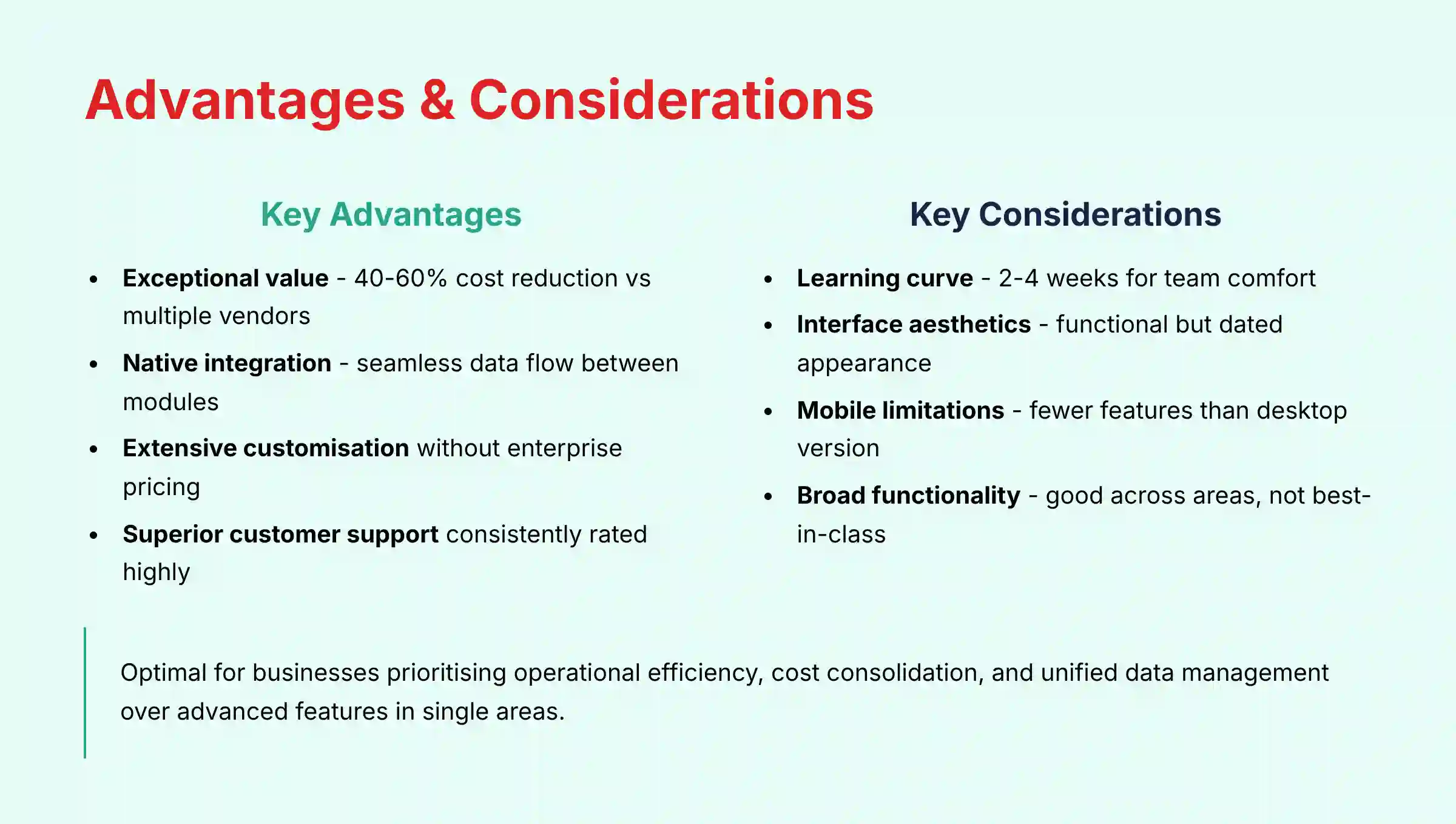
Understanding Apptivo’s specific strengths and limitations is essential for making an informed decision, as no CRM solution is optimal for every business situation. Apptivo’s value proposition centers on providing comprehensive functionality at an affordable price point, but this approach involves trade-offs that may or may not align with specific business priorities.
Primary Advantages
- Exceptional Value Proposition: Delivers extensive business tools at 40-60% lower cost than equivalent multi-vendor solutions
- Native Integration Excellence: Seamless data flow eliminates manual re-entry between CRM, projects, and invoicing
- Enterprise-Level Customization: Advanced customization typically found only in expensive enterprise systems
- Superior Customer Support: Consistently rated support with knowledgeable staff understanding business challenges
✅ Key Strengths
- Comprehensive all-in-one functionality
- Cost-effective consolidation of business tools
- True CRM with integrated business modules
- Excellent customer support quality
- Extensive customization without enterprise pricing
- Functional free plan for small businesses
⚠️ Primary Limitations
- Steeper learning curve for comprehensive features
- Interface appears dated compared to modern competitors
- Mobile apps lack some advanced desktop features
- “Broad but not deep” functionality approach
- Smaller integration ecosystem than enterprise platforms
Exceptional Value Proposition:
Apptivo delivers an extensive suite of interconnected business tools at a price point significantly below the cost of purchasing equivalent functionality from multiple vendors. Small businesses can consolidate CRM, project management, invoicing, help desk, and basic accounting functions into a single subscription, often reducing software costs by 40-60% compared to best-in-class point solutions.
Native Integration Excellence:
The seamless data flow between modules eliminates the manual data re-entry and synchronization issues that plague businesses using multiple software tools. Converting a sales lead to a project with associated tasks, time tracking, and automated invoicing happens within seconds, creating significant efficiency gains for service-based businesses.
Extensive Customization Without Enterprise Pricing:
The platform provides customization capabilities typically found only in expensive enterprise systems, allowing small businesses to adapt the software to their specific processes rather than changing established workflows to match software limitations.
Superior Customer Support:
Consistently rated support quality provides small businesses with the assistance they need during implementation and ongoing operations, with knowledgeable staff who understand both technical functionality and common business challenges.
Primary Disadvantages:
Steeper Learning Curve:
The comprehensive feature set and high degree of customization options can overwhelm first-time CRM users. Teams may require 2-4 weeks of active use before feeling comfortable with the platform, compared to simpler solutions that can be mastered in days.
User Interface Aesthetics:
While functional and well-organized, Apptivo’s interface appears dated compared to more modern competitors like HubSpot or Freshworks. This aesthetic difference may impact user adoption, particularly for teams accustomed to consumer-grade application design.
Mobile Application Limitations:
The mobile apps for iOS and Android provide core functionality but lack some advanced features available in the desktop version. Sales teams that rely heavily on mobile access may find the experience less polished than dedicated mobile-first CRM solutions.
“Broad but Not Deep” Functionality:
While Apptivo provides good functionality across multiple business areas, specialized tools in each category (such as QuickBooks for accounting or Mailchimp for email marketing) typically offer more advanced features for users who need best-in-class capabilities in specific areas.
Integration Ecosystem Limitations:
Although Apptivo connects well with major business tools, its integration marketplace is smaller than platforms like Salesforce or HubSpot, potentially limiting options for businesses with specialized software requirements.
Optimal Fit Assessment:
Apptivo represents an excellent choice for businesses that prioritize operational efficiency, cost consolidation, and unified data management over having the most advanced features in any single functional area. It’s particularly well-suited for service-based businesses, consulting firms, and growing companies that need professional capabilities without enterprise complexity or pricing.
For comprehensive insights and common questions, visit our detailed Apptivo FAQs section. If you’re evaluating multiple options, consider exploring our analysis of the Best 10 CRMs for Small Business & Solopreneurs to understand how Apptivo compares across the competitive landscape.
Ready to transform your business operations with a comprehensive CRM solution? For the most thorough evaluation of whether Apptivo meets your specific needs, read our complete Apptivo Review covering real-world implementation experiences and detailed feature analysis.







Leave a Reply