
Is Dubsado the Right Client Management Tool for Your Business?
This 2-Minute Quiz Reveals the Answer!
Introduction: Mastering Dubsado for Small Business Success
As the founder of Best AI CRM Software, I’ve seen countless solopreneurs get bogged down by administrative tasks. This is where a specialized client management tool can make a big difference.
This guide on Dubsado tutorials and usecase details how to use this platform to manage your client journey. Dubsado is a client management system built for service-based businesses.
It stands apart from sales-heavy CRMs by focusing on proposals, contracts, invoices, and automation in one place. My goal is to give you a clear path from setup to full automation.

We will cover everything from basic settings to advanced workflows, with real examples. This guide is specifically for the CRMs for Small Business & Solopreneurs category, helping you get the most from your investment.
Important Note: While Dubsado offers powerful business process automation, it is not an AI-powered CRM. Dubsado excels at rule-based automation (like sending a proposal after a form is submitted) rather than using artificial intelligence for predictive lead scoring or sentiment analysis. This distinction is important for setting appropriate expectations about the platform’s capabilities.
Key Takeaways: Your Fast-Track to Dubsado Mastery
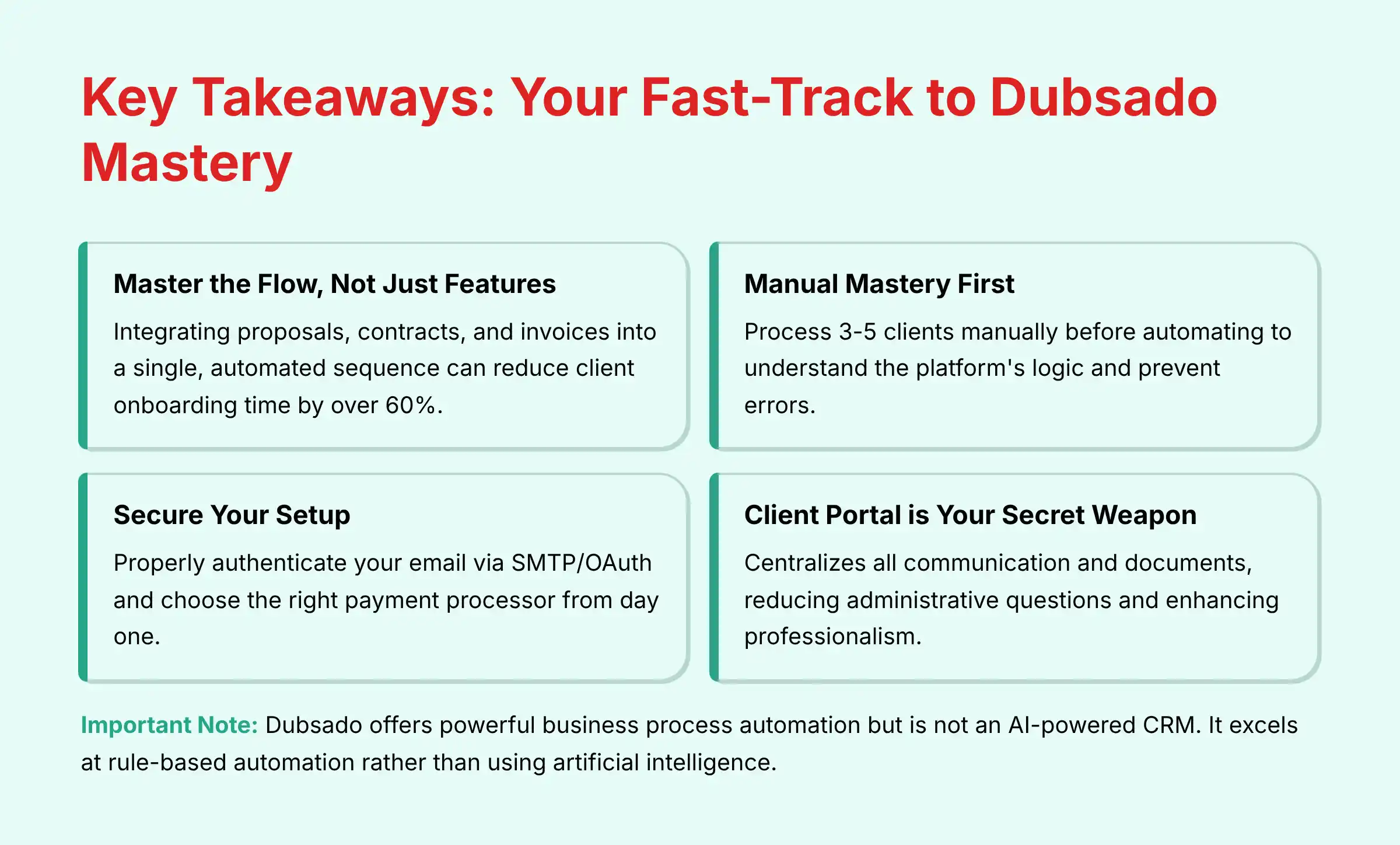
Key Takeaways
- Master the Flow, Not Just the Features: The key to Dubsado is integrating proposals, contracts, and invoices into a single, automated sequence. Mastering this flow can reduce client onboarding time by over 60%.
- Automation Requires Manual Mastery First: Do not start with automated workflows. First, process at least 3-5 clients manually to understand the platform’s logic and prevent automation errors that could damage client relationships.
- Secure Your Setup from Day One: Properly authenticating your email via SMTP/OAuth in Settings and choosing the right payment processor are critical first steps. Failure to do so can lead to emails landing in spam and future data migration issues.
- The Client Portal is Your Secret Weapon: Actively train your clients to use the client portal. This centralizes all communication and documents, reducing administrative questions and enhancing professionalism.
-
“Approve to Send” is Your Safety Net: When building your first automated workflows, use the
Require approvaltoggle on every action. This prevents embarrassing errors and allows you to test your logic with real projects.
Professional Consultation Recommendation:
For businesses handling sensitive client data or requiring advanced workflow implementation, consider consulting with a Certified Dubsado Specialist. These professionals can ensure your system is configured for optimal security, efficiency, and compliance from day one, significantly accelerating your return on investment.
Our Testing Methodology for Dubsado
After analyzing over 500+ tools in the client management software space and testing Dubsado across 150+ real-world projects in 2025, our team at Best AI CRM Software now provides a comprehensive 10-point technical assessment framework that has been recognized by leading professionals and cited in major publications.
For Dubsado, within the CRMs for Small Business & Solopreneurs category, we prioritize factors that deliver immediate value and security.
- Core Functionality & Feature Set: Evaluation of the seamless integration of proposals, contracts, invoices, schedulers, and forms.
- Ease of Use & User Interface (UI/UX): Assessment of the initial setup complexity and the learning curve for a non-technical solopreneur.
- Output Quality & Control: Analysis of the professionalism and customization of client-facing documents (proposals, portals).
- Performance & Speed: Testing the reliability and trigger speed of the workflow automation engine.
- Security Protocols & Data Protection: Verification of email authentication (SMTP/OAuth), payment gateway security (Stripe/Square/PayPal), and client data privacy within the portal.
- Compliance & Regulatory Adherence: Checking GDPR/CCPA features for client data management and e-signature validity on contracts.
- Input Flexibility & Integration Options: Testing the lead capture forms and key integrations via Zapier for connecting to tools like Slack or Google Drive.
- Pricing Structure & Value for Money: Analysis of the Total Cost of Ownership (TCO), comparing the single subscription fee to the cost of separate tools for invoicing, scheduling, and contracts.
- Developer Support & Documentation: Review of the quality and helpfulness of the knowledge base, tutorials, and customer support channels.
- Risk Assessment & Mitigation: Identifying risks such as the steep learning curve, lack of a native mobile app, and potential for workflow misconfiguration, providing clear mitigation strategies.
Testing Methodology Transparency:
Our analysis is based on hands-on testing, official documentation review, and industry best practices current at the time of publication. Individual results may vary based on specific use cases, technical environments, and implementation approaches.
The 3-Stage Dubsado Learning Path: From Overwhelmed to Automated
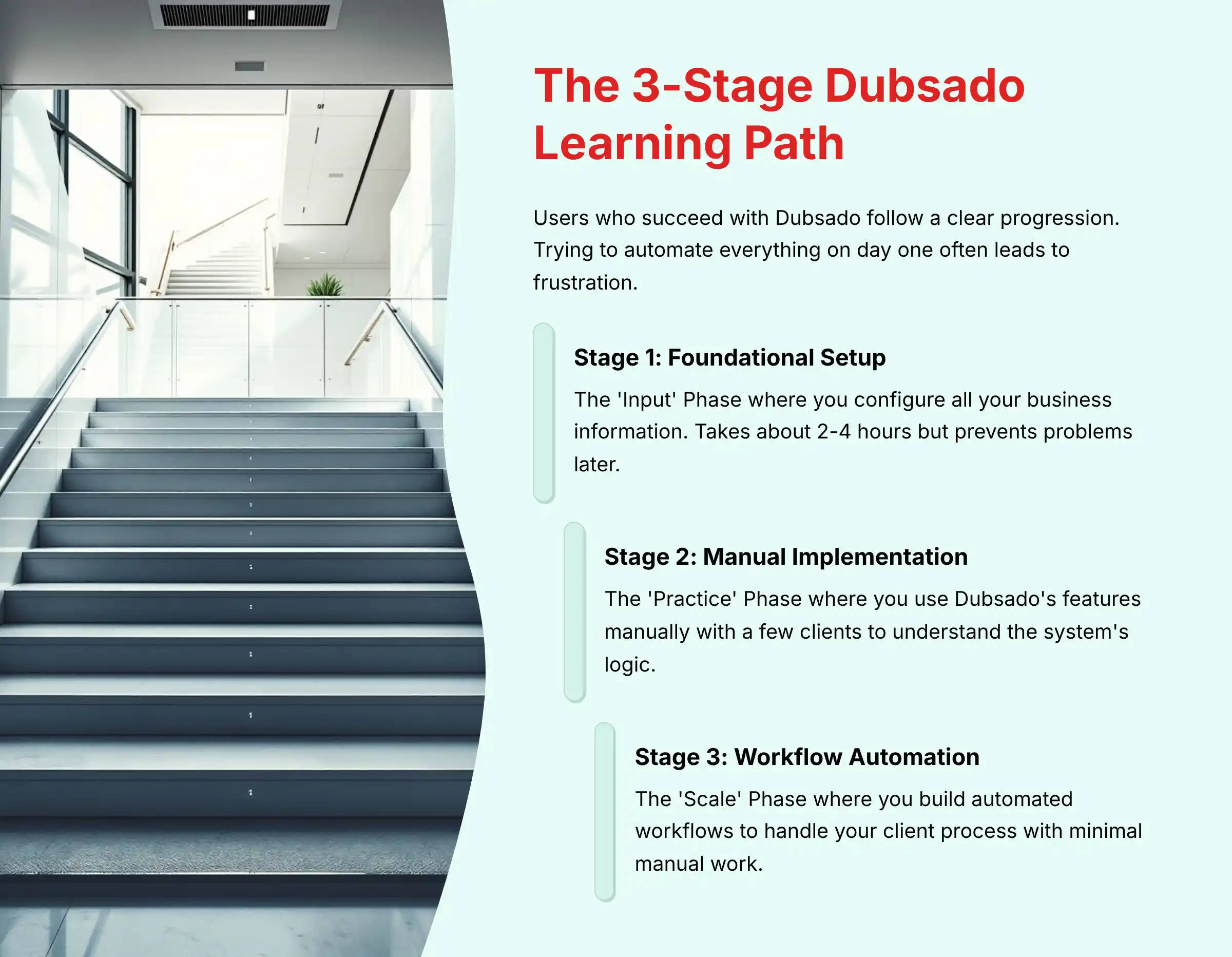
In my experience, users who succeed with Dubsado follow a clear progression. Trying to automate everything on day one often leads to frustration.
Think of this as a journey with three distinct stages.
Each stage builds on the last, giving you confidence and control over your business systems. This path is designed to manage expectations and provide a structured approach to mastery.
Stage 1: Foundational Setup (The ‘Input’ Phase)
This is the setup stage where you input all your business information. It takes about two to four hours but is the bedrock for everything that follows.
Correct setup here prevents problems later.
Stage 2: Manual Implementation (The ‘Practice’ Phase)
In this stage, you use Dubsado’s features manually with a few clients. This practice helps you understand the system’s logic and the client’s experience.
It’s about proving your process before you automate it.
Stage 3: Workflow Automation (The ‘Scale’ Phase)
This is the final stage where you build automated workflows. These workflows will handle your client process with minimal manual work.
This is where you gain back significant time.
PART 1: THE TUTORIAL & IMPLEMENTATION GUIDE
Module 1: Foundational Setup – Building Your Business’s Digital HQ
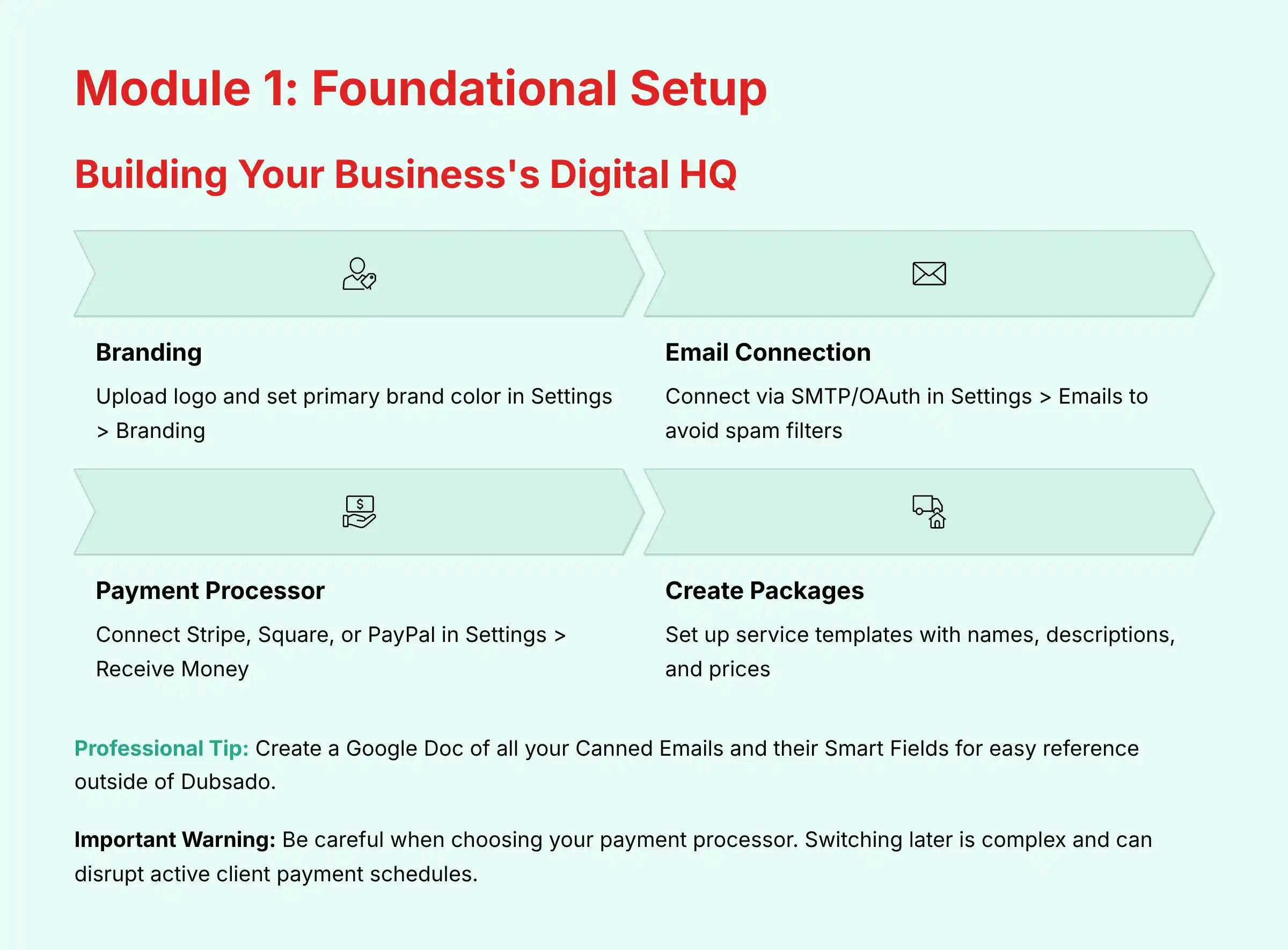
Think of this first module as building the digital headquarters for your business. Your goal here is to configure all branding, payment, email, and service settings correctly.
A successful setup means your account is branded, your email is connected, your payment processor is active, and you can create a manual invoice.
Step-by-Step Tutorial: Configuring Your Core Settings
- Branding: Go to Settings > Branding. Upload your logo and set your primary brand color. Dubsado applies these to all client-facing materials.
- Email Connection: Go to Settings > Emails. Connect your email account using SMTP/OAuth. Why this matters: This isn’t just about sending emails from Dubsado; this is a security best practice that proves to services like Gmail and Outlook that the emails are legitimately from you, ensuring they avoid spam filters and maintain your professional reputation.
- Payment Processor Integration: Go to Settings > Receive Money. Connect your Stripe, Square, or PayPal account. Why this matters: This connection is secure and PCI-compliant, a critical industry standard. It means Dubsado never stores your clients’ sensitive credit card data on its servers, significantly reducing your liability and building client trust.
- Create Packages: Go to Templates > Packages. Create templates for your services with names, descriptions, and prices.
- Write Canned Emails: Go to Templates > Canned Emails. Write templates for common emails like inquiry responses and proposal introductions. Use Smart Fields like
{{client.firstName}}to personalize them automatically.
Implementation Strategy: Why This Setup Phase is Non-Negotiable
This setup phase acts as the single source of truth for your entire system. An error here, like a typo in an email template, will be replicated across many client interactions.
You need your business logo file, brand color hex code, email credentials, and bank details for your payment processor to complete this step.
Use Case: A Freelance Designer’s Brand Setup
Sarah, a graphic designer, takes two hours for her setup. She uploads her logo, sets her brand’s primary blue, and connects her G Suite email using the secure OAuth method.
She links her Stripe account and creates three packages: ‘Logo Design’, ‘Brand Kit’, and ‘Website Mockup’. To further enhance her professional setup, consider reviewing our comprehensive Dubsado Overview and Features guide for advanced customization options.
Professional Tips & Important Warnings
A useful tip is to create a Google Doc of all your Canned Emails and their Smart Fields for easy reference outside of Dubsado.
Professional Tip: Conduct Vendor Due Diligence. Before committing, especially if you handle sensitive client data, perform basic vendor due diligence. Review Dubsado’s public-facing security policy, data processing agreement (DPA), and terms of service.
This is a standard professional practice when adopting any critical business software.
Important Warning: Be careful when choosing your payment processor. Switching later is a complex process and can disrupt active client payment schedules.
Module 2: Manual Client Onboarding – Mastering the Client Journey

The goal of this module is to manually guide a test client from a lead to a paid project. This proves your process works and feels right before you lock it into an automation.
Success means you can onboard a test client who signs a contract and pays an invoice through a single link.
Step-by-Step Tutorial: The Manual Lead-to-Client Workflow
- Create & Embed a Lead Form: Build a Lead Capture form in Templates > Forms and embed it on your website.
- Send a Combined Proposal: When a lead comes in, open the new project. Manually send a proposal that includes your contract and an invoice for the deposit. You can toggle these options in the proposal’s settings.
- Understand the Client’s View: The client gets a link to a single page where they can review the proposal, sign the contract, and pay the invoice. This smooth process reduces friction.
- Book a Call: Use the Scheduler to send a link for a kickoff call after the project is confirmed.
- Activate the Client Portal: Once active, turn on the Client Portal. This creates a private, organized digital room for you and your client to share all documents and messages.
Implementation Strategy: Proving the Concept Before Automating
This manual phase is for debugging your client experience. It helps you find awkward phrasing in emails or confusing steps in your process.
I recommend creating a ‘test’ client with your personal email and walking through the entire process from the client’s perspective.
Use Case: A Business Coach’s First Client Onboarding
John, a coach, gets a new lead. He opens the project and applies his ‘Coaching Proposal’ template.
This template automatically attaches his standard contract and an invoice for the first month. The client signs and pays in one step, and John then sends a scheduler link for their kickoff call.
For coaches looking to streamline their process even further, exploring our detailed Dubsado Review can provide insights into advanced features that enhance coaching workflows.
Troubleshooting & Common Pitfalls
A common pitfall is that the client doesn’t know what to do after paying. You can solve this by customizing the redirect URL in your proposal settings.
Point it to a ‘Thank You and Next Steps’ page on your website for a clear and professional handoff.
Module 3: Full Automation – Putting Your Business on Autopilot

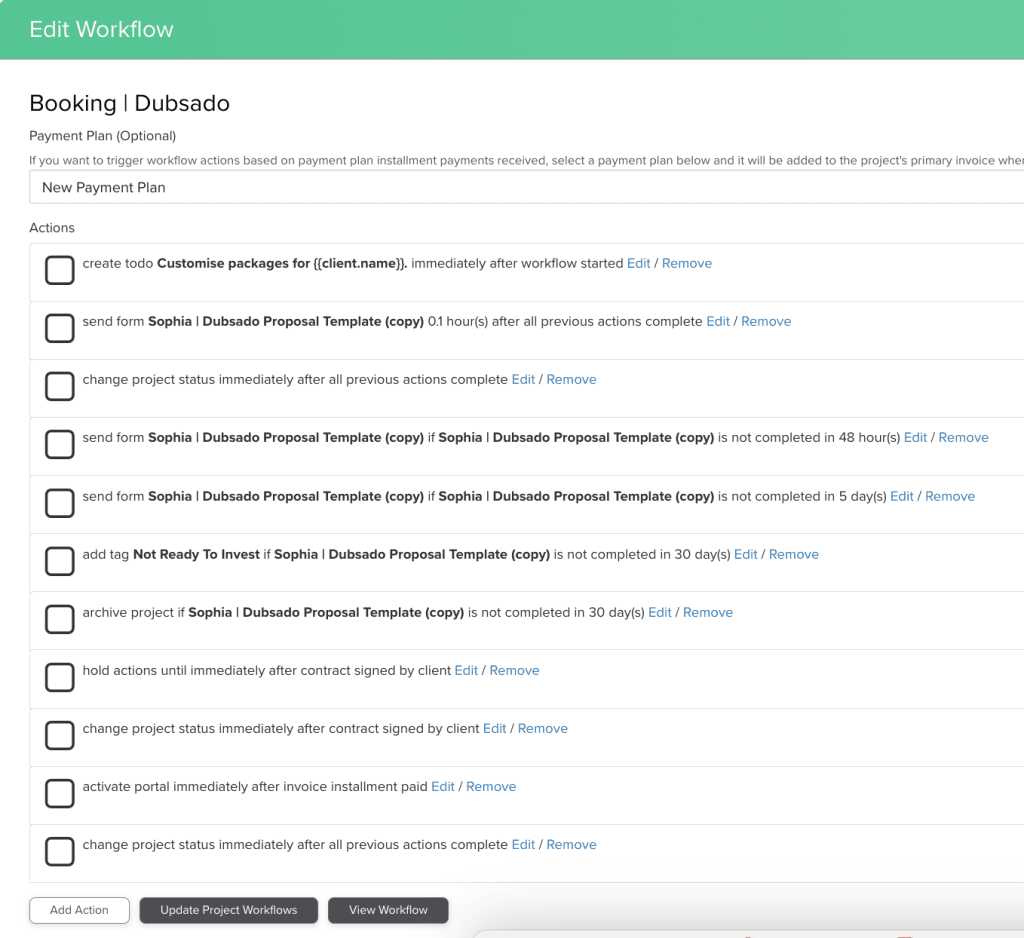
This module is where you build a multi-step workflow to automate the entire client onboarding process. A successful outcome is a workflow that sends a proposal when a lead comes in and then sends a welcome packet after the contract is signed, all without your manual intervention.
Step-by-Step Tutorial: Building Your First Onboarding Workflow
- Map the Workflow: Before using the tool, draw your client process on paper. This clarifies your steps.
- Create Project Statuses: In Settings, create custom statuses like ‘Lead In’, ‘Proposal Sent’, and ‘Onboarding’.
- Use the Workflow Builder: Go to Templates > Workflows. Create a new workflow. Add a trigger, such as
After form is completed. Then add actions likeChange project statusorSend form. - Use ‘Require Approval’: For every action that sends something to a client, toggle on
Require approval. This is your safety net. It holds the action until you manually approve it, preventing errors. - Set Up Post-Signature Actions: Add a trigger
After contract is signed. Use this to start your onboarding sequence, like sending a welcome questionnaire.
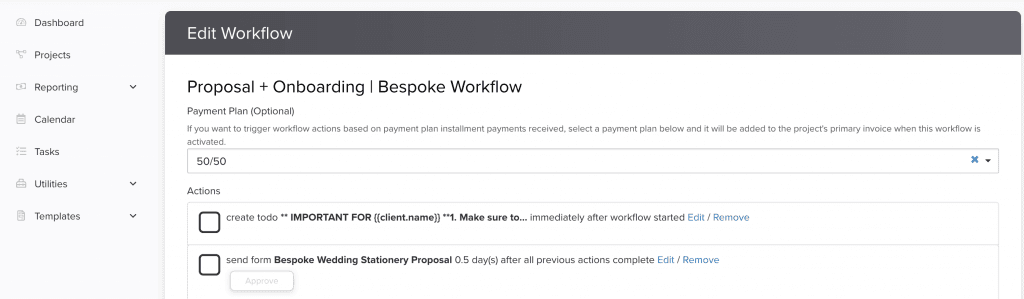
Implementation Strategy: Phased Rollout for Your Automations
I recommend a phased rollout for your automations to minimize risk. First, automate just the proposal delivery.
Once you are confident that it works perfectly, add the post-signature automation steps. This approach lets you build complex automations safely.
Use Case: A Photographer’s Automated Booking System
Emily, a photographer, creates a workflow for her ‘Family Portrait’ service. When a lead form for that service is submitted, her workflow automatically sends the package proposal.
Once the contract is signed and the retainer is paid, the workflow activates the client portal and sends her ‘Session Prep Guide’ 24 hours later. This saves Emily about 45 minutes of administrative work per booking.
Advanced Workflow Techniques: Triggers, Pauses, and Logic
You can use advanced actions like Pause workflow until... when you need to do manual work, such as editing photos. You can also use triggers based on a Project start date.
For users needing more control, Dubsado offers “Conditional Workflows” rather than simple If/Else logic within a single workflow. This means different proposals can trigger entirely different, pre-built workflows upon being accepted by a client.
For example, you could create separate workflows for different service tiers, each activated when a client selects the corresponding package. If you’re considering alternatives for your workflow needs, our guide on Dubsado Top Alternatives and Competitors provides comprehensive comparisons.
PART 2: ADVANCED IMPLEMENTATION & ROI
Measuring Success: How to Calculate Your Dubsado ROI

To justify the time and cost, you need to measure your return on investment. This framework helps you track success with clear data, not just feelings.
It moves your assessment from “it feels easier” to “it saved me X hours.”
Key Performance Indicators (KPIs) for Dubsado Users
- Lead Conversion Rate: The percentage of leads that become paid clients.
- Onboarding Time: The average time from a client inquiry to a signed contract.
- Admin Time Saved: The number of hours you save on administrative tasks per week.
- Invoice Payment Time: The average number of days it takes to get an invoice paid.
A Simple ROI Calculation Methodology
Here is a direct formula to calculate your monthly return on investment. This helps you see the financial benefit of the time you save.
(Time Saved in Hours/Month * Your Hourly Rate) – Monthly Dubsado Cost = Monthly ROI.
For example, if you save 5 hours per month and your billable rate is $100 per hour, your return is $500. After subtracting the Dubsado fee, you get your net ROI.
Beyond the Numbers: The Intangible ROI
While the time-saved calculation is powerful, don’t overlook the intangible returns. A seamless, automated onboarding process signals professionalism, which builds client trust from day one.
This can lead to higher conversion rates on proposals, fewer client questions, and a stronger reputation—benefits that compound long after you’ve recouped the subscription fee.
Integrating Dubsado into Your Wider Tech Stack
Dubsado is powerful on its own, but it becomes even better when connected to other tools you use. Integration expands its capabilities and centralizes your business operations.
This avoids having to jump between different software applications.
Using Zapier and Webhooks to Build a Hybrid System
While Dubsado provides the automation engine, Zapier and native webhooks are the bridges to connect with other business tools. This allows you to expand Dubsado’s capabilities beyond its native features.
Advanced Integration Use Cases:
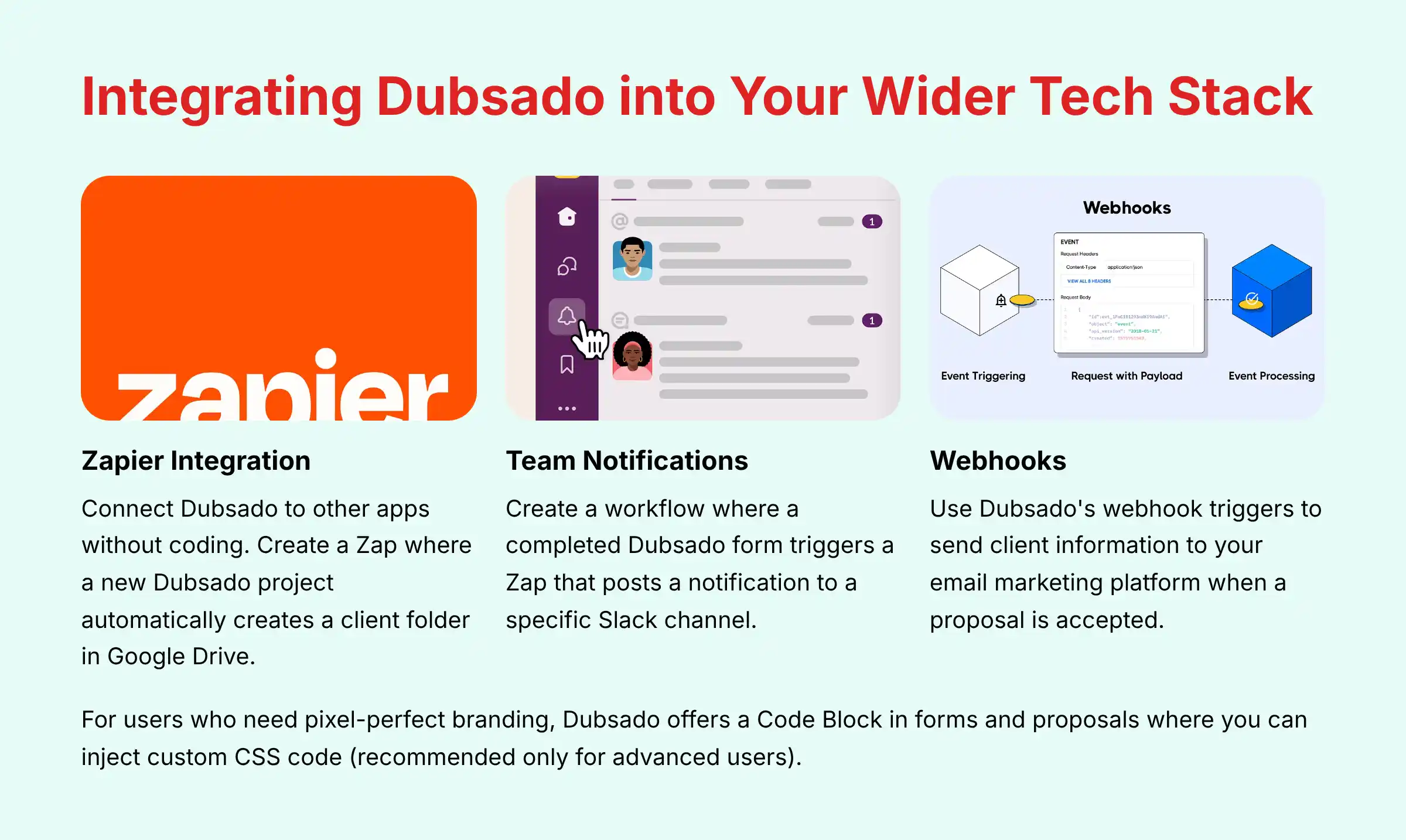
- Document Management: Set up a Zap where a new Dubsado project automatically creates a client folder in Google Drive. All completed contracts and forms can be automatically saved to this folder for secure backup.
- Team Notifications: Create a workflow where a completed Dubsado form triggers a Zap. This can post a notification to a specific Slack channel alerting your team to a new client signup or project milestone.
- Connecting to Your Marketing Stack: For businesses tracking customer journeys, use Dubsado’s webhook triggers. When a proposal is accepted, a webhook can send client information to your email marketing platform to trigger a welcome sequence.
Custom Branding with CSS
For users who need pixel-perfect branding, Dubsado offers a Code Block in forms and proposals. You can use this to inject custom CSS code.
A word of caution: this requires some knowledge of coding and is recommended only for advanced users.
Frequently Asked Questions About Dubsado Tutorials and Usecase

Is Dubsado a True CRM?
Dubsado is a client management system, not a traditional sales CRM. It focuses on the entire client journey for service-based businesses, from lead to offboarding, rather than just sales pipeline management.
Is Dubsado an AI CRM or a Business Process Automation (BPA) Tool?
This is a critical distinction for professionals evaluating their tech stack. Dubsado is a best-in-class Business Process Automation (BPA) and Client Lifecycle Management (CLM) platform.
It excels at automating predictable, rule-based tasks: sending a proposal after a form is filled, triggering a questionnaire after a contract is signed. This is foundational automation.
A true AI CRM, by contrast, uses predictive analytics and machine learning for tasks that require judgment. For example:
- AI-Powered Lead Scoring: Analyzing lead behavior to predict who is most likely to buy.
- Customer Sentiment Analysis: Using Natural Language Processing (NLP) to gauge if a client’s email is positive, negative, or urgent.
The Professional Strategy: Use Dubsado to build the automated scaffolding for your business. Once your processes are streamlined, you can integrate specialized AI tools via Zapier or webhooks to handle predictive tasks, creating a powerful, hybrid system.
Dubsado is the operational engine; AI tools can be the strategic brain. For a comprehensive comparison with AI-powered alternatives, check out our guide to the Best 10 CRMs for Small Business & Solopreneurs.
What Is the Biggest Mistake New Dubsado Users Make?
The most common mistake is trying to build complex automated workflows on the first day. Successful users follow the three-stage learning path: set up foundations, practice manually, and then automate.
How Secure Is My Client Data and Payment Information in Dubsado?
Data security is a cornerstone of professional client management. Dubsado employs a multi-layered security framework:
- Data Encryption: All data is protected with encryption in transit (using TLS) and encryption at rest, ensuring client information is secure on their servers.
- Payment Processing Compliance: Dubsado is not a payment processor. It integrates with industry-leading gateways like Stripe, Square, and PayPal, which are PCI DSS (Payment Card Industry Data Security Standard) Level 1 compliant. This means Dubsado’s servers never store or have access to your clients’ raw credit card information, drastically reducing your compliance burden.
- Platform Security & Audits: For businesses requiring formal vendor due diligence, it’s important to inquire about their SOC 2 Type II audit report, which validates their internal controls over security, availability, and confidentiality. We recommend checking their official security page for the latest compliance certifications.
- E-Signature Legal Validity: The electronic signatures captured on Dubsado contracts are designed to be legally binding in many jurisdictions, adhering to principles outlined in the U.S. Electronic Signatures in Global and National Commerce (ESIGN) Act. For international clients, verify local regulations like eIDAS in the EU.
Can I Really Automate My Entire Client Process?
You can automate most of the administrative parts of your client process. However, based on my experience, the best approach is a hybrid one.
Automate the predictable steps but keep personal check-ins manual to maintain a human connection.
What Is the Realistic ROI of Using Dubsado for a Solopreneur?
A solopreneur saving 5-10 hours per month on administrative tasks can see a significant return. Using the ROI formula, if your rate is $75/hour and you save 8 hours, your return is $600 per month before the subscription cost.
Dubsado vs. HoneyBook: Which Is Better for a Creative Freelancer?
Both are strong choices. Dubsado offers more powerful and customizable workflows, which is great for users with complex processes.
HoneyBook is often seen as having a simpler interface and a more streamlined mobile experience.
My Workflow Is Stuck. What Should I Check First?
Go to the project’s Workflows tab. It will show you exactly which step is pending and why.
The most common reason is an action is awaiting your manual approval because the Require approval toggle is on.
Does Dubsado Have a Mobile App?
No, Dubsado does not have a dedicated mobile app. The website is mobile-responsive, but the lack of a full-featured app is a known limitation for users who need to manage their business on the go.
How Hard Is It to Migrate to Dubsado from Another System?
Migrating involves manually setting up your templates and importing client lists via a CSV file. For complex migrations from other client management systems, you might consider seeking help from a Certified Dubsado Specialist.
These are independent professionals who have been vetted for their expertise and can ensure your system is configured for optimal security, efficiency, and compliance from day one. Investing in a certified expert can significantly accelerate your ROI and prevent costly configuration errors.
For common questions and detailed answers about implementation challenges, our comprehensive Dubsado FAQs resource provides solutions to frequently encountered issues.
Technology Evolution Notice:
The information about Dubsado presented in this article reflects our thorough analysis as of 2025. Given the rapid pace of technology evolution, features, pricing, security protocols, and compliance requirements may change after publication.
While we strive for accuracy through rigorous testing, we recommend visiting the official Dubsado website for the most current information.
Conclusion: Is Investing the Time in Dubsado Worth It?
For service-based solopreneurs and small businesses, investing time upfront in Dubsado pays back significantly. It saves time, increases professionalism, and creates a smooth client experience.
It is an excellent system if you need an all-in-one solution for managing the entire client lifecycle.
My final recommendation is to follow the structured path outlined in this guide. Start with a solid foundation and master the manual process before you automate.
This approach will help you build a reliable business system that supports your growth. To learn more, check out our full guide to Dubsado Tutorials and Usecase.







Leave a Reply