
Is Dubsado the Right Client Management Tool for You? Take This Quick Quiz to Find Out!
Get answers to your most common Dubsado FAQs to understand how this platform truly transforms small business operations.
For many solopreneurs and creative agencies focusing on content creation, robust digital marketing, or complex video production, managing clients efficiently is crucial.
While Dubsado isn’t a true AI CRM with predictive capabilities, its powerful workflow automation frees up time for these vital business activities.
It’s a top choice among CRMs for Small Business & Solopreneurs.
At Best AI CRM Software, under Rajesh Advani’s mission to democratize enterprise-level CRM expertise, we provide objective, data-driven analysis to empower your decisions.
In this comprehensive guide, we’ll demystify Dubsado, covering everything from its core features and security to its pricing and setup, helping you determine if it’s the right fit to streamline your client management and boost business efficiency.
Key Takeaways
- Business Management Platform: Dubsado is a comprehensive CRM designed for service-based small businesses, focusing on rule-based automation rather than AI-powered insights
- Workflow Automation: The platform’s core strength lies in creating automated sequences for proposals, contracts, invoicing, and client communications
- Generous Trial: Unlimited time trial with full Premier Plan features for up to 3 clients, allowing thorough testing before commitment
- Security Focus: Integrates with PCI-compliant payment processors and provides legally binding e-signatures with GDPR/CCPA compliance
- Setup Investment: Requires 20-40 hours for full workflow automation setup, but saves 10-20 hours weekly once implemented
What exactly is Dubsado, and is it a true AI CRM?
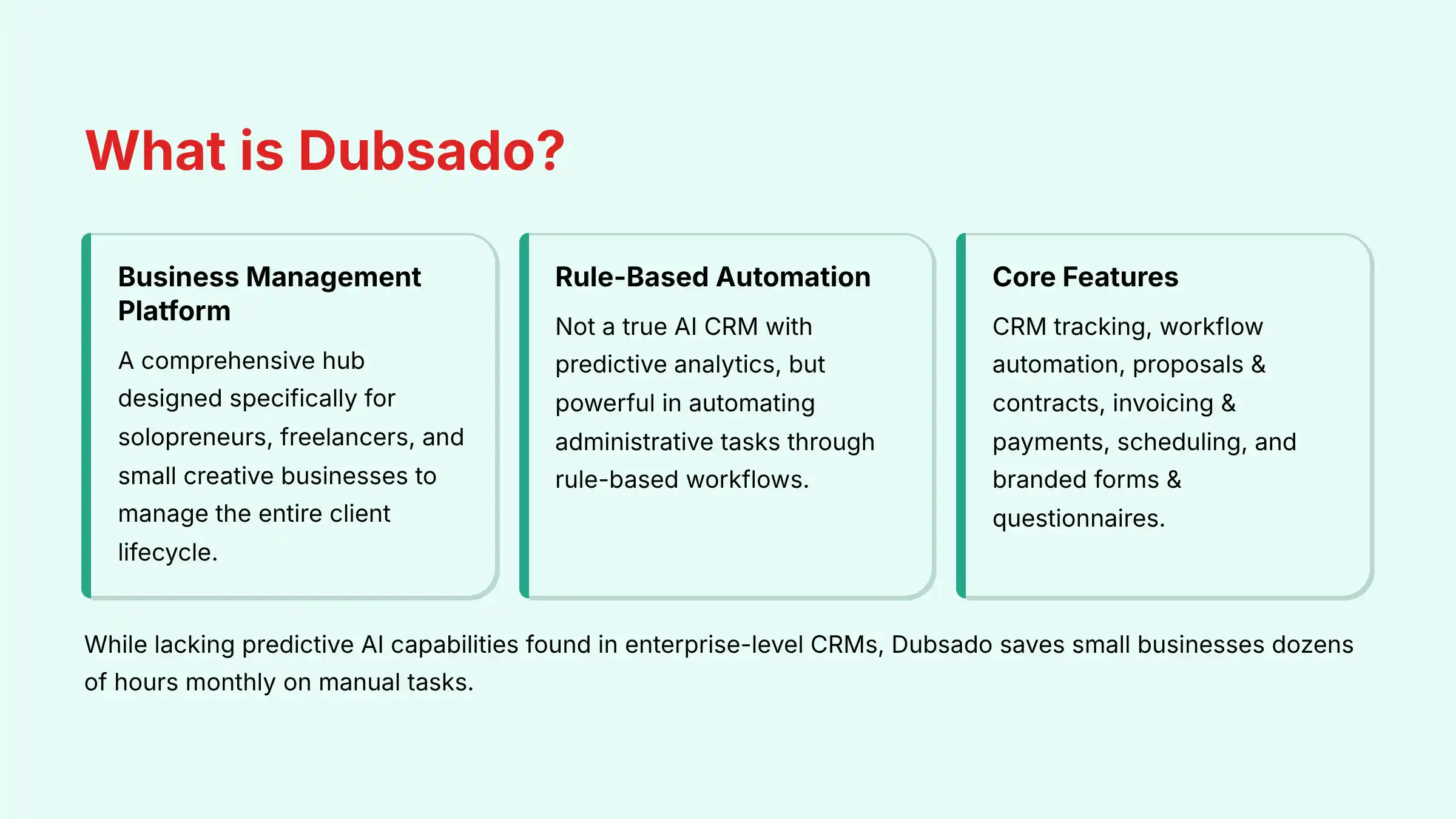
Dubsado is a comprehensive Business Management Platform designed specifically for solopreneurs, freelancers, and small creative businesses.
It is not a true AI CRM in the sense of using predictive analytics or generative AI for lead scoring or forecasting.
Instead, its power lies in rule-based automation rather than artificial intelligence.
Think of Dubsado as a central hub to manage your entire client lifecycle.
Its core purpose is to streamline administrative tasks through powerful features like:
- Client Relationship Management (CRM): Tracking all leads, jobs, and client communications in one place.
- Workflow Automation: Creating automated sequences for sending emails, forms, contracts, and invoices.
- Proposals & Contracts: Building and sending professional proposals that clients can electronically sign.
- Invoicing & Payments: Creating and automating invoices and accepting payments through integrations like Stripe, Square, and PayPal.
- Scheduling: Allowing clients to book appointments directly based on your availability.
- Forms & Questionnaires: Gathering all necessary project information from clients with branded forms.
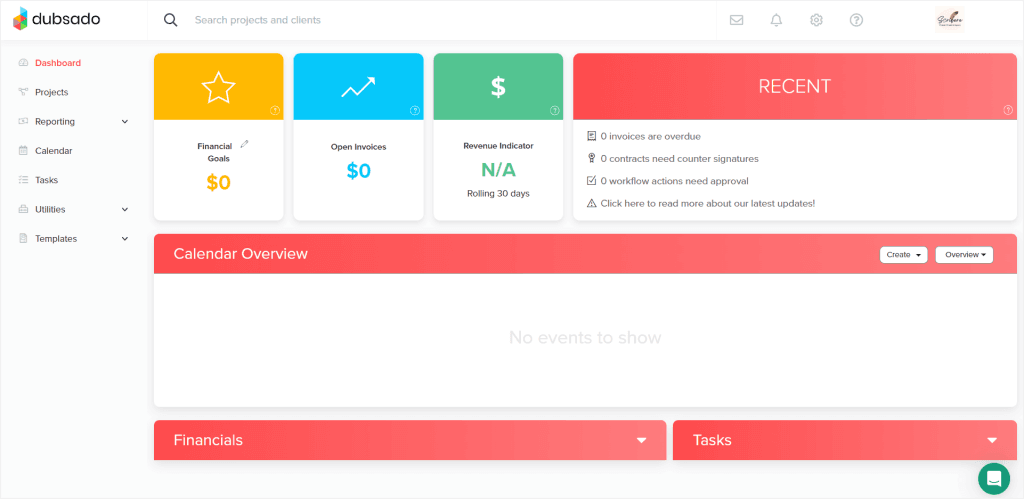
While it lacks the predictive AI capabilities found in enterprise-level CRMs (like Salesforce Einstein or HubSpot’s AI tools), Dubsado provides the automation that small business owners need to save dozens of hours per month on manual tasks, ensuring a consistent and professional client experience.
For businesses seeking true AI-powered features, you may need to integrate Dubsado with specialized AI tools or consider platforms specifically built with artificial intelligence at their core.
To explore more about Dubsado’s comprehensive capabilities, check out our detailed Dubsado Overview and Features analysis.
Who is Dubsado best for?
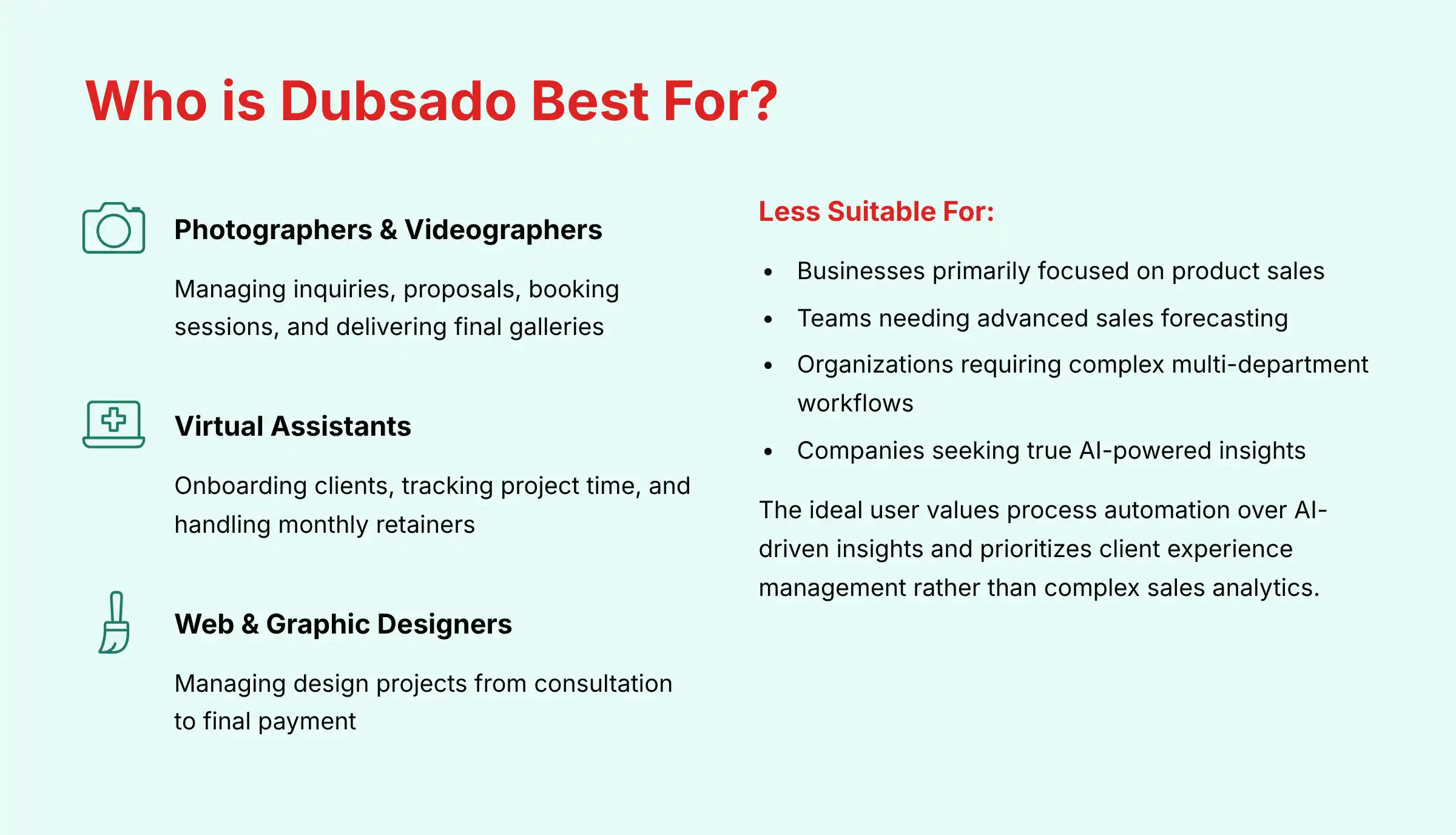
Dubsado is built for service-based small businesses and solopreneurs who manage multi-step client projects.
It thrives in environments where a standardized, repeatable process is key to success.
The most common users include:
- Photographers & Videographers: For managing inquiries, sending proposals, booking sessions, and delivering final galleries.
- Virtual Assistants (VAs): For onboarding new clients, tracking project time, and handling monthly retainers.
- Web & Graphic Designers: For managing design projects from initial consultation and proposal to feedback rounds and final payment.
- Coaches & Consultants: For scheduling sessions, sending contracts, and managing client intake forms.
- Wedding Planners & Event Professionals: For handling complex event timelines with multiple vendor and client touchpoints.
Essentially, if your business involves a client journey with distinct phases—such as inquiry, proposal, contract, onboarding, project execution, and offboarding—Dubsado is designed to automate that entire sequence.
Dubsado is less suitable for:
- Businesses primarily focused on product sales
- Teams needing advanced sales forecasting or predictive lead scoring
- Organizations requiring complex multi-department workflows
- Companies seeking true AI-powered insights and recommendations
The ideal Dubsado user values process automation over AI-driven insights and prioritizes client experience management rather than complex sales analytics.
If you’re looking for a system to handle your day-to-day client operations with minimal manual intervention, Dubsado excels at creating those automated sequences, even without traditional AI capabilities.
For a comprehensive evaluation of alternatives, explore our Dubsado Top Alternatives and Competitors comparison.
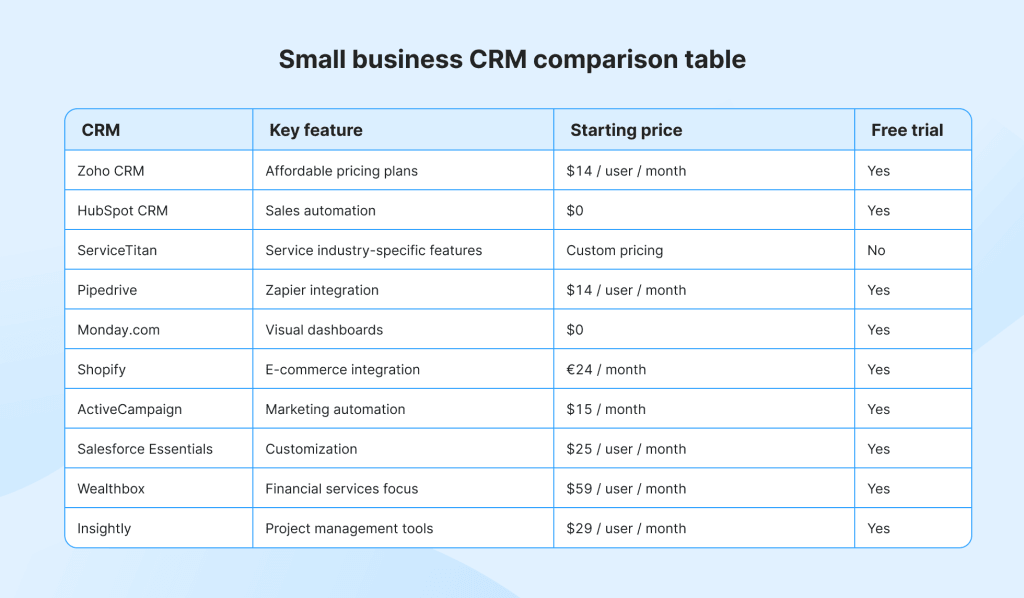
How does Dubsado compare to its main alternative, HoneyBook?
This is the most common comparison in the small business CRM space, as both tools target a similar audience.
The primary difference lies in their approach to automation and customization.
Dubsado Advantages:
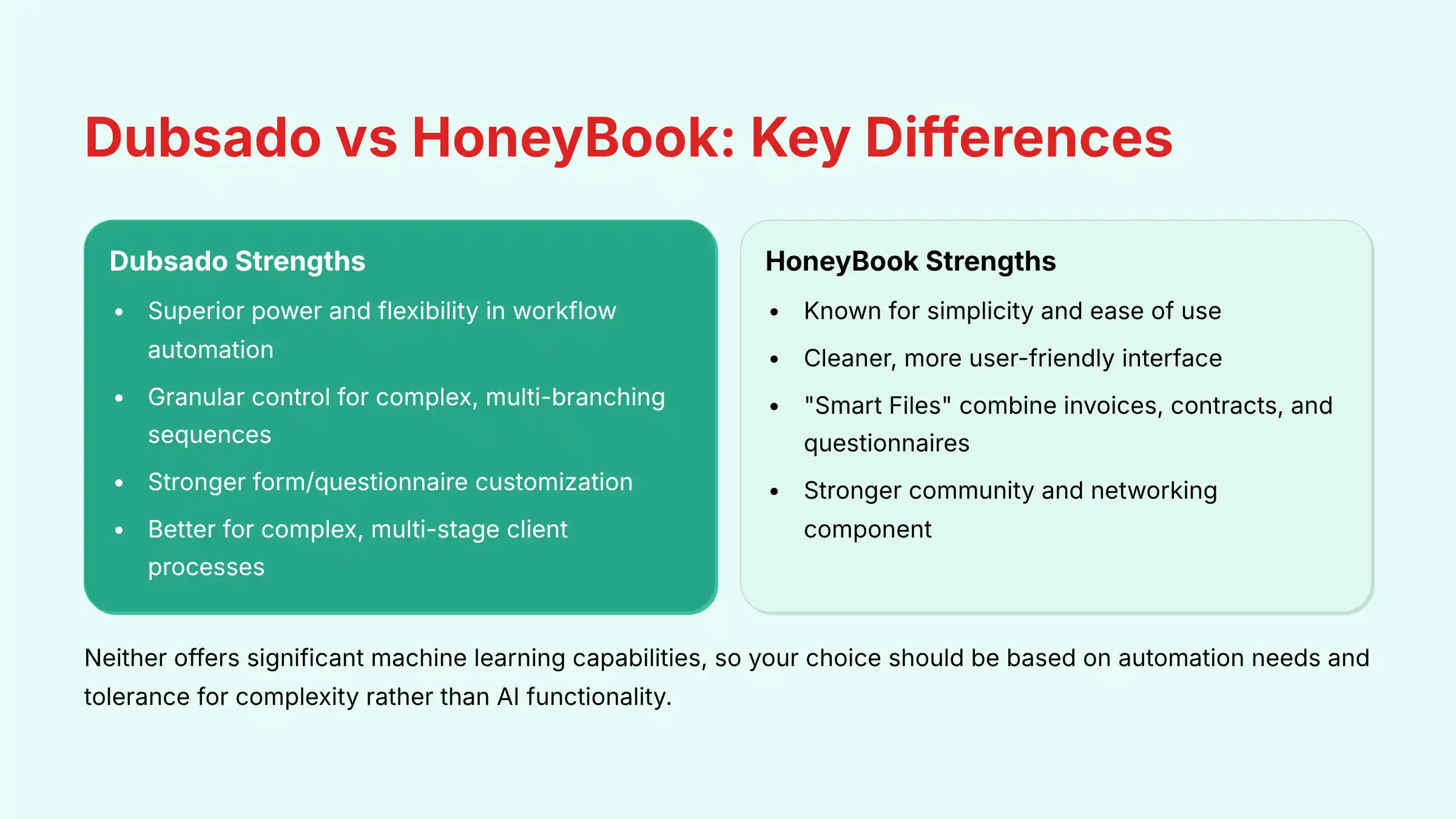
- Offers superior power and flexibility in its workflow automation
- Provides granular control to build complex, multi-branching sequences of triggers and actions
- Ideal for business owners who want to customize every step of their client journey
- Features a more functional but initially less intuitive interface
- Stronger in form/questionnaire customization capabilities
- Better suited for businesses with complex, multi-stage client processes
HoneyBook Advantages:
- Known for its simplicity and ease of use
- Features a cleaner, more user-friendly interface with faster setup for beginners
- “Smart Files” feature combines invoices, contracts, and questionnaires into a single step
- Generally has less complex and customizable automations than Dubsado
- Includes a stronger community and networking component for finding new projects
- Better suited for businesses prioritizing quick setup and simplicity
Key Deciding Factors:
- Choose Dubsado if: You have a highly specific, custom client process and need maximum control over automation. You’re willing to invest time in setup to create a perfectly tailored system.
- Choose HoneyBook if: Your priority is ease of use and getting set up quickly. You prefer a more guided, all-in-one approach and value a clean, intuitive interface over granular customization.
Unlike true AI CRMs that focus on predictive analytics, both platforms excel at process automation rather than AI-powered insights.
Neither offers significant machine learning capabilities, so your choice should be based on your automation needs and tolerance for complexity rather than AI functionality.
For a detailed analysis of this comparison, read our comprehensive Dubsado Review that covers competitive positioning.
How does the Dubsado “Workflow” feature actually work?
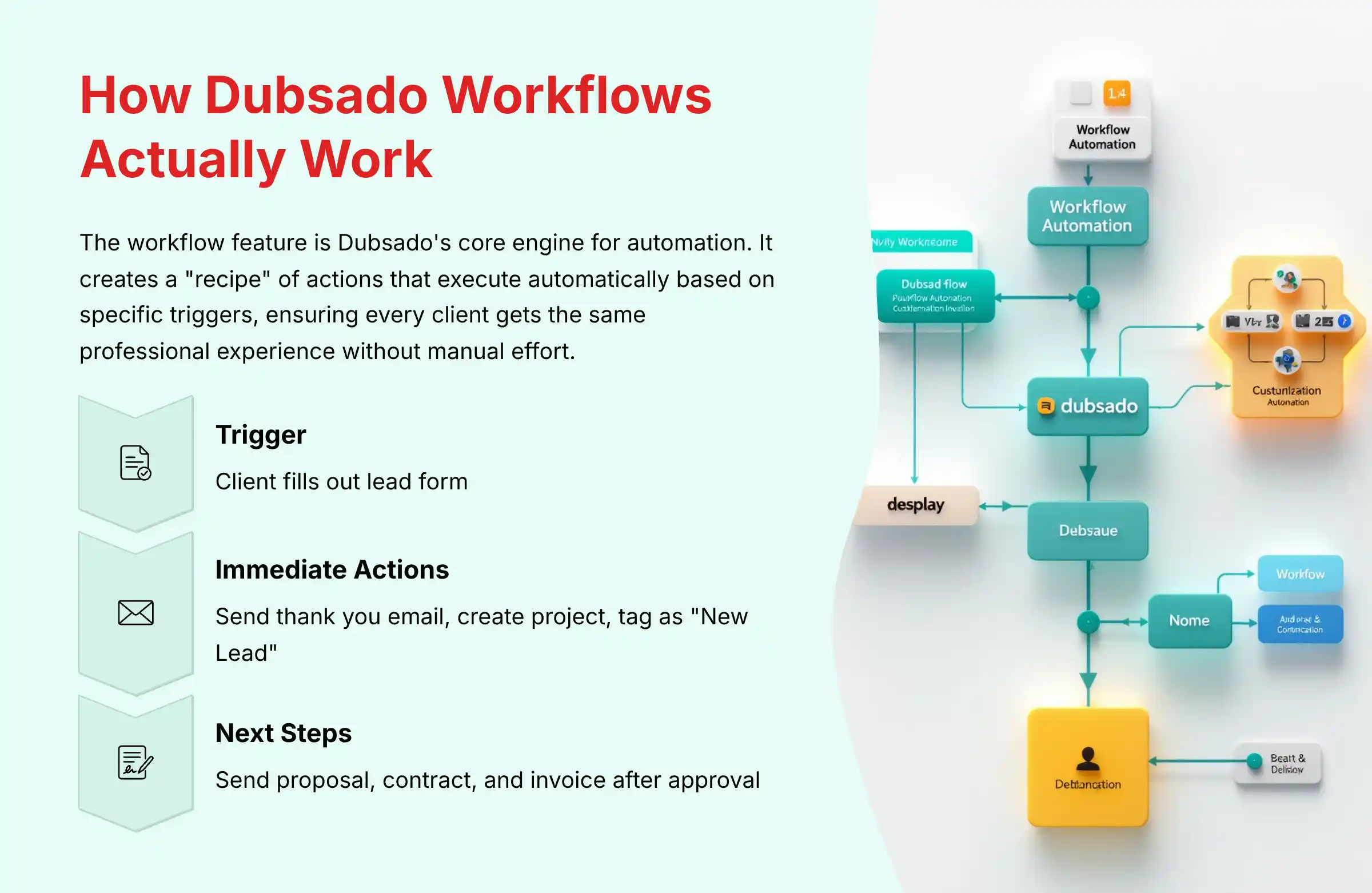
The workflow feature is Dubsado’s core engine for automation.
It allows you to create a “recipe” of actions that the system automatically executes based on specific triggers.
You build these workflows once, and then apply them to projects to ensure every client gets the same professional experience without manual effort.
A typical workflow might look like this:
- Trigger: A potential client fills out the lead capture form on your website.
- Action 1 (Immediate): The workflow automatically sends a personalized “Thank You” email with a link to your services brochure.
- Action 2 (Immediate): The workflow creates a new project and tags the client as a “New Lead.”
- Action 3 (Waits 2 Days): If you haven’t taken action, the workflow sends you a “To-Do” reminder to follow up with the lead.
- Trigger 2: You manually approve the project.
- Action 4 (Immediate): The workflow automatically sends the main proposal, contract, and invoice all in one email.
- Trigger 3: The client signs the contract and pays the invoice.
- Action 5 (Immediate): The workflow automatically sends the “Welcome Aboard!” email, which includes their official start date and a link to their client portal and onboarding questionnaire.
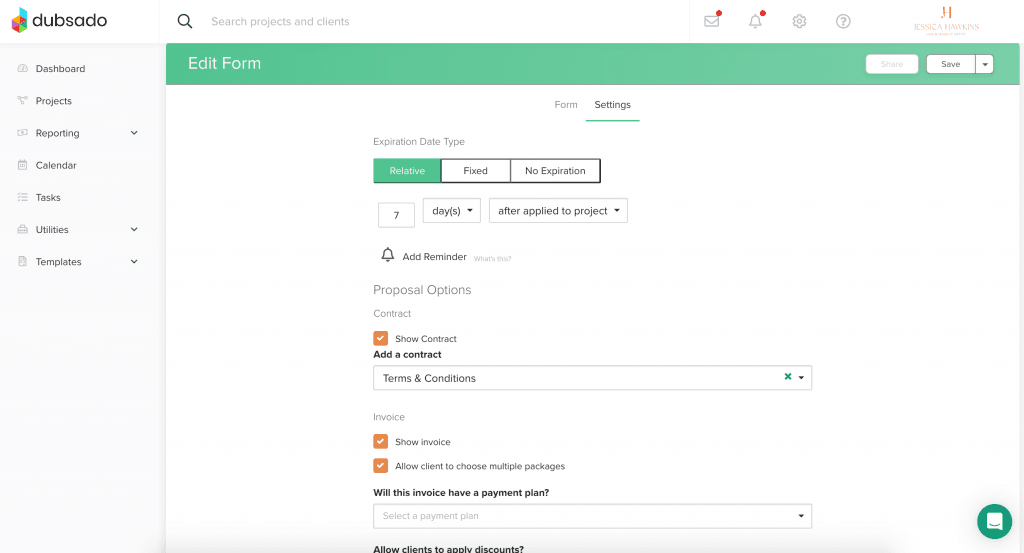
The workflow builder uses a visual, drag-and-drop interface where you can:
- Set multiple trigger conditions (if/then logic)
- Create wait periods between actions
- Add conditional branching based on client responses
- Include manual approval steps where needed
While this isn’t AI in the traditional sense (it doesn’t learn or adapt automatically), these rule-based automations can save small businesses 10-20 hours per week on administrative tasks.
For context, many enterprise AI CRM systems build their predictive features on top of similar workflow capabilities, but add machine learning to optimize the process over time—a feature Dubsado doesn’t currently offer.
To learn more about implementing these powerful automation features, check out our comprehensive Dubsado Tutorials and Usecase guide.
Is Dubsado secure for handling client contracts and payments?
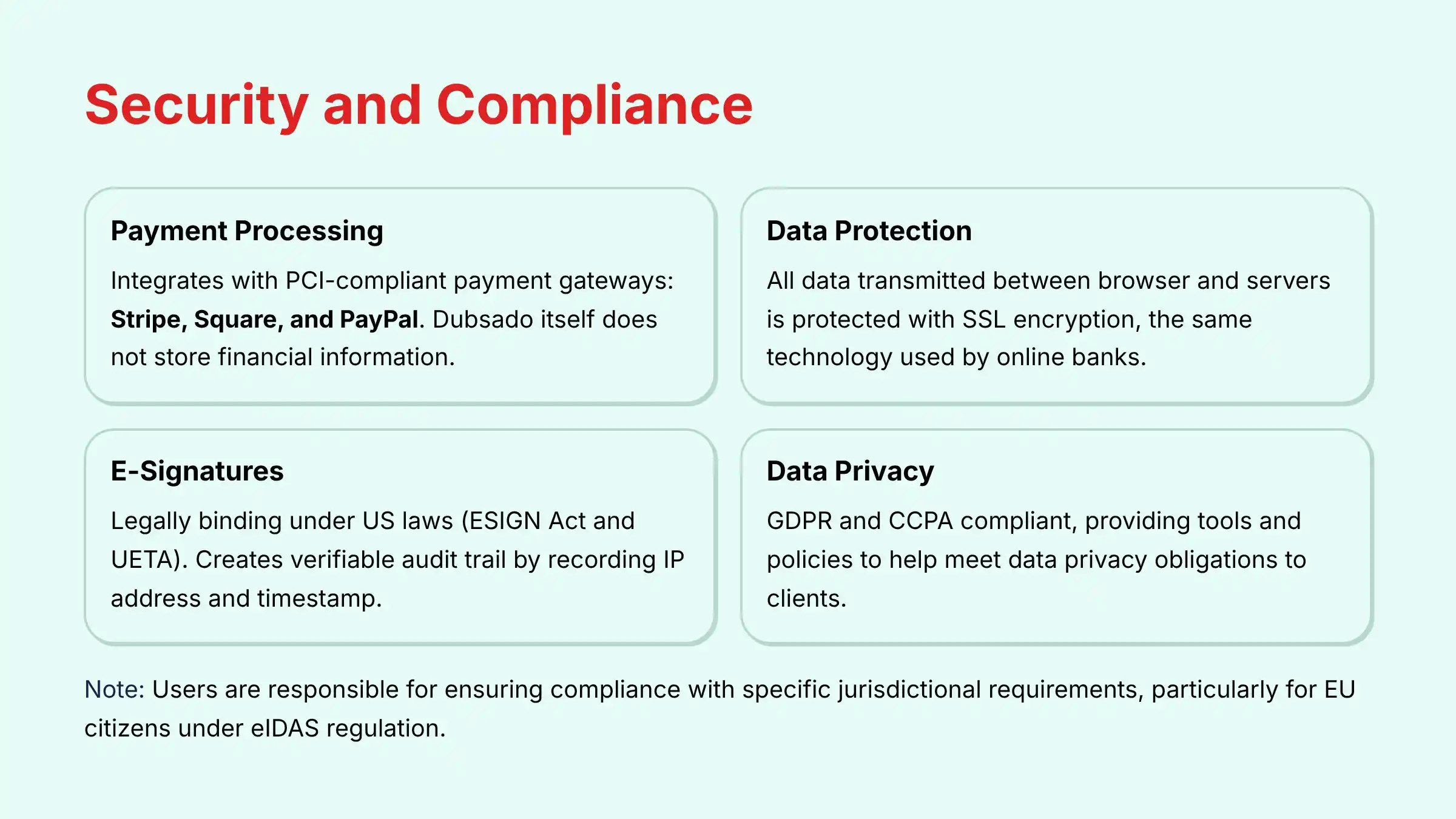
Yes, Dubsado takes security seriously, especially since it handles legally binding contracts and financial transactions, which fall under YMYL (Your Money or Your Life) guidelines.
Here’s how Dubsado ensures security:
-
Payment Processing: Dubsado itself does not store or process your financial information. It integrates directly with industry-standard, PCI-compliant payment gateways: Stripe, Square, and PayPal. When a client pays an invoice, their data is handled directly by these secure processors. This is the industry best practice for protecting financial data.
-
Data Encryption: All data transmitted between your browser and Dubsado’s servers is protected with SSL (Secure Socket Layer) encryption, the same technology used by online banks. This prevents eavesdropping on your data in transit.
-
E-Signatures: Dubsado’s e-signatures are legally binding under United States laws, specifically the Electronic Signatures in Global and National Commerce Act (ESIGN Act) and the Uniform Electronic Transactions Act (UETA). The system creates a verifiable audit trail by recording the signer’s IP address and a timestamp.
-
Data Privacy: Dubsado is GDPR and CCPA compliant, providing tools and policies to help you meet your own data privacy obligations to your clients.
Compliance & Legal Risk Disclaimer: Businesses operating in the European Union or contracting with EU citizens have specific legal obligations under the eIDAS regulation regarding electronic signatures.
While Dubsado provides a secure e-signature tool, users are solely responsible for ensuring the methods they use meet the legal requirements of their specific jurisdiction and contract type.
For matters involving international contracts, always validate compliance requirements with a qualified legal professional.
Unlike some AI-powered CRMs that might offer automatic compliance monitoring or risk assessment, Dubsado requires users to maintain their own compliance vigilance.
Can Dubsado replace other tools like QuickBooks, Calendly, or Mailchimp?

Dubsado can replace some tools but is designed to integrate with others.
It’s a central hub, not an all-in-one replacement for every business software.
Calendly (Can often replace):
Dubsado has a robust, built-in scheduler that handles one-on-one appointments, discovery calls, and session bookings.
For most service providers, this can completely replace the need for a separate subscription to Calendly or Acuity.
It integrates directly with your calendar (Google, Outlook) and can be embedded in workflows (e.g., “send a scheduling link after the contract is signed”).
The scheduler includes buffer times, availability rules, and appointment types, covering most basic scheduling needs.
QuickBooks/Xero (Designed to integrate with, not replace):
While Dubsado has excellent invoicing, it is not an accounting program.
It tracks income per project but doesn’t handle expense tracking, profit & loss statements, or tax preparation.
Dubsado has a direct integration with QuickBooks and Xero, allowing you to sync your invoices seamlessly for proper bookkeeping.
It’s designed to be the “invoicing front-end” for your accounting “back-end.”
This integration helps maintain accurate financial records without duplicating data entry.
Mailchimp/ConvertKit (Does not replace):
Dubsado is for one-on-one client communication, not one-to-many email marketing.
You cannot send mass marketing newsletters or run complex email campaigns from Dubsado.
However, you can use a Zapier integration to automatically add a new Dubsado client to your email marketing list in Mailchimp or ConvertKit.
This allows you to maintain marketing communications alongside your client management.
Unlike comprehensive AI CRM platforms that might include advanced marketing automation, Dubsado focuses specifically on client management rather than marketing campaigns.
For businesses requiring AI-powered marketing insights, lead scoring, or predictive analytics, you’ll need to maintain separate specialized tools alongside Dubsado to meet those needs.
How much does Dubsado cost and what are the transaction fees?
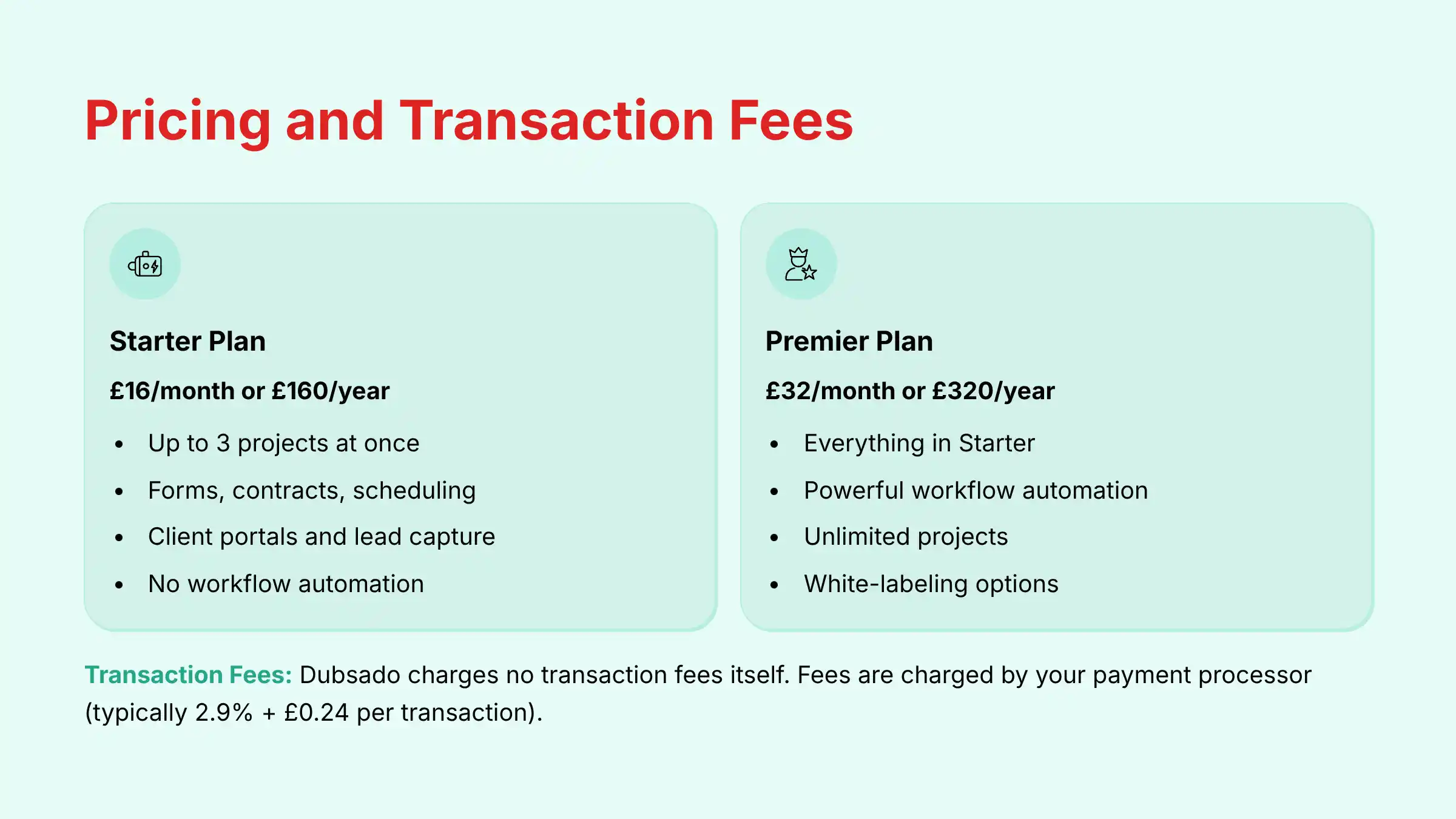
Dubsado offers two main pricing tiers, typically billed annually or monthly.
(Prices are subject to change, always check the official website).
Core Features Included:
- Project Management: Up to 3 projects at once
- Basic CRM: Client management and lead tracking
- Professional Tools: Forms, contracts, and scheduling
- Client Experience: Client portals and lead capture
- Payment Processing: Invoicing capabilities
✅ Strengths
- Affordable entry point for new businesses
- Includes core professional features
- Perfect for testing the platform
⚠️ Considerations
- Does not include workflow automation
- Limited to 3 projects maximum
- Basic functionality only
Advanced Features Included:
- Everything in Starter: Plus advanced capabilities
- Workflow Automation: Full automation engine access
- Unlimited Projects: No project limitations
- Advanced Scheduling: Complete calendar management
- Public Proposals: Enhanced proposal features
- White-labeling: Custom branding options
✅ Strengths
- Complete workflow automation capabilities
- Unlimited project handling
- Full feature access for serious businesses
⚠️ Considerations
- Higher monthly investment
- May be overkill for simple needs
- Requires time to master features
Transaction Fees:
This is a critical point of confusion. Dubsado does not charge any transaction fees itself.
The fees you pay are charged directly by the payment processor you connect to your account:
- Stripe & Square: Typically charge around 2.9% + $0.30 per transaction
- PayPal: Fees vary but are in a similar range
So, if you send a $1,000 invoice and the client pays via Stripe, you will receive approximately $970.70.
This fee is standard across most online payment platforms.
Compared to other AI CRM solutions that often use tier-based pricing with significant jumps between levels, Dubsado’s flat-rate pricing structure is more predictable for small businesses.
However, it’s important to note that unlike AI-powered CRMs that might include advanced analytics in their pricing, Dubsado’s value comes from workflow automation rather than artificial intelligence capabilities.
For businesses seeking true AI functionality, additional tools or integrations would be necessary.
Does Dubsado have a free trial?
Yes, and Dubsado’s trial is unique and highly generous compared to most software platforms.
Unlike most CRM systems that offer a 14 or 30-day time-limited trial, Dubsado’s trial is not based on time.
Instead, the free trial allows you to use the full features of the Premier Plan with up to 3 clients (or projects) for an unlimited amount of time.
This is a significant advantage because setting up a CRM properly takes time.
You can take weeks or even months to learn the system, build your workflows, and test them with your first few clients without any pressure.
The trial only ends when you are ready to add your fourth client, at which point you will be prompted to subscribe to a paid plan.
This “try before you buy” model allows you to fully experience the platform and even make money using it before you have to commit financially.
During the trial period, you have access to:
- All Premier Plan features including workflow automation
- Full customer support
- The ability to send real invoices and receive payments
- Complete access to forms, contracts, and scheduling
- Free educational webinars and tutorials
This approach is particularly valuable for small businesses evaluating CRM systems, as it allows you to implement the software with actual clients and measure the real-world benefits before making a financial commitment.
While Dubsado doesn’t offer the AI capabilities of some more expensive CRM solutions, this unlimited trial period gives you ample time to determine if its automation capabilities meet your business needs without the pressure of a ticking clock.
How long does it take to set up Dubsado and is it easy for non-tech-savvy users?
This is one of the most important questions to set realistic expectations for.
While Dubsado is incredibly powerful, it is not a “plug-and-play” solution.
The setup process requires a significant time investment to realize its full potential.
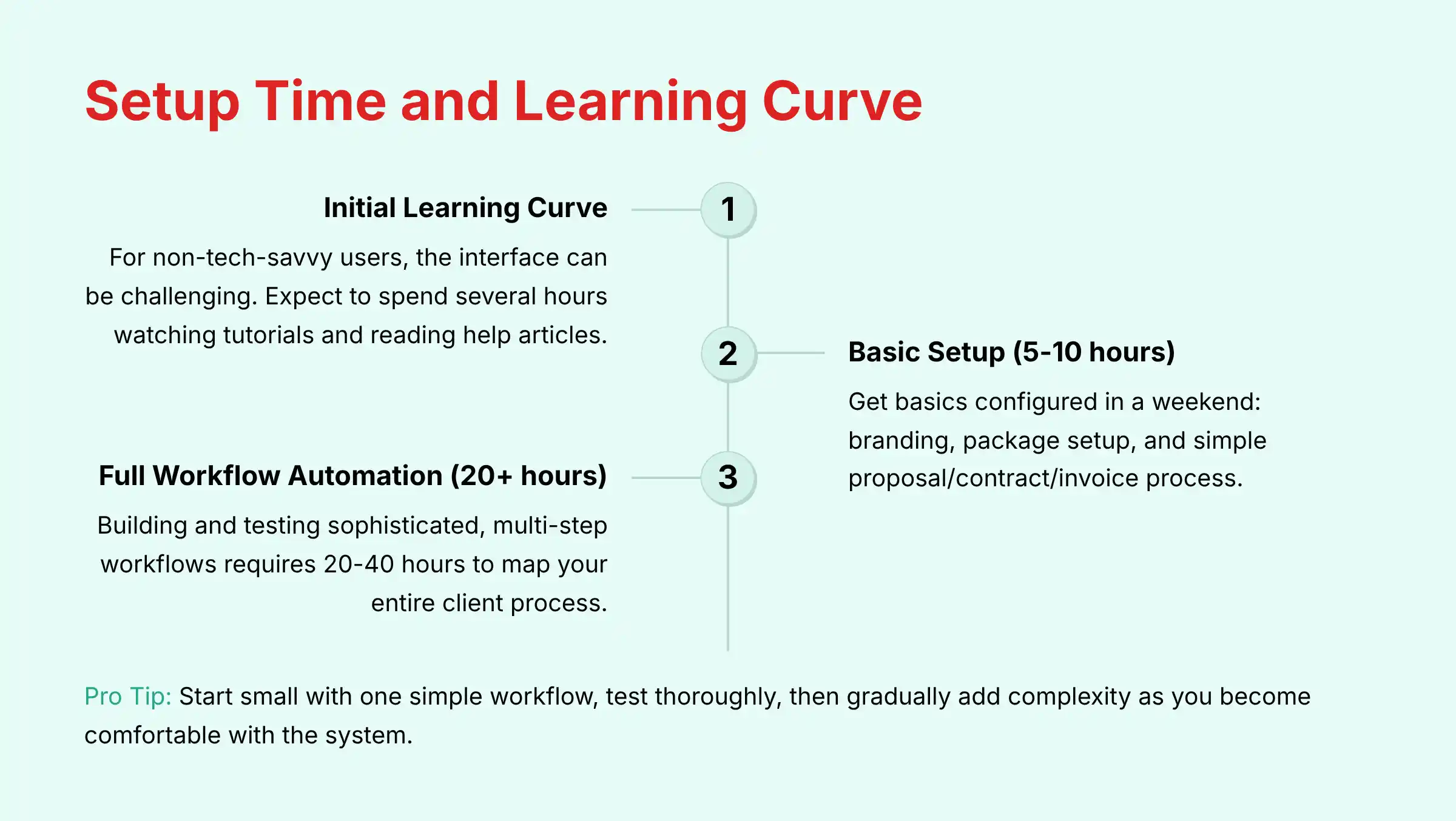
Initial Learning Curve:
For a non-tech-savvy user, the initial learning curve can be steep.
The interface is packed with features, and understanding how workflows, smart fields, and payment schedules connect can take time.
Expect to spend several dedicated hours watching tutorials and reading help articles.
Basic Setup (5-10 hours):
You can get the basics—like branding, package setup, and a simple proposal/contract/invoice process—configured in a weekend.
This includes:
- Uploading your logo and brand colors
- Creating your first proposal and contract templates
- Setting up your basic service packages
- Connecting your payment processor
Full Workflow Automation Setup (20+ hours):
To build out and test the sophisticated, multi-step workflows that represent Dubsado’s true power, a realistic timeline is 20-40 hours.
This involves mapping your entire client process and translating it into Dubsado’s system of triggers and actions.
Is it easy?
“Easy” is subjective. It’s easier than coding a solution from scratch, but harder than using a simpler tool like HoneyBook.
However, Dubsado offers excellent customer support, free webinars, and a large community of certified specialists you can hire to do a full setup for you if you lack the time or inclination.
Unlike some AI-powered CRMs that might offer automated setup or “quick start” templates with minimal configuration, Dubsado requires more hands-on setup to achieve optimal results.
The trade-off is greater customization for your specific business processes.
The most effective approach is to start small: begin with one simple workflow for a single process (like lead capture), test it thoroughly, then gradually add more complexity as you become comfortable with the system.
This incremental implementation strategy has proven most successful for non-technical users.
What are Dubsado’s limitations compared to true AI CRM platforms?
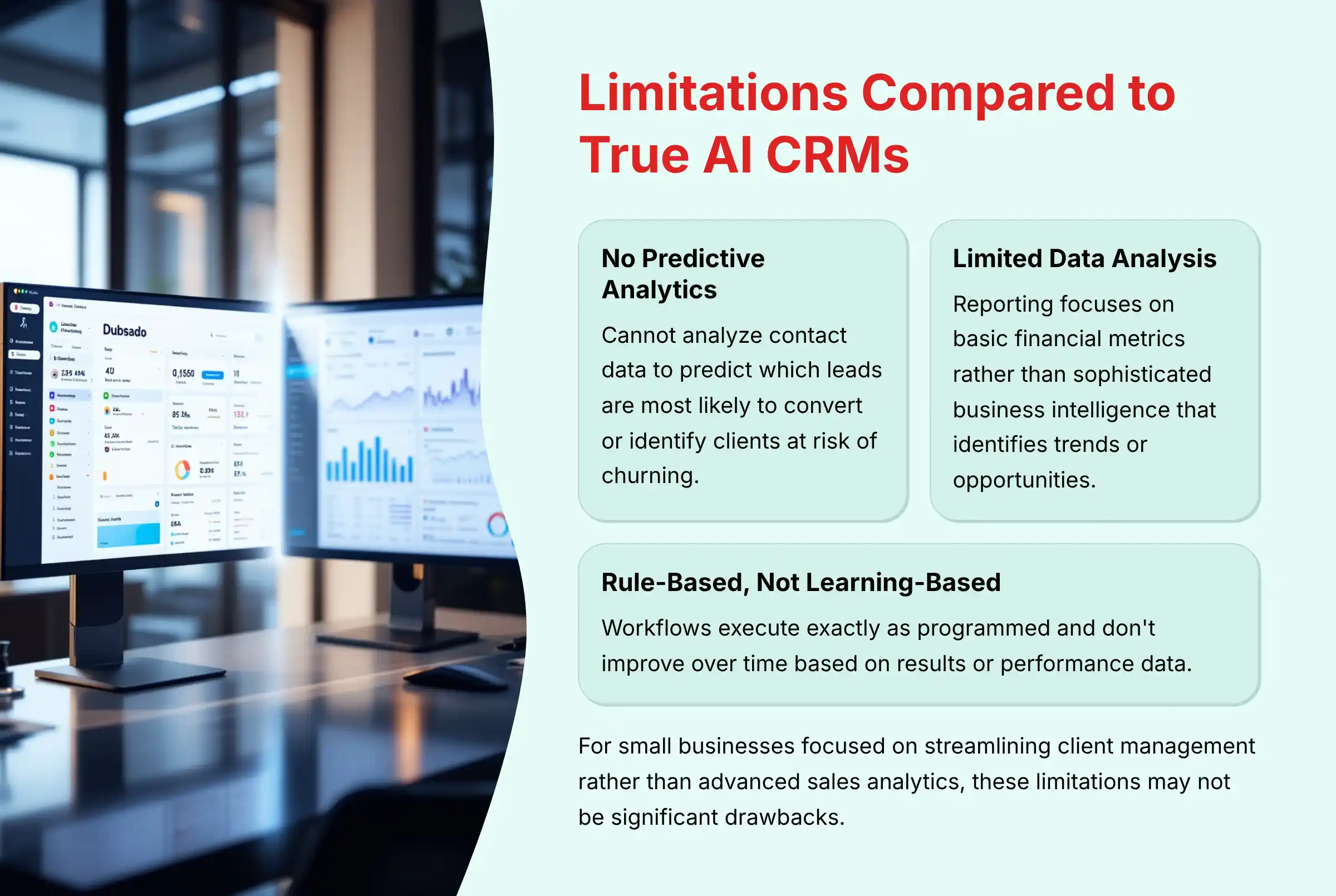
While Dubsado excels at automating client workflows for small businesses, it has several important limitations when compared to true AI-powered CRM platforms:
No Predictive Analytics or Lead Scoring:
Dubsado cannot analyze your contact data to predict which leads are most likely to convert or identify clients at risk of churning.
True AI CRMs use machine learning algorithms to analyze patterns in your client data and provide predictive insights that help prioritize your sales efforts.
Limited Data Analysis Capabilities:
The reporting in Dubsado is primarily focused on basic financial metrics (revenue, invoices sent, etc.) rather than sophisticated business intelligence.
It lacks the ability to automatically identify trends, anomalies, or opportunities in your client data that AI-powered platforms can surface.
No Natural Language Processing:
Unlike AI CRMs that can analyze email content, meeting transcripts, and client communications to extract sentiment and key information automatically, Dubsado requires manual data entry and tagging to organize client information.
Rule-Based Rather Than Learning-Based:
Dubsado’s workflows execute exactly as you program them and don’t improve over time based on results.
AI CRMs can continuously optimize processes based on performance data, gradually improving conversion rates and client satisfaction through machine learning.
No Automated Content Generation:
Many AI CRMs now include capabilities to generate personalized email templates, follow-up messages, or content recommendations based on client data.
Dubsado requires all content to be manually created.
Manual Segmentation Required:
While Dubsado allows you to tag and categorize clients, it doesn’t automatically segment your database based on behavior patterns or identify new client categories that might emerge from your data.
For small businesses primarily focused on streamlining client management processes rather than advanced sales analytics, these limitations may not be significant drawbacks.
Dubsado’s strength lies in its ability to create consistent, repeatable client experiences through automation, even without AI capabilities.
For businesses seeking true AI functionality, Dubsado could serve as the operational backbone while integrating with specialized AI tools for specific intelligence needs.
To explore AI-powered alternatives that address these limitations, check out our comprehensive guide to the Best 10 CRMs for Small Business & Solopreneurs.
Conclusion: Is Dubsado Right for Your Business?
Dubsado stands out as a powerful business management platform that excels in workflow automation and client process standardization.
While it may not offer true AI capabilities like predictive analytics or machine learning, its rule-based automation system can save small businesses 10-20 hours per week once properly implemented.
The platform is ideal for service-based businesses with complex, multi-step client journeys who value customization and control over their automated processes.
With its generous unlimited trial for up to 3 clients, you can thoroughly test Dubsado’s capabilities before making any financial commitment.
However, be prepared to invest 20-40 hours in setup to unlock its full potential.
For businesses seeking AI-powered insights, predictive analytics, or automated content generation, you’ll need to supplement Dubsado with additional tools or consider dedicated AI CRM platforms.
Ready to transform your client management process? For more detailed information about implementation strategies and best practices, explore our complete collection of Dubsado FAQs and expert insights.







Leave a Reply