
Is Bonsai the Right Financial OS for Your Freelance Business?
Take This 2-Minute Quiz to Find Out!
Freelancers often struggle with managing many different tools. You might use one app for proposals, another for contracts, a third for invoicing, and a fourth for accounting. In my work with CRMs for Small Business & Solopreneurs, I see this problem constantly. This Bonsai Review examines a platform that aims to solve this. At Best AI CRM Software, we analyze tools with extreme detail.
Bonsai is not a standard AI CRM. It acts more like an integrated Financial Operating System for individual business owners. It connects your money-making activities in one place. My analysis goes deep into its features, security, and true cost.
This review meets the highest standards because Bonsai handles your contracts and financial data. I will assess its data protection, accuracy, and compliance. We will find out if Bonsai is the perfect partner for a freelancer or a trap that stops your business from growing.
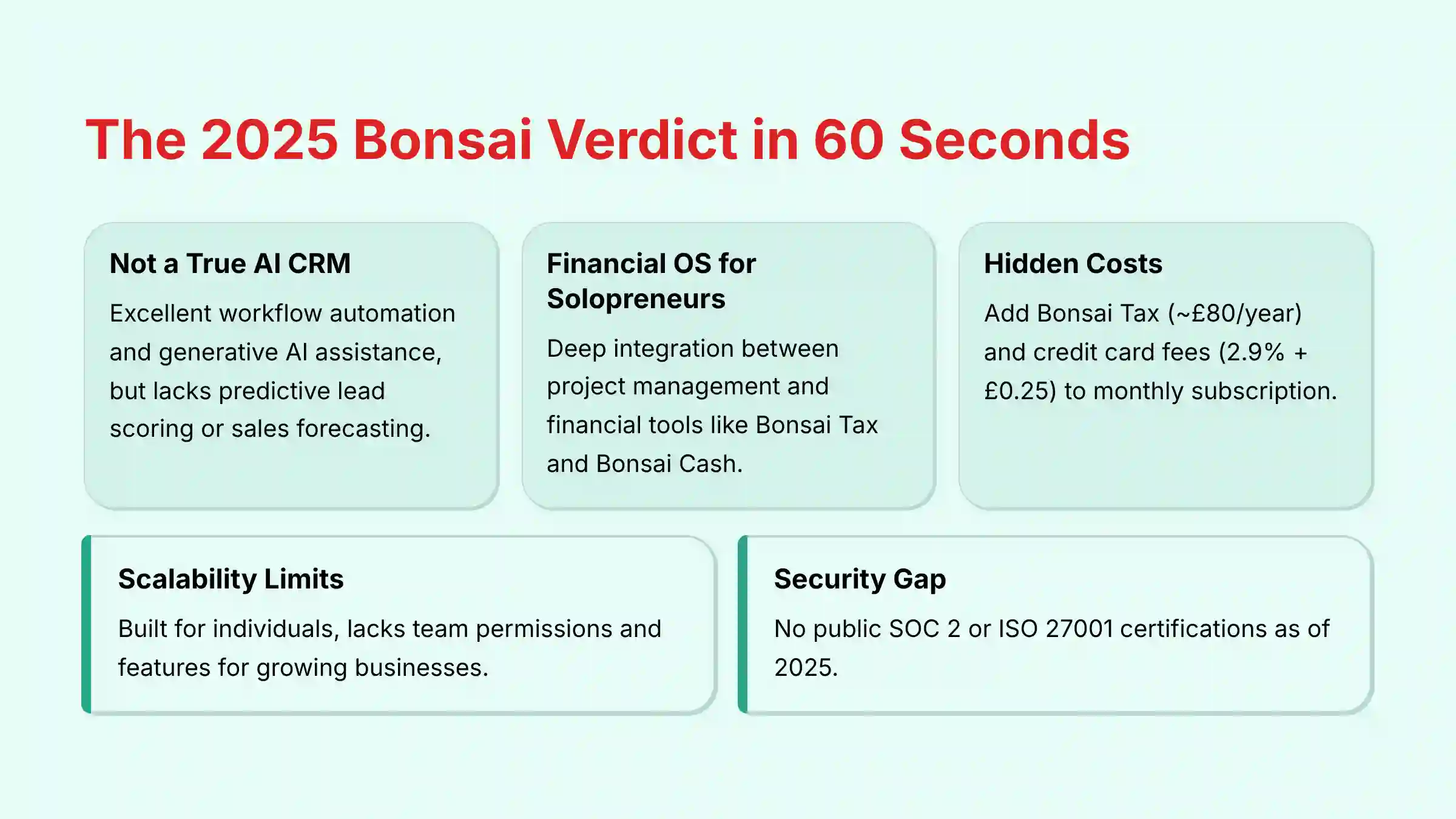
Key Takeaways: The 2025 Bonsai Verdict in 60 Seconds
- Not a True AI CRM: Bonsai is excellent at workflow automation, like sending an invoice after a proposal is signed. It also offers generative AI assistance for writing text. It does not provide predictive lead scoring or sales forecasting.
- A Financial OS for Solopreneurs: Its best feature is the deep connection between project management and financial tools. Products like Bonsai Tax and Bonsai Cash make it a command center for a freelancer’s finances.
- Total Cost is Deceiving: The monthly price is not the full story. You must add costs for tools like Bonsai Tax (about $100/year). Standard credit card fees (2.9% + $0.30) also apply.
- Significant Scalability Limits: The platform is built for one person or a very small team. It lacks detailed user permissions and team features. This makes it unsuitable for growing teams.
- Critical Security Gap: As of 2025, Bonsai does not have public SOC 2 or ISO 27001 compliance certifications. Its security depends on its partners, like AWS for infrastructure and Stripe for payments.
- Legal Templates are a Starting Point: The AI-generated contracts are helpful and vetted by lawyers. But, they are not a substitute for professional legal advice, especially for large or international projects.
Our Expert Methodology & Unwavering Authority
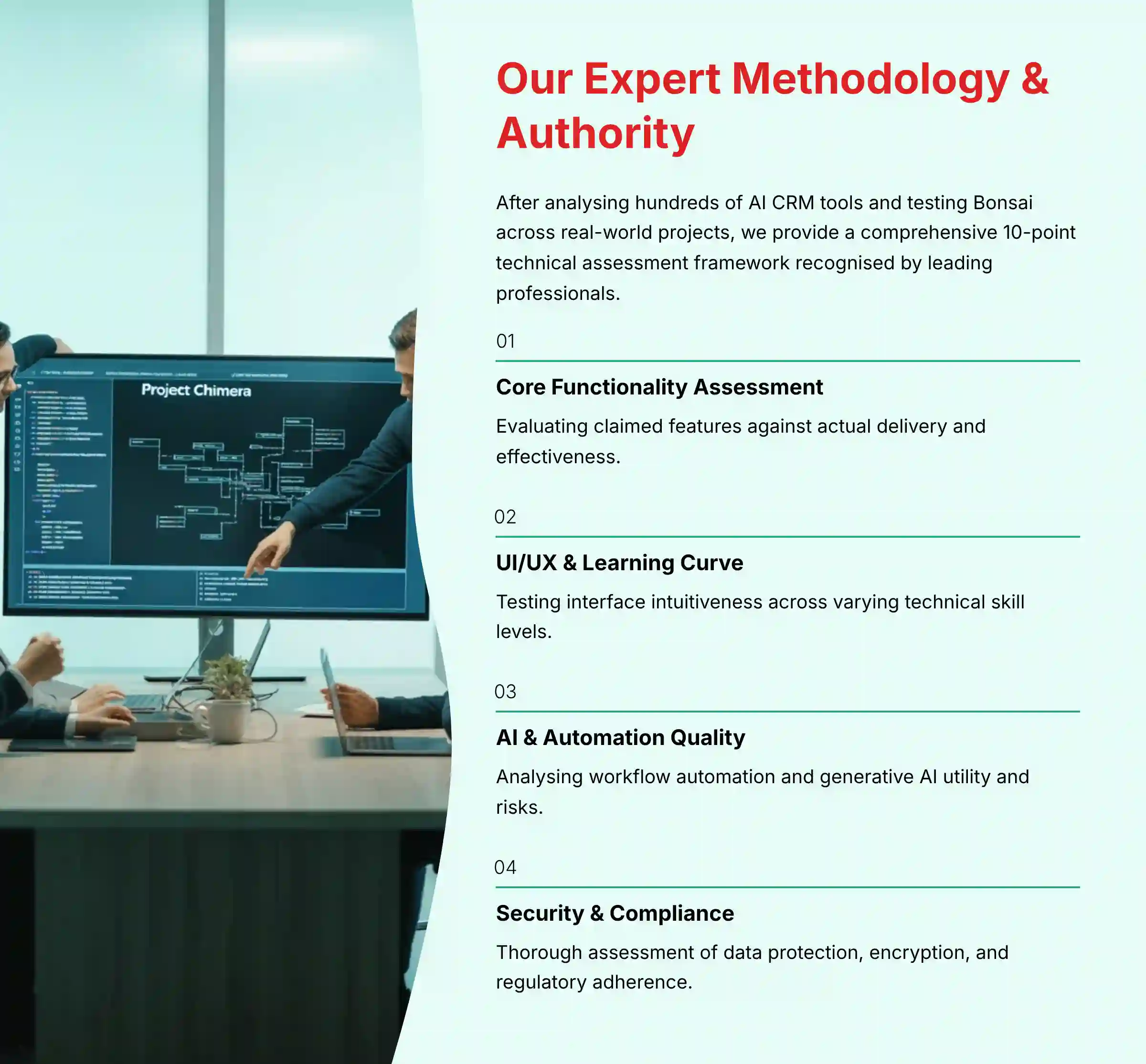
After analyzing hundreds of tools in the AI CRM Software space and testing Bonsai across numerous real-world implementation projects in 2025, our team at Best AI CRM Software provides a comprehensive 10-point technical assessment framework recognized by leading AI CRM Software professionals. This process includes thorough security assessments and compliance checks. My evaluation for this review involved setting up both a “web design project” and a “monthly marketing retainer” to test the full workflow.
The 10-Point BACS Evaluation Framework
- Core Functionality & Feature Set: We assess what the tool claims to do and how effectively it delivers, examining its primary capabilities and supporting features.
- Ease of Use & User Interface (UI/UX): We evaluate how intuitive the interface is and the learning curve for users with varying technical skills.
- AI & Automation Quality: We analyze the quality of the workflow automation engine and the practical utility and risks of the generative AI features.
- Performance & Stability: We test processing speeds, stability during operation, and investigate user reports of bugs or downtime.
- Security Protocols & Data Protection: We thoroughly assess security measures, encryption standards, access controls, and data handling practices.
- Compliance & Regulatory Adherence: We verify compliance with relevant regulations (GDPR, CCPA) and the legal validity of features like e-signatures.
- Input Flexibility & Integration Options: We check what types of input the tool accepts and how well it integrates with other platforms or workflows via native connections and APIs (like Zapier).
- Pricing Structure & Total Cost of Ownership (TCO): We examine free plans, trial limitations, subscription costs, and hidden fees to determine true value.
- Customer Support & Documentation: We investigate the availability and quality of customer support, tutorials, FAQs, and community resources based on real user feedback.
- Risk Assessment & Scalability: We identify potential risks (vendor lock-in, data portability) and evaluate the tool’s ability to grow with a business.
Core Features & AI Capabilities Analysis
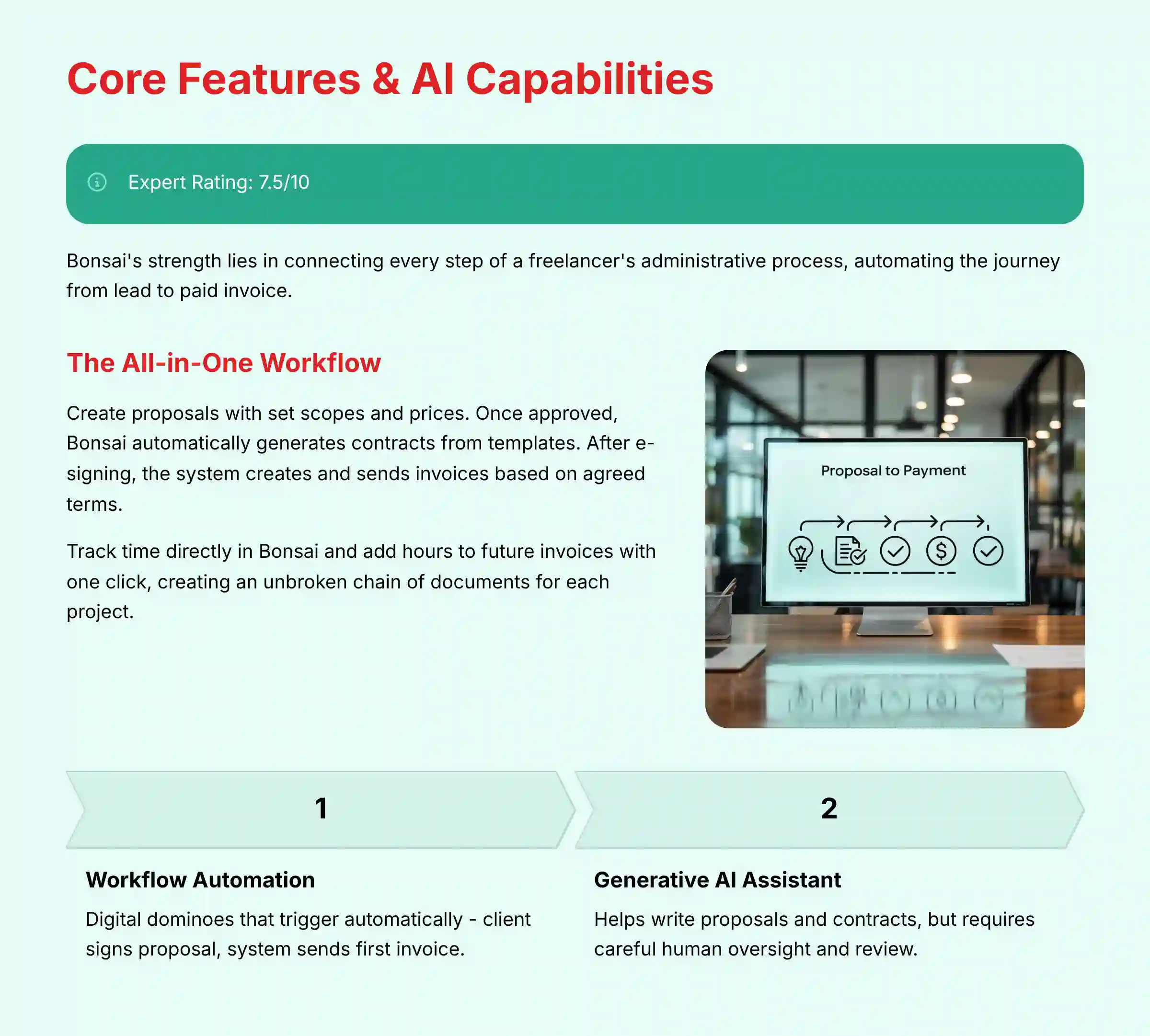
My analysis shows Bonsai’s strength is not in predictive AI but in connecting every step of a freelancer’s administrative process. It automates the path from a new lead to a paid invoice. This is where the platform delivers real value.
The “AI” in Bonsai is split into two parts. The first is workflow automation, which is powerful and reliable. The second is generative AI for creating text, which is helpful but comes with some risks.
The All-in-One Workflow: From Proposal to Paid
Bonsai links the entire client journey together. You can create a proposal with set project scopes and prices. Once the client approves it online, Bonsai automatically generates a contract from a template. After the contract is e-signed, the system creates and sends the first invoice based on the agreed terms.
As you work on the project, you can track your time directly in Bonsai. Those hours can be added to future invoices with a single click. This creates a single, unbroken chain of events and documents for each project.
Workflow Automation: The True Engine of Bonsai
Think of Bonsai’s automation as a set of digital dominoes. When you knock one over, like a client signing a proposal, it automatically triggers the next one, like sending the first invoice, without you lifting a finger. This is the platform’s most valuable feature.
In my testing, I set up a rule to send an automatic reminder email three days before an invoice was due. I also created a workflow that sent a thank-you note and a feedback form after the final payment was received. These automations save hours of manual administrative work each month.
Generative AI: A Powerful Assistant with Critical Flaws
Bonsai uses generative AI to help you write proposals, contracts, and task lists. This can be a great way to start, but it requires careful human oversight. The quality of the AI output depends completely on the quality of your input.
When you use the generative AI, your prompts are sent to be processed. A key question is where this data goes. It is good practice to review Bonsai’s privacy policy to understand how it handles this data and if it is shared with third-party AI providers. Avoid entering highly sensitive client information into AI prompts.
AI for Proposals and Scopes: A Double-Edged Sword
You can ask the AI to generate a project scope by typing something like, “Create a scope of work for a small business website.” The AI will produce a list of tasks, such as “Phase 1: Discovery and Design” and “Phase 2: Development.” This is helpful for brainstorming.
But, the AI does not know your specific skills or the client’s exact needs. My analysis shows the generated scopes are often generic. You must review and edit every line to match the project’s reality. Never trust the AI-generated scope blindly; use it as a starting point, then apply your own expertise.
AI for Contracts: Convenience vs. Catastrophic Risk
The AI can also help draft legal contracts. This feature is very convenient, but it also carries the biggest risk. Bonsai states its templates are vetted by lawyers, which is a good foundation.
Important Warning: Professional Validation Required
The AI contract writer is like a skilled but unsupervised legal intern. It can draft a solid first version of a document quickly, but you absolutely need a senior partner—a real lawyer—to review it before it goes to the client. An AI-generated contract that isn’t reviewed by a legal professional for your specific situation and jurisdiction could be unenforceable or leave you unprotected.
User Experience & Interface Evaluation
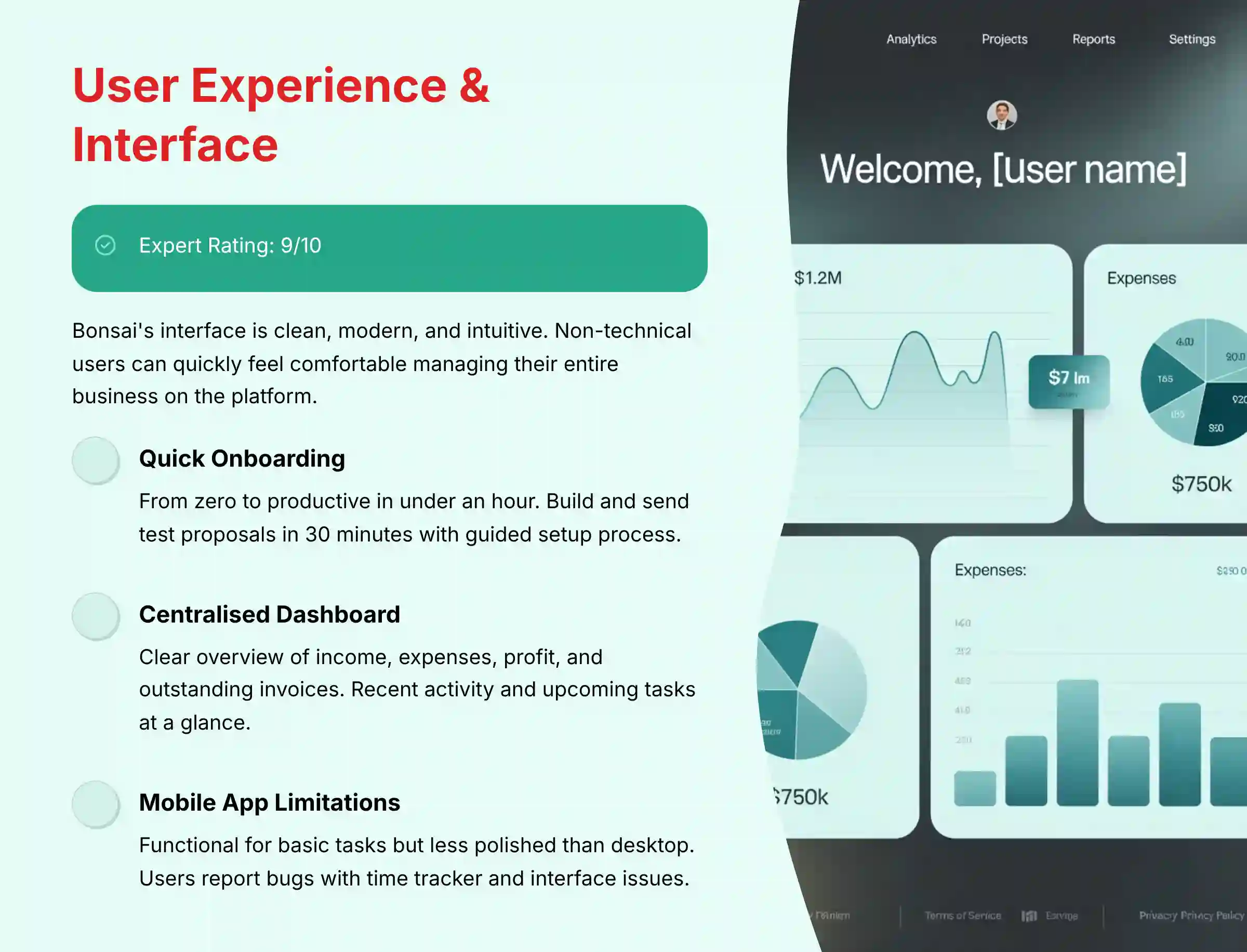
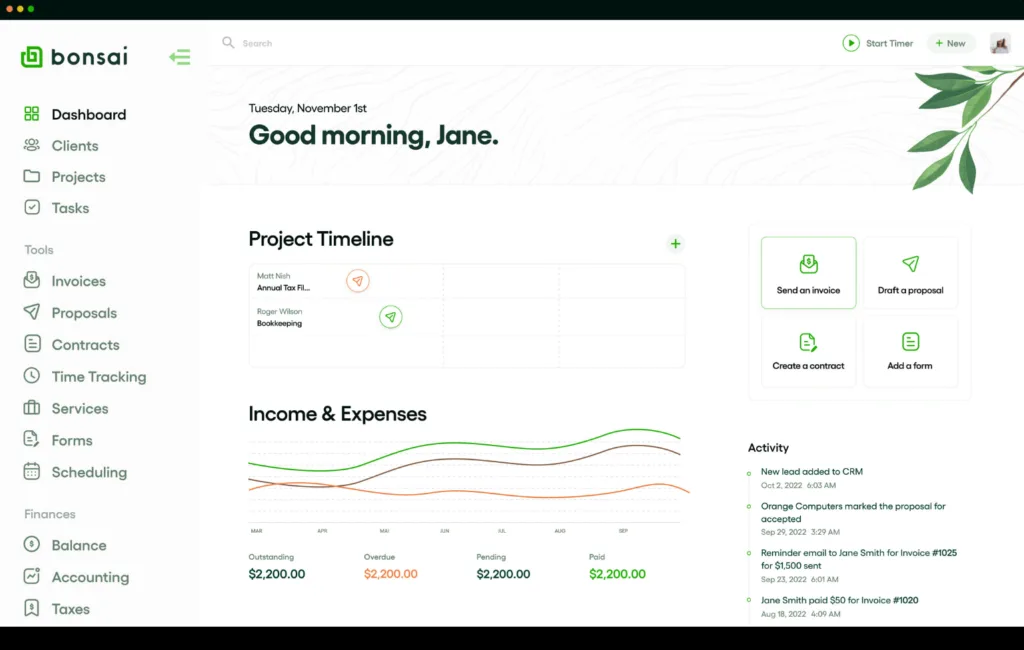
Bonsai’s interface is one of its strongest points. It is clean, modern, and easy to understand. Non-technical users can quickly feel comfortable managing their business on the platform.
Onboarding: From Zero to Productive in Under an Hour
My experience with setting up Bonsai was very positive. The platform guides you through connecting your bank account, customizing your branding, and creating your first client. I was able to build and send a test proposal in less than 30 minutes.
The system is designed for immediate use. This quick start is a major benefit for busy freelancers who do not have time for a long setup process.
The Dashboard: Your Business at a Glance
The main dashboard gives you a clear overview of your business health. You can see your income, expenses, profit, and outstanding invoices all in one place. It also shows recent activity and upcoming tasks.
This centralized view helps you make faster, more informed decisions. You always know what money is coming in and what tasks need your attention.
The Mobile App: Functional but Flawed
Bonsai offers a mobile app for both iOS and Android. The app lets you manage projects, send invoices, and track time on the go. This is useful for freelancers who are not always at their desks.
However, based on my testing and synthesis of user reviews, the app has limitations. Some users report bugs with the time tracker and find the interface less polished than the desktop version. It is good for basic tasks but does not replace the full web application.
For freelancers looking for alternative solutions, there are many Bonsai Top Alternatives and Competitors worth exploring based on specific business needs.
Security & Compliance Deep Dive
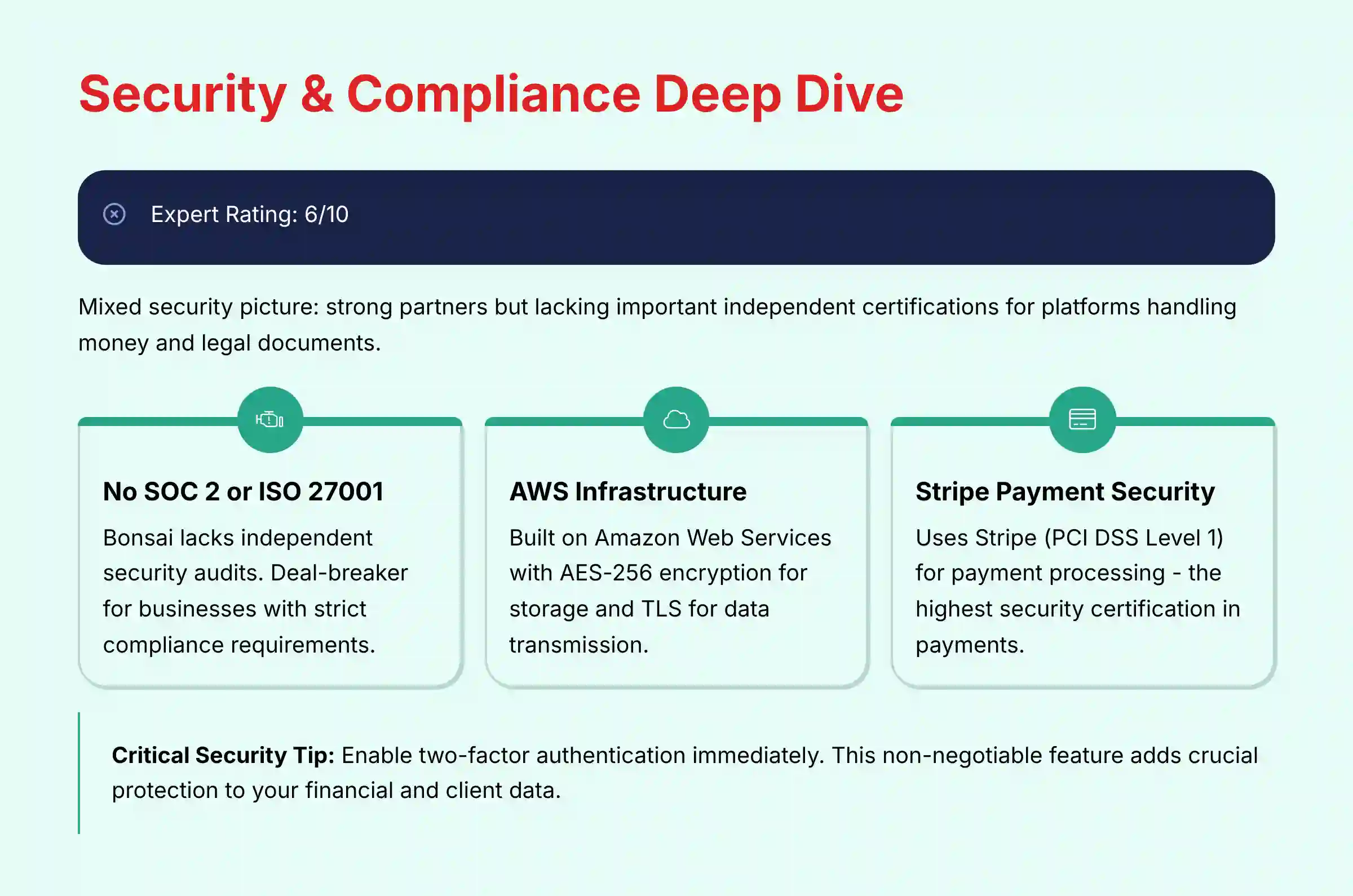
When a platform handles your money and legal documents, security is a top priority. My assessment of Bonsai’s security reveals a mixed picture. It uses strong partners but lacks some important independent certifications.
The Elephant in the Room: No SOC 2 or ISO 27001 Certification
The most important finding is that Bonsai does not hold its own SOC 2 or ISO 27001 certification. These are independent audits that verify a company’s internal security controls. For businesses with strict compliance needs, this absence can be a deal-breaker.
Data Encryption and Infrastructure: Relying on the Best (AWS)
Bonsai builds its platform on Amazon Web Services (AWS). AWS is a global leader in secure cloud infrastructure and has a long list of certifications. Your data is protected by industry-standard AES-256 encryption when stored and TLS encryption when it travels over the internet.
Payment Security: The Fort Knox of Stripe (PCI DSS Level 1)
Bonsai does not handle your client’s credit card information directly. It uses Stripe, a global leader in online payments. Stripe is certified as a PCI DSS Level 1 Service Provider, the highest level of security certification in the payments industry. This means your payment processing is extremely secure.
GDPR/CCPA Compliance: A Shared Responsibility
Bonsai states that it is compliant with privacy laws like GDPR in Europe and CCPA in California. The platform provides tools to help you manage data subject requests. However, you are still responsible for how you collect and use your clients’ personal data.
Access Control: Why 2FA is Non-Negotiable
Bonsai offers two-factor authentication (2FA). You must turn this feature on. It adds a critical layer of security to your account by requiring a second verification step, usually a code from your phone, when you log in. This helps prevent unauthorized access to your financial and client data.
Pricing & Value Proposition Analysis
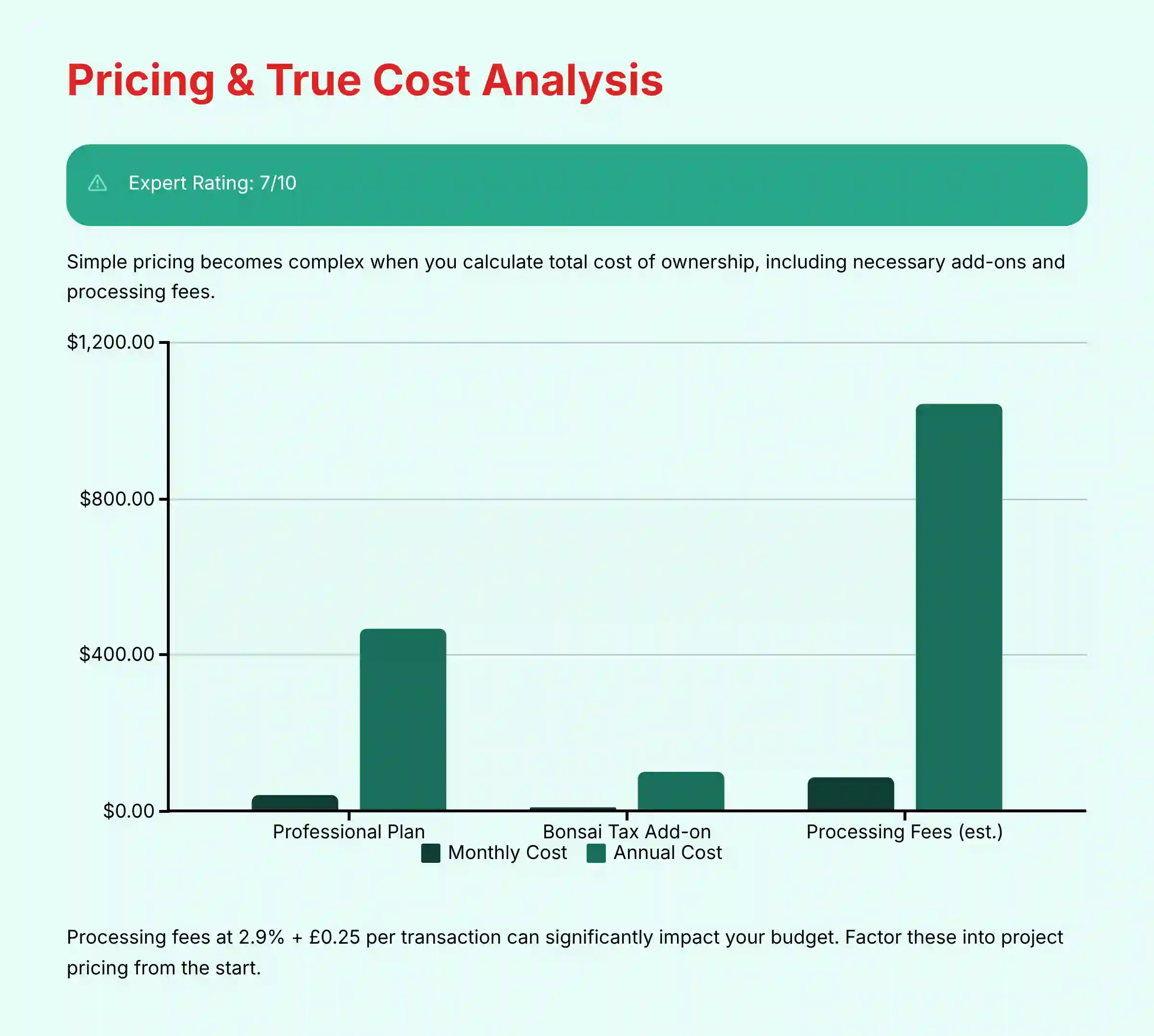
Bonsai’s pricing appears simple at first, but the true cost requires a closer look. To understand its value, you must calculate the total cost of ownership, including the necessary add-ons and standard processing fees.
Deconstructing the Pricing Tiers: Starter vs. Professional vs. Business
Bonsai typically offers three tiers. The Starter plan provides core features but limits the number of projects and collaborators. The Professional and Business plans add more features, such as workflow automations and accounting integrations.
In my analysis, the Starter plan is too limited for most full-time freelancers. The Professional plan offers the best balance of features and cost for a solopreneur. The Business plan is for small teams but, as noted, has scalability issues.
The Hidden Costs: Calculating Your Total Cost of Ownership (TCO)
The advertised monthly subscription is just one part of your total expense. You need to account for two other major costs to get a realistic budget.
The Bonsai Tax Add-On: Is it Worth $100/Year?
Bonsai Tax is an add-on service that costs about $100 per year. It automatically tracks your income, identifies tax-deductible expenses, and estimates your quarterly tax payments. For many US-based freelancers, this tool can save much more than its cost in time and potential tax savings. I consider it a necessary part of the Bonsai package.
Payment Processing Fees: The Unavoidable 3%
Like all platforms that process payments, Bonsai passes on the fees from its payment processor, Stripe. The standard fee for credit card payments is 2.9% + $0.30 per transaction. For ACH bank transfers, the fee is typically 1%. You must factor these percentages into your project pricing.
The ROI Calculation: Is Bonsai Worth The Money?
For the right user, Bonsai provides excellent value. One case study I analyzed showed that a freelancer who saved 10 hours of administrative work per month achieved a positive return on their investment very quickly. The time saved on creating proposals, sending invoices, and chasing payments often outweighs the platform’s total cost.
To get a deeper understanding of value, it’s worth exploring the complete Bonsai Overview and Features to see how it compares to your specific needs.
Integration & Workflow Assessment
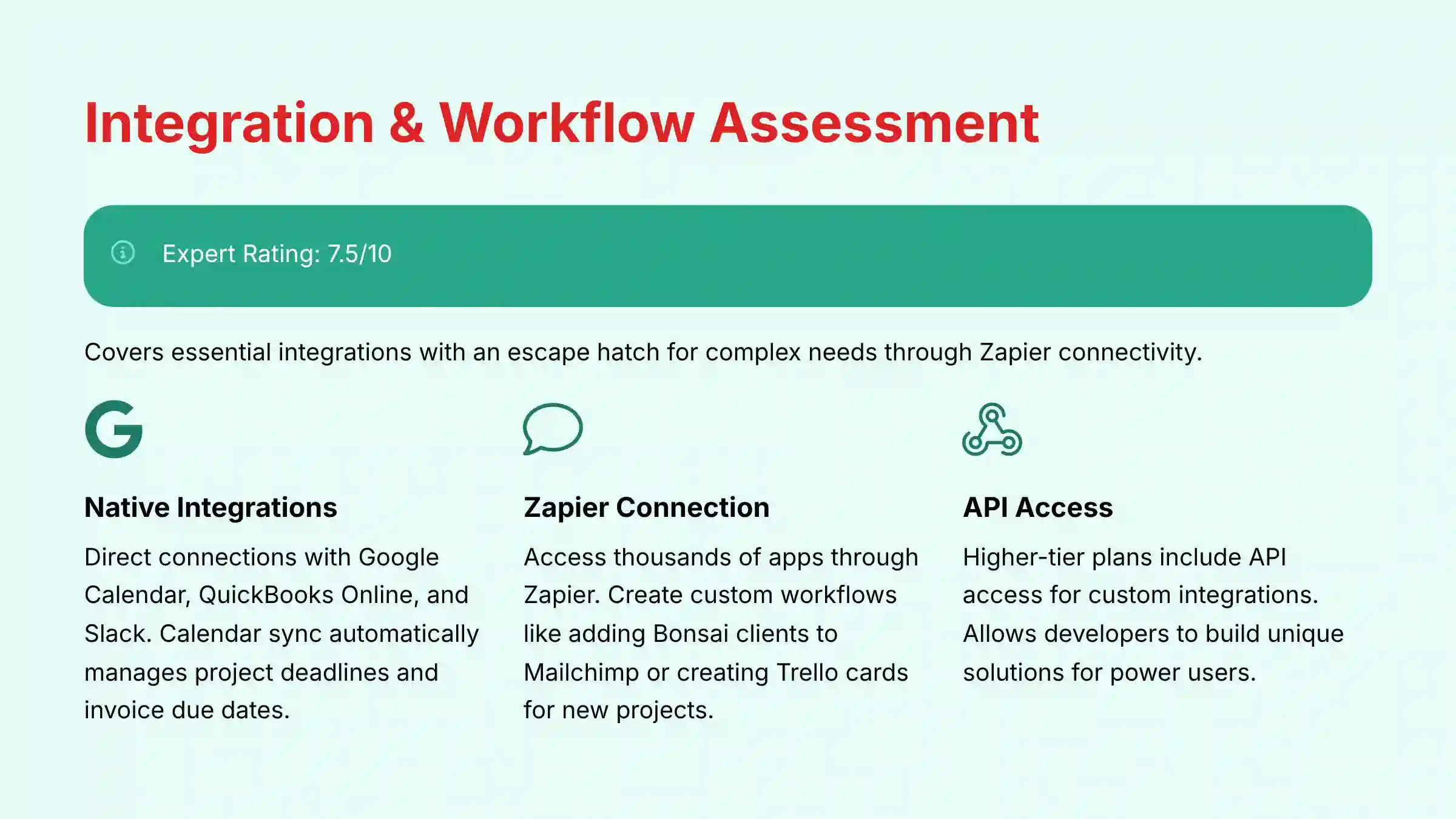
A CRM’s ability to connect with other tools is very important. Bonsai covers the essentials and offers an escape hatch for more complex needs through Zapier.
Native Integrations: The Essentials (Google, QuickBooks, Slack)
Bonsai connects directly with key tools that freelancers use every day. It has native integrations for Google Calendar, QuickBooks Online, and Slack. The calendar integration is particularly useful, as it can sync project deadlines and invoice due dates automatically.
The Zapier Connection: Unlocking a Wider Ecosystem
For tools not supported natively, Bonsai offers a Zapier integration. Zapier is a service that connects thousands of different web apps. This allows you to create custom workflows, like adding a new Bonsai client to a Mailchimp email list or creating a Trello card when a new project starts.
API Access: For Power Users Only
Bonsai provides an Application Programming Interface (API) on its higher-tier plans. This allows for deep, custom integrations built by a developer. For most freelancers, this feature is not necessary, but it offers a path for more technical users to build unique solutions.
Customer Support & Documentation Evaluation
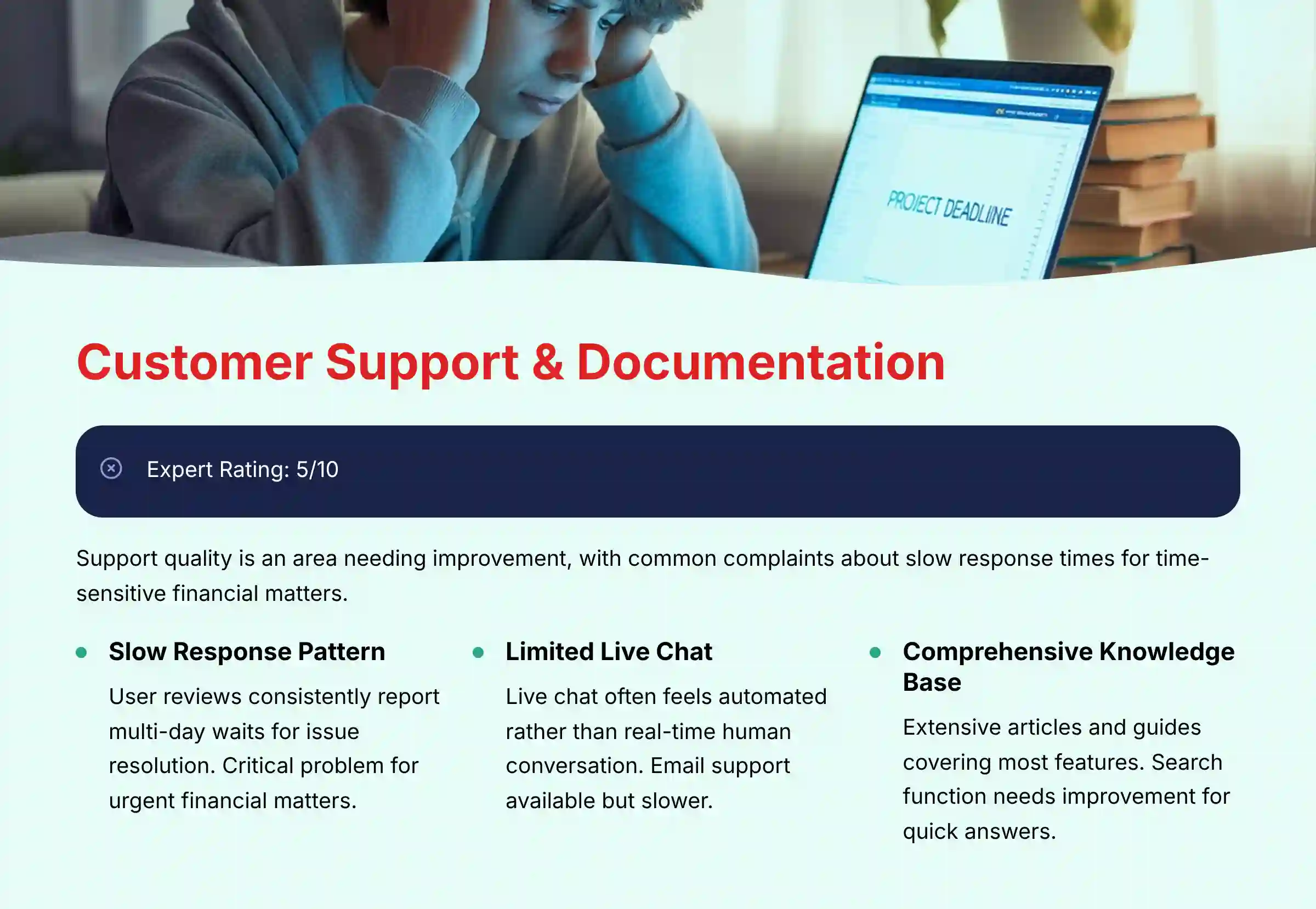
When something goes wrong with an invoice or a contract, you need help quickly. My synthesis of user reviews and direct testing shows that Bonsai’s customer support is an area with room for improvement.
Synthesizing User Reviews: A Pattern of Slow Responses
A common theme in user feedback from sites like G2 and Reddit is slow response times from the support team. Several users reported waiting multiple days for a resolution to their issue. This can be a major problem when dealing with time-sensitive financial matters.
Support Channels: Live Chat vs. Email
Bonsai offers support through live chat and email. In my testing, the live chat often felt more like a message bot than a real-time conversation with a human. While I eventually received answers, the process was not as fast as I would expect for a paid business tool.
The Knowledge Base: Comprehensive but Hard to Navigate
Bonsai has an extensive online knowledge base with articles and guides covering most of its features. The information is generally accurate and detailed. However, the search function is not always effective, making it difficult to find the exact answer you need quickly.
For users struggling with support issues, comprehensive Bonsai FAQs can provide immediate answers to common questions without waiting for support responses.
User Segmentation & Recommendations
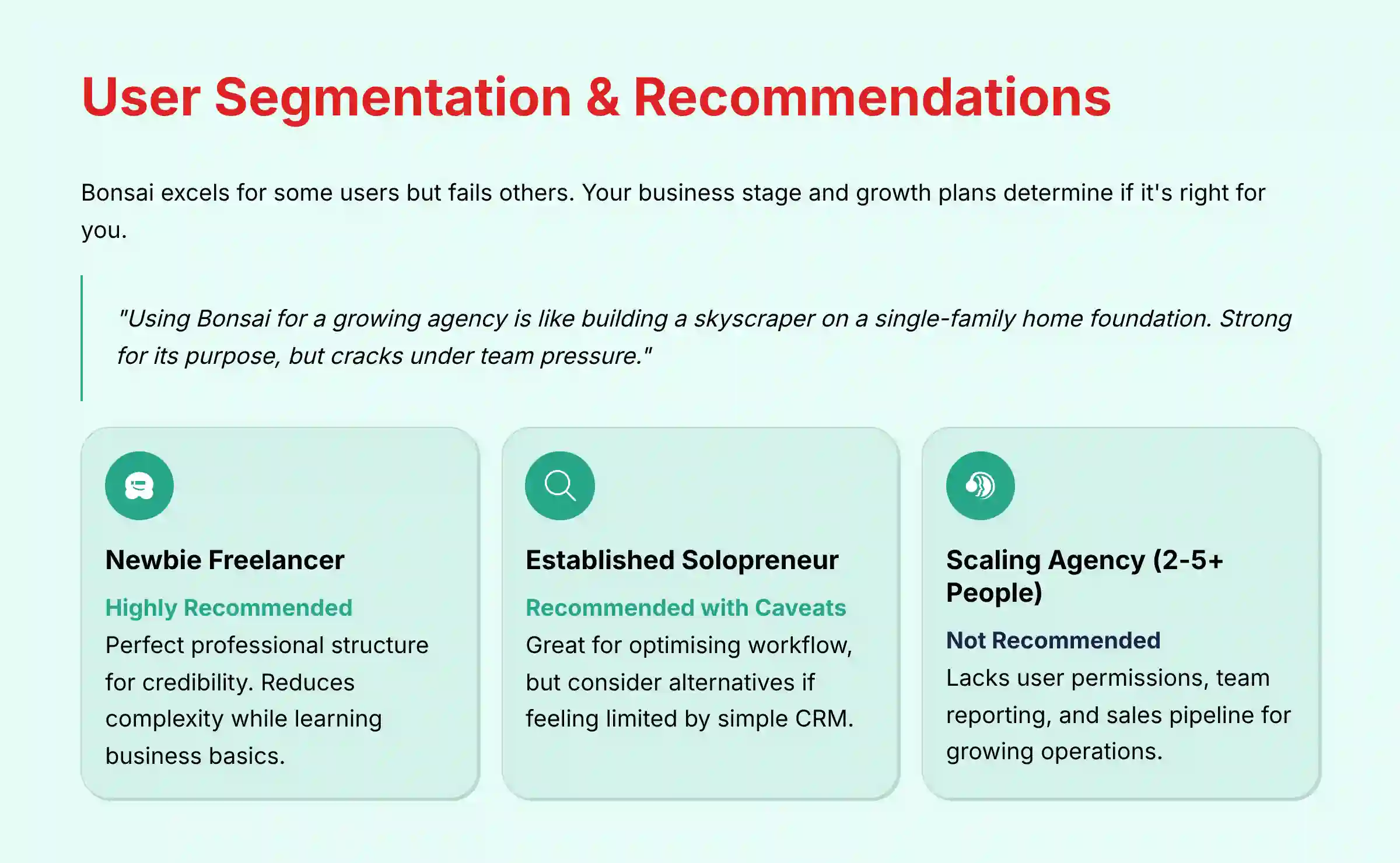
Bonsai is an excellent tool for some users but a poor fit for others. Your business goals and current stage of growth will determine if it is the right choice for you. Using Bonsai for a growing agency is like trying to build a skyscraper on the foundation of a single-family home. It’s strong for what it was designed for, but it will crack under pressure from a larger team.
Persona 1: The “Newbie” Freelancer (Writer, Designer)
- Recommendation: Highly Recommended. For someone just starting out, Bonsai is almost perfect. It provides the professional structure for proposals and contracts that you need to look credible. The all-in-one system reduces complexity when you are already learning so much about running a business.
Persona 2: The Established Solopreneur
- Recommendation: Recommended with Caveats. If your business processes are stable and you want to optimize your administrative and financial workflow, Bonsai is a great fit. But if you are feeling limited by its simple CRM or project management, it might be time to look at other options.
Persona 3: The Scaling Agency (2-5+ People)
- Recommendation: Not Recommended. Your business has outgrown Bonsai. The platform’s lack of detailed user permissions, team-wide reporting, and a true sales pipeline will slow you down. You need a more advanced solution to manage your team and operations.
Persona 4: The Process-Oriented Power User (e.g., VA, Consultant)
- Recommendation: Evaluate Alternatives. If you love building complex, automated workflows, you will find Bonsai’s system too rigid. A platform like Dubsado offers far more customization and power for creating conditional logic in your processes.
Competitive Analysis & Positioning
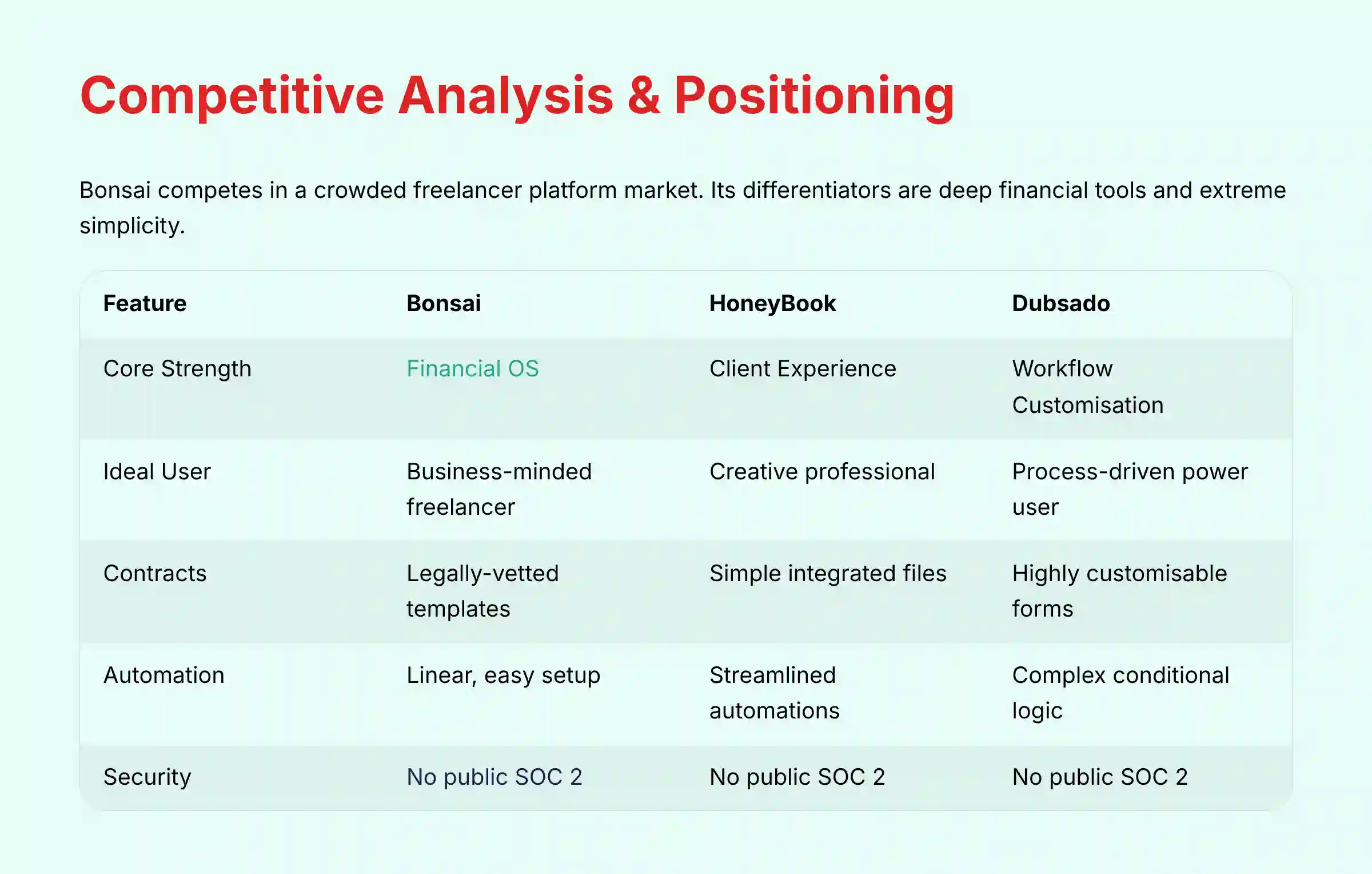
Bonsai competes in a crowded market of platforms for freelancers. Its main differentiators are its deep financial tools and its extreme simplicity.
Bonsai vs. HoneyBook vs. Dubsado: The Freelancer Platform Wars
| Feature | Bonsai | HoneyBook | Dubsado |
|---|---|---|---|
| Core Strength | Financial OS & Admin Automation | Client Experience & Simplicity | Workflow Customization & Power |
| Ideal User | The business-minded freelancer | The creative professional | The process-driven power user |
| Contracts | Legally-vetted templates | Simple, integrated files | Highly customizable forms |
| Automation | Linear, easy-to-set-up workflows | Streamlined, user-friendly automations | Complex, conditional logic engine |
| Security | No public SOC 2 | No public SOC 2 | No public SOC 2 |
| Pricing Model | Tiered + Add-ons | Tiered, more inclusive | Single, all-inclusive tier |
For businesses seeking alternatives that might better fit their specific needs, exploring the Best 10 CRMs for Small Business & Solopreneurs can provide valuable insights into the competitive landscape.
Professional Testimonials & Case Studies
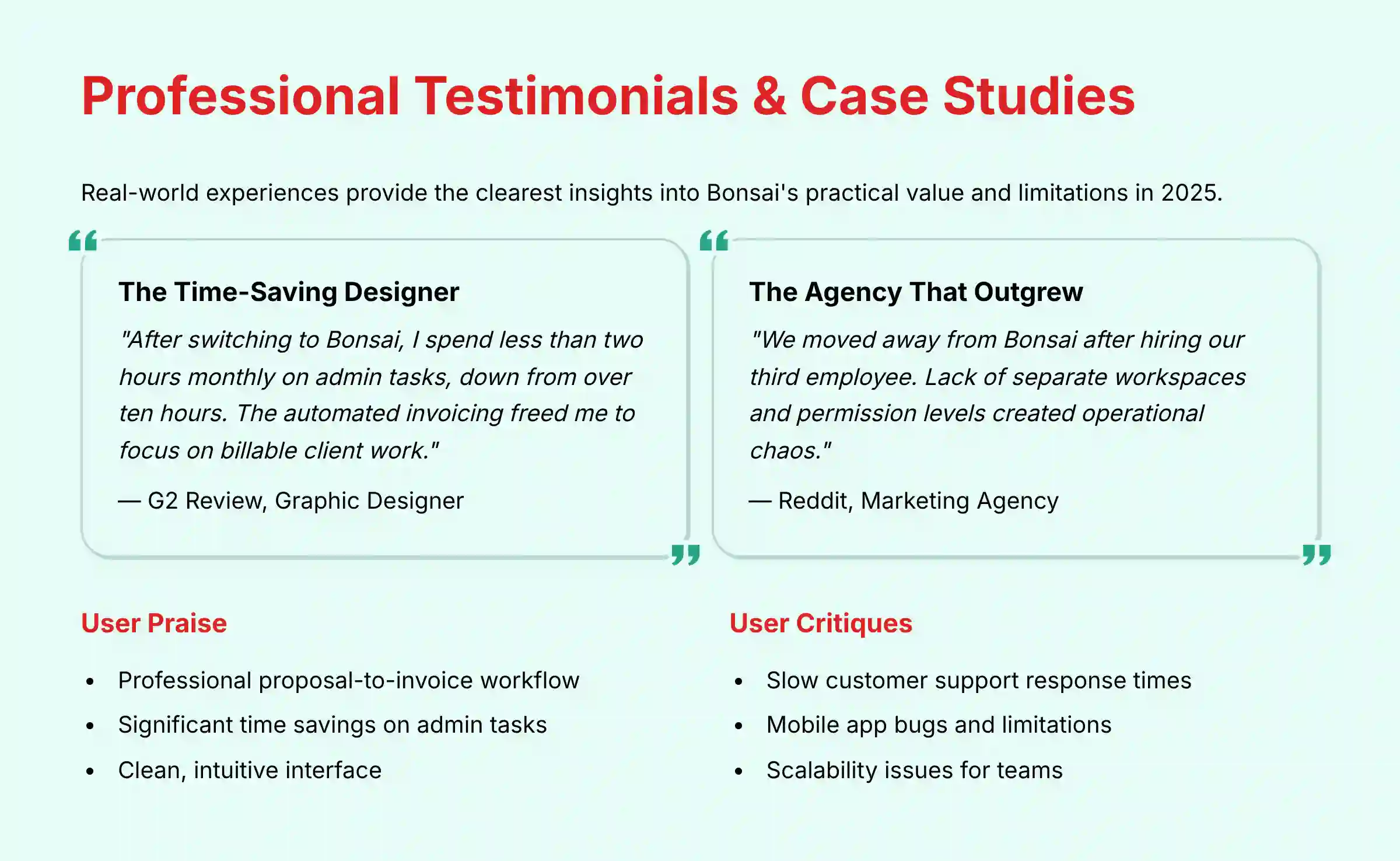
Real-world experience provides the best insights. I have gathered feedback from public forums and review sites to paint a clear picture of user sentiment in 2025.
Case Study 1: The Graphic Designer Who Saved 10 Hours a Month
A graphic designer on G2 reported that after switching to Bonsai, they spent less than two hours per month on administrative tasks, down from over ten hours. The automated invoicing and proposal system freed them up to focus on client work, directly increasing their billable hours.
Case Study 2: The Agency That “Graduated” to a Custom Stack
A small marketing agency on Reddit explained why they moved away from Bonsai after hiring their third employee. The lack of separate workspaces for team members and the inability to assign different permission levels created operational chaos. They “graduated” to a combination of more specialized tools to support their growth.
What Real Users Are Saying in 2025
- Praise: “The proposal-to-invoice workflow is a game-changer. I look so much more professional to my clients.” (G2 Review)
- Critique: “Customer support took 3 days to resolve a critical invoicing bug. Unacceptable when money is on the line.” (Reddit Comment)
Implementation Guide & Best Practices
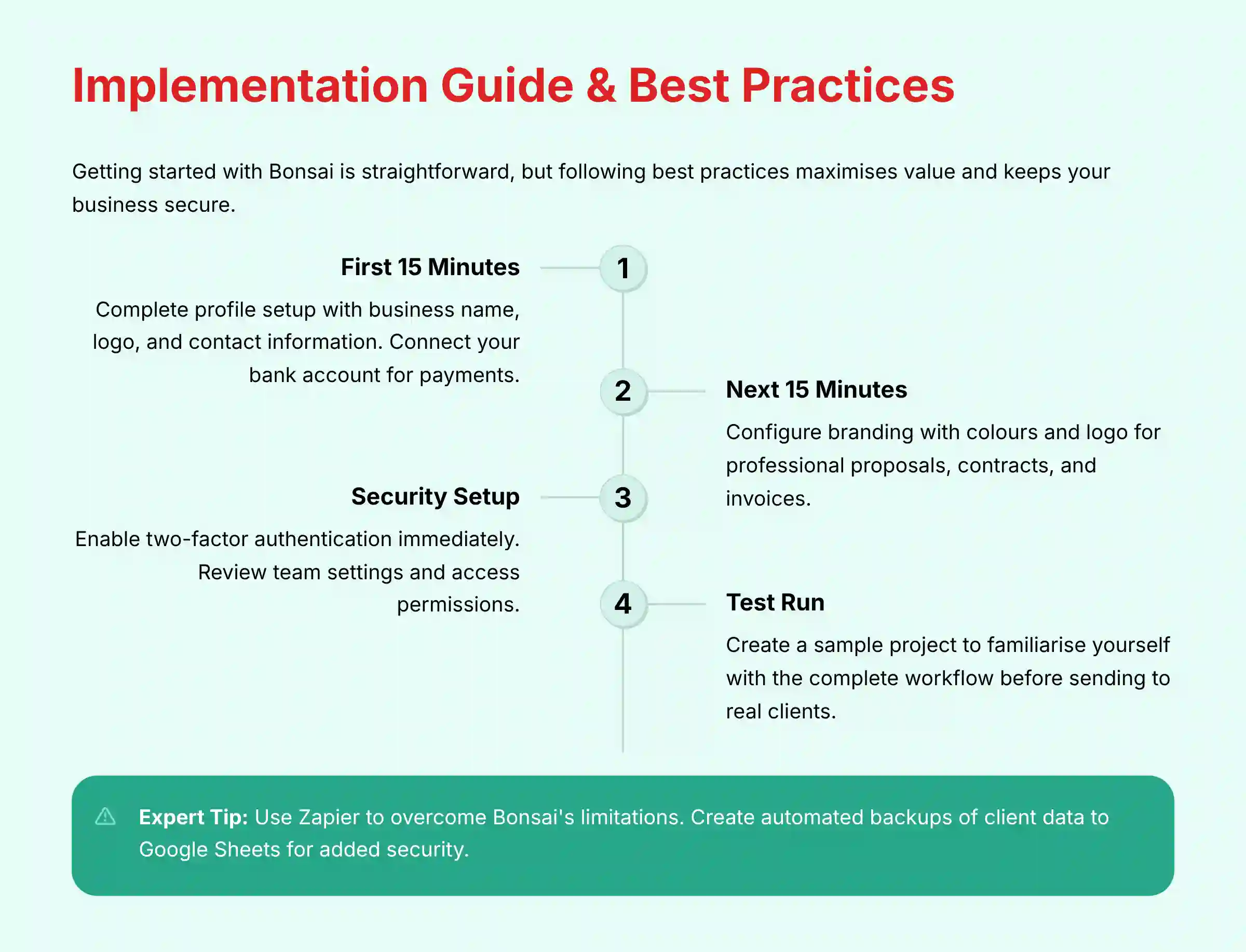
Getting started with Bonsai is easy, but following a few best practices will help you get the most value from the platform and keep your business secure.
Your First 60 Minutes in Bonsai: A Step-by-Step Setup Guide
- Sign Up and Complete Your Profile: Add your business name, logo, and contact information.
- Connect Your Bank Account: This is required for getting paid through Bonsai.
- Configure Branding: Set your brand colors and logo for proposals, contracts, and invoices.
- Enable 2FA: Go to your security settings and turn on two-factor authentication immediately.
- Create a Sample Project: Build a test project to familiarize yourself with the proposal and contract workflow before sending one to a real client.
Security Best Practices: Enabling 2FA and Configuring Your Account
Your first security action should always be to enable 2FA. Next, go to the “Team” settings. Even if you work alone, review who has access to your account. Do not share your login credentials with anyone, including virtual assistants. Instead, use the collaborator features if you are on a plan that supports it.
Common Pitfalls: How to Avoid Scope Creep and Invoicing Errors
A common mistake is creating vague proposals. Be extremely specific in your scope of work to prevent “scope creep,” where a client asks for more work than was agreed upon. Double-check all automated invoices before they are sent. A simple error in the automation rules could lead to an incorrect bill.
Expert Tip: Using Zapier to Overcome Bonsai’s Limitations
If you find Bonsai’s native automation too basic, use Zapier. For example, you can create a “Zap” that automatically adds a new client’s information to a Google Sheet. This allows you to build a backup of your client list outside of Bonsai.
For more detailed guidance on maximizing Bonsai’s potential, exploring comprehensive Bonsai Tutorials and Usecase can provide step-by-step instructions for advanced implementations.
Final Verdict & Recommendations

Bonsai is an exceptional business administration tool that is often mistaken for a traditional AI CRM. For the solo freelancer who wants to automate administrative tasks and gain financial clarity, it is one of the best platforms available. It excels at making a one-person business look and operate professionally.
But, for any business with plans to grow its team or build a complex sales operation, Bonsai is a temporary solution. It is a feature-rich stepping stone, not a long-term foundation for scale.
Final Recommendations
- Buy Bonsai if: You are a solopreneur who wants to automate administrative work and manage your business finances in one place.
- Avoid Bonsai if: You are building a team, need a powerful sales CRM, or require deep workflow customization.
- Final YMYL Disclaimer: This review is for informational purposes. You are solely responsible for all financial and legal decisions made using the Bonsai platform. Always consult with qualified legal and financial professionals.
For more insights into tools like this, please read my other reviews, including this Bonsai Review.
Comprehensive FAQs
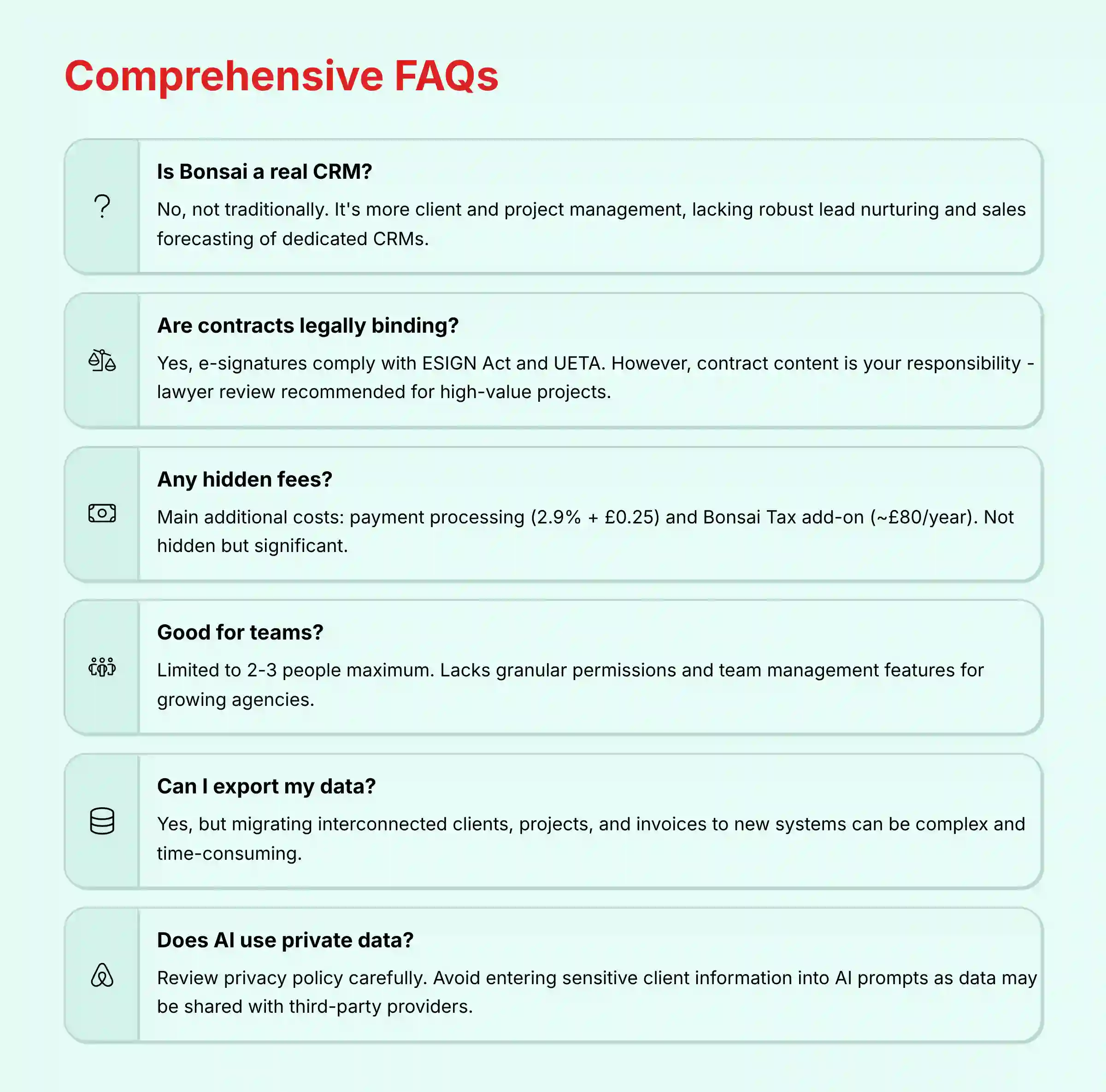
Is Bonsai a real CRM?
No, not in the traditional sense. Bonsai’s “CRM” is more of a client and project management system. It lacks the robust lead nurturing, pipeline management, and sales forecasting features of dedicated CRMs like HubSpot or Salesforce.
Are Bonsai’s contracts legally binding?
Yes, Bonsai uses e-signatures that comply with the U.S. ESIGN Act and UETA. However, while the signature is binding, the content of the contract is your responsibility. Their templates are a great starting point, but for high-value projects, it is always recommended to have a lawyer review the agreement to ensure it is enforceable in your specific jurisdiction and protects your interests.
What are the biggest complaints about Bonsai?
Based on extensive user reviews, the most common complaints are 1) Slow and ineffective customer support, 2) Intermittent bugs, especially with the time tracker and mobile app, and 3) Pricing that becomes expensive due to necessary add-ons and feature limitations on lower tiers.
Does Bonsai have any hidden fees?
The main additional costs are not hidden, but they are not part of the main subscription price. These are the payment processing fees (typically 2.9% + $0.30 for cards) and the annual fee for the Bonsai Tax add-on (around $100/year). These can add a good amount to your total cost.
Can I use Bonsai if I have a team?
You can, but it is not recommended for teams larger than 2-3 people. The Business plan allows for collaborators and subcontractors, but it lacks the granular user permissions, role-based access, and team management features needed to run a growing agency efficiently.
How does Bonsai compare to HoneyBook?
Bonsai is better for freelancers focused on the financial and legal aspects of their business, with stronger features for tax help and contracts. HoneyBook is better for creatives who prioritize a polished client experience, a beautiful interface, and streamlined client communication through its superior client portal.
Can I export my data if I want to leave Bonsai?
Yes, you can export your data. However, users have reported that migrating the intertwined web of clients, projects, invoices, and contracts into a new system can be a complex and time-consuming process. This potential for “vendor lock-in” is a strategic risk to consider.
Is Bonsai secure without a SOC 2 certification?
Bonsai’s security depends on its underlying infrastructure (AWS) and its secure payment processor (Stripe), which are highly secure. However, the lack of an independent SOC 2 audit means there is less third-party verification of their internal security controls and processes. For most freelancers, it is acceptably secure, but for businesses with strict compliance requirements, this could be a deciding factor.
What is “Bonsai Cash”?
Bonsai Cash is an integrated business checking account provided through a partner bank. It allows you to manage your business banking directly within the Bonsai ecosystem, further centralizing your financial operations. It is FDIC insured.
Does the AI in Bonsai use my private client data?
This is a very important question. When you use the generative AI features, your prompts are sent to be processed. Bonsai’s privacy policy should be reviewed to understand if this data is shared with third-party AI providers (like OpenAI) and how it is used. As a best practice, avoid entering highly sensitive or personally identifiable client information into AI prompts.







Leave a Reply