
Is Salesforce Einstein the Right AI CRM for Your Business?
Take This 2-Minute Quiz to Find Out!
Key Takeaways
- Einstein AI Transforms CRM: Salesforce Einstein integrates predictive and generative AI directly into workflows, automating tasks, predicting outcomes, and recommending next-best actions across Sales, Service, and Marketing clouds.
- Edition-Specific AI Access: Advanced Einstein features like Lead & Opportunity Scoring are standard only in Enterprise and Unlimited editions; Professional Edition users must purchase AI as add-ons (~$50/user/month).
- Data Quality Critical: Einstein effectiveness depends on sufficient historical data (minimum 1,000 leads with 100 conversions for Lead Scoring) and maintaining high data accuracy for reliable predictions.
- Enterprise-Grade Security: Salesforce ensures per-customer model isolation, granular access controls, SOC 2/ISO 27001 certifications, and comprehensive GDPR/CCPA compliance tools for secure AI deployment.
- Strong ROI Potential: Organizations can achieve measurable revenue growth through improved lead prioritization, faster sales cycles, reduced support costs via AI chatbots, and more accurate revenue forecasting within 6–12 months.
What is Salesforce Einstein, and how does it make Salesforce an “AI CRM”?

Salesforce Einstein is the artificial intelligence (AI) layer built seamlessly into the Salesforce platform, transforming the CRM from a static database into an intelligent, proactive system.
It empowers teams across Sales, Service, Marketing, and Commerce Clouds by automating repetitive tasks, predicting outcomes, and recommending the next best actions.
This integration of AI throughout Salesforce’s ecosystem is what earns it the designation “AI CRM.” For a comprehensive Salesforce Overview and Features breakdown, exploring how these capabilities integrate is essential.
Unlike standalone AI tools, Einstein works directly within users’ workflows by leveraging the vast CRM data—such as contacts, emails, calendar events, deals, and support cases—to train predictive models tailored to your business data.
Key AI capabilities include:
- Predictive AI: Features like Einstein Lead & Opportunity Scoring analyze historical wins and losses to prioritize leads or deals with the highest conversion probability. Einstein Forecasting delivers data-driven revenue predictions based on historical pipeline dynamics.
- Generative AI: Introduced with Einstein 1 Platform, generative AI powers Einstein Copilot, which can summarize complex records, draft professional emails contextually, write marketing content, and automate administrative tasks, significantly boosting productivity.

By intelligently surfacing insights inside Salesforce’s native interface, Einstein makes AI an embedded assistant rather than an external complexity.
This enables sales reps, marketers, and service agents to work smarter—focusing on high-impact activities based on data-driven insights instead of manual guesswork.
Is Salesforce’s AI functionality suitable for small businesses, or is it only for large enterprises?
Salesforce AI is designed to scale across businesses of all sizes, but smaller companies should evaluate their readiness and needs carefully before investing.
While Salesforce started as an enterprise-focused platform, recent deliveries have made certain AI features accessible to growing small and medium-sized businesses (SMBs).
For SMBs, access to Einstein AI features depends largely on the Salesforce edition and licensing:
- AI Availability by Edition: Contrary to some misconceptions, Salesforce Professional Edition does not include AI features like Einstein Opportunity Scoring by default. These advanced AI capabilities come standard only with the Enterprise and Unlimited editions. Small businesses on Professional Edition must purchase AI features as add-ons, such as the Sales Cloud Einstein package, which can add approximately $50 per user per month.
- Data and Resource Considerations: AI effectiveness depends on having sufficient, high-quality data and the internal capacity to maintain it accurately. Smaller companies with less historical data or limited teams may not immediately benefit from complex AI models. However, features like lead scoring can still provide value by prioritizing sales leads without needing a dedicated data science resource.
- Scalability for Growth: Salesforce AI is highly scalable, making it suitable for small businesses planning to grow rapidly and invest in sophisticated automation. For very small teams or those with minimal budgets, alternative AI CRMs with simpler pricing and faster onboarding—like HubSpot AI—might be more cost-effective.

In summary, Salesforce AI can benefit small businesses committed to disciplined data practices and willing to invest in the right edition and add-ons.
It shines especially for SMBs anticipating scale and complex workflows but may be less immediately accessible or affordable for micro-businesses with limited budgets or data maturity.
What are the main benefits of an AI CRM like Salesforce compared to a traditional CRM?
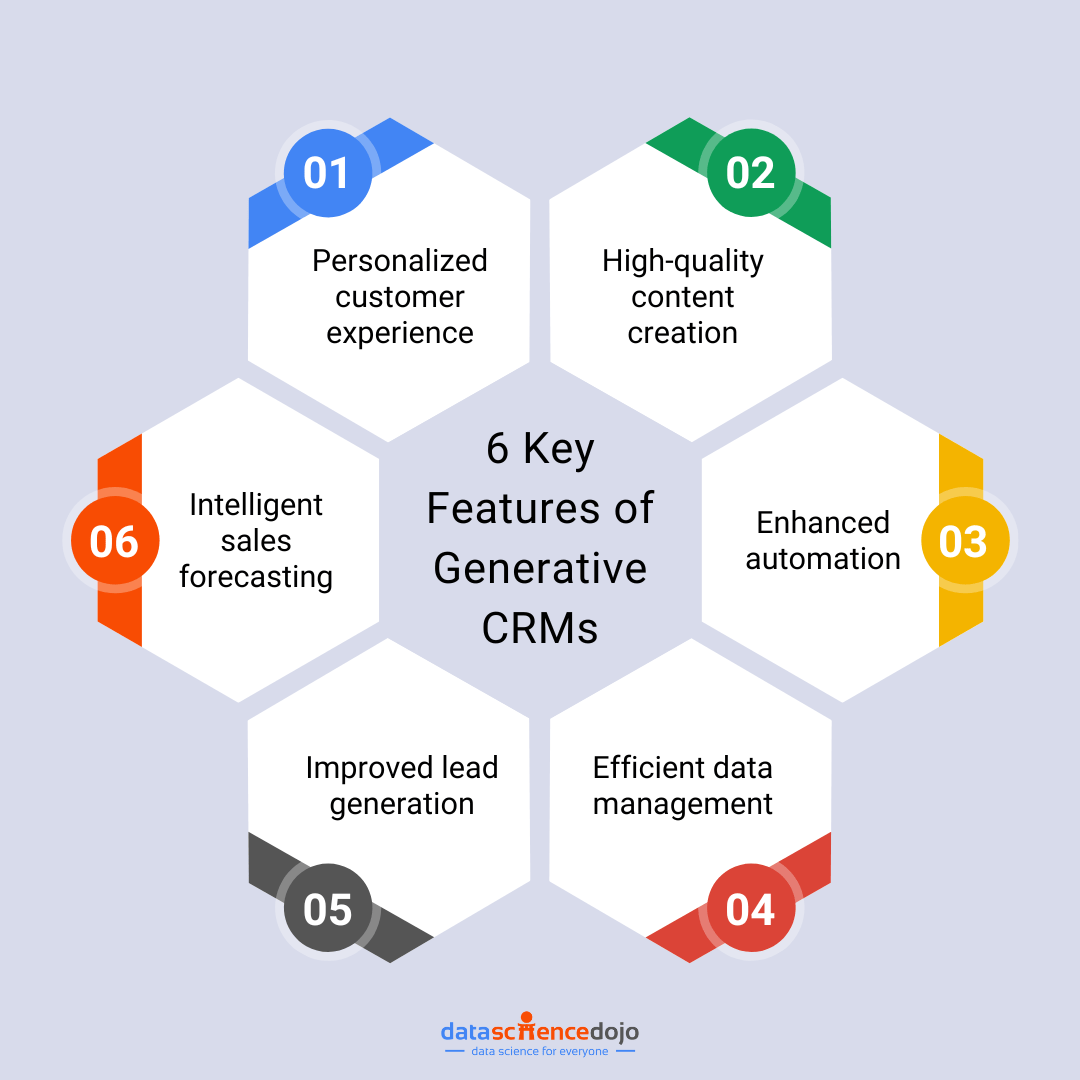
An AI CRM like Salesforce Einstein dramatically elevates the traditional CRM paradigm from a passive repository of information to an active, intelligent growth engine.
Traditional CRMs primarily capture and organize customer data, requiring manual inputs and retrospective analysis.
In contrast, AI-powered CRMs harness machine learning and automation to proactively augment user decisions and workflows.
The main benefits include:
- Data-Driven Sales Prioritization: Salesforce Einstein automatically scores leads and opportunities based on predictive analytics, allowing sales reps to focus efforts on prospects with the highest conversion likelihood. This targeted approach typically improves win rates and shortens sales cycles compared to manual prioritization.
- Enhanced Customer Service Efficiency: AI-driven case classification and routing optimize customer support by directing inquiries to the right agents quickly. Einstein Bots handle routine questions, freeing human agents to resolve complex issues faster and boosting customer satisfaction.
- Accurate Forecasting & Insights: AI-powered forecasting goes beyond historical reporting, predicting future revenue with higher accuracy based on comprehensive pipeline and activity data. Leadership gains actionable intelligence to improve resource planning and strategy.
- Reduced Manual Data Entry: Automated contact capture and activity logging minimize repetitive admin tasks, reducing errors and keeping data fresh in real-time.
By integrating intelligence directly into daily workflows, AI CRMs turn CRM data from static records into actionable insights, increasing team productivity and delivering measurable business growth.
This proactive value is the defining advantage over traditional, reactive CRMs. If you’re looking to explore Best 10 All-in-One CRM Platforms, understanding these AI advantages is crucial.
How does Salesforce ensure data security and privacy for its AI features, and is it GDPR/CCPA compliant?
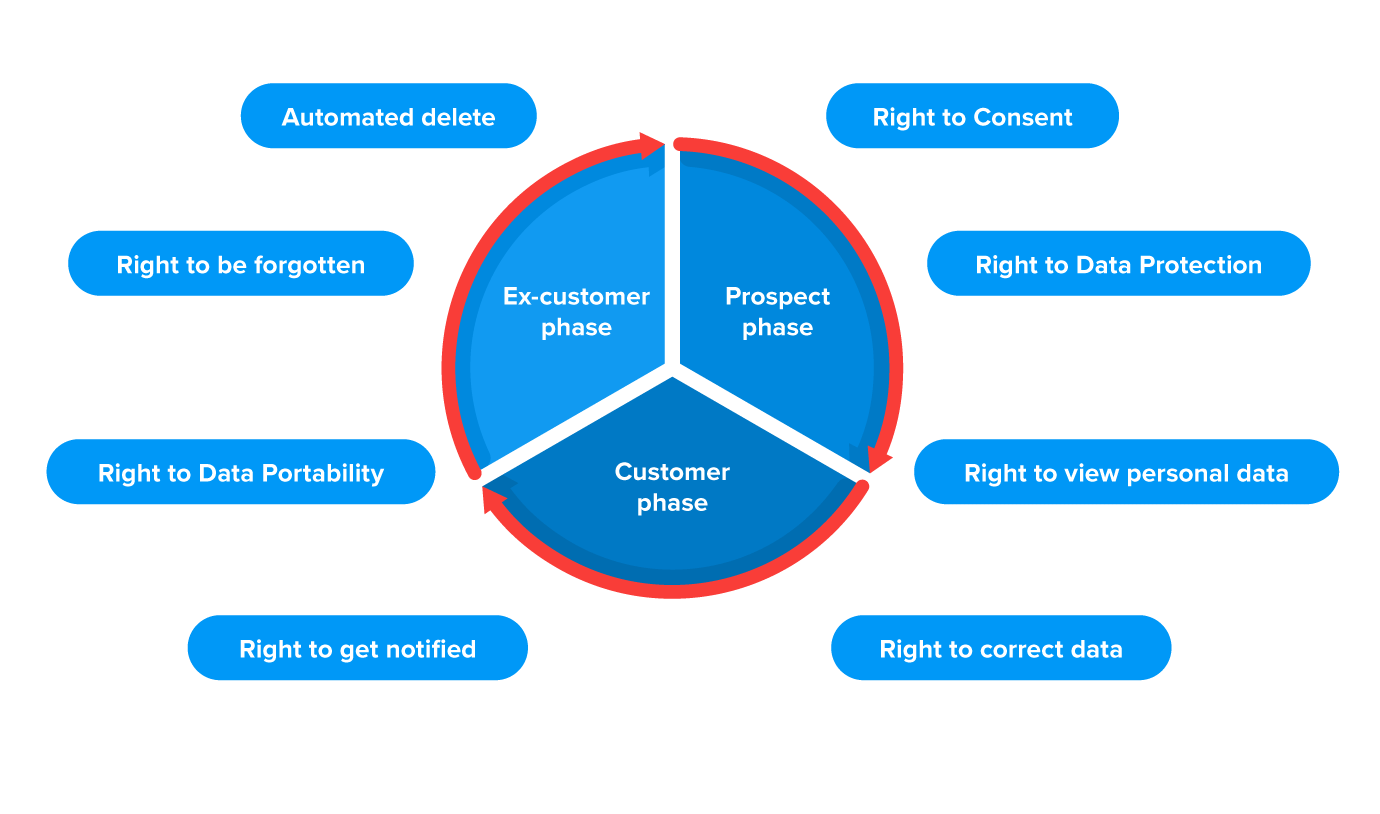
Salesforce places data security and privacy at the forefront, employing rigorous safeguards and compliance measures to protect sensitive customer data, a crucial consideration for any AI CRM.
Key elements include:
- Data Segregation & Model Privacy: Salesforce Einstein trains AI models uniquely per customer organization. Your data is never shared with other customers or incorporated into global AI models that access other clients’ data. This isolation prevents risks of data leakage and ensures all AI insights pertain exclusively to your business.
- Granular Access Controls: Salesforce’s robust user permissions framework governs who can view or manipulate AI-powered fields and features. Salesforce Shield, an advanced security suite, adds capabilities such as field-level encryption, real-time event monitoring, and audit trails for enhanced data oversight.
- Compliance with Global Standards: Salesforce consistently attains top-tier security certifications, including SOC 2 Type II and ISO 27001. It offers comprehensive tools to help customers comply with privacy regulations like the European GDPR and California’s CCPA, including features to manage data access requests and deletion.
- Responsible AI Practices: Salesforce commits to ethical AI development. They incorporate transparency mechanisms where feasible, explaining AI prediction rationales, and actively work to mitigate biases in models.
Organizations considering Salesforce Einstein should conduct their own privacy risk assessments aligned with their industry and regulatory obligations.
Nonetheless, Salesforce’s architecture and processes provide a secure foundation trusted by enterprises worldwide, making it a viable AI CRM choice even in highly regulated sectors.
What kind of data do I need for Salesforce’s AI to be effective?
Salesforce Einstein’s AI capabilities depend critically on having sufficient quantity and quality of historical CRM data.
It operates on the foundational principle that better data produces better AI insights.
Below are the key data requirements:
- Adequate Historical Volume: For predictive AI features to model behavior accurately, Salesforce recommends for Einstein Lead Scoring at least 1,000 total leads created within the past six months, including a minimum of 100 converted leads. This balanced dataset of converted and unconverted leads helps the AI differentiate patterns effectively. For opportunity scoring, a history of several hundred closed opportunities (both won and lost) is typically needed.
- High Data Quality: Accuracy and completeness are vital. Sales teams must diligently update fields like deal stage, amount, and close date. Missing or incorrect data leads to flawed models and unreliable predictions.
- Relevant Data Fields: The AI examines all standard and many custom objects and fields to detect correlations. Collecting essential attributes such as Lead Source, Industry, Company Size, and product interest enhances model precision.
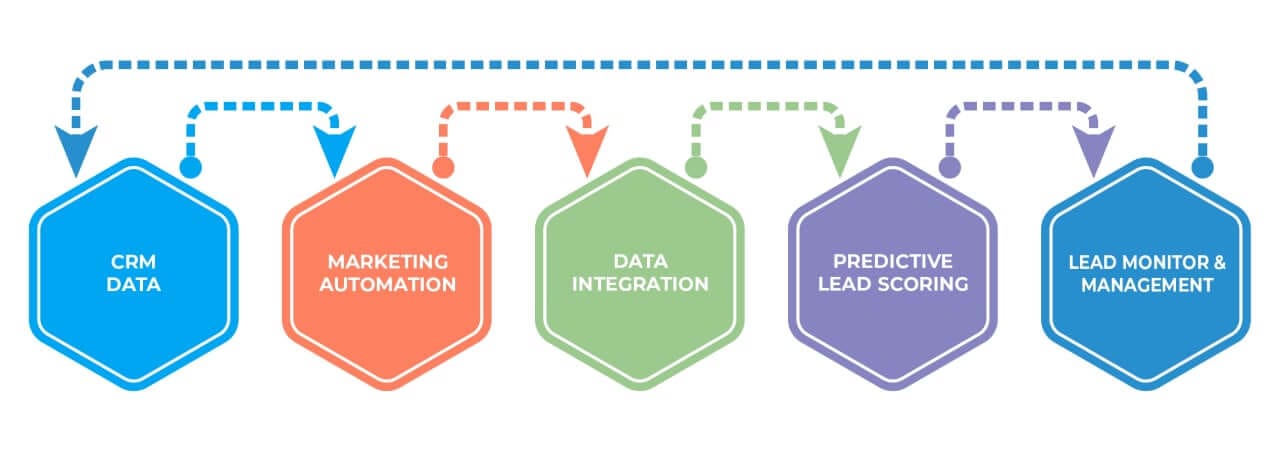
Salesforce offers an Einstein Readiness Assessor tool within customer orgs to evaluate if data meets minimum thresholds, enabling informed decisions about AI activation eligibility.
Practical guidance: Rather than trying to fix all historical data at once, focus improvement efforts on core objects (Leads and Opportunities) over a defined short sprint (e.g., 30 days).
Accurate entry of key fields will often yield the majority of AI value with manageable data cleansing effort.
How does Salesforce Einstein compare to other AI CRMs like HubSpot AI or Zoho Zia?
Salesforce Einstein is considered a premier enterprise-level AI platform in the CRM space, offering far deeper customization and scalability compared to HubSpot AI and Zoho Zia.
However, this strength comes with trade-offs in complexity and cost.
Here’s a detailed comparison:
- Salesforce Einstein:
- Strengths: Comprehensive AI automation embedded throughout multiple clouds (Sales, Service, Marketing, Commerce) and powered by the unified Einstein 1 Platform. It supports rich data integration across external systems via MuleSoft and Data Cloud, providing a true 360-degree customer view. Its predictive models are highly customizable to complex sales processes and massive datasets, ideal for large enterprises or fast-growing mid-sized firms.
- Weaknesses: Higher entry cost with advanced features often requiring Enterprise or Unlimited editions plus paid add-ons. Implementation can require specialized expertise to unlock full potential.
- HubSpot AI:
- Strengths: User-friendly, out-of-the-box AI tools targeted at SMBs and inbound marketers, such as content creation suggestions, email optimization, and basic predictive lead scoring. Integration with HubSpot’s all-in-one platform simplifies adoption.
- Weaknesses: Less customizable and fewer advanced AI features; may lack the capability to handle highly complex or specialized workflows.
- Zoho Zia:
- Strengths: Offers solid AI analytics, conversational AI (chatbots), and data enrichment at a more affordable price point. Good for businesses needing broad capabilities on limited budgets.
- Weaknesses: The Zoho ecosystem can feel less seamless; integrations and interfaces may not be as polished or intuitive.
In summary, choose Salesforce Einstein when requiring scalable, enterprise-grade AI with extensive customization.
Opt for HubSpot AI for easy-to-use AI in SMB marketing/sales contexts, and Zoho Zia for cost-effective, broad AI features in budget-conscious scenarios.
For more insights, review our detailed Salesforce Review covering AI capabilities and total cost of ownership, as well as Salesforce Top Alternatives and Competitors analysis.
What are the main features of Salesforce Einstein?
Salesforce Einstein is a comprehensive suite of AI-powered features woven throughout the Salesforce platform to boost productivity across sales, service, and marketing teams.
Key features include:
Sales Cloud Einstein:
- Lead & Opportunity Scoring: Predicts likelihood to convert using historical data, directing reps to prioritize key deals.
- Einstein Forecasting: Provides accurate, AI-driven revenue forecasts by analyzing pipeline trends and user activity.
- Opportunity Insights: Flags at-risk deals and sends proactive notifications to help reps act quickly.
- Einstein Activity Capture: Automatically syncs emails and calendar events to Salesforce, identifying new contacts and logging activities to reduce manual data entry.
Service Cloud Einstein:
- Case Classification & Routing: Automatically categorizes support requests and assigns them to the most qualified agents, improving resolution speed.
- Einstein Bots: AI chatbots can handle routine customer inquiries, collect information, and escalate complex issues as needed.
- Article Recommendations: Suggests relevant knowledge base articles to service agents in real-time, speeding up problem-solving.
Einstein Generative AI (Einstein Copilot):
- A conversational AI assistant integrated across Salesforce products, capable of summarizing records, generating emails, and producing marketing content, thereby automating administrative burdens.
These features reduce repetitive tasks, elevate customer experiences, and empower sales and service teams with timely, actionable insights.
The combination of predictive and generative AI makes Einstein a versatile intelligence layer rather than a single tool.
For hands-on learning, explore our Salesforce Tutorials and Usecase guides to maximize these AI capabilities.
Can Salesforce’s AI integrate with third-party data and external applications?
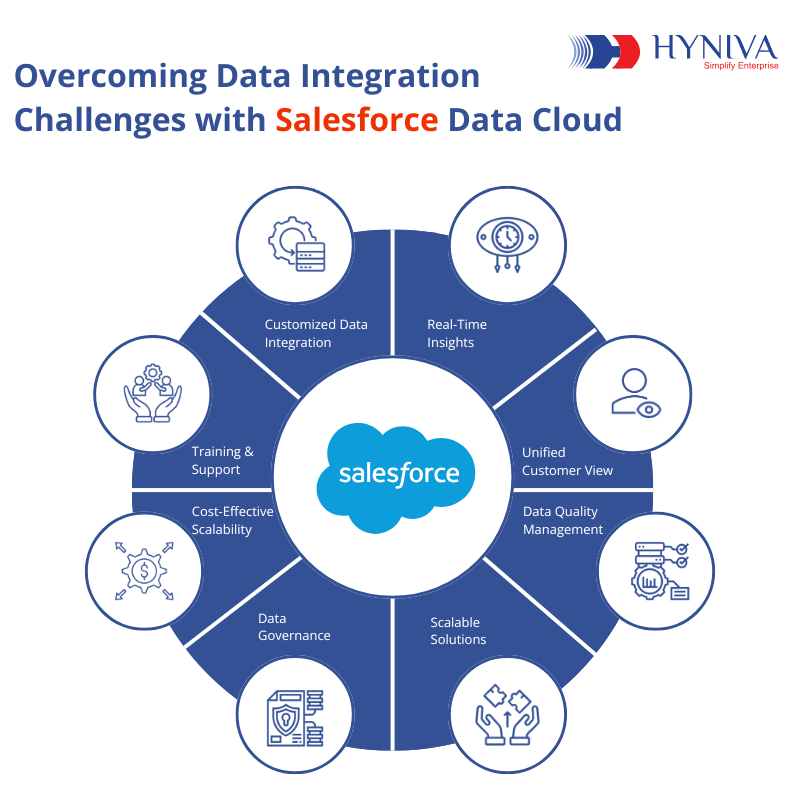
Yes, Salesforce’s AI excels in integrating third-party data and external applications, which is essential for delivering comprehensive and accurate AI-driven insights.
This integration capability relies on several key components:
- Salesforce Data Cloud: Formerly known as Customer Data Platform, Data Cloud ingests, harmonizes, and unifies customer data in real-time from virtually any source—be it external warehouses (Snowflake, BigQuery), websites, mobile apps, or IoT devices. This consolidated customer profile is then leveraged by Einstein AI to enrich predictions and personalize experiences.
- MuleSoft Anypoint Platform: As Salesforce’s integration backbone, MuleSoft supports connectivity to thousands of applications and databases via pre-built connectors and APIs. This integration layer enables even legacy or custom systems to feed real-time data into Salesforce, ensuring AI models have a holistic view across disparate data silos.
- AppExchange Marketplace: Thousands of certified third-party apps available on AppExchange natively integrate with Salesforce, many of which expose data directly usable by Einstein AI.
By enabling AI access to comprehensive datasets spanning sales, marketing, support, and external sources, Salesforce provides a true 360-degree view of each customer.
This breadth and depth of integration dramatically improve AI accuracy, personalization, and business impact.
What is the real cost of Salesforce? (Is AI an add-on?)
Salesforce pricing is multi-tiered and varies significantly based on the edition, user count, and required AI features, making the “real cost” vary widely across organizations.
Important pricing considerations include:
- Base License Cost: Sales Cloud’s editions range from Starter (~$25/user/month) up to Unlimited (over $300/user/month), with feature sets expanding accordingly.
- AI (Einstein) Pricing: Many advanced Einstein AI features, such as Opportunity and Lead Scoring, are not included in lower-tier editions like Professional by default. These capabilities come standard only with Enterprise and Unlimited editions. For Professional or lower editions, AI features are purchased separately as add-ons (Sales Cloud Einstein add-on costs around $50/user/month).
- Additional Costs (Total Cost of Ownership):
- Implementation Fees: Complex setups often require certified partners, which can cost thousands to tens of thousands of dollars depending on scope.
- Support Plans: Basic support is included, but Premier Support with 24/7 availability and faster SLAs is an extra cost, often a percentage of license fees.
- Data Storage: If the organization exceeds default data or file storage limits, additional storage incurs extra charges.
- Customization & Integrations: Custom development and MuleSoft licenses for integrations can add materially to costs.
Because AI functionality may be either locked behind premium editions or sold as an add-on, budgeting accurately requires careful scoping of both core Salesforce features and specific Einstein AI capabilities needed.
It is critical to obtain detailed quotes and clarify licensing entitlements before purchasing.
Do I need an implementation partner to set up Salesforce, or can I do it myself?
Whether you need an implementation partner depends largely on your company’s size, complexity of processes, Salesforce edition choice, and technical resources.
You may consider self-implementation if:
- You are a small team (<10 users).
- Your use cases are straightforward (basic contact, account, and opportunity management).
- You purchase an edition with simple setup (Starter or Professional Edition).
- You have a tech-savvy team member willing to commit sufficient time to learn via Salesforce’s Trailhead training platform.
You likely need a certified implementation partner if:
- You have complex sales processes requiring custom objects, automation, or sophisticated workflows.
- You are migrating large volumes of data from legacy systems or multiple sources.
- Integration with ERP, marketing automation, accounting, or other external platforms is required.
- You plan to use multiple Salesforce Clouds (Sales, Service, Marketing) simultaneously.
- Your team lacks capacity or expertise for proper configuration and change management.
Expert advice: A quality implementation partner brings strategic insight beyond mere setup—they help streamline business processes, ensure scalable architecture, and improve user adoption.
DIY for complex projects often leads to costly delays, poor data quality, and low ROI.
If you’re uncertain, engaging a partner early can save time and money in the long run.
What is the typical ROI for implementing Salesforce AI?
Implementing Salesforce AI typically yields strong return on investment (ROI) across sales productivity, customer service efficiency, and strategic business insights, but ROI depends heavily on execution quality and adoption.
Key ROI areas include:
- Sales Revenue Growth: By focusing efforts on qualified leads through Einstein Lead and Opportunity Scoring, sales teams can increase close rates and reduce sales cycles. For example, companies have reported measurable conversion lifts by prioritizing high-scoring leads and deals flagged as “at risk.” Automated Activity Capture saves sales reps hours weekly allowing more time for selling.
- Customer Service Cost Savings & Satisfaction: AI-powered case routing and chatbots deflect routine inquiries from agents, reducing support costs and speeding resolutions. Improved first-contact resolution and relevant article recommendations enhance customer satisfaction and retention.
- Better Forecasting & Decision-Making: Einstein Forecasting provides more accurate revenue predictions than manual spreadsheets, enabling leadership to allocate resources optimally and plan confidently. This reduces financial uncertainty and improves agility.
Success requires clean, sufficient data, clear goals, and comprehensive training to build user trust in AI recommendations.
With strong adoption, ROI milestones are often seen within 6–12 months post-implementation.
Is there a free trial for Salesforce that includes its AI (Einstein) features?
Yes, Salesforce offers a 30-day free trial for the Sales Cloud Unlimited Edition, which includes a curated set of Einstein AI features to allow hands-on exploration before purchase.
Typical features available during the trial include:
- Einstein Lead & Opportunity Scoring: Users can see AI scores on sample or trial data, demonstrating predictive lead prioritization.
- Einstein Activity Capture: Automatically syncs emails and calendar events to Salesforce, helping visualize activity logging and contact capture without manual entry.
- Einstein Forecasting: Explore AI-generated revenue predictions to get acquainted with smarter pipeline management.
The trial environment includes sample datasets to illustrate AI capabilities realistically, enabling prospective customers to assess user experience and the potential impact on their sales workflows.
Important: With Einstein Activity Capture, trial users should review data privacy and compliance implications, as syncing email and calendar data involves transmitting personal information to Salesforce.
Organizations should ensure appropriate controls and consent are in place even during trial usage.
This free trial is a valuable step to evaluate Salesforce AI’s usability and benefits without financial commitment.
This comprehensive FAQ collection aims to provide a definitive and trustworthy resource for understanding Salesforce’s AI CRM capabilities, pricing, security, and real-world considerations to empower confident decision-making. For additional information, visit our complete Salesforce FAQs page.


Leave a Reply